Employee Evaluation Form for Aviator
What this document covers
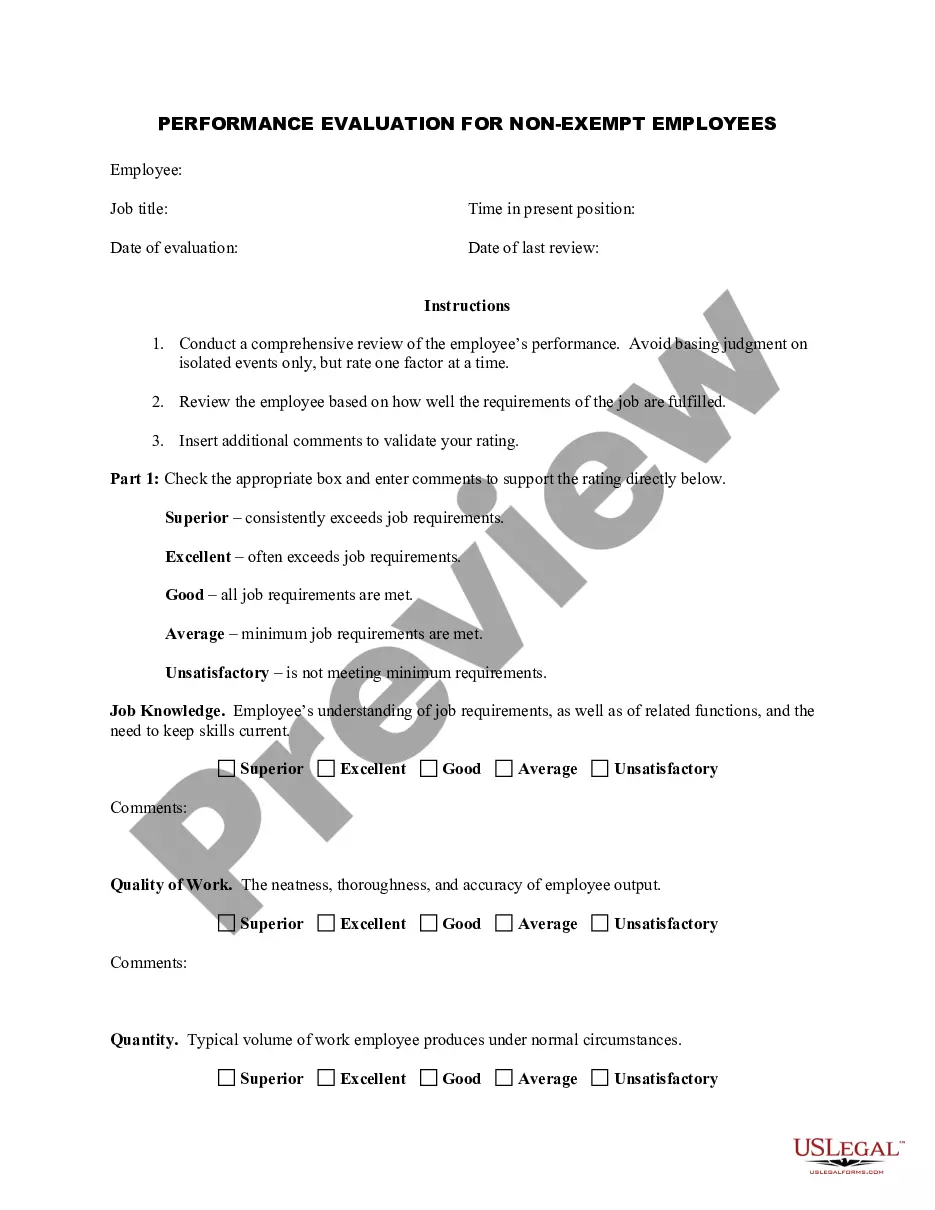
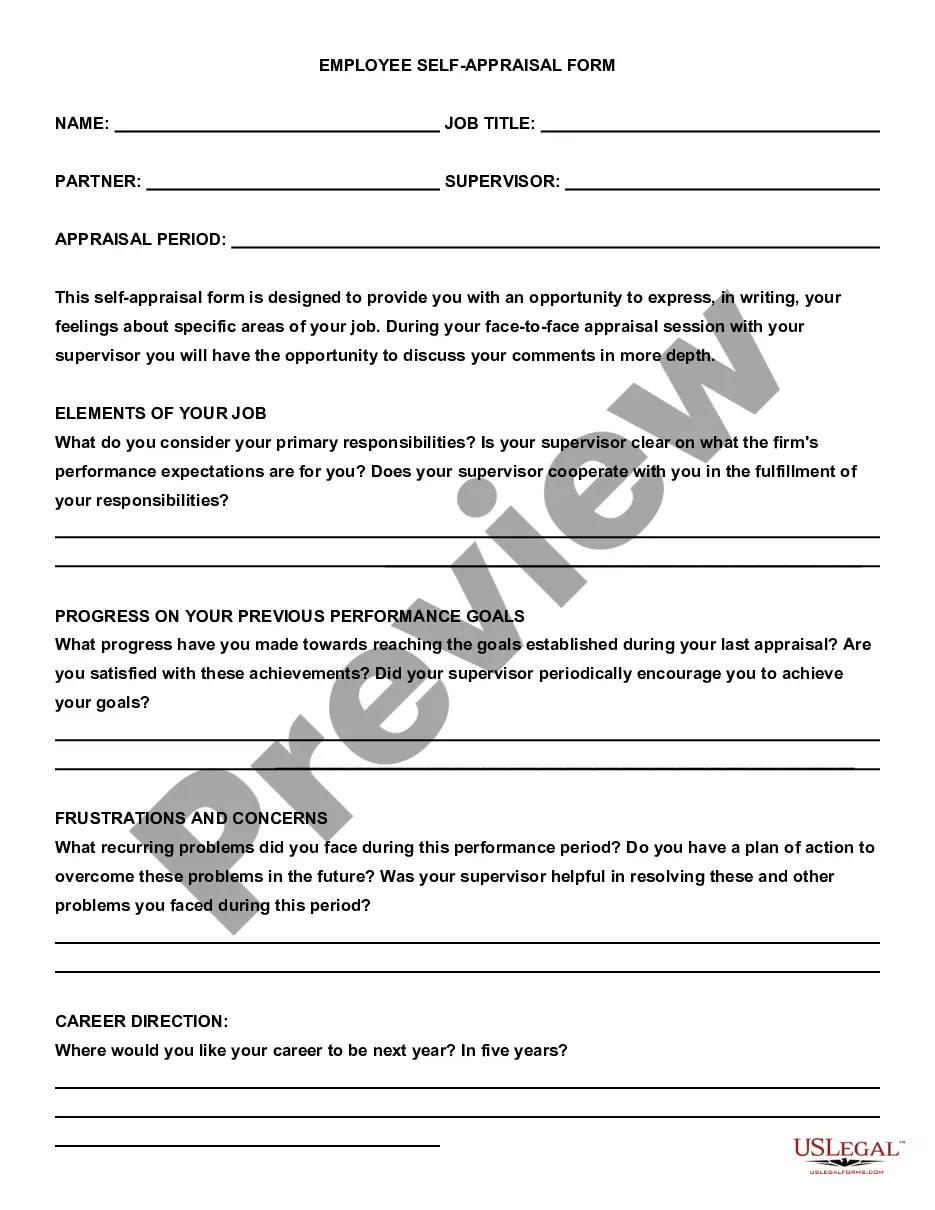
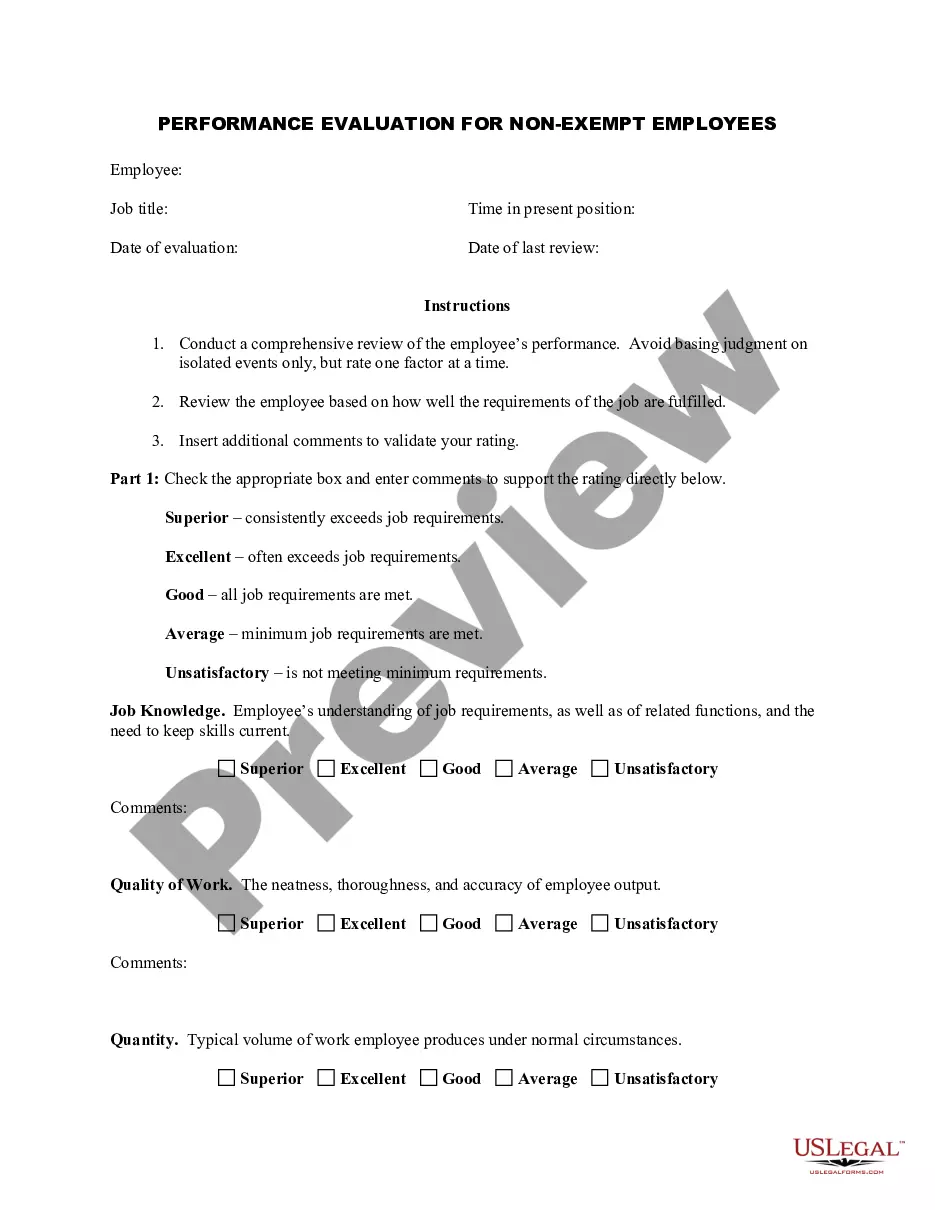
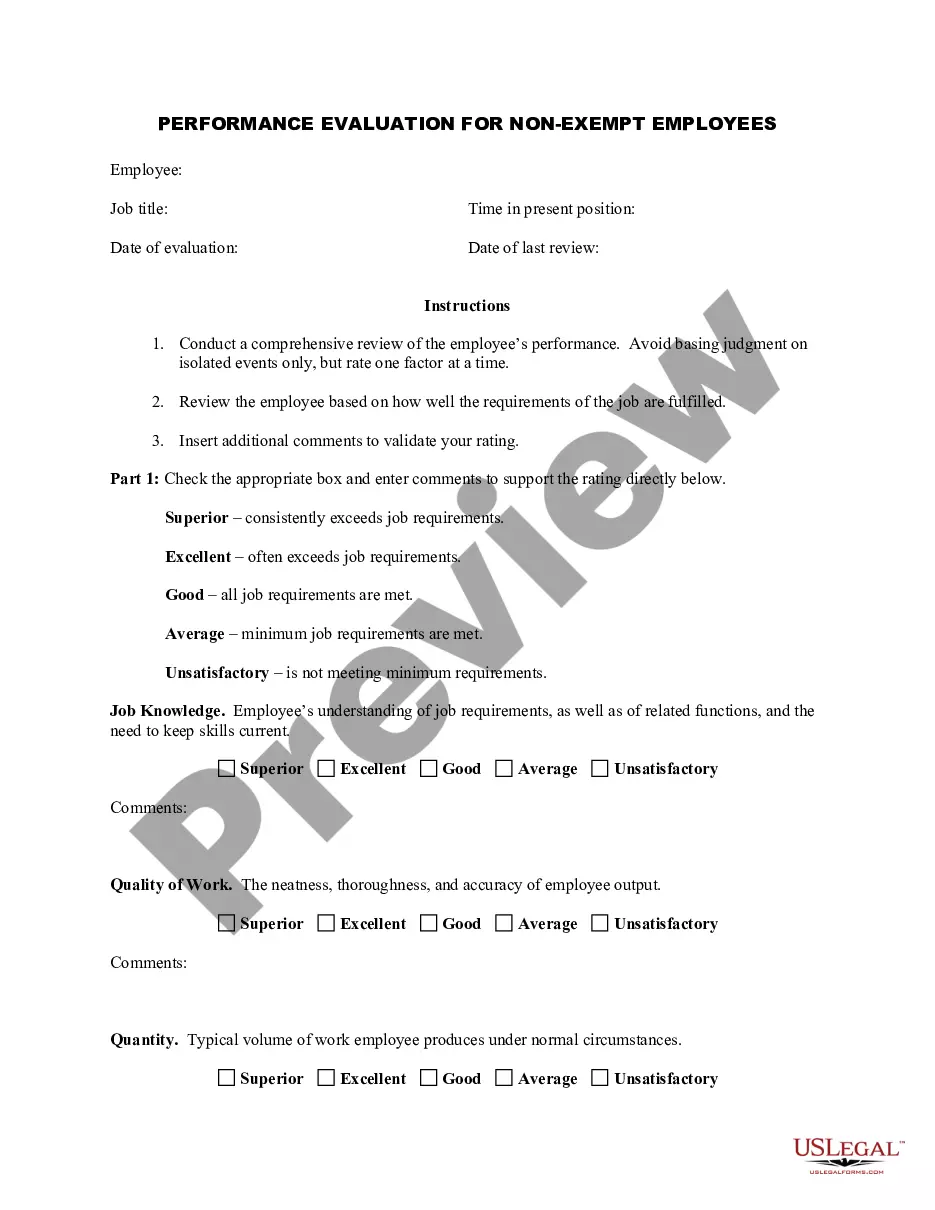
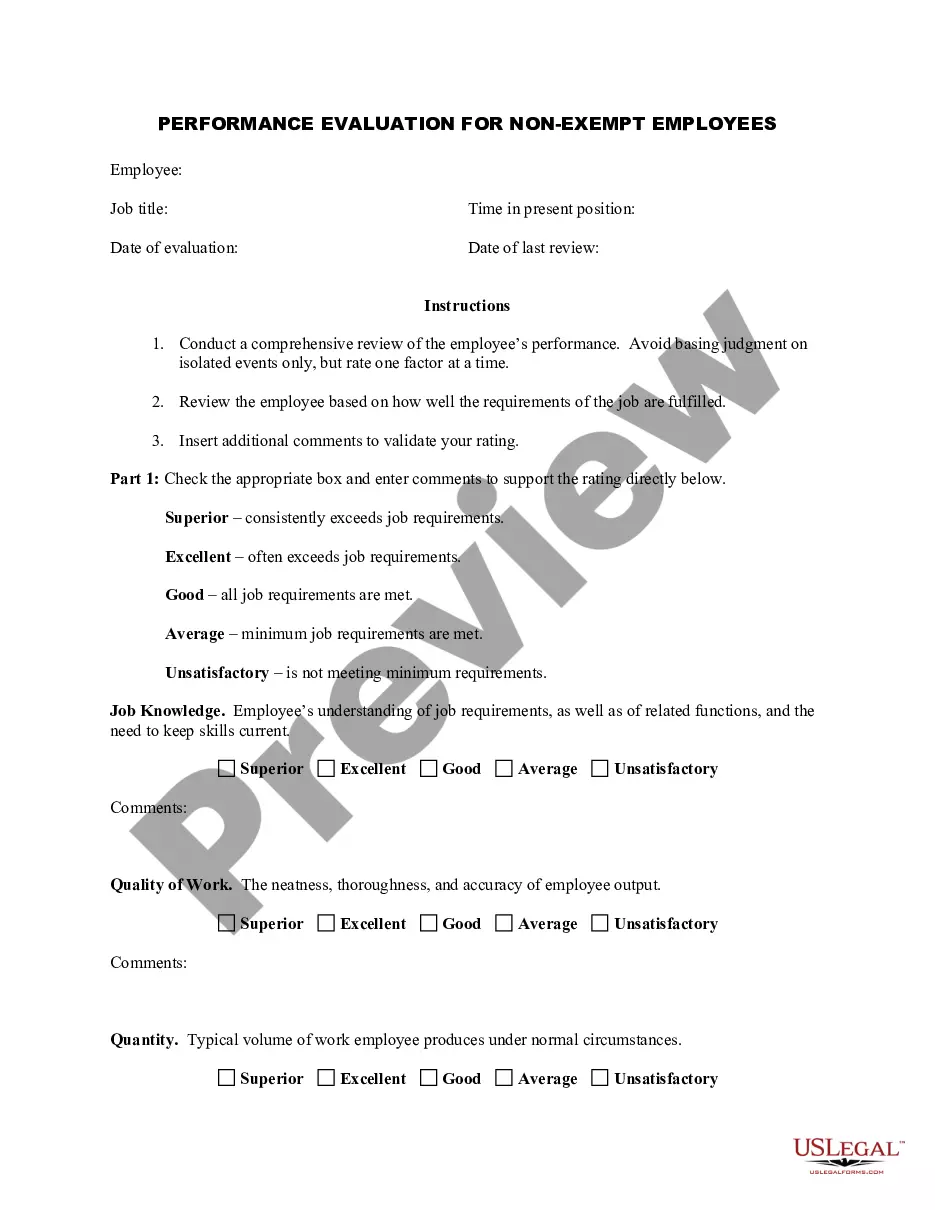
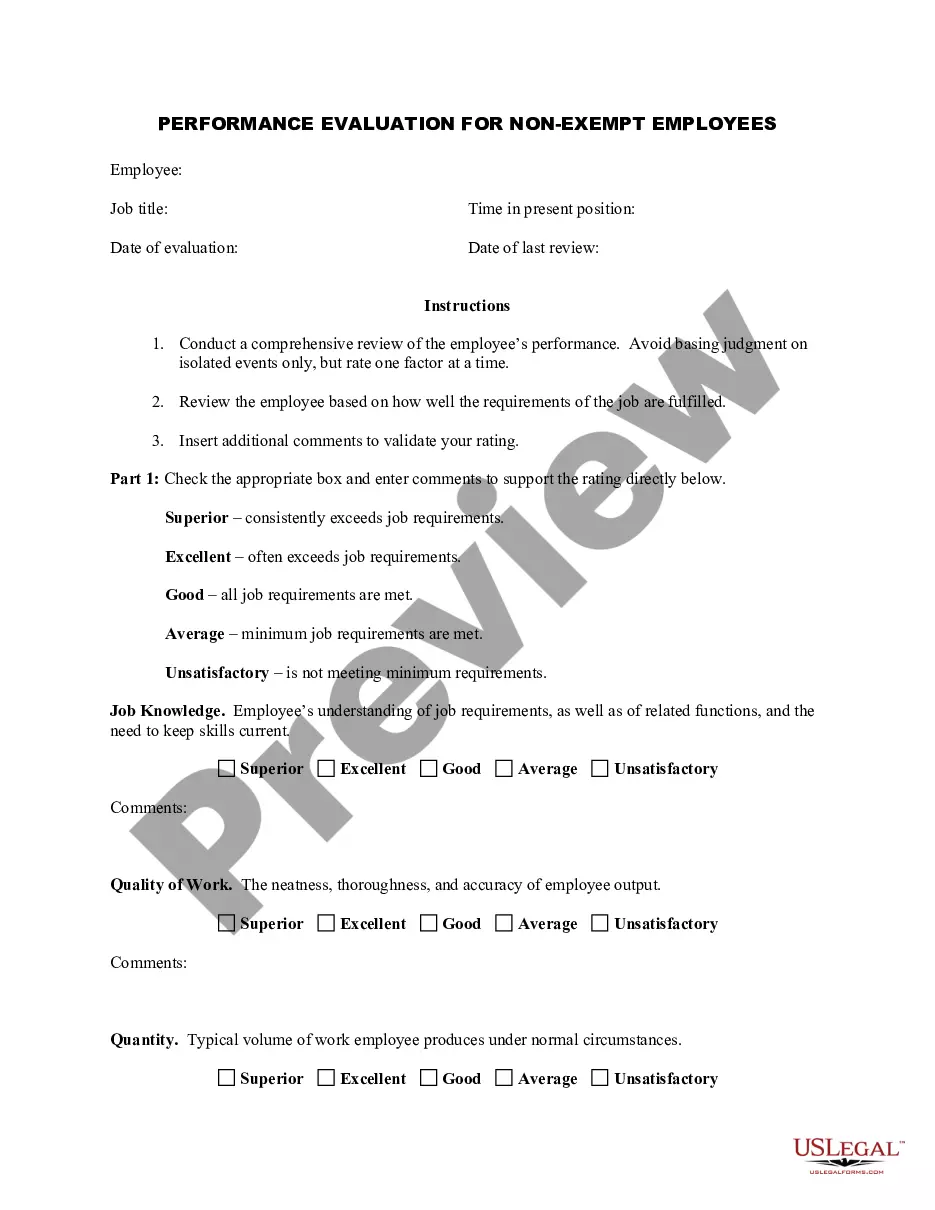
The Employee Evaluation Form for Aviator is a performance review tool specifically designed to assess non-exempt employees in the aviation industry. This form provides a structured way to evaluate an employee's job performance, focusing on various key factors such as job knowledge, quality of work, and reliability. Unlike generic performance reviews, this form is tailored to meet the unique needs of aviation personnel and ensure that evaluations are comprehensive and relevant to their specific responsibilities.
What’s included in this form
- Employee Information: Includes names, job titles, and evaluation dates.
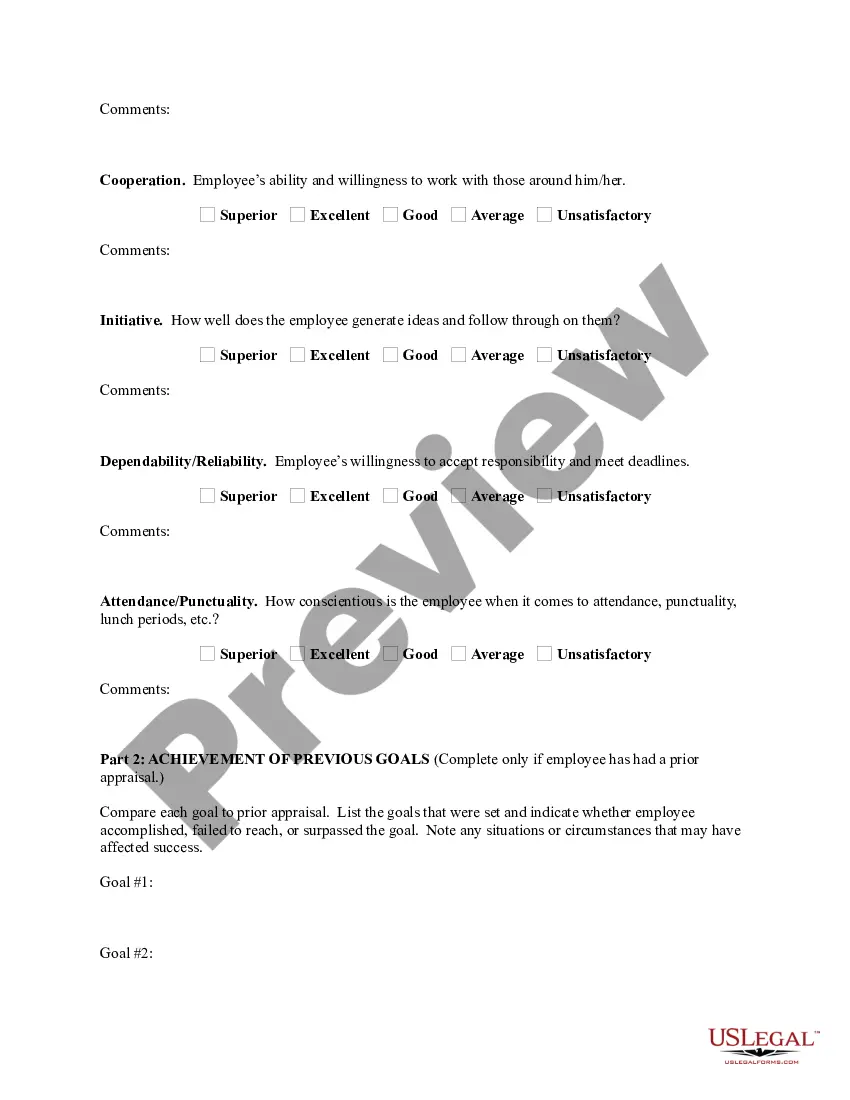
- Performance Criteria: Evaluates aspects like job knowledge, quality of work, and attendance.
- Rating Scale: Allows for ratings from superior to unsatisfactory for each criterion.
- Comments Section: Provides space for detailed feedback on employee performance.
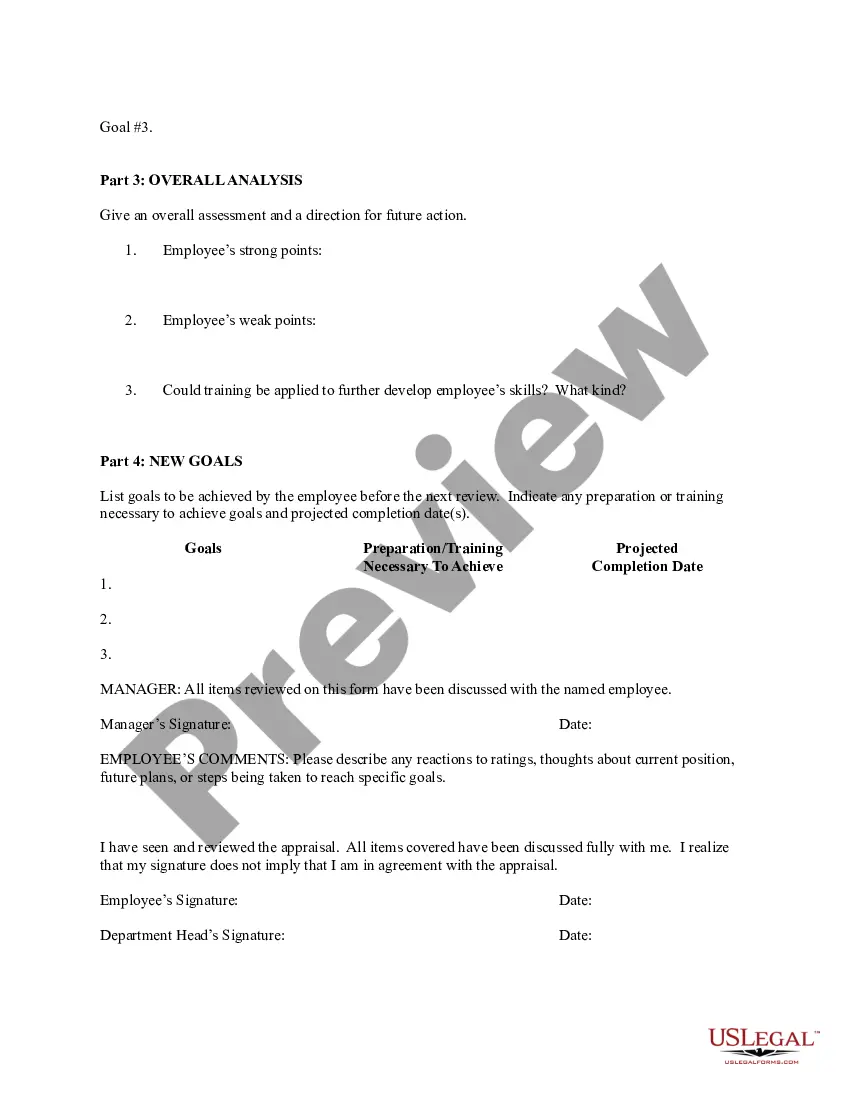
- Future Goals: Includes a section to set goals for the employee's development before the next review.
Situations where this form applies
This form should be used during scheduled performance reviews, typically conducted annually or semi-annually. It can also be utilized for informal assessments when there are notable changes in employee performance or after significant training events. The evaluation helps identify strengths, areas for improvement, and goals for future performance.
Intended users of this form
- Supervisors and managers in the aviation sector looking to formally evaluate their employees.
- HR professionals responsible for conducting employee performance evaluations.
- Any aviation personnel involved in the assessment and development of team members.
Completing this form step by step
- Identify and fill in the basic employee information, including name, job title, and review date.
- Assess each performance criterion using the provided rating scale, selecting the appropriate rating for each.
- Provide comments to validate each rating, offering examples or suggestions for improvement where necessary.
- Discuss previous goals and assess whether they were achieved or exceeded.
- Set new performance goals to guide the employee's development for the upcoming evaluation period.
- Complete the signature section to confirm that the evaluation has been discussed with the employee.
Notarization guidance
This form does not typically require notarization unless specified by local law. It is advisable to check state regulations to confirm this requirement.
Get your form ready online
Our built-in tools help you complete, sign, share, and store your documents in one place.
Make edits, fill in missing information, and update formatting in US Legal Forms—just like you would in MS Word.
Download a copy, print it, send it by email, or mail it via USPS—whatever works best for your next step.
Sign and collect signatures with our SignNow integration. Send to multiple recipients, set reminders, and more. Go Premium to unlock E-Sign.
If this form requires notarization, complete it online through a secure video call—no need to meet a notary in person or wait for an appointment.
We protect your documents and personal data by following strict security and privacy standards.

Make edits, fill in missing information, and update formatting in US Legal Forms—just like you would in MS Word.

Download a copy, print it, send it by email, or mail it via USPS—whatever works best for your next step.

Sign and collect signatures with our SignNow integration. Send to multiple recipients, set reminders, and more. Go Premium to unlock E-Sign.

If this form requires notarization, complete it online through a secure video call—no need to meet a notary in person or wait for an appointment.

We protect your documents and personal data by following strict security and privacy standards.
Common mistakes
- Failing to provide specific examples to justify ratings, leading to a lack of clarity.
- Not adhering to the set timeframe for periodic evaluations.
- Neglecting to discuss the evaluation with the employee, which can lead to misunderstandings.
Benefits of using this form online
- Convenience of accessing and filling out the form from any location.
- Editability allows for adjustments as performance feedback is gathered.
- Reliability due to standardized structure, ensuring comprehensive evaluations.
Looking for another form?

Form popularity
FAQ
1 Know how the self-evaluation is going to be used. 2 Write out a list of your accomplishments. 3 Gather analytics if you can. 4 Write out a list of your struggles. 5 Narrow your accomplishments list down. 6 Don't forget to align your review with your manager's or team's goals.
Develop an evaluation form. Identify performance measures. Set guidelines for feedback. Create disciplinary and termination procedures. Set an evaluation schedule.
Be proud. One major goal of the self-evaluation is to highlight your accomplishments and recollect milestones in your professional development. Be honest and critical. Continuously strive for growth. Track your accomplishments. Be professional.
Communication. Collaboration and teamwork. Problem-solving. Quality and accuracy of work. Attendance, punctuality and reliability. The ability to accomplish goals and meet deadlines.
First things first: Identify the need and purpose. Determine who will rate and how often it will be done. Evaluate job-related SMART objectives. Include your organization's core values. Have a follow-up section. Discuss developmental goals and needs. Have clear evaluation parameters. Additional pointers.
Make it easy to use. Ensure that the information your evaluation form seeks is clear and concise. Determine the focus of the form. There needs to be a clear purpose. Establish a clearly defined rating scale.
Review the employee's job description. Get a current copy of each person's job description and review the requirements. Highlight areas of improvement. Compare strengths and weaknesses. Recommend actionable goals. Provide constructive feedback. Welcome employee input.
Employee evaluation forms are used to formally review and document an employee's performance and get their acknowledgment that the evaluation took place. This is important in establishing a paper trail to support important HR decisions.
1) Attendance. 2) Innovation and Creativity. 3) Leadership. 4) Communication Skills. 5) Collaboration and Teamwork. 6) Time Management. 7) Customer Experience. 8) Problem Solving.