Leave Absence Approval Form
Overview of this form
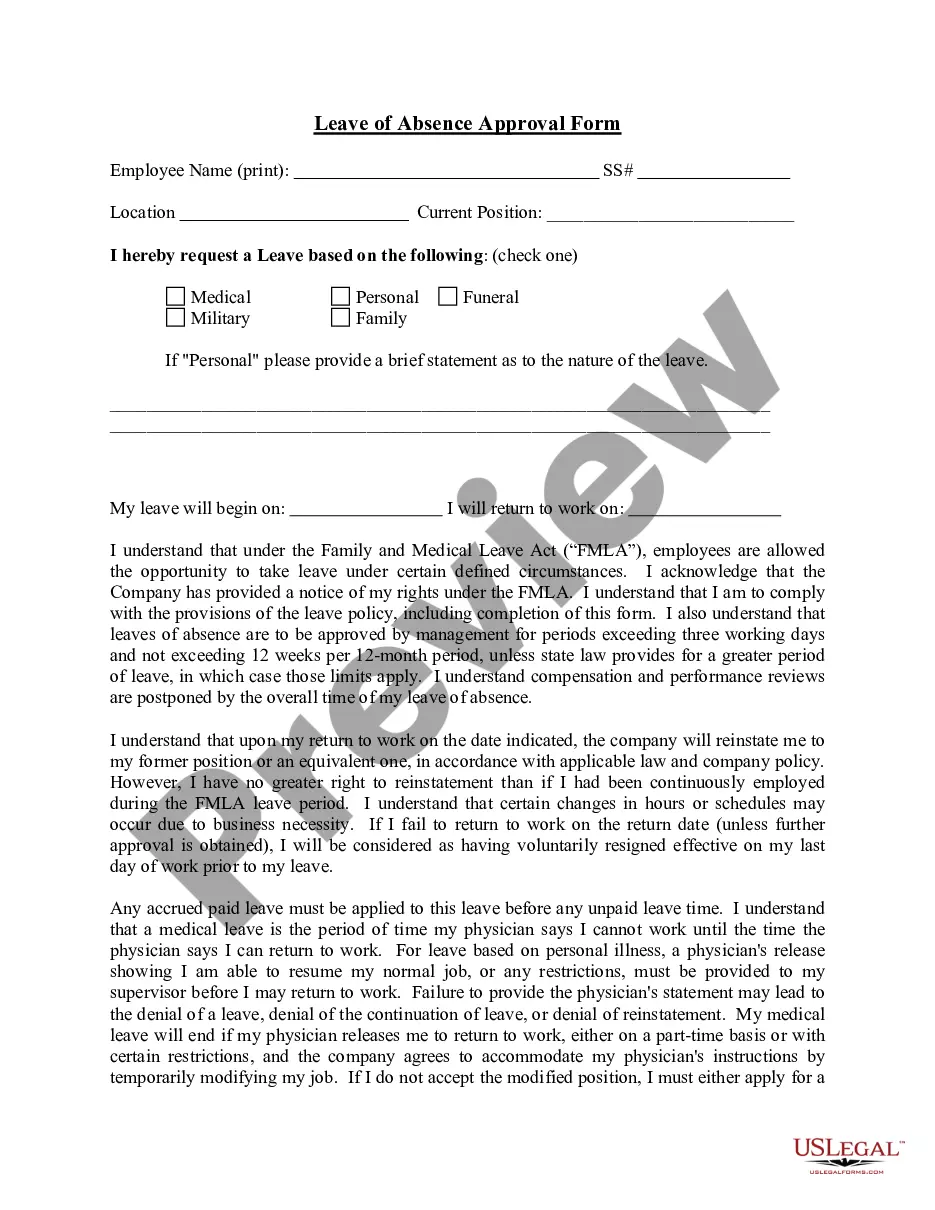
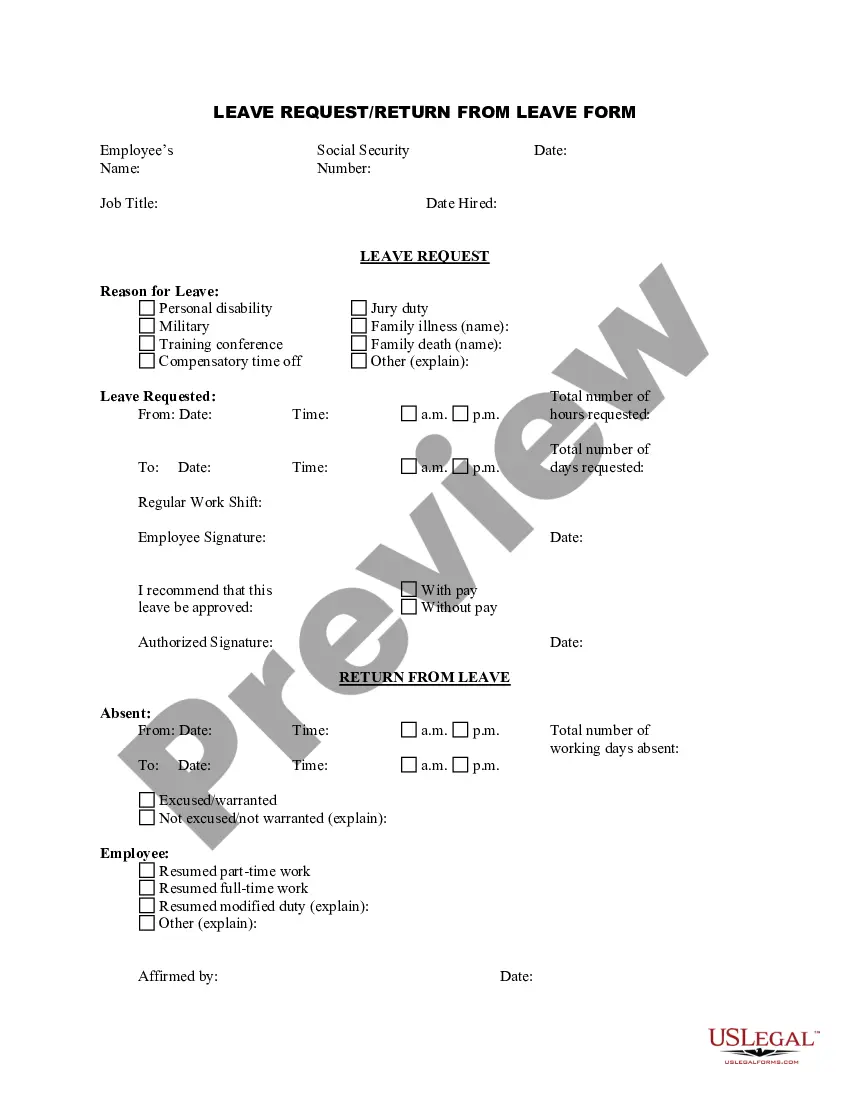
The Leave Absence Approval Form is a document used by companies to formally approve an employee's request for a leave of absence. This form is essential for ensuring that both the employer and employee understand the terms of the leave, including the reason for the absence and the conditions for returning to work. Unlike informal requests, this standardized form helps maintain clear communication regarding leave policies and employee rights under applicable laws.
Key components of this form
- Leave type selection: Options for medical, personal, funeral, military, or family leave.
- Detailed statement: A section for the employee to provide a brief explanation for the leave if it's personal.
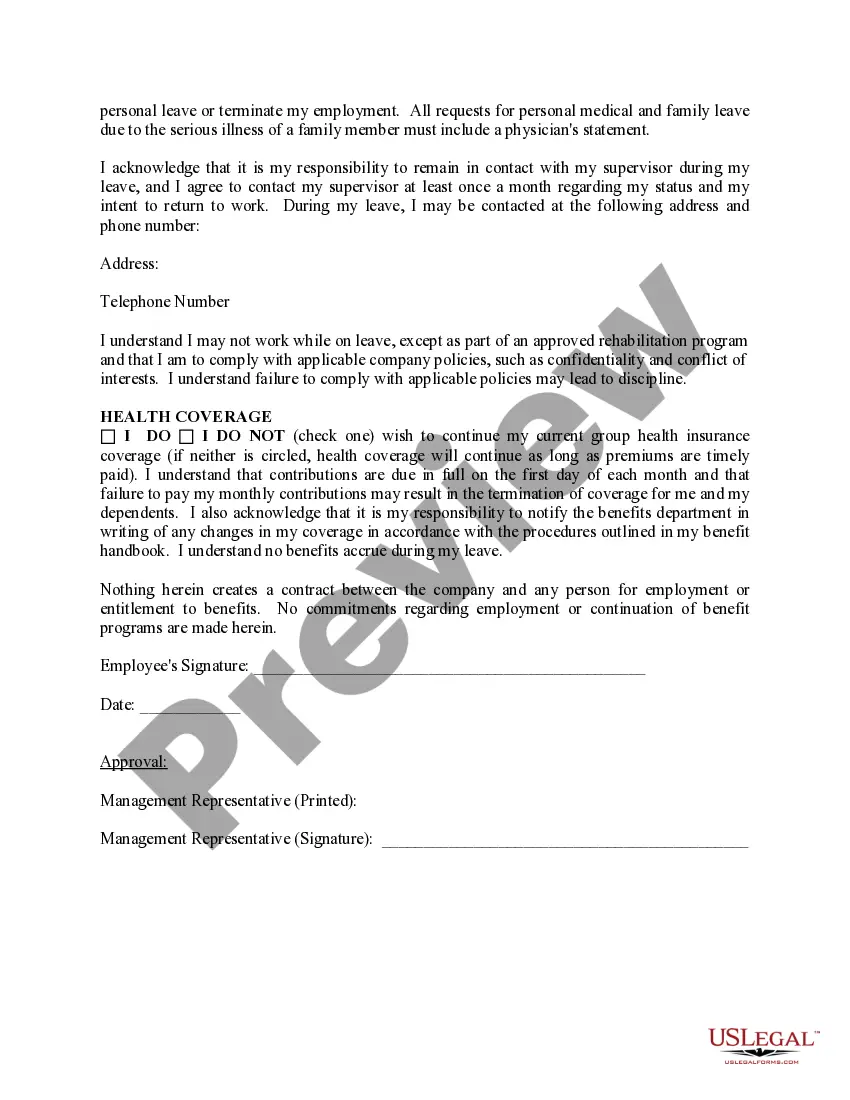
- Return to work provisions: Terms that outline reinstatement rights and any potential job modifications.
- Health insurance continuation: A choice for the employee to maintain current health coverage during the leave.
- Employee signature: A space for the employee to acknowledge and sign the form, confirming understanding of its terms.



When to use this form
This form should be used when an employee requests a leave of absence for any valid reason, such as medical needs, family emergencies, or military service. It serves as an official agreement that outlines the leave terms and ensures compliance with company policies and relevant labor laws. Using this form helps protect the rights of both the employee and employer during the leave period.
Intended users of this form
- Employees seeking approval for a leave of absence due to medical, personal, or family reasons.
- Human resources personnel responsible for managing employee leave requests.
- Employers wishing to document and formalize leave policies and approvals.
How to complete this form
- Identify the type of leave requested and select the appropriate option.
- If personal leave is chosen, provide a brief statement explaining the reason for the leave.
- Review the return to work provisions to understand rights and responsibilities regarding job reinstatement.
- Complete the section regarding health insurance coverage choices.
- Sign the form to acknowledge understanding and acceptance of its terms.
Notarization requirements for this form
This form does not typically require notarization to be legally valid. However, some jurisdictions or document types may still require it. US Legal Forms provides secure online notarization powered by Notarize, available 24/7 for added convenience.
Get your form ready online
Our built-in tools help you complete, sign, share, and store your documents in one place.
Make edits, fill in missing information, and update formatting in US Legal Forms—just like you would in MS Word.
Download a copy, print it, send it by email, or mail it via USPS—whatever works best for your next step.
Sign and collect signatures with our SignNow integration. Send to multiple recipients, set reminders, and more. Go Premium to unlock E-Sign.
If this form requires notarization, complete it online through a secure video call—no need to meet a notary in person or wait for an appointment.
We protect your documents and personal data by following strict security and privacy standards.

Make edits, fill in missing information, and update formatting in US Legal Forms—just like you would in MS Word.

Download a copy, print it, send it by email, or mail it via USPS—whatever works best for your next step.

Sign and collect signatures with our SignNow integration. Send to multiple recipients, set reminders, and more. Go Premium to unlock E-Sign.

If this form requires notarization, complete it online through a secure video call—no need to meet a notary in person or wait for an appointment.

We protect your documents and personal data by following strict security and privacy standards.
Typical mistakes to avoid
- Not providing adequate details in the personal leave statement section.
- Forgetting to sign the form, which may render it invalid.
- Failing to check the health insurance coverage option, leading to unintended loss of benefits.
Why use this form online
- Easy access to downloadable templates that can be filled out at any time.
- Editability allows for customization to fit specific company policies and employee needs.
- Reliable access to forms prepared by licensed attorneys, ensuring legal compliance.
Main things to remember
- The Leave Absence Approval Form is crucial for formalizing employee leave requests.
- Include all necessary details related to the type and reason for leave.
- Ensure all parties understand their rights and obligations regarding leave and reinstatement.
Looking for another form?
Form popularity
FAQ
Understand your legal rights regarding time off and pay. Make the request in person. Give sufficient advance notice. If possible, work with your boss to develop an agreeable plan. Keep track of relevant paperwork.
Begin by stating how much time you are planning on taking off and when you would like the leave of absence to begin and end. Include a brief explanation of why you are taking the leave and perhaps state where you will be while you are away.
You need leave under the Family & Medical Leave Act (FMLA). Your employer gives you a form to have your doctor fill out certifying your need for leave under the FMLA.Under the FMLA, an employer can request that you have your doctor complete a form certifying your need for leave under the FMLA.
You need leave under the Family & Medical Leave Act (FMLA). Your employer gives you a form to have your doctor fill out certifying your need for leave under the FMLA.Under the FMLA, an employer can request that you have your doctor complete a form certifying your need for leave under the FMLA.
Provide complete employee contact information, which includes name, address, and phone number. Include the date you will submit the letter. Include the supervisor or manager's name. Include supervisor or manager's title. Add the company name. Include the company's location.
An FMLA leave allows employees to take up to 12 weeks off in a 12-month period. If their absence is not protected by the Family and Medical Leave Act (FMLA), then it's considered a non-FMLA medical leave.
Request for a leave of absence, The dates you expect to be away from work, The date you plan to return to work, An offer to provide assistance, if feasible, Thanks for considering your request.
If the employee fails or refuses to provide a proper certification (on your form or otherwise), you can deny the leave. However, a more detailed note or letter from the doctor might suffice, even if it is not on your preferred form.
All employers in California must abide by all FMLA and CFRA regulations without exception. However, an employer has every right to deny an employee's request to use accrued vacation time or paid time off, but the employer must usually provide some kind of reasonable explanation.