Outside Work Approval Form
About this form
The Outside Work Approval Form is a document used by management to formally approve the outside employment of an employee. This form helps to ensure that employees maintain compliance with company policies regarding outside work, distinguishing it from other employment-related forms that may not require managerial oversight.
Key parts of this document
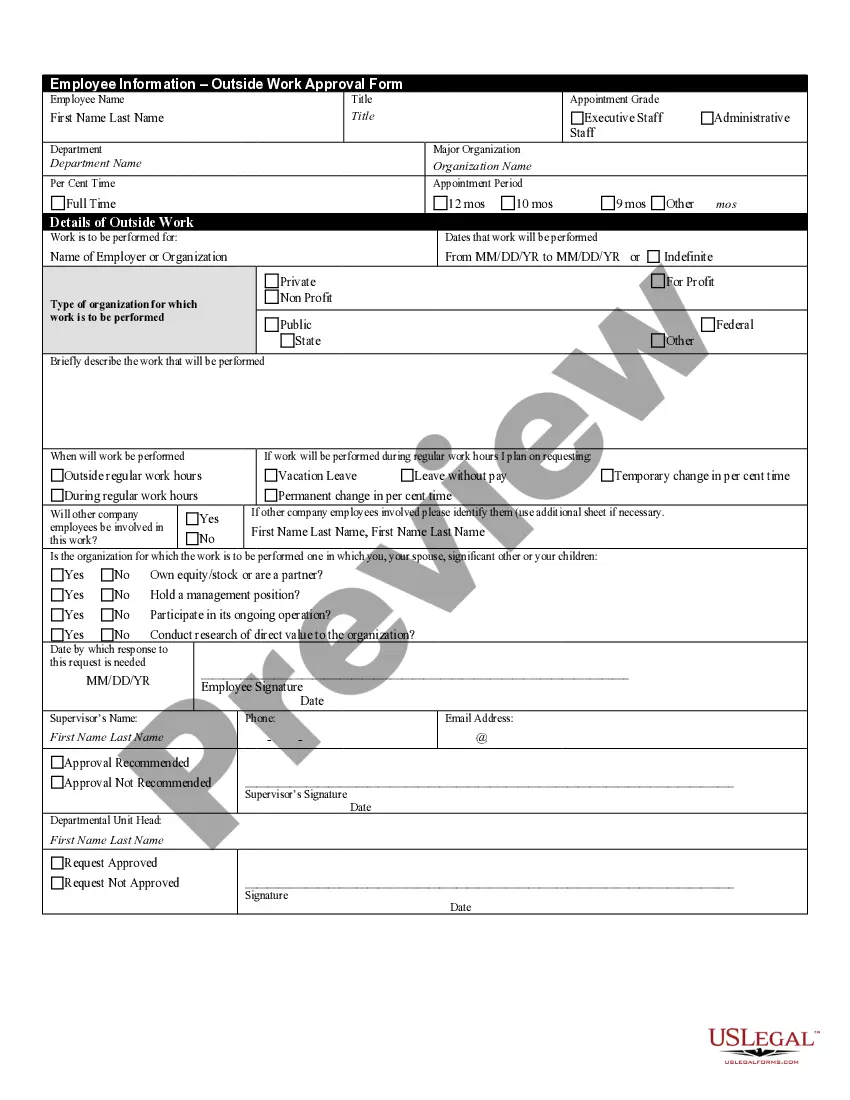
- Employee's personal information: First name, last name, title, and department.
- Details of outside work: Type of organization and a brief description of the work to be performed.
- Time commitment: Specify percent of time dedicated to the outside work and duration (fixed dates or indefinite).
- Involvement of other employees: Indication of whether other company employees will participate in the outside work.
- Potential conflicts: Questions regarding personal or familial connections to the organization where the outside work occurs.
- Approval section: Supervisor and departmental unit head signatures, indicating approval or disapproval.

When to use this form
This form should be used when an employee wishes to engage in outside work that may interfere with their responsibilities at their primary job. It is particularly relevant for situations where the outside employment could create a conflict of interest or affect the employee's performance at work.
Intended users of this form
- Employees who are considering or currently engaged in outside work.
- Supervisors and management needing to approve employee requests for outside work.
- Human resources personnel who manage employee documentation and compliance.
How to complete this form
- Enter the employee's first name, last name, title, and department.
- Specify the type of organization for the outside work and briefly describe the nature of the work.
- Indicate the percentage of time the employee will be devoting to the outside work and the duration.
- Answer questions regarding the involvement of other employees and any potential conflicts of interest.
- Obtain the necessary signatures from the supervisor and departmental unit head once completed.
Notarization guidance
Notarization is generally not required for this form. However, certain states or situations might demand it. You can complete notarization online through US Legal Forms, powered by Notarize, using a verified video call available anytime.
Get your form ready online
Our built-in tools help you complete, sign, share, and store your documents in one place.
Make edits, fill in missing information, and update formatting in US Legal Forms—just like you would in MS Word.
Download a copy, print it, send it by email, or mail it via USPS—whatever works best for your next step.
Sign and collect signatures with our SignNow integration. Send to multiple recipients, set reminders, and more. Go Premium to unlock E-Sign.
If this form requires notarization, complete it online through a secure video call—no need to meet a notary in person or wait for an appointment.
We protect your documents and personal data by following strict security and privacy standards.

Make edits, fill in missing information, and update formatting in US Legal Forms—just like you would in MS Word.

Download a copy, print it, send it by email, or mail it via USPS—whatever works best for your next step.

Sign and collect signatures with our SignNow integration. Send to multiple recipients, set reminders, and more. Go Premium to unlock E-Sign.

If this form requires notarization, complete it online through a secure video call—no need to meet a notary in person or wait for an appointment.

We protect your documents and personal data by following strict security and privacy standards.
Avoid these common issues
- Failing to provide a detailed description of the outside work, leading to confusion during approval.
- Neglecting to indicate if other employees will be involved in the work.
- Omitting signatures from supervisors and department heads, which invalidates the approval.
Benefits of using this form online
- Convenience of downloading and filling the form at your own pace.
- Editability to tailor the form according to specific situations and requirements.
- Reliability, as the forms are drafted and vetted by licensed attorneys ensuring legal compliance.
Legal use & context
- Ensures compliance with company policies regarding outside employment.
- Helps protect the organization from potential conflicts of interest.
- Establishes a documented approval process for tracking employee requests.