Service Bureau Form
About this form
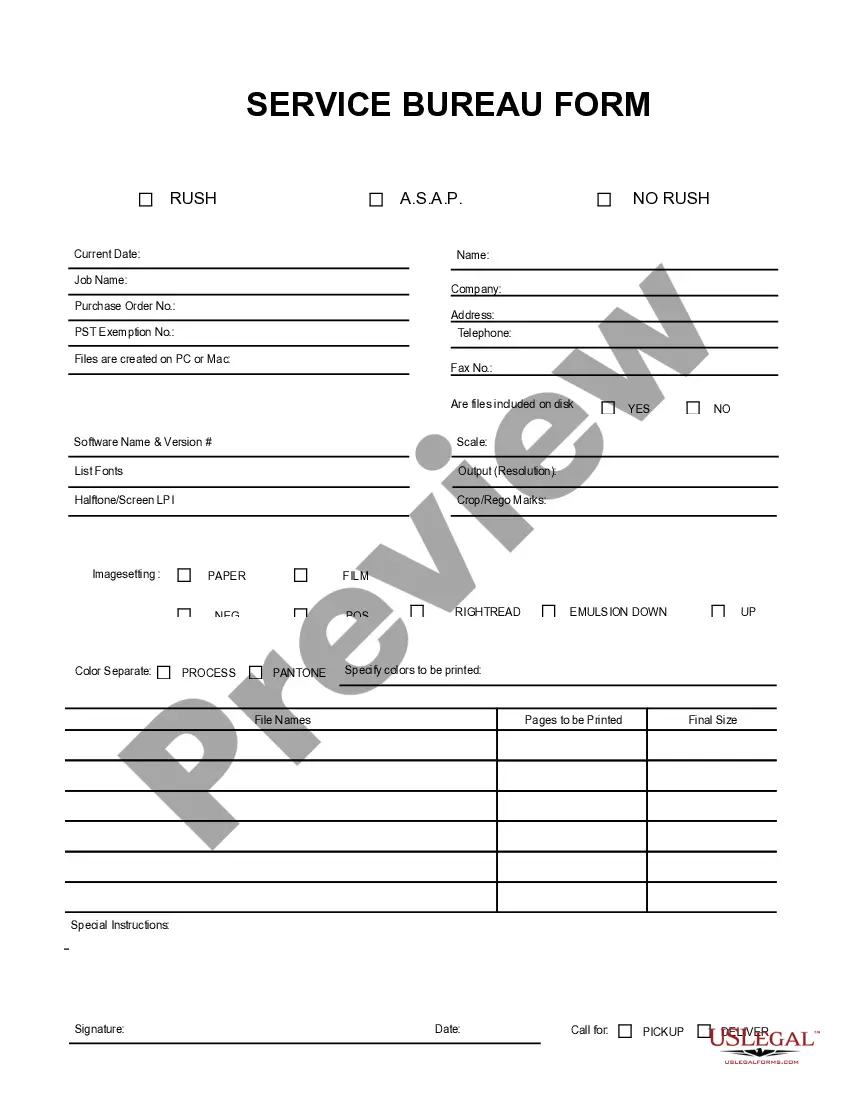
The Service Bureau Form is a business type document designed for streamlined communication regarding graphic production needs. It allows users to provide essential information related to a project, including software specifications and file handling requirements. Unlike simpler forms, this one accommodates more complex instructions, making it ideal for detailed project submissions in the graphic design and production industry.
What’s included in this form
- Current date: Record the date the form is completed.
- Name: Provide the name of the individual or company submitting the form.
- Job name: Specify the name of the project or job required.
- Purchase order number: Include any relevant order numbers for tracking.
- PST exemption number: If applicable, provide the exemption number.
- Contact information: Enter a telephone number for communication.
- File specifications: Include details on file creation, software used, and desired output.
- Instructions and signature: Add any special instructions and signatures as needed.
When this form is needed
This form is useful when submitting specifications for graphic design or printing projects. It is typically employed by service bureaus to gather detailed information needed to process graphic files and print requests. Use this form when you need to clarify expectations and requirements for your project, particularly when dealing with multiple file formats or complex printing instructions.
Who should use this form
- Graphic designers needing to communicate project details to service bureaus.
- Businesses outsourcing graphic production work to ensure clear specifications.
- Freelancers who require organized documentation for their design projects.
Steps to complete this form
- Enter the current date at the top of the form.
- Provide your name and the name of the job or project.
- Include purchase order and PST exemption numbers if applicable.
- List the software name, version, and other relevant file specifications.
- Specify any special instructions and ensure to date and sign the form before submission.
Notarization requirements for this form
This form does not typically require notarization to be legally valid. However, some jurisdictions or document types may still require it. US Legal Forms provides secure online notarization powered by Notarize, available 24/7 for added convenience.
Get your form ready online
Our built-in tools help you complete, sign, share, and store your documents in one place.
Make edits, fill in missing information, and update formatting in US Legal Forms—just like you would in MS Word.
Download a copy, print it, send it by email, or mail it via USPS—whatever works best for your next step.
Sign and collect signatures with our SignNow integration. Send to multiple recipients, set reminders, and more. Go Premium to unlock E-Sign.
If this form requires notarization, complete it online through a secure video call—no need to meet a notary in person or wait for an appointment.
We protect your documents and personal data by following strict security and privacy standards.

Make edits, fill in missing information, and update formatting in US Legal Forms—just like you would in MS Word.

Download a copy, print it, send it by email, or mail it via USPS—whatever works best for your next step.

Sign and collect signatures with our SignNow integration. Send to multiple recipients, set reminders, and more. Go Premium to unlock E-Sign.

If this form requires notarization, complete it online through a secure video call—no need to meet a notary in person or wait for an appointment.

We protect your documents and personal data by following strict security and privacy standards.
Common mistakes
- Leaving contact information incomplete or unclear.
- Missing software version details, which can lead to compatibility issues.
- Failing to provide special instructions that could affect the project outcome.
Why complete this form online
- Convenient access: Download and complete the form digitally from anywhere.
- Editability: Make changes easily without needing to start from scratch.
- Reliability: Ensure accuracy and clarity in your project specifications.
Legal use & context
- The information provided on the form can be used as a legally binding agreement between parties.
- Ensure that all details are accurately filled to avoid disputes.
- Retain a copy of the completed form for your records.
Summary of main points
- The Service Bureau Form is essential for detailed graphic production communication.
- Accurate and complete information helps ensure your project's success.
- Utilizing this form can prevent misunderstandings between you and the service bureau.