Message - Reply
What this document covers
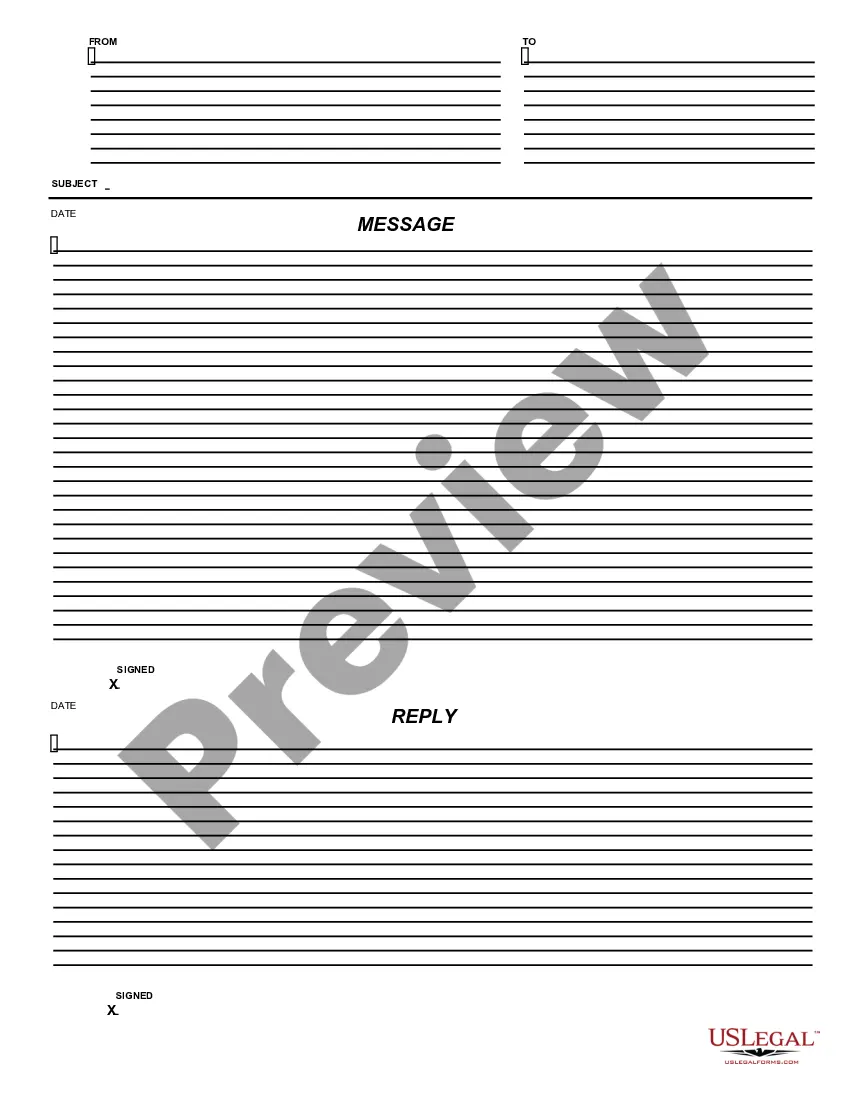
The Message - Reply form is designed for businesses to respond formally to messages or inquiries. This form allows for easy completion using Adobe Acrobat or Word, making it accessible for a range of users, regardless of their legal background. Unlike other forms, the Message - Reply is specifically tailored for written responses, ensuring clarity and professionalism in communication.
Key components of this form
- Sender information section to identify who is responding.
- Recipient details to whom the message is directed.
- Subject line to summarize the focus of the reply.
- Body section for the content of the reply, allowing for full message articulation.
- Signature fields for legal affirmation and accountability.

Situations where this form applies
This form is useful in various business scenarios, such as replying to client inquiries, addressing customer feedback, or following up on networking communications. It ensures that responses are formal and documented, which can be crucial for maintaining professional relationships and records.
Who should use this form
- Business owners looking to maintain professional communication.
- Managers needing to respond to client requests or concerns.
- Administrative staff tasked with handling correspondence.
- Entrepreneurs initiating or responding to business queries.
Steps to complete this form
- Identify and enter sender information at the top of the form.
- Fill in recipient details accurately for clarity.
- Draft a clear and concise subject line that reflects the purpose of the message.
- Compose the reply in the body section, addressing all necessary points.
- Sign and date the form to finalize the response.
Notarization guidance
This form does not typically require notarization unless specified by local law. Users should verify any specific requirements based on their jurisdiction before finalizing.
Get your form ready online
Our built-in tools help you complete, sign, share, and store your documents in one place.
Make edits, fill in missing information, and update formatting in US Legal Forms—just like you would in MS Word.
Download a copy, print it, send it by email, or mail it via USPS—whatever works best for your next step.
Sign and collect signatures with our SignNow integration. Send to multiple recipients, set reminders, and more. Go Premium to unlock E-Sign.
If this form requires notarization, complete it online through a secure video call—no need to meet a notary in person or wait for an appointment.
We protect your documents and personal data by following strict security and privacy standards.

Make edits, fill in missing information, and update formatting in US Legal Forms—just like you would in MS Word.

Download a copy, print it, send it by email, or mail it via USPS—whatever works best for your next step.

Sign and collect signatures with our SignNow integration. Send to multiple recipients, set reminders, and more. Go Premium to unlock E-Sign.

If this form requires notarization, complete it online through a secure video call—no need to meet a notary in person or wait for an appointment.

We protect your documents and personal data by following strict security and privacy standards.
Mistakes to watch out for
- Failing to include complete recipient information.
- Omitting the subject line, making the message unclear.
- Forgetting to sign the form, which may invalidate the response.
- Using informal language in a business context.
Benefits of completing this form online
- Convenient access from any device with internet capabilities.
- Editable fields allow for quick adjustments.
- Reliable formatting ensures professionalism in response.
- Easy downloading and printing options available.
Legal use & context
- This form serves as a formal response and can be used as evidence of communication.
- The contents should be factual and relevant to the original correspondence.
Summary of main points
- The Message - Reply form is essential for formal business communication.
- Accurate completion ensures clear and professional responses.
- Users should be aware of state-specific regulations that might apply.
Looking for another form?
Form popularity
FAQ
Think of texting as a conversation: If you would respond in the conversation, then respond in the text. A short TNX to acknowledge that the message was received is a simple way to end the conversation.
In order to reply to a specific message, open up your texts and find the text you want to reply to. Next, touch and hold the message itself until a bubble appears with options. Select: Reply. Then you can send a message directly back to that specific text.
Just tap and hold the message you want to reply to. When the option menu pops up, select Reply, then you can write and send your message.
I will be out of the office starting (Starting Date) through (End Date) returning(Date of Return). If you need immediate assistance during my absence, please contact (Contacts Name) at (Contacts Email Address). Otherwise I will respond to your emails as soon as possible upon my return. Thank you for your message.
How to reply to a specific message. Open a Messages conversation. Touch and hold a message bubble, then tap the Reply button . Type your message, then tap the Send button .
Tap and hold the message, then tap Reply . Enter your response and tap Send . Alternatively, swipe right on the message to reply. To reply privately to someone who sent a message in a group, tap and hold the message, then tap More options > Reply privately.
From a message you've received, select Reply, Reply All, or Forward. Write your message. Recipients can be added or removed in the To, Cc, and Bcc boxes. Check the subject line. Click Send.
Inline replying is where you reply within the main body of the email, rather than writing your own email from scratch. Inline replying is something most of us already do from time to time.