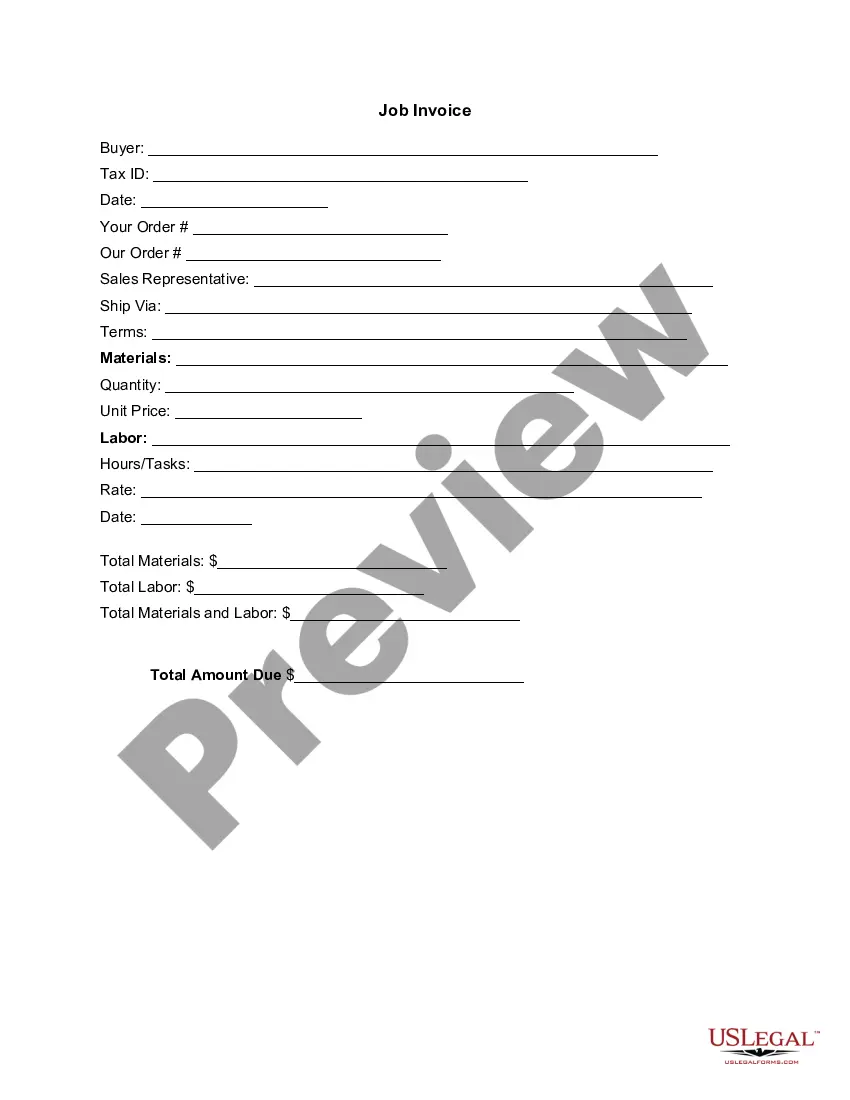
Invoice Template for Lifeguard
What this document covers
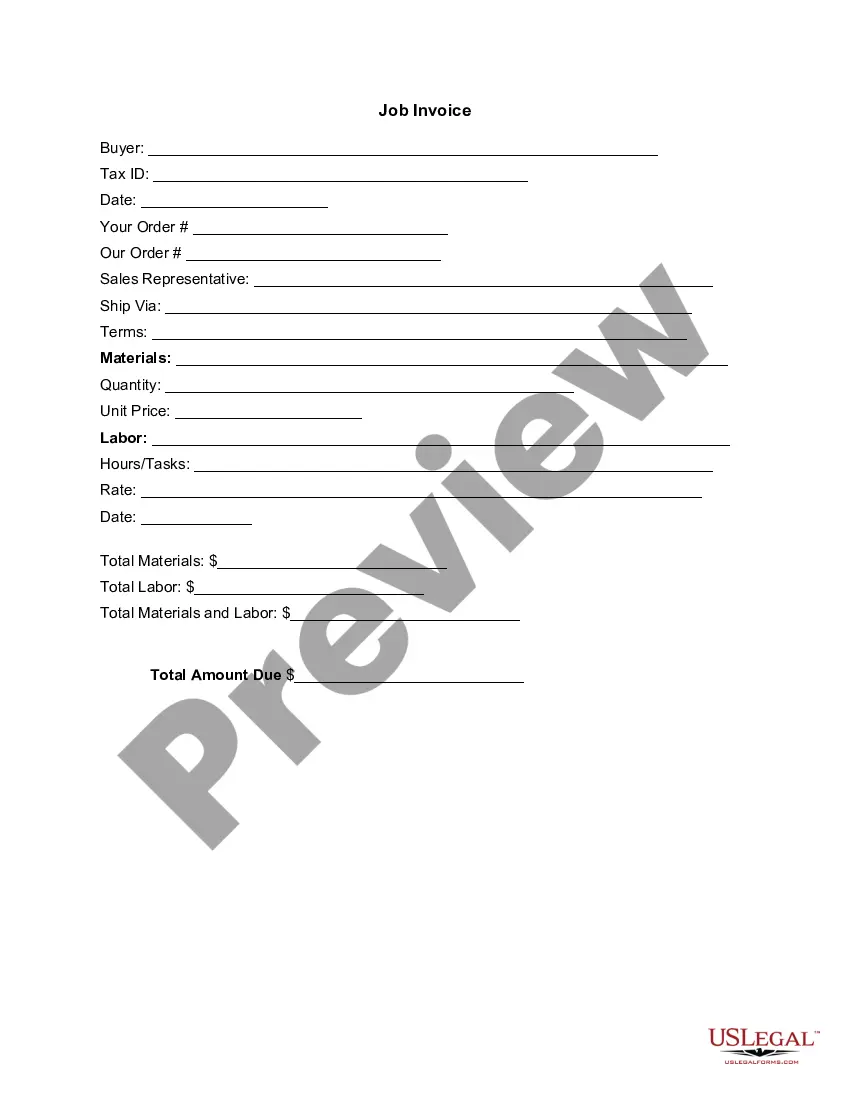
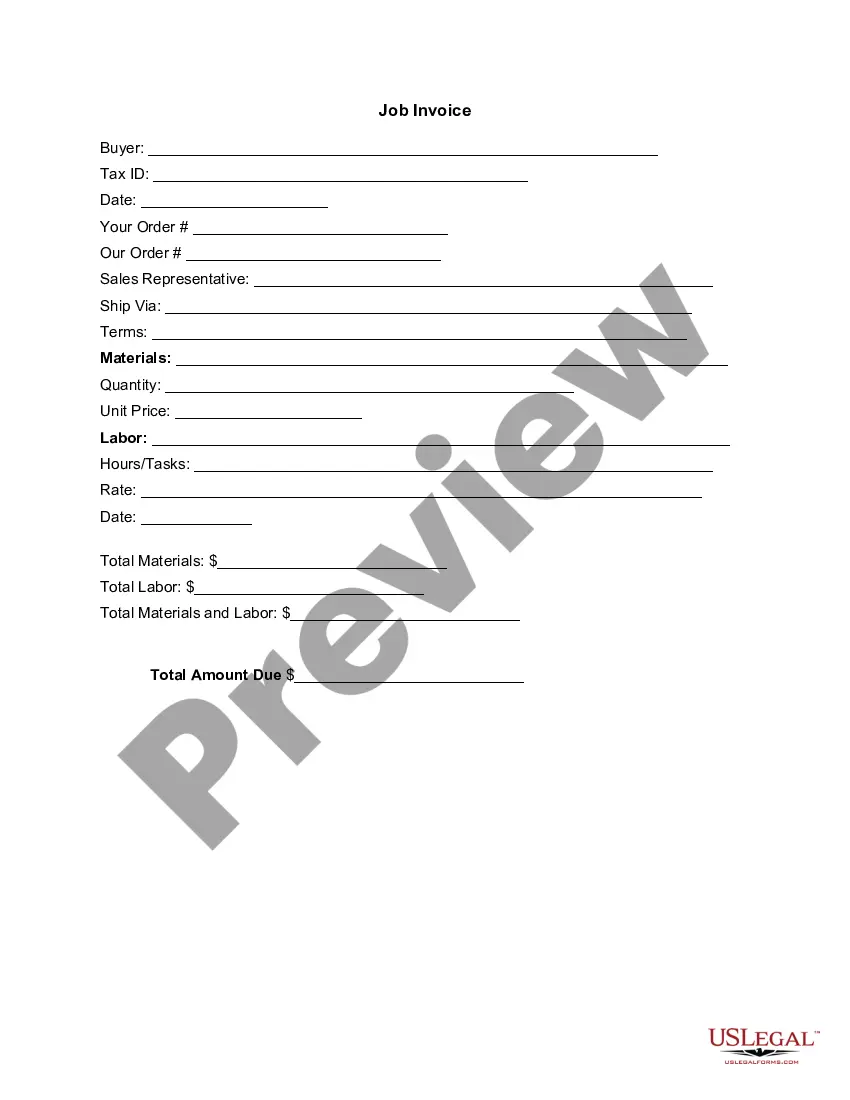
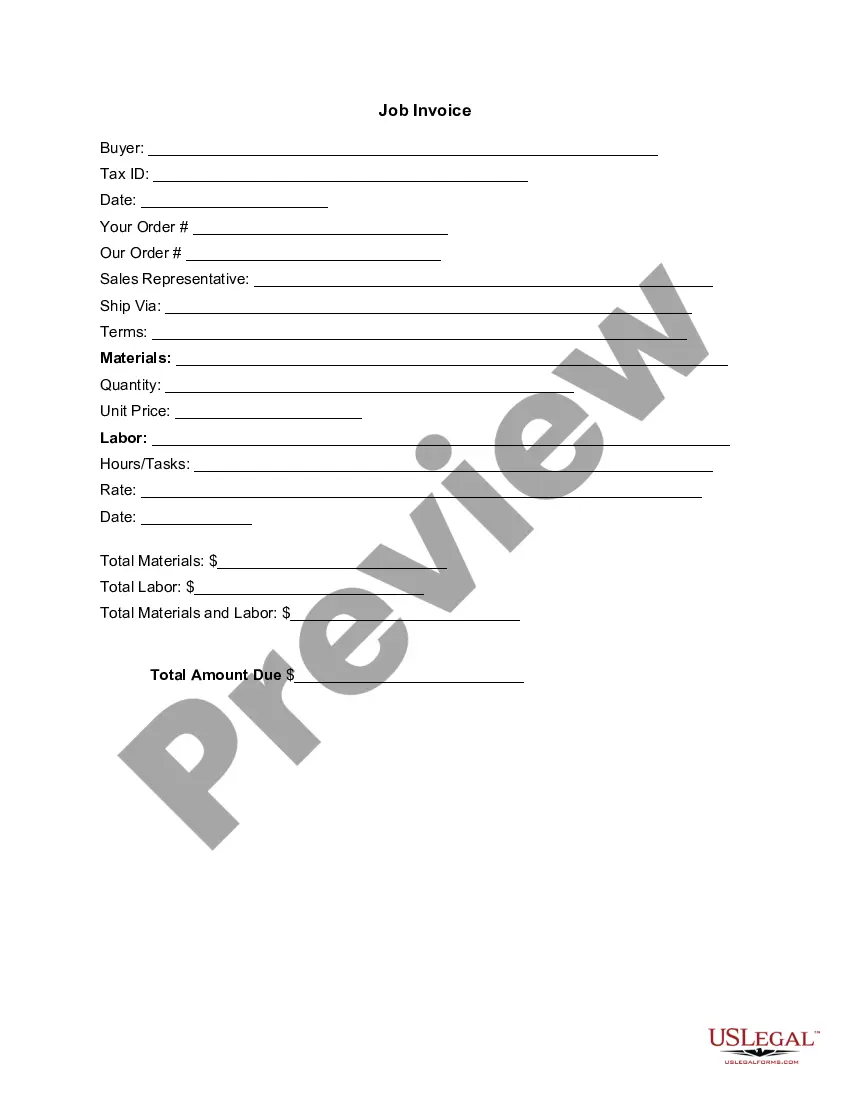
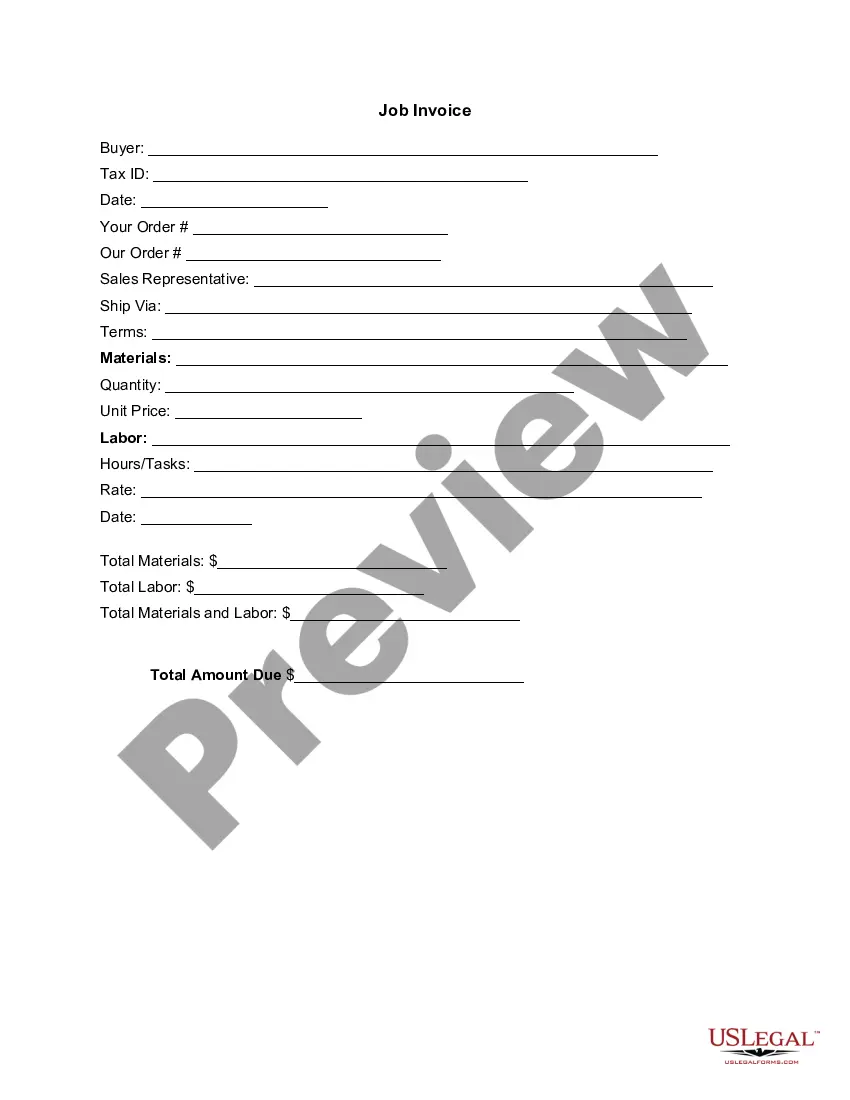
The Invoice Template for Lifeguard is a legal document that serves as a detailed listing of services rendered by a lifeguard, along with the corresponding costs. This form is essential for providing both the lifeguard and the client with a clear record of transactional details, differentiating it from generic invoices. It allows for precise accounting of labor performed and materials used, fostering transparency and professionalism in financial exchanges.
What’s included in this form
- Buyer information, including name and Tax ID.
- Order details, including dates and sales representative's name.
- Itemized listing of materials and services provided.
- Quantities, unit prices, and total amounts for materials and labor.
- Total amount due for all services rendered.

Common use cases
This invoice template should be used by lifeguards when billing clients for services such as swimming lessons, private events, or poolside assistance. It is particularly helpful when multiple services or materials are provided, allowing for clear communication of costs and expectations. Situations such as hosting a summer camp or providing lifeguarding services for a special event are ideal for utilizing this form.
Intended users of this form
- Independent lifeguards needing to bill clients directly.
- Swimming coaches offering lifeguarding services.
- Businesses hiring lifeguards for events.
- Event planners organizing functions requiring lifeguard services.
Instructions for completing this form
- Identify the buyer by filling in their name and Tax ID.
- Specify the order details, including the date and sales representative.
- Enter an itemized list of materials and services along with their quantities and unit prices.
- Detail the labor performed, including hours worked and rates.
- Calculate and fill in the totals for materials, labor, and the total amount due.
Notarization requirements for this form
This form does not typically require notarization unless specified by local law, making it straightforward to use in most situations. However, ensure that all parties keep a signed copy for their records.
Get your form ready online
Our built-in tools help you complete, sign, share, and store your documents in one place.
Make edits, fill in missing information, and update formatting in US Legal Forms—just like you would in MS Word.
Download a copy, print it, send it by email, or mail it via USPS—whatever works best for your next step.
Sign and collect signatures with our SignNow integration. Send to multiple recipients, set reminders, and more. Go Premium to unlock E-Sign.
If this form requires notarization, complete it online through a secure video call—no need to meet a notary in person or wait for an appointment.
We protect your documents and personal data by following strict security and privacy standards.

Make edits, fill in missing information, and update formatting in US Legal Forms—just like you would in MS Word.

Download a copy, print it, send it by email, or mail it via USPS—whatever works best for your next step.

Sign and collect signatures with our SignNow integration. Send to multiple recipients, set reminders, and more. Go Premium to unlock E-Sign.

If this form requires notarization, complete it online through a secure video call—no need to meet a notary in person or wait for an appointment.

We protect your documents and personal data by following strict security and privacy standards.
Typical mistakes to avoid
- Failing to include the buyer's Tax ID, which may be necessary for business transactions.
- Not itemizing services clearly, making it difficult for clients to understand charges.
- Neglecting to calculate totals accurately, leading to discrepancies.
Benefits of completing this form online
- Convenience of downloading and customizing the template to fit individual needs.
- Easy editing features allow for quick adjustments to charges and services.
- Maintains reliable documentation of services and payments for financial records.
Looking for another form?



Form popularity
FAQ
The name and contact details of your business. The client's contact information. A unique invoice number. An itemized summary of the services provided. Specific payment terms. The invoice due date. The total amount owing on the invoice.
Personalize and make your invoice professional. To begin, choose a color that best represents your brand and upload your brand's logo. Fill-out the appropriate contact information on your invoice. Select a due date on your invoice. Fill in the projects/ tasks you are invoicing the client for. Add payment information.
A unique identification number. your company name, address and contact information. the company name and address of the customer you're invoicing. a clear description of what you're charging for. the date the goods or service were provided (supply date) the date of the invoice.
Your company name, logo, and contact info. A clear title with the word 'Invoice' Invoice issue date and payment due date. Invoice number. Name and address of customer. Description of services rendered. Subtotal for each service (including rate, amount, and/or quantity used)
Include Contact Information. Add the Invoice Date. Establish a Simple Invoice Numbering System. List Your Services. Add Your Payment Terms. Include the Amount Due and the Payment Due Date.
Basic blank invoice example Your business's name and contact information. Your customer's billing information. A description of the goods or services rendered. A due date (so you get paid on time)
Get a Template. To write an invoice letter for payment, you can use a blank document. Insert Your Address. Skip this step by printing your invoice on company letterhead. Add the Date. Include the Recipient Address. Add a Salutation. Write the Body of the Letter. Write the Closing. Mention Attachments.
Make your invoice look professional. The first step is to put your invoice together. Clearly mark your invoice. Add company name and information. Write a description of the goods or services you're charging for. Don't forget the dates. Add up the money owed. Mention payment terms.
Include Contact Information. Add the Invoice Date. Establish a Simple Invoice Numbering System. List Your Services. Add Your Payment Terms. Include the Amount Due and the Payment Due Date.