Increase Surplus Account - Resolution Form - Corporate Resolutions
About this form
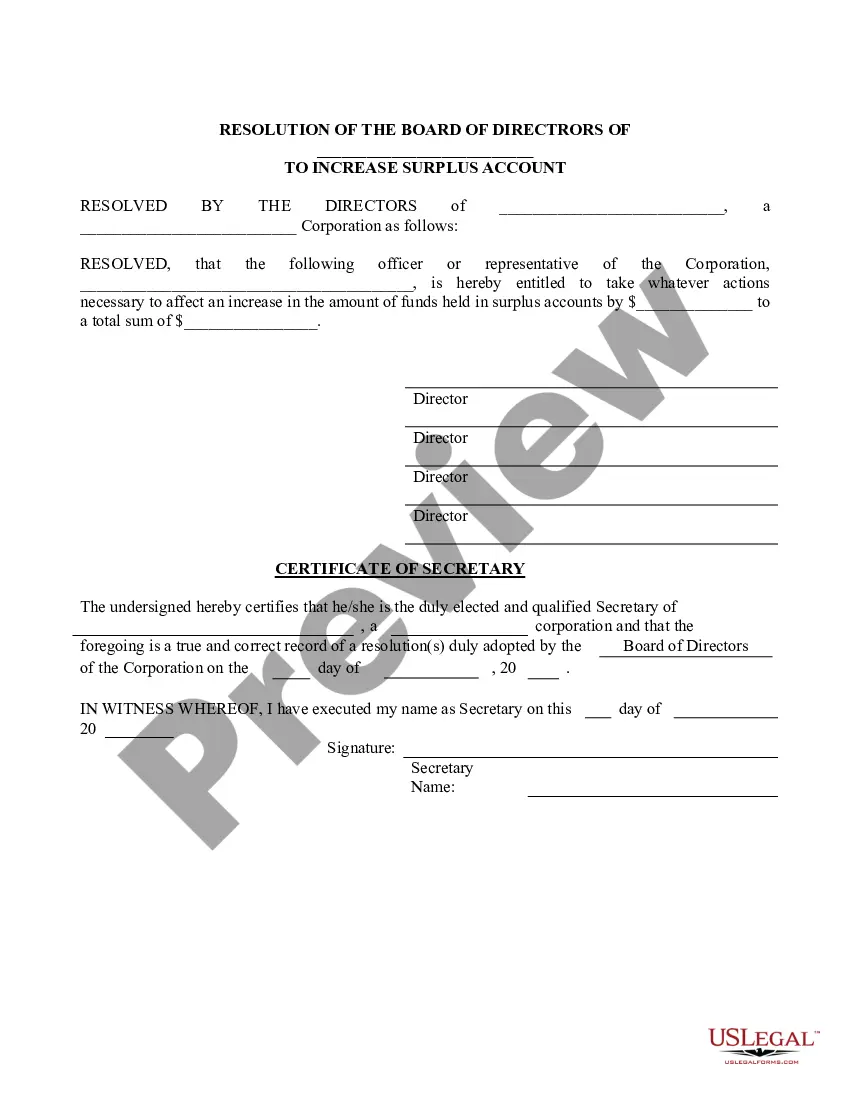
The Increase Surplus Account - Resolution Form is a legal document that allows a corporation's board of directors to officially authorize an officer or representative to increase the funds in a surplus account. This resolution helps ensure that the decision is recorded formally and distinguishes it from other financial adjustments within the corporation.
What’s included in this form
- Title of the resolution and identification of the corporation.
- Appointment of the authorized officer or representative.
- Specification of the current and intended surplus account amounts.
- Signature lines for the directors of the corporation.
- Certification by the corporation's Secretary confirming the resolution's adoption.



Situations where this form applies
Use this form when your corporation's board decides to increase the funds held in a surplus account. This may occur during financial planning sessions, after approving a significant revenue increase, or when reallocating funds for better fiscal management. It serves as a formal record of the decision made by the directors.
Who this form is for
- Corporate board of directors looking to increase surplus funds.
- Company executives needing a documented resolution for financial adjustments.
- Secretaries of corporations tasked with maintaining official records.
Completing this form step by step
- Fill in the name of the corporation at the top of the form.
- Identify the officer or representative authorized to manage the increase.
- State the current surplus account amount and the new total amount intended.
- Gather signatures from the directors present at the meeting.
- The Secretary should certify the resolution by signing and dating at the bottom.
Notarization guidance
This form does not typically require notarization unless specified by local law. Always confirm with legal counsel or local regulations to ensure compliance.
Get your form ready online
Our built-in tools help you complete, sign, share, and store your documents in one place.
Make edits, fill in missing information, and update formatting in US Legal Forms—just like you would in MS Word.
Download a copy, print it, send it by email, or mail it via USPS—whatever works best for your next step.
Sign and collect signatures with our SignNow integration. Send to multiple recipients, set reminders, and more. Go Premium to unlock E-Sign.
If this form requires notarization, complete it online through a secure video call—no need to meet a notary in person or wait for an appointment.
We protect your documents and personal data by following strict security and privacy standards.

Make edits, fill in missing information, and update formatting in US Legal Forms—just like you would in MS Word.

Download a copy, print it, send it by email, or mail it via USPS—whatever works best for your next step.

Sign and collect signatures with our SignNow integration. Send to multiple recipients, set reminders, and more. Go Premium to unlock E-Sign.

If this form requires notarization, complete it online through a secure video call—no need to meet a notary in person or wait for an appointment.

We protect your documents and personal data by following strict security and privacy standards.
Common mistakes
- Failing to include signatures from all required directors.
- Not properly indicating the total amount intended for the surplus account.
- Using outdated versions of the form without the latest legal updates.
Benefits of completing this form online
- Convenience of accessing the form anytime and anywhere.
- Easy editing and customization to fit your corporation's specific needs.
- Instantly downloadable, providing a quick solution for urgent matters.
Legal use & context
- Enhances the formal decision-making process within a corporation.
- Provides a clear record of corporate financial actions for future reference.
- Ensures transparency and adherence to corporate governance policies.
Key takeaways
- The Increase Surplus Account - Resolution Form is critical for officially documenting changes to a corporationâs surplus funds.
- Proper completion ensures clarity in governance and financial management within the corporation.
- Understanding when and how to use this form helps maintain compliance with corporate policies and state regulations.
Looking for another form?


Form popularity
FAQ
The banking resolution document is drafted and adopted by a company's members or Board of Directors to define the relationship, responsibilities and privileges that the members or directors maintain with respect to the company's banking needs.It is provided to the bank and then held internally within the company.
Resolution letter is a document which is written for various purposes.If a certain member is unable to be present physically he/she can send a resolution to letter to present his/her decision on the matter.
Executing Board Resolution for Opening Bank Account The board resolution for opening bank account must be printed on the letterhead of the business. The board resolution must be signed by two ore more of the Directors of the Company with quorum at a Board Meeting.
Resolution letter is a document which is written for various purposes.If a certain member is unable to be present physically he/she can send a resolution to letter to present his/her decision on the matter.
A board resolution, also sometimes called a corporate resolution, is a formal document that makes a statement about an issue that is so important that the board wants to have a record of it. A resolution is a document stands as a record if compliance comes in to question.
A banking resolution is a document that is used to formally authorize the opening of a company bank account. The banking resolution is drafted and adopted by the LLC members to define the roles, obligations, and privileges of each member with respect to banking activities for the company.
Step 1: Place a Resolution Number. Step 2: Write a Title for the Resolution. Step 3: Use Formal Language. Step 4: Clearly Indicate the Voted Resolution. Step 5: Include a List of Voting Board Members. Step 6: Have the President Sign the Resolution.