South Carolina Complaint for Annulment

Understanding this form
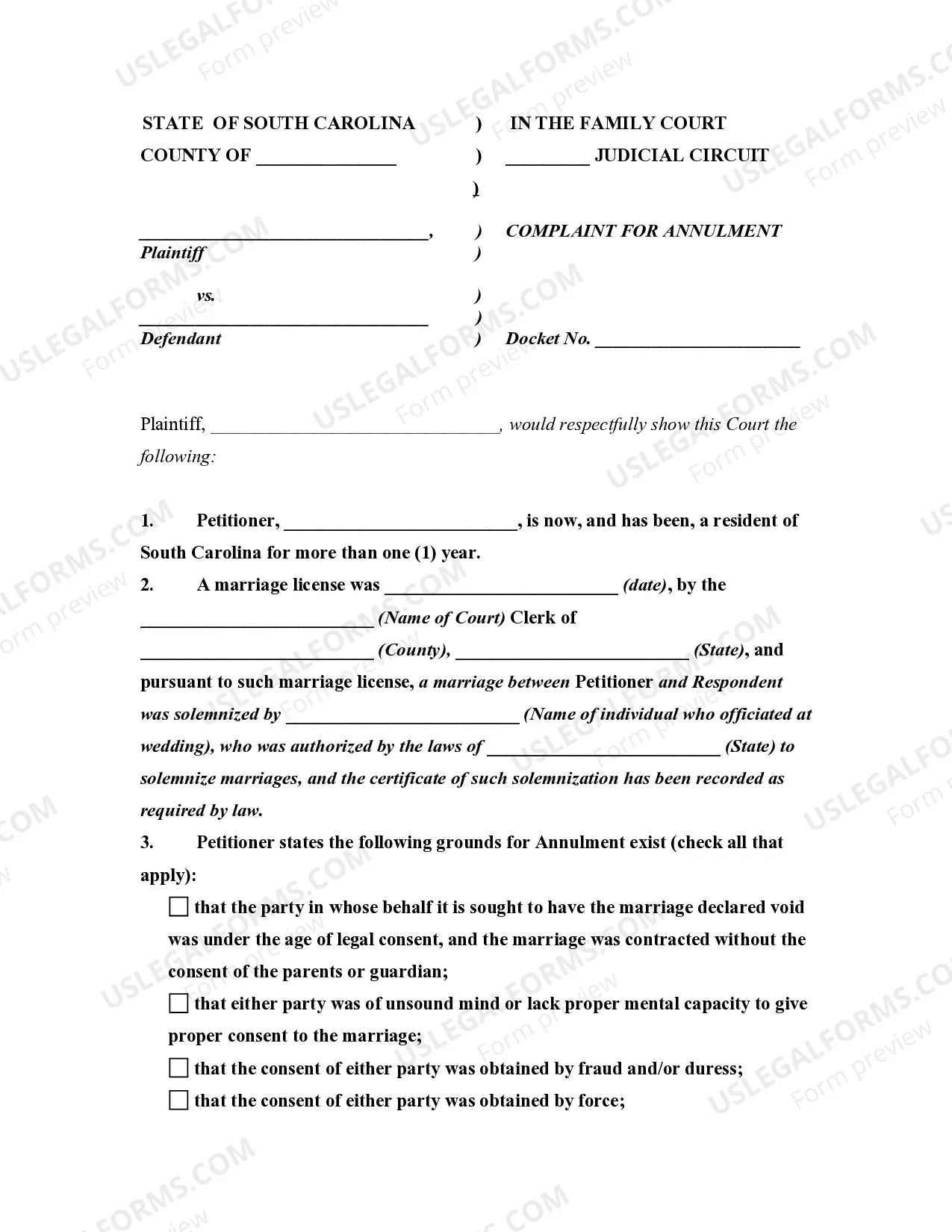
The Complaint for Annulment is a legal document filed in the South Carolina Judicial Circuit Court that requests the court to declare a marriage null and void. This form differs from divorce proceedings, as it addresses situations where a marriage is deemed invalid from the start due to specific legal grounds as outlined in South Carolina law.
Form components explained
- Petitioner and respondent information, including names and addresses.
- Details about the marriage, such as the date it occurred and the officiant's name.
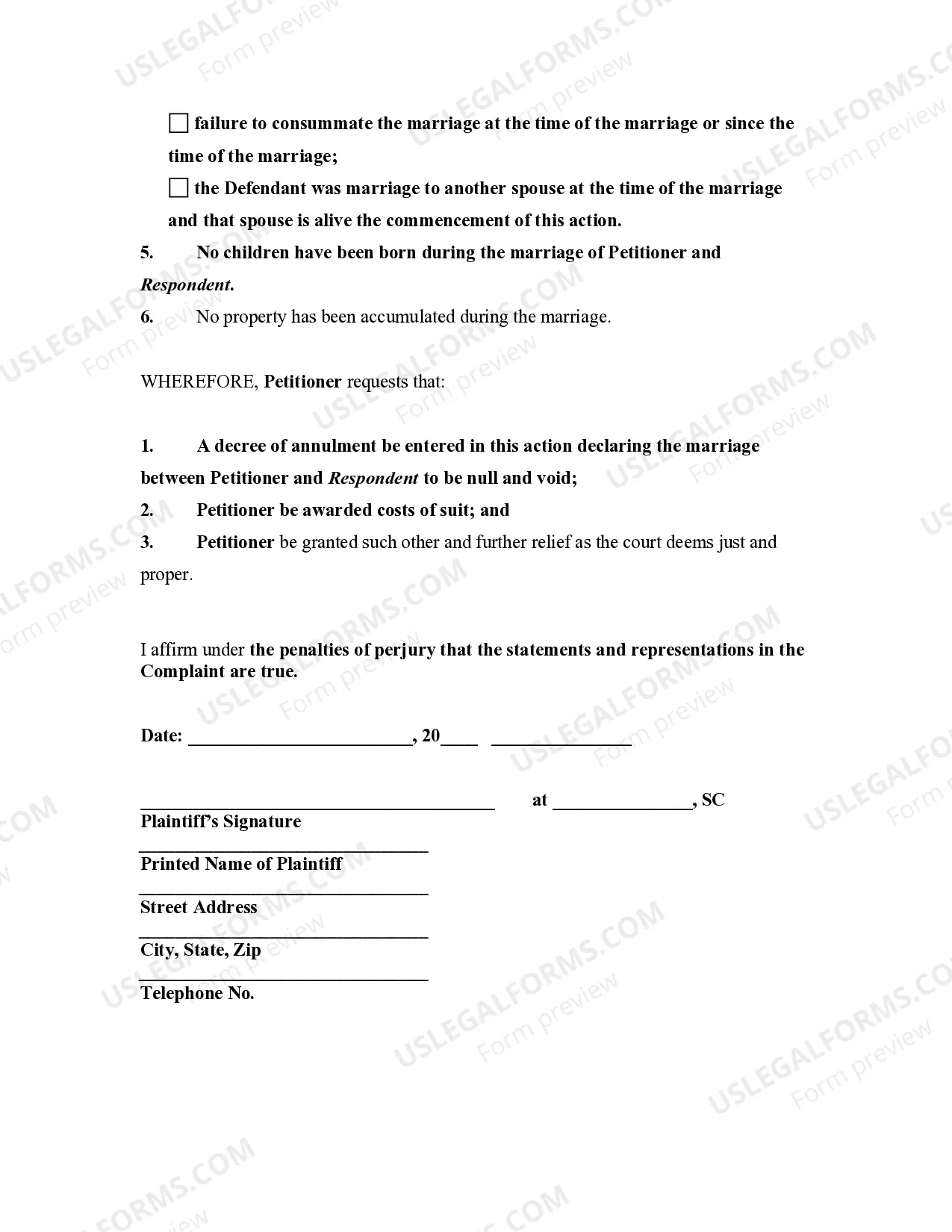
- Specific grounds for annulment, which must be checked based on relevant circumstances.
- Statement affirming that no children or property have been accumulated during the marriage.
- A request for costs and any additional relief deemed appropriate by the court.

Situations where this form applies
This form is necessary if you believe your marriage is legally invalid and you want it annulled. Common scenarios for using a Complaint for Annulment include cases where one spouse was underage at the time of marriage, one party lacked the mental capacity to consent, or fraud was involved in obtaining consent for the marriage.
Who should use this form
- Individuals who were married in South Carolina and wish to annul their marriage.
- Persons who can substantiate valid legal grounds for annulment under South Carolina law.
- Those who have no children from the marriage and no shared property.
Instructions for completing this form
- Identify the petitioner and respondent by entering their full names and addresses.
- Provide the date and location where the marriage license was issued.
- Select applicable grounds for annulment by checking the corresponding boxes.
- Affirm that there are no children and that no property was accumulated.
- Sign the form and date it in front of a notary, if required.
Notarization requirements for this form
This form does not typically require notarization unless specified by local law. However, it is advisable to check with the court or a legal advisor to ensure compliance with any jurisdictional requirements.
Get your form ready online
Our built-in tools help you complete, sign, share, and store your documents in one place.
Make edits, fill in missing information, and update formatting in US Legal Forms—just like you would in MS Word.
Download a copy, print it, send it by email, or mail it via USPS—whatever works best for your next step.
Sign and collect signatures with our SignNow integration. Send to multiple recipients, set reminders, and more. Go Premium to unlock E-Sign.
If this form requires notarization, complete it online through a secure video call—no need to meet a notary in person or wait for an appointment.
We protect your documents and personal data by following strict security and privacy standards.

Make edits, fill in missing information, and update formatting in US Legal Forms—just like you would in MS Word.

Download a copy, print it, send it by email, or mail it via USPS—whatever works best for your next step.

Sign and collect signatures with our SignNow integration. Send to multiple recipients, set reminders, and more. Go Premium to unlock E-Sign.

If this form requires notarization, complete it online through a secure video call—no need to meet a notary in person or wait for an appointment.

We protect your documents and personal data by following strict security and privacy standards.
Mistakes to watch out for
- Failing to provide accurate details about the marriage license issuance.
- Ineffectively checking the grounds for annulment that do not apply.
- Not signing the form or forgetting to date it properly.
Why complete this form online
- Convenience of downloading and printing the form at your own pace.
- Easy customization of fields to fit your specific circumstances.
- Access to reliable templates drafted by licensed attorneys.
Legal use & context
- The annulment must be justified by one of the legal grounds as per South Carolina law.
- Understanding the implications of annulment, which declares the marriage as if it never existed, is crucial.
- The form should be filed in the appropriate family court to be legally recognized.
Main things to remember
- A Complaint for Annulment is used to declare a marriage invalid under specific grounds.
- Ensure that all provided information is accurate and complete to avoid delays.
- Consult legal assistance if uncertain about grounds for annulment or filing procedures.