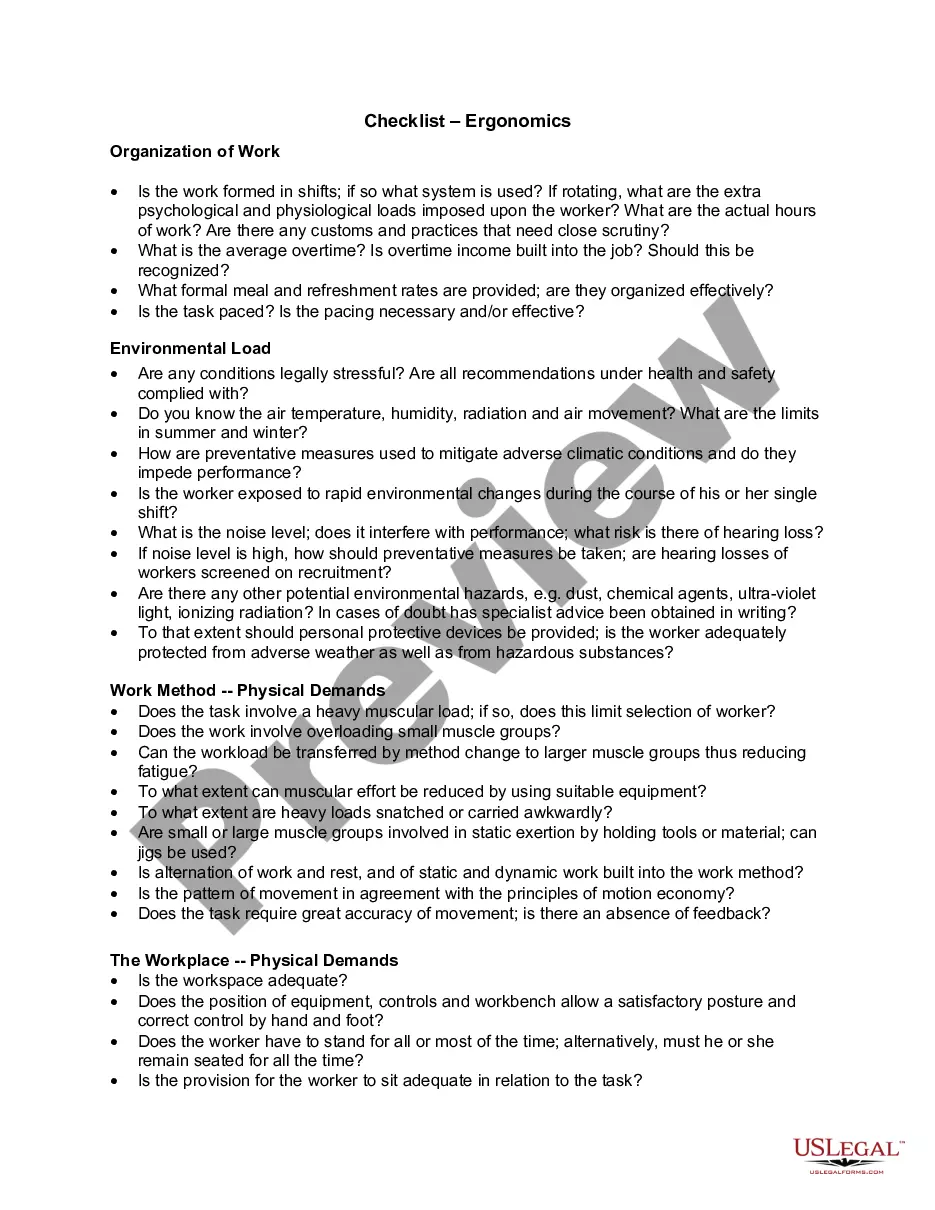
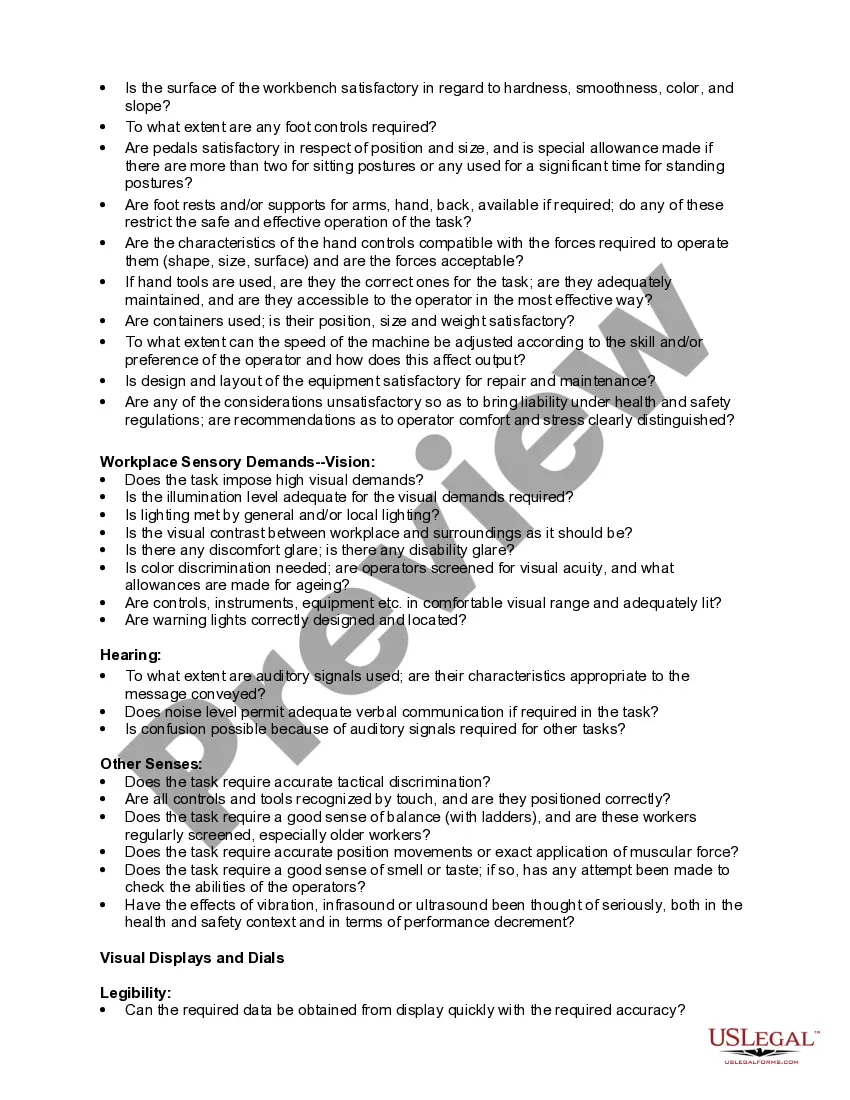
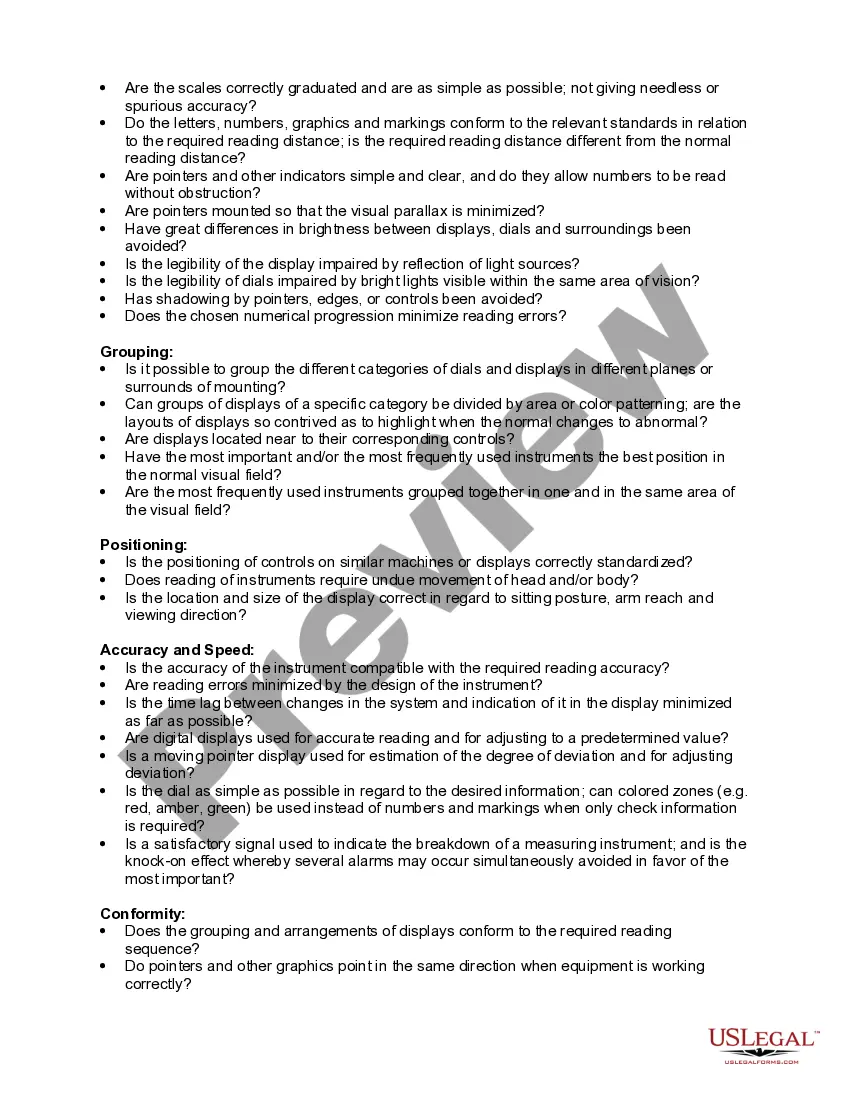
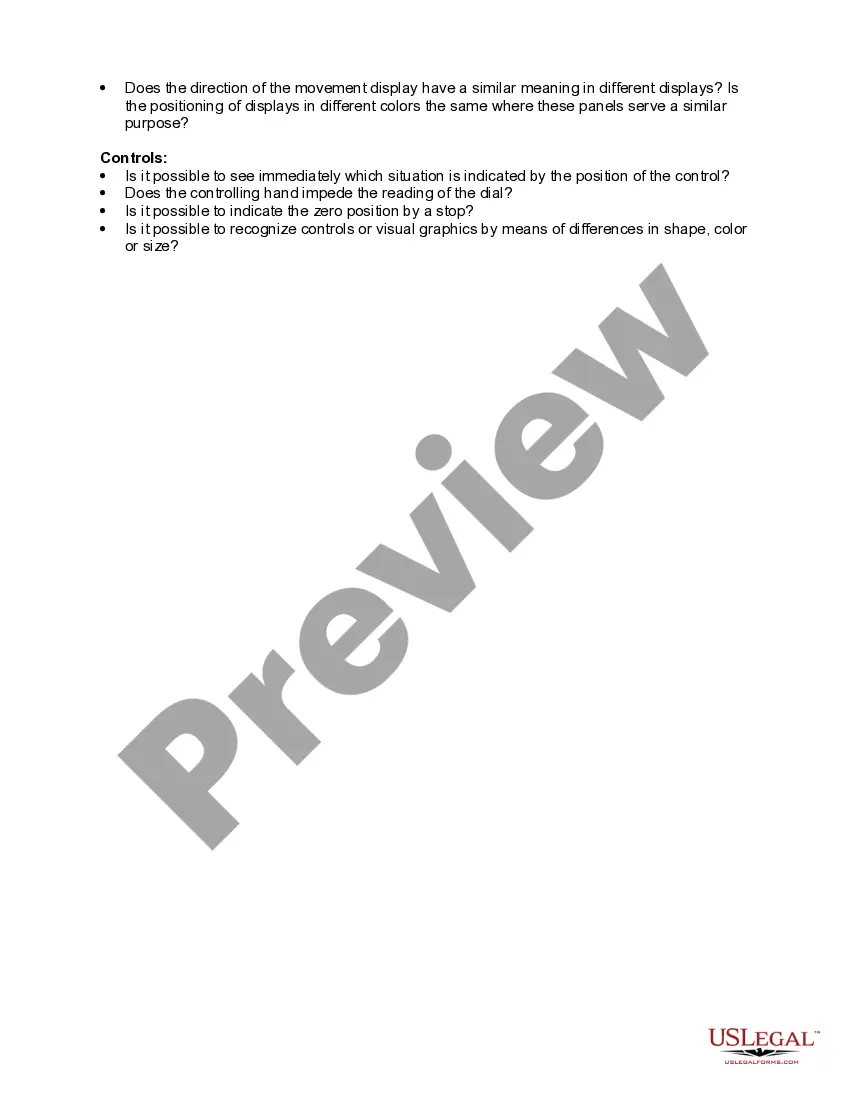
Ergonomics is the science of fitting workplace conditions and job demands to the capabilities of the working population. A major component of ergonomics is the development of industry-specific and task-specific guidelines to reduce and prevent workplace musculoskeletal disorders (MSDs). These voluntary guidelines are tools to assist employers in recognizing and controlling ergonomics-related risk factors. Employers in other industries for which guidelines have not been developed may find useful information in these guidelines for implementing their own ergonomic programs.
Ohio Checklist - Ergonomics
State:
Multi-State
Category:
Control #:
US-03058BG
Format:
Word;
Rich Text
34 downloads
Description
Free preview
Get your form ready online
Our built-in tools help you complete, sign, share, and store your documents in one place.
Built-in online Word editor
Make edits, fill in missing information, and update formatting in US Legal Forms—just like you would in MS Word.
Export easily
Download a copy, print it, send it by email, or mail it via USPS—whatever works best for your next step.
E-sign your document
Sign and collect signatures with our SignNow integration. Send to multiple recipients, set reminders, and more. Go Premium to unlock E-Sign.
Notarize online 24/7
If this form requires notarization, complete it online through a secure video call—no need to meet a notary in person or wait for an appointment.
Store your document securely
We protect your documents and personal data by following strict security and privacy standards.

Make edits, fill in missing information, and update formatting in US Legal Forms—just like you would in MS Word.

Download a copy, print it, send it by email, or mail it via USPS—whatever works best for your next step.

Sign and collect signatures with our SignNow integration. Send to multiple recipients, set reminders, and more. Go Premium to unlock E-Sign.

If this form requires notarization, complete it online through a secure video call—no need to meet a notary in person or wait for an appointment.

We protect your documents and personal data by following strict security and privacy standards.
Looking for another form?




How to fill out Checklist - Ergonomics?
US Legal Forms - one of the largest libraries of legal forms in the United States - offers a vast selection of legal document templates available for download or creation.
By using the website, you can access thousands of forms for business and personal purposes, organized by categories, states, or keywords. You can find the latest versions of forms such as the Ohio Checklist - Ergonomics in just minutes.
If you are already a member, Log In and download the Ohio Checklist - Ergonomics from the US Legal Forms library. The Download button will appear on each form you view. You can access all previously downloaded forms in the My documents tab of your account.
Make edits. Fill out, modify, print, and sign the downloaded Ohio Checklist - Ergonomics.
Every template you add to your account has no expiration date and is yours forever. Therefore, if you need to download or print another copy, just visit the My documents section and click on the form you want. Access the Ohio Checklist - Ergonomics with US Legal Forms, the most extensive collection of legal document templates. Utilize thousands of professional and state-specific templates that fulfill your business or personal needs and requirements.
- If you want to use US Legal Forms for the first time, here are simple instructions to get started.
- Ensure you have selected the correct form for your area/county. Click on the Review button to examine the form's content. Review the form description to confirm that you have chosen the correct form.
- If the form does not meet your needs, utilize the Search field at the top of the screen to find one that does.
- Once you are satisfied with the form, verify your selection by clicking on the Buy now button. Then, choose the pricing plan you prefer and provide your credentials to register for an account.
- Process the transaction. Use a credit card or PayPal account to complete the transaction.
- Select the format and download the form to your device.
Form popularity
FAQ
Employers are not legally required to provide ergonomic assessments, but doing so can significantly benefit their workforce. Implementing an Ohio Checklist - Ergonomics allows employers to identify and mitigate risks. By voluntarily offering these assessments, employers foster a culture of health and safety that can lead to happier and more productive employees.
Employers should provide ergonomic equipment when it is necessary for reducing the risk of injury. While there is no strict legal requirement in Ohio, following an Ohio Checklist - Ergonomics demonstrates a commitment to employee safety. Investing in ergonomic equipment can improve comfort and efficiency for all workers.
Employers are responsible for identifying ergonomic hazards in the workplace and addressing them proactively. Utilizing an Ohio Checklist - Ergonomics helps employers evaluate workstations and implement changes that promote safety. This proactive approach not only reduces the risk of injury but also enhances productivity in the workplace.
OSHA does not have a specific standard for ergonomics, but it encourages employers to develop an ergonomics program. By following an Ohio Checklist - Ergonomics, you can create your own program that meets safety standards and improves worker well-being. Taking action in this area shows a commitment to employee health and safety.
While ergonomic assessments are not universally mandatory, they are highly recommended as part of a safer work environment. In Ohio, following an Ohio Checklist - Ergonomics can help identify potential risks and improve workplace safety. Employers who take the initiative to conduct these assessments benefit from healthier employees and reduced injury rates.
Three common examples of ergonomics include adjustable desks, well-positioned computer monitors, and ergonomic chairs designed to support proper posture. These elements help reduce strain and enhance productivity. The Ohio Checklist - Ergonomics highlights these features, making it easier for you to integrate them into your workspace.
Yes, ergonomics is a key focus of OSHA regulations aimed at preventing workplace injuries. Employers must follow ergonomic guidelines to maintain a safe work environment. By using the Ohio Checklist - Ergonomics, you can remain compliant with OSHA's recommendations while ensuring employee safety.
Ergonomics is the science of designing workspaces and tools to fit human needs. It aims to improve comfort, efficiency, and productivity while reducing the risk of injury. By implementing the Ohio Checklist - Ergonomics, you can create a workspace that supports employee health and performance.
To request an ergonomic assessment, simply reach out to your HR department or safety officer. Provide them with details regarding your workspace and any specific concerns you have. Utilizing the Ohio Checklist - Ergonomics can help you articulate your needs clearly and ensure a comprehensive evaluation.
An ergonomic assessment involves a thorough examination of work environments to identify potential ergonomic risks. This includes evaluation of furniture, tools, and workflows that may strain employees. The Ohio Checklist - Ergonomics assists in structuring this assessment, promoting a safer and more comfortable workplace.