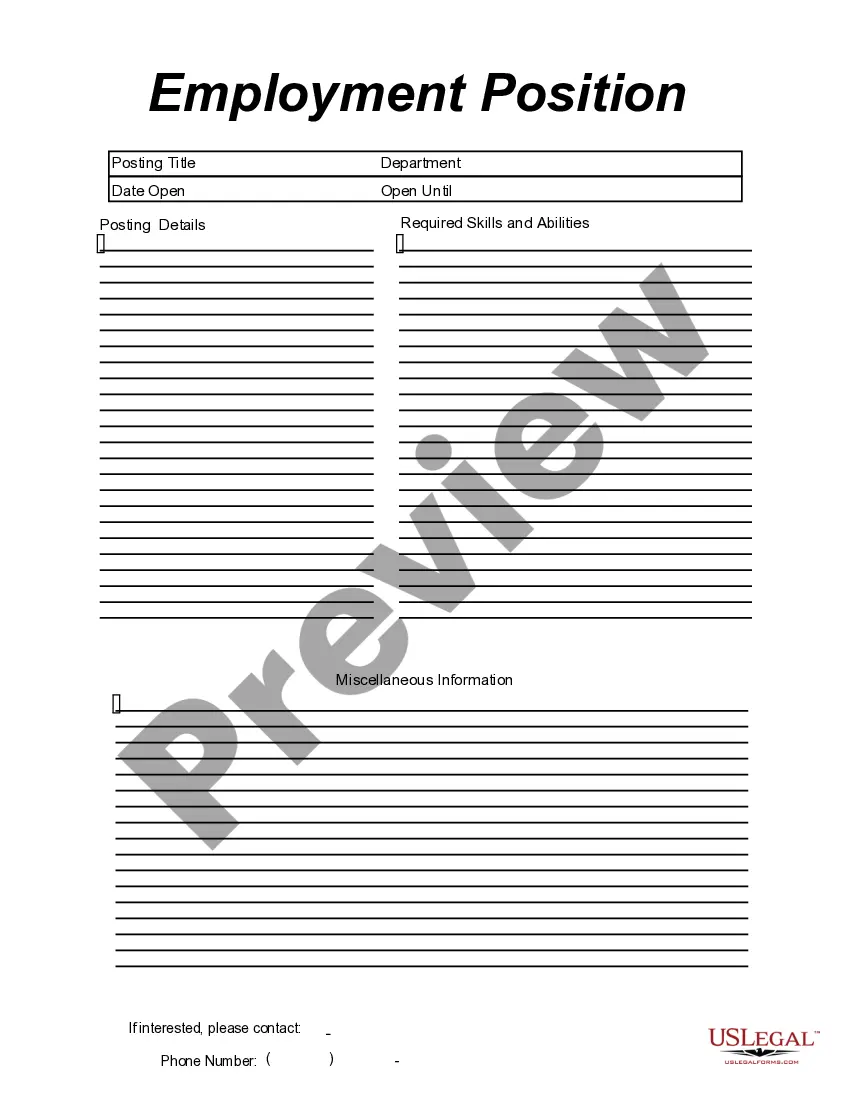
This form is a business type form that is formatted to allow you to complete the form using Adobe Acrobat or Word. The word files have been formatted to allow completion by entry into fields. Some of the forms under this category are rather simple while others are more complex. The formatting is worth the small cost.
Maine Employment Position Announcement
Category:
State:
Multi-State
Control #:
US-149-AZ
Format:
Word;
PDF;
Rich Text
Instant download
Description
Get your form ready online
Our built-in tools help you complete, sign, share, and store your documents in one place.
Built-in online Word editor
Make edits, fill in missing information, and update formatting in US Legal Forms—just like you would in MS Word.
Export easily
Download a copy, print it, send it by email, or mail it via USPS—whatever works best for your next step.
E-sign your document
Sign and collect signatures with our SignNow integration. Send to multiple recipients, set reminders, and more. Go Premium to unlock E-Sign.
Notarize online 24/7
If this form requires notarization, complete it online through a secure video call—no need to meet a notary in person or wait for an appointment.
Store your document securely
We protect your documents and personal data by following strict security and privacy standards.

Make edits, fill in missing information, and update formatting in US Legal Forms—just like you would in MS Word.

Download a copy, print it, send it by email, or mail it via USPS—whatever works best for your next step.

Sign and collect signatures with our SignNow integration. Send to multiple recipients, set reminders, and more. Go Premium to unlock E-Sign.

If this form requires notarization, complete it online through a secure video call—no need to meet a notary in person or wait for an appointment.

We protect your documents and personal data by following strict security and privacy standards.
Looking for another form?




How to fill out Employment Position Announcement?
Selecting the optimal official document template may pose a challenge. Clearly, there are numerous designs accessible online, but how do you obtain the official format you require? Visit the US Legal Forms website.
The platform offers thousands of templates, such as the Maine Employment Position Announcement, which can be utilized for professional and personal needs. All documents are verified by experts and meet federal and state regulations.
If you are already a registered user, Log In to your account and click on the Acquire button to obtain the Maine Employment Position Announcement. Use your account to review the official forms you may have previously purchased. Navigate to the My documents section of your account to get an additional copy of the document you desire.
US Legal Forms is the largest repository of official templates where you can find a wide array of document designs. Utilize the service to secure properly crafted documents that comply with legal requirements.
- First, ensure you have selected the correct form for your region/state. You can preview the document using the Review option and read the form description to confirm it is suitable for you.
- If the form does not meet your requirements, use the Search field to find the appropriate one.
- Once you are confident the form is suitable, click on the Buy now button to purchase the document.
- Select the pricing plan you prefer and provide the necessary information. Create your account and pay for the order using your PayPal account or credit card.
- Choose the file format and download the official document template to your device.
- Finally, complete, edit, print, and sign the acquired Maine Employment Position Announcement.
Form popularity
FAQ
How to write a job announcement emailStart with a greeting.List your company name and the job title.Provide a brief job description.Highlight the desired skills and qualifications.State the job location.Include benefit and salary information.Explain how to apply.Sign your name.
How to Write a Great Job Posting (2021)Perform a thorough job analysis.Keep the job posting in the 300-700 word range.A job title must be clear, direct, and specific.Describe the job opportunity.Sell the job opportunity.Sell the company vision and culture.Structure your job posting.Describe the application process.More items...?
How to Build a Job Posting Template in 5 StepsDefine requirements and responsibilities. It may sound simple, but this first section is where many job postings go wrong.Research your keywords. Keyword research will reveal what candidates are searching for.Write the content.Format your post.Provide a clear call to action.
Things to Include in an Internal Promotion Announcement Email:The name of the employee being promoted.The employee's previous role and how long the employee has worked in that role, if desired.The employee's new role and the responsibilities of that role.When the employee will start their new role.More items...
Tips for Writing a Job Search Announcement LetterCreate a list of people to contact.Consider sending an email.Provide necessary information.Be specific in your request.Keep it short.Include your resume.Carefully proofread and edit.
Step 1: Navigate to your business page on Facebook. First, you should log in as the administrator of your business's Facebook page.Step 2: Click job above the spot to write a new posting.Step 3: Enter job details.Step 4: Preview the job posting.Step 5: Publish the job posting.
Once a job posting has been successfully created, you may want to share this posting through social media. Postings may be shared via Facebook, Twitter, LinkedIn, and email.
How to Apply for a Federal Job Through USAJOBSUSAJOBS requires users to have a login.gov account.Sign into USAJOBS, create your profile, and upload your resume.Search for jobs that interest you.Review the job announcements to see if you qualify.Prepare your application in USAJOBS.More items...?
A job announcement, or job advertisement, is a brief description of an open position at your organization, explains Indeed. Its role is to summarize the job requirements, company culture and any other relevant information. Job announcements are typically shorter and more concise than a job description.