This form is a business type form that is formatted to allow you to complete the form using Adobe Acrobat or Word. The word files have been formatted to allow completion by entry into fields. Some of the forms under this category are rather simple while others are more complex. The formatting is worth the small cost.
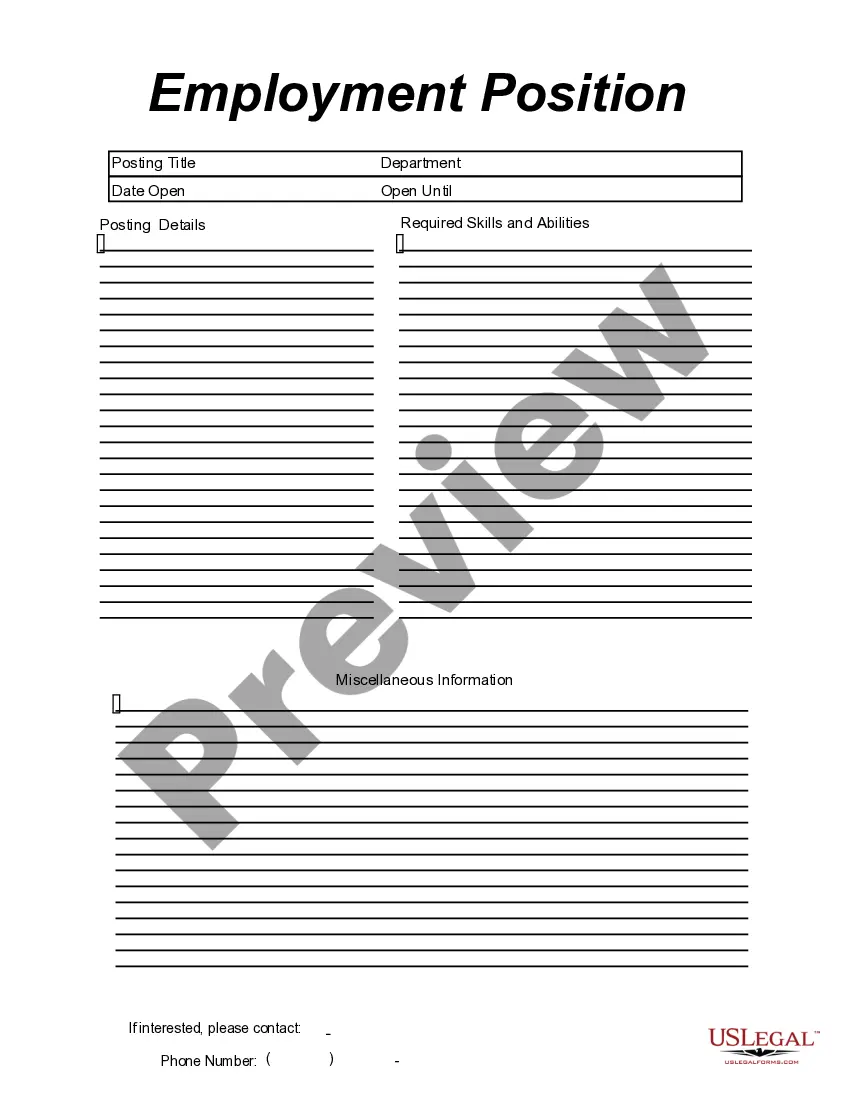
Guam Employment Position Announcement
Category:
State:
Multi-State
Control #:
US-149-AZ
Format:
Word;
PDF;
Rich Text
Instant download
Description

Get your form ready online
Our built-in tools help you complete, sign, share, and store your documents in one place.
Built-in online Word editor
Make edits, fill in missing information, and update formatting in US Legal Forms—just like you would in MS Word.
Export easily
Download a copy, print it, send it by email, or mail it via USPS—whatever works best for your next step.
E-sign your document
Sign and collect signatures with our SignNow integration. Send to multiple recipients, set reminders, and more. Go Premium to unlock E-Sign.
Notarize online 24/7
If this form requires notarization, complete it online through a secure video call—no need to meet a notary in person or wait for an appointment.
Store your document securely
We protect your documents and personal data by following strict security and privacy standards.

Make edits, fill in missing information, and update formatting in US Legal Forms—just like you would in MS Word.

Download a copy, print it, send it by email, or mail it via USPS—whatever works best for your next step.

Sign and collect signatures with our SignNow integration. Send to multiple recipients, set reminders, and more. Go Premium to unlock E-Sign.

If this form requires notarization, complete it online through a secure video call—no need to meet a notary in person or wait for an appointment.

We protect your documents and personal data by following strict security and privacy standards.
Looking for another form?
How to fill out Employment Position Announcement?
If you need to finish, download, or create official document templates, utilize US Legal Forms, the largest collection of legal forms, available on the Internet.
Employ the site's simple and user-friendly search to find the documents you need.
A range of templates for commercial and personal purposes are categorized by groups and jurisdictions, or keywords.
Every legal document template you obtain is yours forever. You have access to each form you have purchased in your account.
Complete and download, and print the Guam Employment Position Announcement with US Legal Forms. There are millions of professional and state-specific forms you can use for your business or personal needs.
- Use US Legal Forms to obtain the Guam Employment Position Announcement in just a few clicks.
- If you are already a US Legal Forms member, Log In to your account and select the Acquire option to obtain the Guam Employment Position Announcement.
- You can also access forms you previously acquired in the My documents tab of your account.
- If you are using US Legal Forms for the first time, follow the instructions below.
- Step 1. Make sure you have chosen the form for your specific city/state.
- Step 2. Use the Preview feature to review the form's content. Don't forget to check the description.
- Step 3. If you are not satisfied with the form, use the Search box at the top of the screen to find other types in the legal form template.
- Step 4. Once you have found the form you need, click the Purchase now button. Choose the pricing plan you prefer and add your details to register for an account.
- Step 5. Complete the transaction. You can make the payment using your credit card or PayPal account.
- Step 6. Select the format of the legal document and download it to your device.
- Step 7. Fill out, edit, and print or sign the Guam Employment Position Announcement.
Form popularity
FAQ
Tips for Writing a Job Search Announcement LetterCreate a list of people to contact.Consider sending an email.Provide necessary information.Be specific in your request.Keep it short.Include your resume.Carefully proofread and edit.
How to Build a Job Posting Template in 5 StepsDefine requirements and responsibilities. It may sound simple, but this first section is where many job postings go wrong.Research your keywords. Keyword research will reveal what candidates are searching for.Write the content.Format your post.Provide a clear call to action.
Things to Include in an Internal Promotion Announcement Email:The name of the employee being promoted.The employee's previous role and how long the employee has worked in that role, if desired.The employee's new role and the responsibilities of that role.When the employee will start their new role.More items...
Of course, job postings should include a description of the job, but the goal is to write a job posting to grab the candidates' attention. Unlike job descriptions, job postings also include details about company values and culture as a whole and what the organization has to offer a potential candidate.
I'm excited to announce that I will be joining the COMPANY NAME family as their newest POSITION TITLE. During my time as PREVIOUS POSITION, I've learned . I'd like to thank , , and for their support and for .
Ideally, you would make the announcement after the previous job ends but before the new job begins. However, most employees are busy up until their last day of employment and then jump straight into their new roles, leaving minimal time to make that update.
A job announcement is a brief description of an available position at a company. Typically sent as an email, job announcements are an efficient way for a company to reach a network of qualified professionals.
A job announcement, or job advertisement, is a brief description of an open position at your organization, explains Indeed. Its role is to summarize the job requirements, company culture and any other relevant information. Job announcements are typically shorter and more concise than a job description.
How to write a job announcement emailStart with a greeting.List your company name and the job title.Provide a brief job description.Highlight the desired skills and qualifications.State the job location.Include benefit and salary information.Explain how to apply.Sign your name.