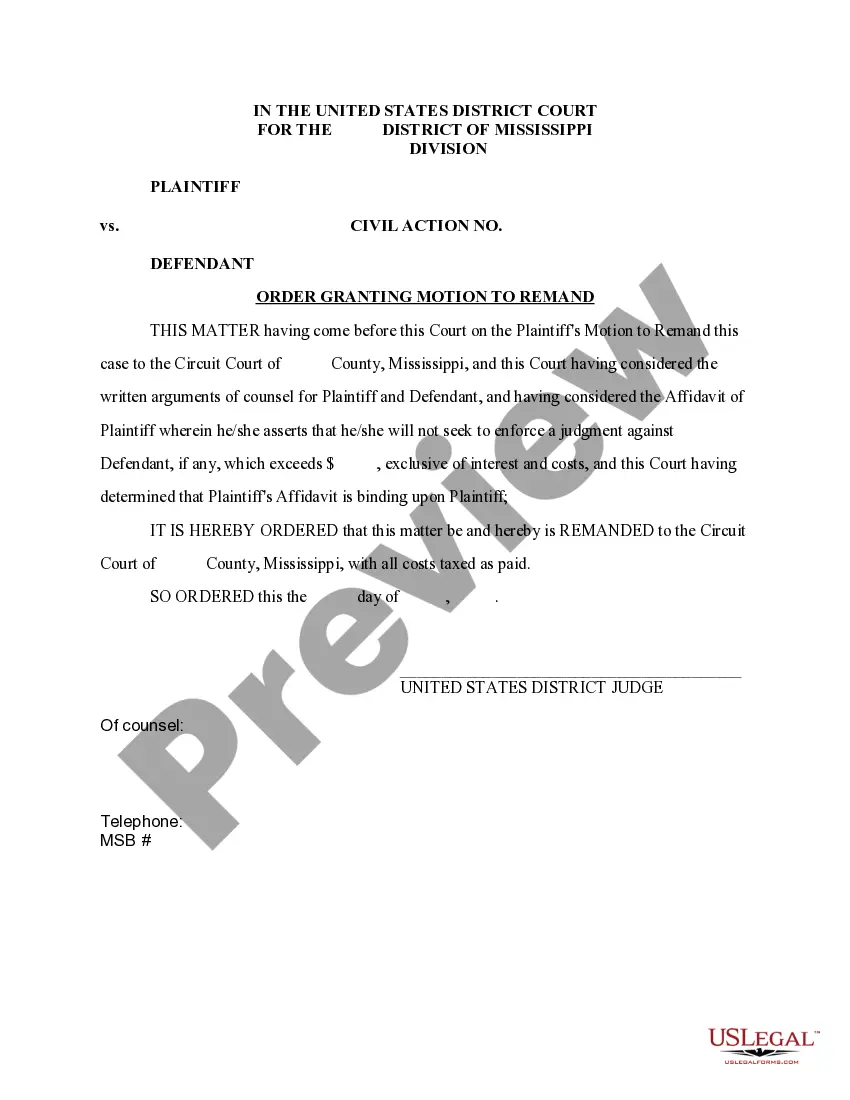
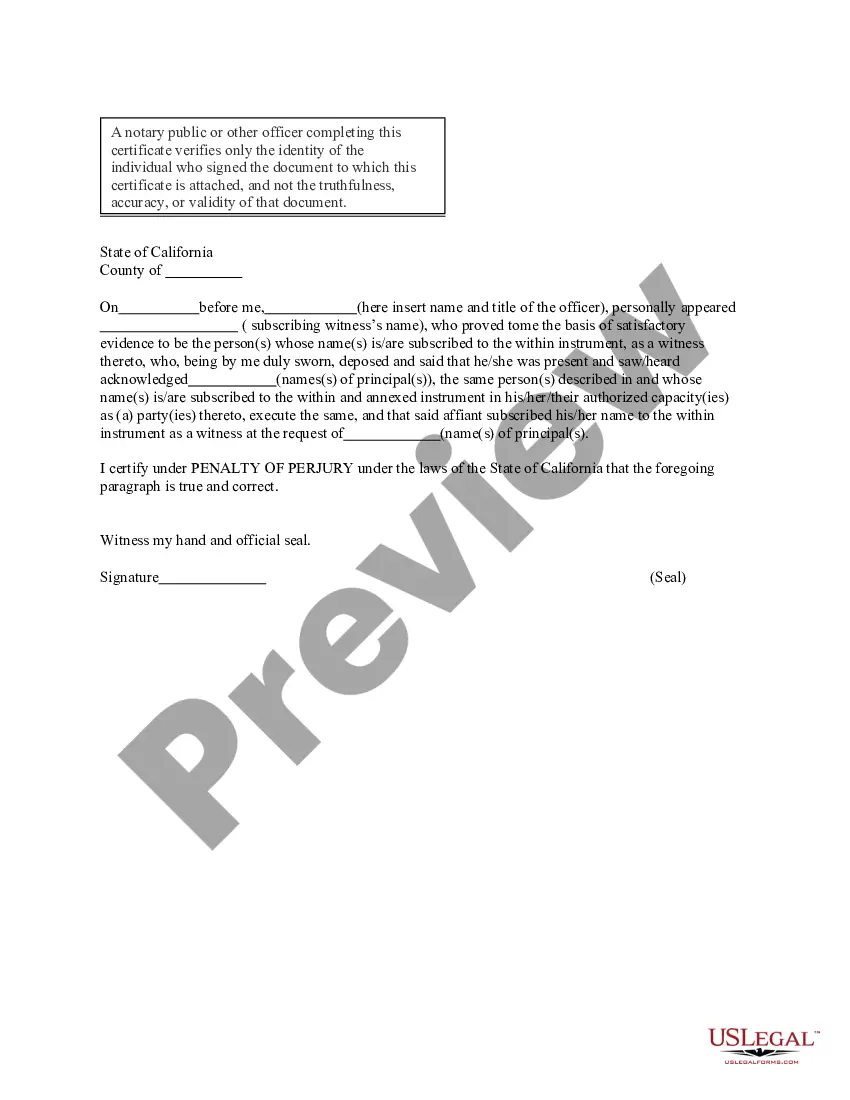
California Acknowledgment for Corporation
What is this form?
The Acknowledgment for Corporation is a legal document used to verify the identity of the signer(s) on corporate documents. This form is essential for confirming that individuals signing on behalf of a corporation are authorized to do so, providing a measure of protection against fraud. Unlike general acknowledgments, this form specifically caters to corporate settings, ensuring compliance with various state regulations.
Key components of this form
- Identification of the signer: Includes the name and title of the person signing.
- Corporate information: Details about the corporation, such as its name and state of incorporation.
- Affirmation statement: A declaration confirming the identity of the signer and their authority to act on behalf of the corporation.
- Signature section: Space for the signer to provide their signature and seal, if applicable.
- Notary acknowledgment: A section for the notary public or relevant officer to validate the signing process.

When this form is needed
This form should be used in scenarios where a corporation is executing documents that require proof of authorization. Common instances include charter amendments, property acquisitions, or loan agreements. It is particularly important when dealing with third parties who need assurance that the individuals signing are indeed representatives of the corporation with the authority to bind it contractually.
Who should use this form
This form is intended for:
- Corporate officers who need to sign documents on behalf of the corporation.
- Corporate secretaries responsible for maintaining documentation and verifying signatory authority.
- Legal professionals assisting corporations in formal transactions.
How to prepare this document
To effectively complete this form, follow these steps:
- Identify the parties involved by entering the names of the signers and their titles within the corporation.
- Provide the name and state of the corporation to ensure clarity regarding the entity being represented.
- Ensure the signer acknowledges their authority by signing in the designated area.
- If required by state law, provide a corporate seal alongside the signature.
- Have the document notarized to confirm the identity of the signers. The notary should complete their section following the signature.
Does this form need to be notarized?
Yes, this form must be notarized to be legally valid. The notarization process serves to verify the identity of the signers, ensuring their authority to execute the document on behalf of the corporation. US Legal Forms offers integrated online notarization that is available 24/7 via secure video calls, ensuring convenience and legal equivalence without the need for physical travel.
Get your form ready online
Our built-in tools help you complete, sign, share, and store your documents in one place.
Make edits, fill in missing information, and update formatting in US Legal Forms—just like you would in MS Word.
Download a copy, print it, send it by email, or mail it via USPS—whatever works best for your next step.
Sign and collect signatures with our SignNow integration. Send to multiple recipients, set reminders, and more. Go Premium to unlock E-Sign.
If this form requires notarization, complete it online through a secure video call—no need to meet a notary in person or wait for an appointment.
We protect your documents and personal data by following strict security and privacy standards.

Make edits, fill in missing information, and update formatting in US Legal Forms—just like you would in MS Word.

Download a copy, print it, send it by email, or mail it via USPS—whatever works best for your next step.

Sign and collect signatures with our SignNow integration. Send to multiple recipients, set reminders, and more. Go Premium to unlock E-Sign.

If this form requires notarization, complete it online through a secure video call—no need to meet a notary in person or wait for an appointment.

We protect your documents and personal data by following strict security and privacy standards.
Mistakes to watch out for
- Failing to correctly identify the signerâs title, which could lead to questions about their authority.
- Not completing all required sections, such as the notary acknowledgment.
- Using the form without a corporate seal when its use is customary or required by law.
Benefits of completing this form online
- Convenience of online access allows for quick completion and downloading of the form.
- Editable fields enable users to customize the form easily for their specific corporate needs.
- Reliability ensured by documents drafted by licensed attorneys familiar with corporate law.
This acknowledgment serves as a vital tool in corporate governance. It establishes a formal record that the individuals who signed corporate documents were indeed authorized to do so, thus safeguarding against disputes regarding the validity of agreements executed on behalf of the corporation.
Key takeaways
- The Acknowledgment for Corporation is critical for proving signatory authority in corporate documents.
- Accurate completion of the form ensures compliance with legal standards and reduces the risk of fraud.
- Notarization is necessary to validate the document and confirm the identity of signers.
Looking for another form?
Form popularity
FAQ
To fill out a California acknowledgment, begin with the date and fill in the signer's name along with their title, if applicable. Then, include the specific document being acknowledged and ensure the individual signs in the presence of the notary. Utilizing tools from platforms like US Legal Forms can simplify the process of meeting all requirements for the California Acknowledgment for Corporation.
An example of a signed acknowledgment could be a business owner signing a document confirming the transfer of property to their corporation. In this case, the notary would verify the owner's identity, witness their signature, and complete the acknowledgment form. This example illustrates the importance of a proper California Acknowledgment for Corporation in legal transactions.
Filling out an acknowledgment form requires you to enter specific information such as the date, the name of the signer, and the nature of the document being acknowledged. Ensure that you present valid identification to the notary when you sign. Using a reliable resource like US Legal Forms can help streamline this process for your California Acknowledgment for Corporation.
To complete a California jurat, the individual must sign the document in front of a notary who will confirm their signature. The notary then adds their seal and signature, attesting that the individual has sworn to the truth of the contents in the document. This step is vital for ensuring a legally binding California Acknowledgment for Corporation.
To fill out an acknowledgment receipt, start by entering the date of the acknowledgment at the top of the form. Next, include the name and address of the person to whom you are acknowledging receipt, alongside a brief description of the material being acknowledged. Completing this step accurately is essential for clarity when dealing with California Acknowledgment for Corporation.
To perform an acknowledgment correctly, the individual must appear before a notary, present valid identification, and sign the document in the notary's presence. The notary then adds their signature and seal, confirming that the individual willingly acknowledged the facts within the document. This process is crucial for ensuring the validity of the California Acknowledgment for Corporation.
For a notary acknowledgment in California, the notary must verify that the signer is present and provides a valid form of identification. You also need to ensure the document includes the necessary acknowledgment wording as specified by California law. This process adds a layer of protection and validity to your documentation, making it crucial for any California acknowledgment for corporation.
You can access a copy of your articles of incorporation in California by visiting the California Secretary of State's website. They provide an online search tool, where you can enter your corporation's name to retrieve official documents. This ensures that you have the latest version of your articles of incorporation in PDF format. Keeping this document handy is essential for your corporation’s legal compliance.
To obtain a California certificate of good standing, start by visiting the California Secretary of State's website. You can request the certificate online or by mail. Generally, you need to provide the corporation's name and the required fees. This certificate serves as proof that your corporation is compliant with state regulations, enhancing your status during business transactions.
For a California acknowledgment for corporation, key phrases often include 'acknowledged before me' and 'personally appeared.' These phrases indicate that the notary confirmed the identity of the signer. It is also vital to use terms such as 'signature' and 'notary public' to ensure clarity in the document. Utilizing these specific terms keeps the acknowledgment compliant with California law.