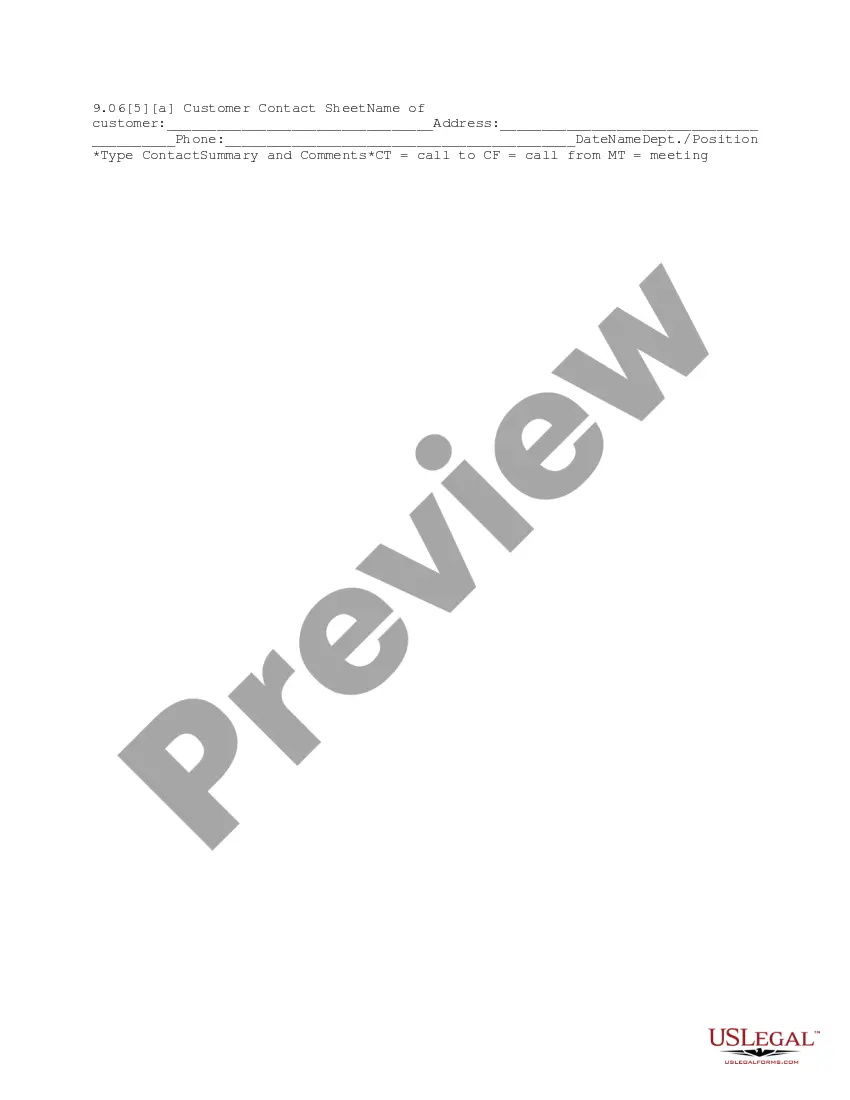
Customer Contact Sheet
Overview of this form
The Customer Contact Sheet is a vital document used to log and manage communication with customers. This form captures essential details such as contact information, the nature of the interaction, and any comments about the conversation. Unlike other contact forms, the Customer Contact Sheet focuses on summarizing customer interactions, making it an effective tool for maintaining customer relations and ensuring follow-up actions are documented.
Main sections of this form
- Name of customer: The full name of the customer you are contacting.
- Address: The physical address of the customer.
- Phone: Contact number to reach the customer.
- Date: The date the contact occurred.
- Name: The name of the person in your organization who made the contact.
- Dept./Position: The department and position of the employee.
- Type: The type of contact (call to, call from, meeting).
- Contact Summary and Comments: Notes summarizing the contact and any relevant comments.
Common use cases
This form is essential whenever your business engages with customers. It should be used in scenarios such as customer service interactions, follow-up calls, business meetings, or any instance where documenting communication is necessary for future reference. This helps maintain accurate records of customer relationships and ensures that no important details are overlooked.
Intended users of this form
- Customer service representatives.
- Sales agents and account managers.
- Business owners managing client relationships.
- Any employee responsible for client communication.
How to complete this form
- Identify the customer: Fill in the name of the customer you contacted.
- Provide the address: Enter the customer's physical address for further correspondence.
- List the phone number: Write the contact phone number for records.
- Record the date: Input the date the contact was made.
- Enter your name and department: Indicate who in your organization managed the contact and their position.
- Summarize the contact: Provide a brief summary and any comments regarding the interaction.
Notarization guidance
This form does not typically require notarization unless specified by local law.
Get your form ready online
Our built-in tools help you complete, sign, share, and store your documents in one place.
Make edits, fill in missing information, and update formatting in US Legal Forms—just like you would in MS Word.
Download a copy, print it, send it by email, or mail it via USPS—whatever works best for your next step.
Sign and collect signatures with our SignNow integration. Send to multiple recipients, set reminders, and more. Go Premium to unlock E-Sign.
If this form requires notarization, complete it online through a secure video call—no need to meet a notary in person or wait for an appointment.
We protect your documents and personal data by following strict security and privacy standards.

Make edits, fill in missing information, and update formatting in US Legal Forms—just like you would in MS Word.

Download a copy, print it, send it by email, or mail it via USPS—whatever works best for your next step.

Sign and collect signatures with our SignNow integration. Send to multiple recipients, set reminders, and more. Go Premium to unlock E-Sign.

If this form requires notarization, complete it online through a secure video call—no need to meet a notary in person or wait for an appointment.

We protect your documents and personal data by following strict security and privacy standards.
Mistakes to watch out for
- Failing to record the date of contact.
- Not including all relevant customer details.
- Omitting a summary of the contact or comments.
- Incorrectly categorizing the type of contact (call to/call from/meeting).
Why use this form online
- Convenient access to download and fill out the form anytime.
- Easy to edit and update as customer information changes.
- Reliable documentation for tracking customer interactions.
What to keep in mind
- The Customer Contact Sheet is vital for documenting customer interactions.
- Proper use of this form aids in maintaining organized customer records.
- Completing the form accurately ensures effective communication tracking.
Looking for another form?
Form popularity
FAQ
A customer registration form lets clients sign up for an account or service with a specific company.In order to encourage clients to sign up, you'll need your Customer Registration Forms to look good.
Enter the name of the database field (column headings). Enter data into the database. We are keeping order in the format of the cells. To use the database turn to tools «DATAA». Assign the name of the database. Select the range of data - from the first to the last cell.
Make a simple outline and choose a template. Add quick facts about your company. Introduce new hire's to clients. Explain who your clients are. Add what drives your entity to success with the proper goals and objectives you need to reach.
Enter the name of the database field (column headings). Enter data into the database. We are keeping order in the format of the cells. To use the database turn to tools «DATAA». Assign the name of the database. Select the range of data - from the first to the last cell.
Step 1: Choose a client intake form tool. Step 2: Decide when you need to use it. Step 3: Ask the right questions. Step 4: Add other elements to your form. Step 5: Share the client intake form.
A Customer Information Sheet is a document that businesses use to collect information about their customers. The purpose of the sheet is to provide companies with valid information about their clients when they need it. Alternate Name: Client Information Sheet.
A company fact sheet is a document that aims to give information about a company, or a small business. It outlines the entirety of your business, for example its products and services, or the date it was established.
Client information sheets are used to keep the client information in an organized way. Make a list of clients with other essential details to help you stay organized.You can get all this information from the client with the client information form. It is just like a questionnaire that is filled by the client.
Details of your company like the company's name, address and contact details. Client's name and contact information. The web address of the clients if they have one. Client's fax address. Description About the type of business with your client.