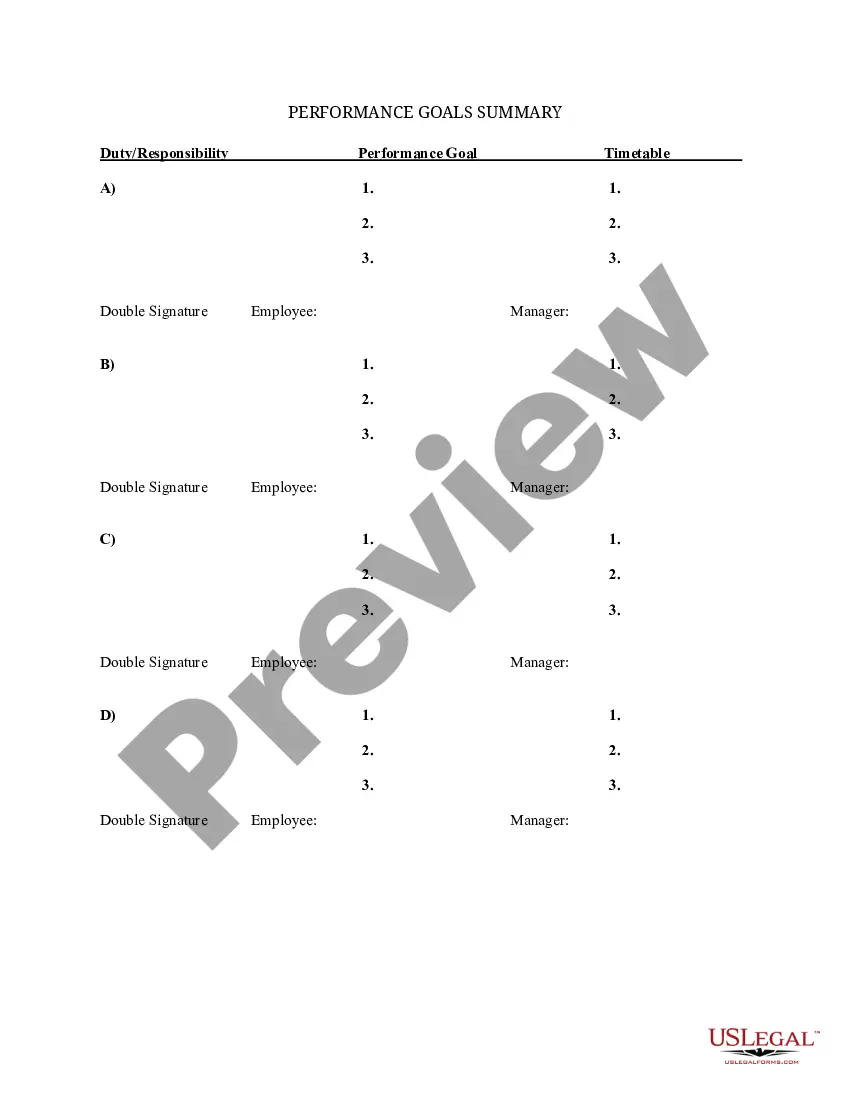
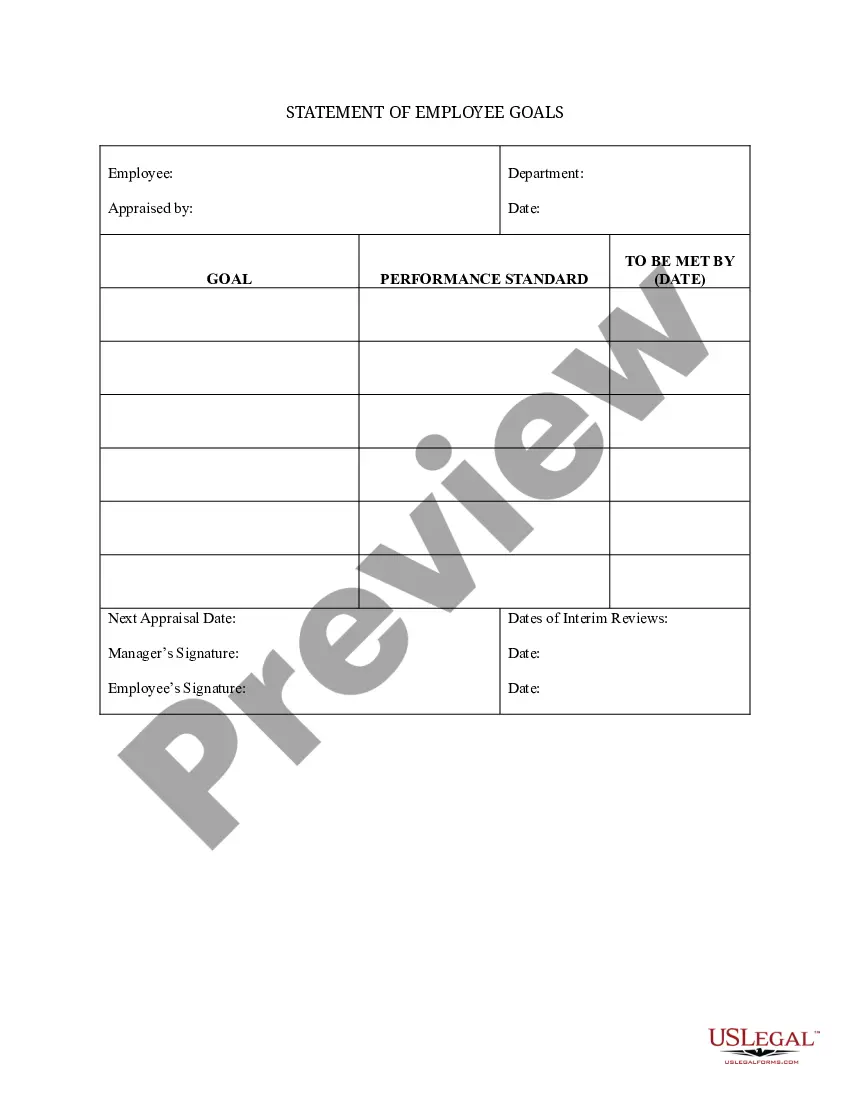
Goals Employee Template With Description
Description
Get your form ready online
Our built-in tools help you complete, sign, share, and store your documents in one place.
Make edits, fill in missing information, and update formatting in US Legal Forms—just like you would in MS Word.
Download a copy, print it, send it by email, or mail it via USPS—whatever works best for your next step.
Sign and collect signatures with our SignNow integration. Send to multiple recipients, set reminders, and more. Go Premium to unlock E-Sign.
If this form requires notarization, complete it online through a secure video call—no need to meet a notary in person or wait for an appointment.
We protect your documents and personal data by following strict security and privacy standards.

Make edits, fill in missing information, and update formatting in US Legal Forms—just like you would in MS Word.

Download a copy, print it, send it by email, or mail it via USPS—whatever works best for your next step.

Sign and collect signatures with our SignNow integration. Send to multiple recipients, set reminders, and more. Go Premium to unlock E-Sign.

If this form requires notarization, complete it online through a secure video call—no need to meet a notary in person or wait for an appointment.

We protect your documents and personal data by following strict security and privacy standards.
Looking for another form?




How to fill out Summary Of Departmental Goals - Individual Employee Chart?
- If you are a returning user, log in to your US Legal Forms account and navigate to your dashboard to download the desired Goals employee template. Ensure that your subscription is up-to-date; otherwise, renew it based on your payment plan.
- For first-time users, start by browsing the extensive library. Look for the Goals employee template with description and check the Preview mode. Confirm it meets your needs and complies with local jurisdiction requirements.
- If necessary, utilize the Search tab to find additional templates or make adjustments until you find the perfect fit.
- To purchase the document, select the Buy Now button and choose your preferred subscription plan. You’ll need to create an account to access the complete library.
- Complete your purchase by entering your payment information via credit card or PayPal.
- Finally, download the template to your device. You can always access it later in the My Forms section of your account.
US Legal Forms empowers individuals and attorneys by providing a robust collection of over 85,000 easily editable legal documents. Their commitment to quality ensures that all forms are tailored for various legal needs, helping users navigate the complexities of legal documentation seamlessly.
Take the first step towards effective goal-setting today by signing up for US Legal Forms and accessing the resources you need to succeed.
Form popularity
FAQ
Examples of goals for work can vary widely based on individual roles and company missions. You might aim to improve your project delivery timeline by two days, increase your client base by 50% in six months, or foster a more inclusive workplace culture through monthly diversity training sessions. A goals employee template with description can help you articulate these objectives clearly, ensuring they align with your organization's overall strategy.
Creating a goal template involves outlining the key components of effective goals. Begin with the main objective, then detail specific actions, timelines, and desired outcomes. Utilizing a Goals employee template with description can streamline this process by providing a clear framework. This approach ensures that your goals are organized and easy to follow.
Writing employee work goals requires clarity and specificity. Start by defining the overarching objectives you want to achieve. For example, using the Goals employee template with description can help you structure these goals clearly. Make sure to include measurable outcomes to track progress effectively.
The five golden rules of SMART goals involve ensuring that the goals are Specific, Measurable, Achievable, Relevant, and Time-bound. Following these rules creates a clear framework that enhances goal clarity and focus. Implementing a Goals employee template with description is an effective way to make sure every employee understands and applies these rules, resulting in better performance across the organization.
The five key words for SMART goals are Specific, Measurable, Achievable, Relevant, and Time-bound. Each word has a specific meaning that guides goal-setting. When you use a Goals employee template with description, these key components help ensure that each goal is well-structured and actionable, driving better results for individuals and teams alike.
Five examples of SMART goals for employees include: increase client engagement by 30% within the next quarter, complete five professional development courses by year-end, improve project turnaround time by 15% in the next six months, achieve a sales target of $50,000 within a specified timeframe, and enhance workplace safety by reducing incidents by 25% over the year. These examples illustrate how the SMART criteria help to define clear and achievable goals. Using a Goals employee template with description will aid in tracking progress effectively.
To write a goal description, start with a clear statement outlining the goal's purpose and the desired outcome. Include the context in which the goal should be achieved and specify the timeframe. A carefully crafted goal description within a Goals employee template with description can provide focus and motivation, ensuring everyone understands the goal's importance and the steps necessary for success.
Five examples of performance objectives include increasing monthly sales by 15%, achieving a customer satisfaction rating of 90% or higher, reducing project completion time by 10%, improving team collaboration through bi-weekly meetings, and enhancing personal productivity by managing daily tasks more effectively. These objectives provide clear benchmarks for employee performance. Using a Goals employee template with description will facilitate the establishment and monitoring of these objectives.
To write effective employee goal examples, start by identifying the core objective you want to achieve. Make sure the goal is specific, measurable, achievable, relevant, and time-bound, as outlined in the SMART framework. A Goals employee template with description can guide you in structuring these goals to ensure clarity and focus, making it easier for employees to understand their targets.
A SMART goal for an employee could be to enhance their professional skills by attending three training workshops in the next quarter. This goal is specific because it targets skill enhancement, measurable by the number of workshops, attainable with a reasonable commitment of time, relevant to the employee's career growth, and time-bound with a clear deadline. Utilizing a Goals employee template with description can help clarify the steps needed to reach such a goal.
