Mileage Form Template For Excel
Description








How to fill out Mileage Reimbursement Form?
The Mileage Form Template For Excel displayed on this page is a reusable official template created by experienced attorneys in accordance with federal and state statutes and regulations.
For over 25 years, US Legal Forms has offered individuals, businesses, and legal experts more than 85,000 authenticated, state-specific documents for any personal or business situation. It’s the swiftest, simplest, and most dependable method to acquire the necessary paperwork, as the service guarantees bank-level data security and anti-malware safeguards.
Subscribe to US Legal Forms to have authenticated legal templates for all of life's situations at your disposal.
- Search for the document you require and examine it.
- Browse the sample you looked for and view it or check the form description to confirm it meets your requirements. If it doesn't, use the search function to locate the right one. Click Buy Now when you have found the template you require.
- Register and sign in.
- Choose the pricing plan that fits you and create an account. Use PayPal or a credit card to make a quick payment. If you already have an account, Log In and verify your subscription to proceed.
- Obtain the editable template.
- Select the format you prefer for your Mileage Form Template For Excel (PDF, DOCX, RTF) and save the document on your device.
- Fill out and sign the documentation.
- Print the template to fill it out manually. Alternatively, utilize an online multi-functional PDF editor to quickly and accurately complete and sign your form with an eSignature.
- Re-download your documents.
- Utilize the same document again whenever necessary. Access the My documents tab in your profile to redownload any previously saved forms.
Form popularity
FAQ
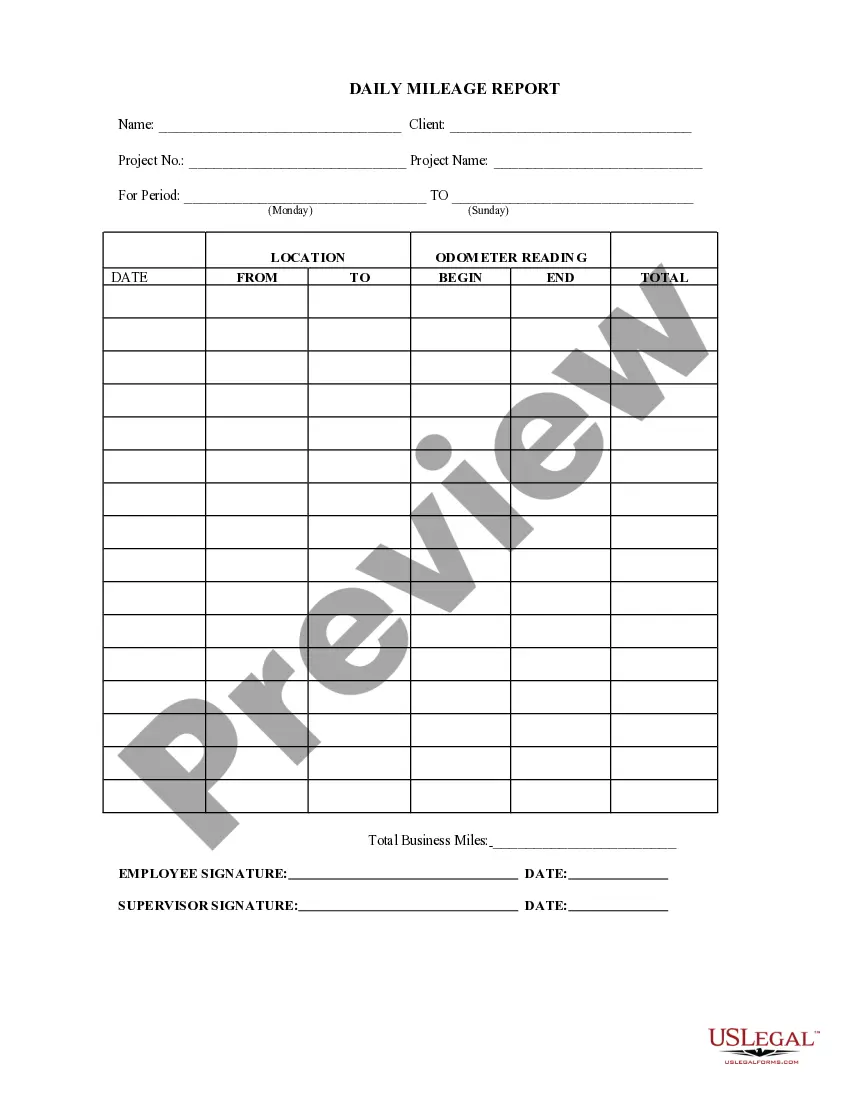
Creating a mileage spreadsheet involves setting up a mileage form template for Excel that meets your needs. Begin by organizing your columns to include essential details like dates, trip purposes, and distances. You can also format your spreadsheet for better clarity and visual appeal. By utilizing a structured template, you streamline record-keeping and simplify the process of tracking your mileage.
To make a mileage form template for Excel, start by opening a new spreadsheet. Create columns for date, starting location, ending location, distance traveled, and purpose of the trip. You can also add formulas to automatically calculate totals for distances or expenses. This way, you can efficiently track your mileage and easily update the form as needed.
Let's take a look at each column, one at a time: Trip Name: Use this to specify the purpose of your trip. ... Date: Here's when you took the trip. ... Start and End: The beginning and ending addresses allow the IRS to verify the mileage if required. ... Miles: Enter the exact distance you drove.
Need to track the miles you and your employees drive? Use one of our mileage templates in Microsoft Excel to track your miles.
The IRS specifies: At the start of each trip, record the odometer reading and list the purpose, starting location, ending location, and date of the trip. After the trip, the final odometer must be recorded and then subtracted from the initial reading to find the total mileage for the trip.
The necessary information in the logbook includes the registration number and the mileage at the beginning and end of the year or at the beginning and end of vehicle use. If the vehicle is used by more than one person, the respective driver must also be entered for each trip.
Each journey must be documented, including the start and end address, the distance travelled, and a mention of the reason for the journey. Entries must be legible and clear. In case of a lost mileage log book, you should consider changing to a digital solution to avoid this from happening again.
