Policy Regard Computers Within
Description



How to fill out Detailed And Specific Policy With Regard To Use Of Company Computers?
Accessing legal document examples that comply with federal and regional regulations is essential, and the internet provides numerous choices to select from.
But what’s the purpose of spending time searching for the properly created Policy Regarding Computers Within template online if the US Legal Forms web library already consolidates such documents in one location.
US Legal Forms is the largest online legal repository with over 85,000 fillable templates designed by legal professionals for any business and personal situation.
Utilize the most comprehensive and user-friendly legal document service!
- They are straightforward to navigate with all documents categorized by state and intended use.
- Our experts keep up with changes in legislation, so you can always trust your form is current and compliant when obtaining a Policy Regarding Computers Within from our site.
- Acquiring a Policy Regarding Computers Within is easy and quick for both existing and new users.
- If you already possess an account with a valid subscription, Log In and download the document sample you need in your chosen format.
- If you are a newcomer to our site, follow the steps outlined below.
Form popularity
FAQ
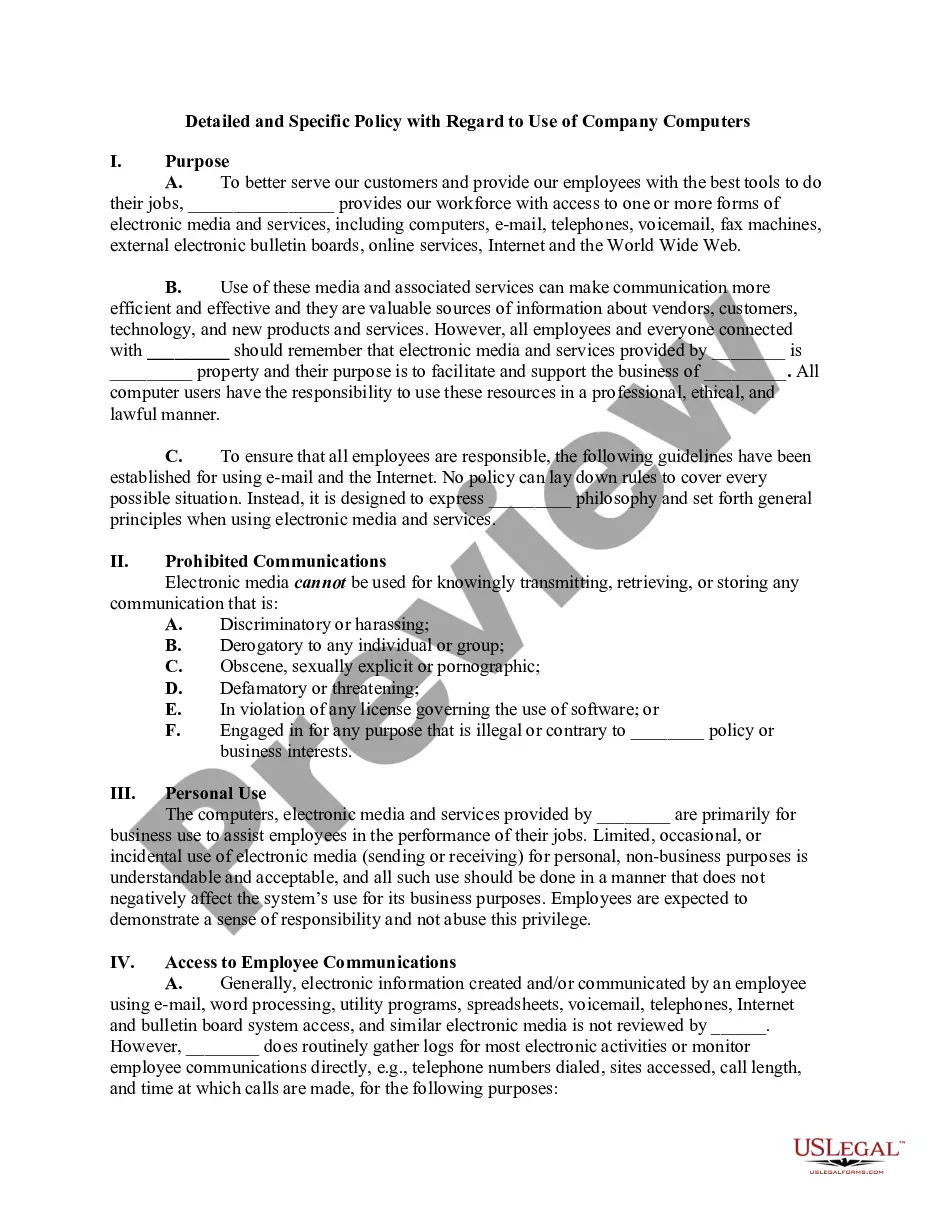
The acceptable use policy for a computer defines the acceptable behaviors and practices while using a computer in a work setting. This document serves as a guideline for responsible use, ensuring that users are aware of their responsibilities. Implementing a well-structured policy regard computers within can minimize conflicts and enhance productivity.
A computer use policy statement is a formal declaration that outlines the expectations for technology use within an organization. It sets the tone for how users should interact with company computers and resources. Crafting a clear policy regard computers within helps communicate these expectations effectively.
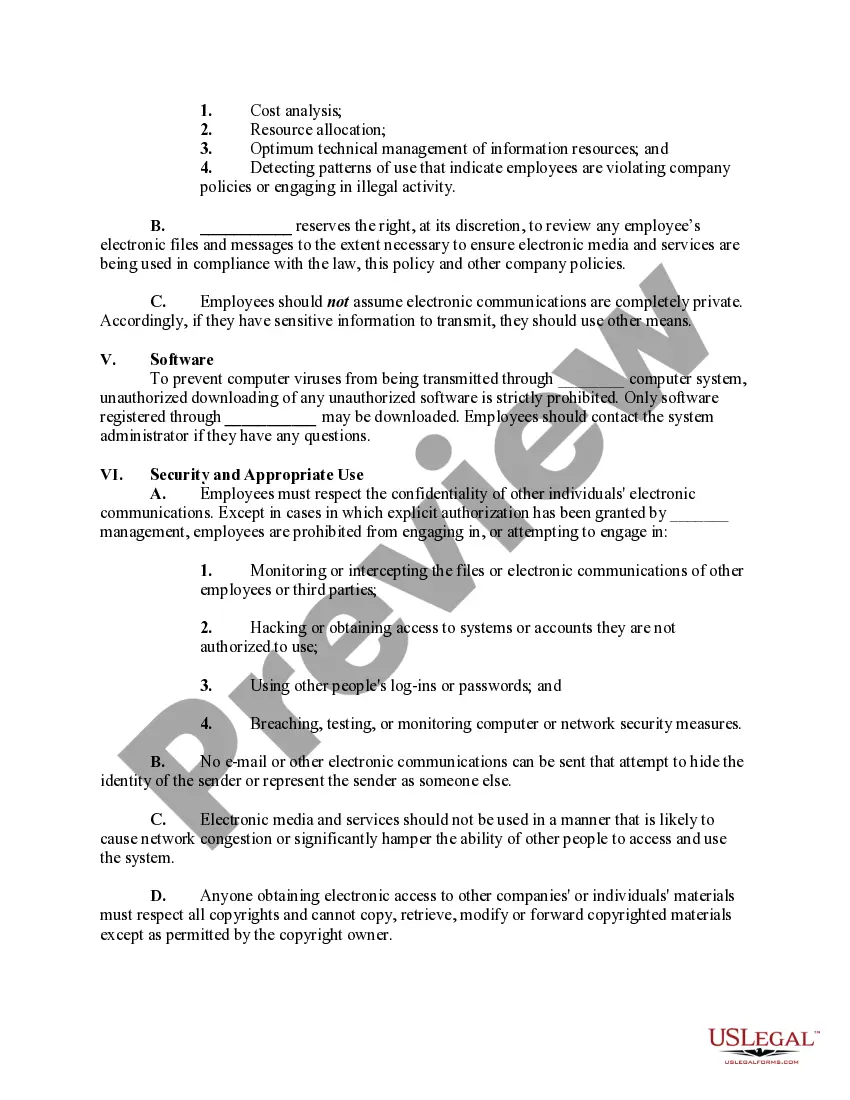
An acceptable internet usage policy provides specific rules regarding web browsing and online activity using company computers. This policy generally restricts access to inappropriate content and outlines acceptable sites and applications. Instituting a strong policy regard computers within helps protect your organization from potential security threats.
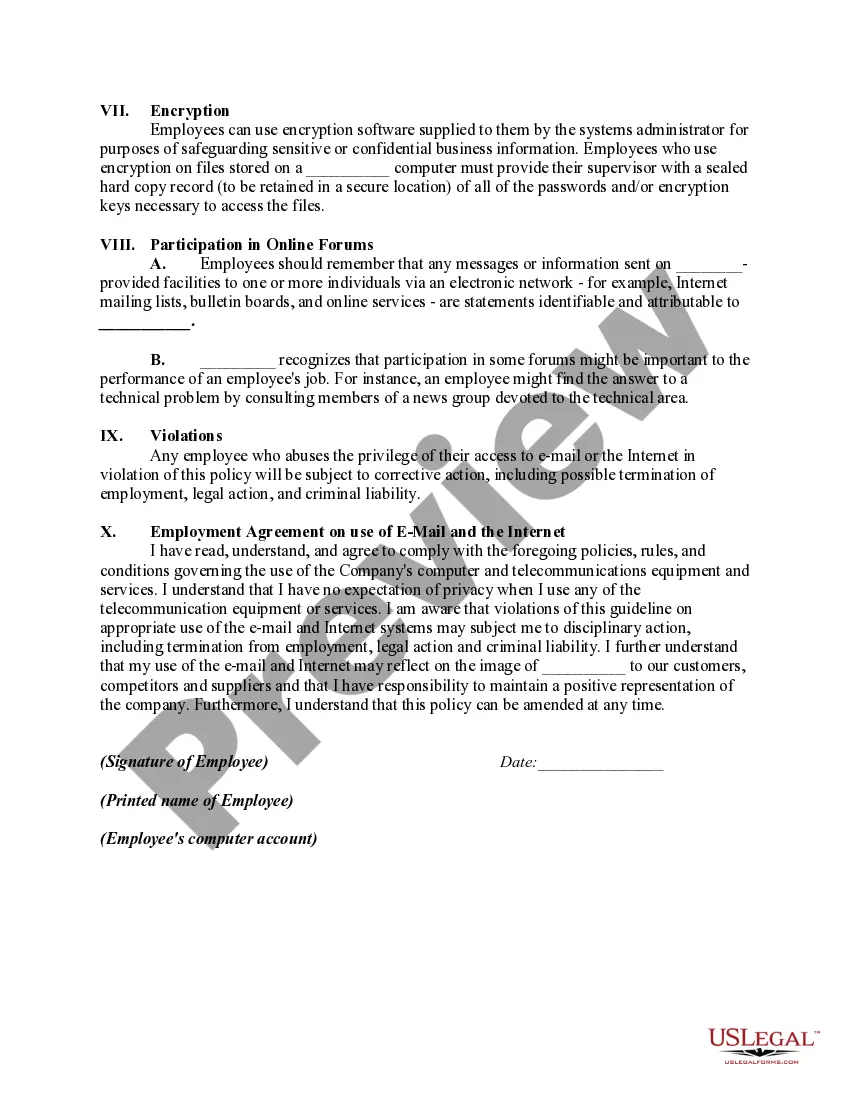
A computer use policy violation occurs when an individual fails to adhere to the established guidelines for using company technology. These violations may include unauthorized access, sharing sensitive information, or using company resources for illegal activities. Understanding the implications of such violations within your policy regard computers can foster a culture of respect and responsibility.
A reasonable usage policy outlines the limits on how employees can utilize company resources. This includes guidelines for personal use of computers and internet access during work hours. By establishing a policy regard computers within, you ensure that both employees and the business can benefit from technology without abuse.
A good acceptable use policy defines what users can and cannot do with organizational technology. This policy should clearly state the permitted activities and outline the consequences of misuse. When you have a solid policy regard computers within, you create accountability and promote responsible behavior among employees.
Computer policies are guidelines that outline the appropriate and acceptable use of computers within an organization. These policies help ensure that individuals use technology responsibly and ethically. By implementing a policy regard computers within, companies can protect their assets and create a safer digital environment.
To restrict a user from logging onto a specific computer, you can create a group policy object that specifies logon permissions. In the Group Policy Management Console, under Computer Configuration, navigate to Policies, Windows Settings, and then Security Settings. This allows you to effectively control user access through your policy regard computers within, ensuring only authorized personnel can log in to certain devices.
Restricting access to a group policy involves modifying the security filter settings in the Group Policy Management Console. By removing 'Authenticated Users' and adding specific user accounts or security groups, you limit which entities can apply the policy. Ensuring accuracy here is key to maintaining your policy regard computers within, as only designated users or devices will have access to the specified settings.
To exclude specific computers from a group policy, access the Group Policy Management Console, locate the policy, and utilize security filtering. Remove the 'Authenticated Users' group and add only the specific users or computers that should receive the policy. This method is particularly effective when applying a policy regard computers within flexible environments, ensuring that only designated devices are impacted.