Confirmation Letter For Employee
Description




Get your form ready online
Our built-in tools help you complete, sign, share, and store your documents in one place.
Make edits, fill in missing information, and update formatting in US Legal Forms—just like you would in MS Word.
Download a copy, print it, send it by email, or mail it via USPS—whatever works best for your next step.
Sign and collect signatures with our SignNow integration. Send to multiple recipients, set reminders, and more. Go Premium to unlock E-Sign.
If this form requires notarization, complete it online through a secure video call—no need to meet a notary in person or wait for an appointment.
We protect your documents and personal data by following strict security and privacy standards.

Make edits, fill in missing information, and update formatting in US Legal Forms—just like you would in MS Word.

Download a copy, print it, send it by email, or mail it via USPS—whatever works best for your next step.

Sign and collect signatures with our SignNow integration. Send to multiple recipients, set reminders, and more. Go Premium to unlock E-Sign.

If this form requires notarization, complete it online through a secure video call—no need to meet a notary in person or wait for an appointment.

We protect your documents and personal data by following strict security and privacy standards.
Looking for another form?


How to fill out Sample Letter Confirming Details Of Settlement Agreement?
Handling legal documents and operations can be a lengthy addition to your schedule.
Documents such as the Confirmation Letter for Employee often require you to search for them and figure out how to fill them out correctly.
Consequently, whether you are managing financial, legal, or personal issues, utilizing a comprehensive and user-friendly online collection of forms readily available will be highly beneficial.
US Legal Forms is the leading digital platform for legal templates, featuring over 85,000 state-specific documents and a variety of resources to assist you in completing your paperwork efficiently.
Is this your first time using US Legal Forms? Register and set up your account in just a few minutes to access the form library and the Confirmation Letter for Employee. Then, follow the steps below to complete your form.
- Explore the array of relevant documents accessible to you with just one click.
- US Legal Forms provides you with state- and county-specific forms available for download at any time.
- Streamline your document management tasks by using a premium service that enables you to prepare any form in a matter of minutes without extra or hidden fees.
- Simply Log In to your account, locate the Confirmation Letter for Employee, and obtain it immediately from the My documents section.
- You can also access forms you have previously saved.
Form popularity
FAQ
A confirmation letter for employee should include key details such as the employee's name, position title, and start date. It should also mention the terms of employment, including salary and work hours, if applicable. Additionally, including a statement about the employee's performance or contributions can add value to the letter. Utilizing a platform like US Legal Forms can simplify the process of creating a professional confirmation letter tailored to your needs.
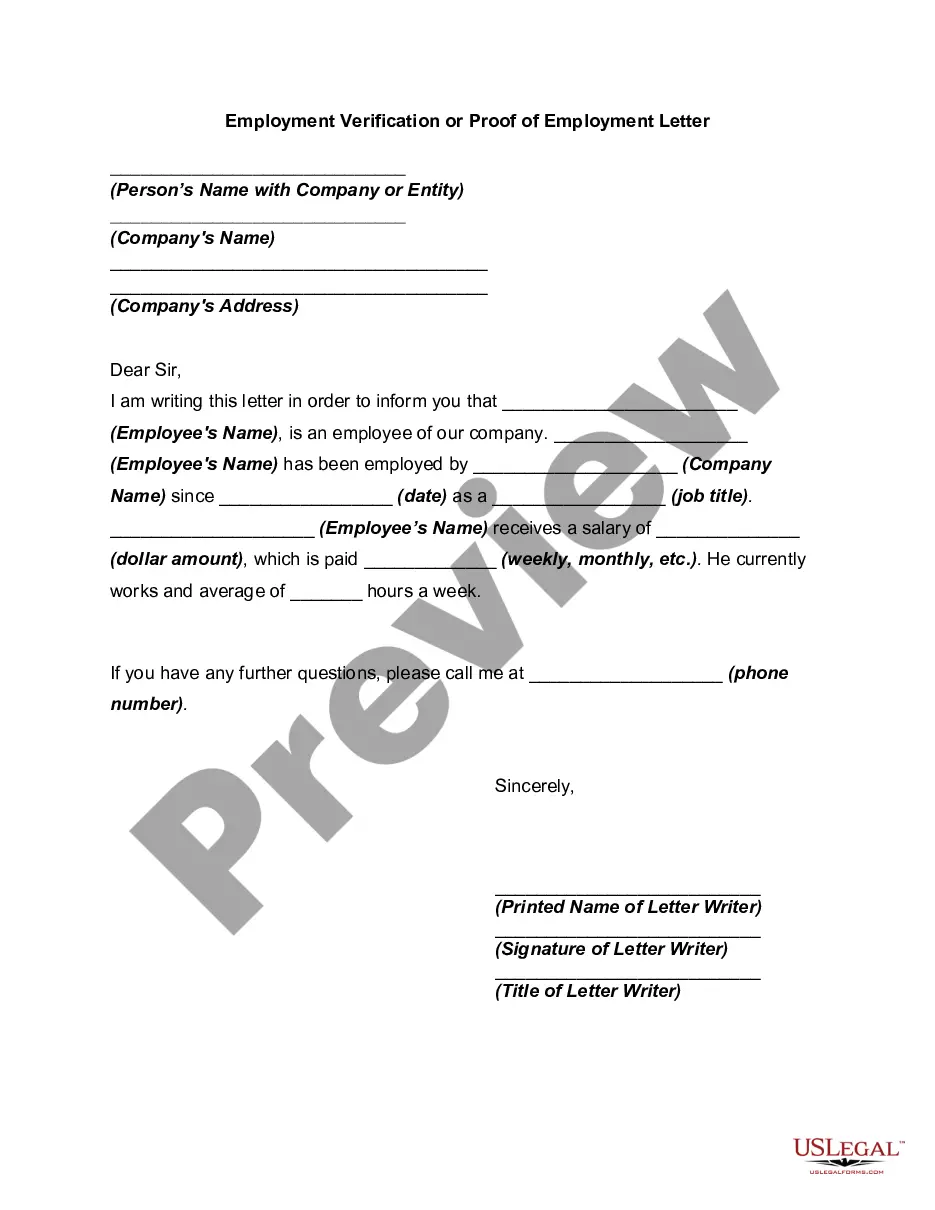
A confirmation letter for employee is a formal document that an employer issues to acknowledge an employee's position, responsibilities, and employment status. This letter serves as proof of employment and may include details such as the start date, job title, and salary. It is essential for employees who may need verification for loans, rentals, or other official purposes. Having a well-structured confirmation letter can enhance transparency and strengthen the employer-employee relationship.
When writing a confirmation letter to an employee, start with a formal greeting and state the purpose of the letter clearly. Confirm the employee’s role, mention the date of confirmation, and acknowledge their hard work and achievements. This not only serves as documentation but also boosts morale and reinforces their position within the company.
To request a confirmation letter for employee status, you can approach your supervisor or human resources department directly. Politely explain the need for the letter, whether for a job application or other purposes. Providing context will help them understand the urgency and importance of your request, ensuring a prompt response.
An example of a confirmation letter for employee status typically starts with a formal salutation, followed by a statement confirming the employee's role. For instance, 'We are pleased to confirm your position as Job Title effective Date. Your contributions during your probation period have been invaluable to our team.' Conclude with well wishes for their continued success.
A good confirmation letter for employee status should be clear, concise, and positive. Begin with a formal greeting and express the purpose of the letter, confirming the employee's position. Include specific details such as the employee's role, the confirmation date, and a personal touch, such as a note of appreciation for their contributions.
Writing a confirmation letter for employee status involves a few key components. Start with a formal greeting, then state the purpose of the letter, which is to confirm the employee's position. Include the employee's name, the title, and the confirmation date, along with a note of congratulations for their successful probation period or initial tenure.
To confirm an employee, begin by reviewing their performance, attendance, and overall contribution to the team. Once you are satisfied with their work, draft a confirmation letter for employee status, clearly stating the confirmation and any relevant details. Make sure to communicate your appreciation for their efforts, as this reinforces their value to the organization.
The proper format for a confirmation letter for employee includes a formal heading with the company’s name and address, followed by the date. Next, include a salutation, typically addressing the employee by name. Use clear paragraphs to convey the employment details, and conclude with a professional closing, such as 'Sincerely,' followed by your signature and title. For ease, consider using US Legal Forms, which offers templates that simplify this process.
Filling a confirmation letter for employee involves several key steps. Begin by including the employee’s name, position, and the date of employment. Clearly state the purpose of the letter and outline the terms of employment, including any relevant details about job responsibilities. Finally, ensure you sign the letter and provide clear contact information for any follow-up questions.