Sample Acknowledgement Letter For Receiving Documents In Broward
Description



Get your form ready online
Our built-in tools help you complete, sign, share, and store your documents in one place.
Make edits, fill in missing information, and update formatting in US Legal Forms—just like you would in MS Word.
Download a copy, print it, send it by email, or mail it via USPS—whatever works best for your next step.
Sign and collect signatures with our SignNow integration. Send to multiple recipients, set reminders, and more. Go Premium to unlock E-Sign.
If this form requires notarization, complete it online through a secure video call—no need to meet a notary in person or wait for an appointment.
We protect your documents and personal data by following strict security and privacy standards.

Make edits, fill in missing information, and update formatting in US Legal Forms—just like you would in MS Word.

Download a copy, print it, send it by email, or mail it via USPS—whatever works best for your next step.

Sign and collect signatures with our SignNow integration. Send to multiple recipients, set reminders, and more. Go Premium to unlock E-Sign.

If this form requires notarization, complete it online through a secure video call—no need to meet a notary in person or wait for an appointment.

We protect your documents and personal data by following strict security and privacy standards.
Looking for another form?









Form popularity
FAQ
To View a Copy of your Deed To review deeds from the Property Appraiser's website, locate the parcel using the Property Search tool. Once on the parcel's detail page, scroll to either Miscellaneous Parcel Info or Sales History section where a link to the Last Recorded Deed or Book/Page is available.
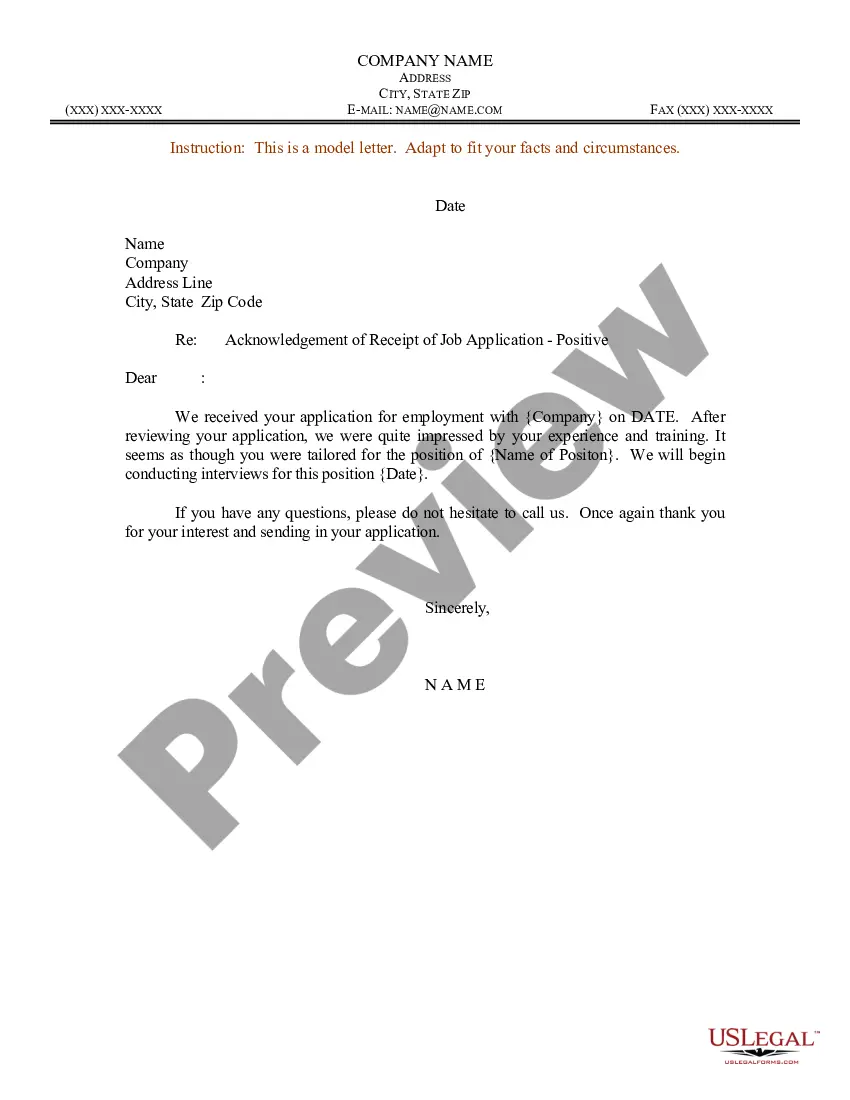
Subject: Receipt of Delivery The Name of Item has been inspected and we acknowledge that it has been received in good condition. We appreciate your quick response to our request and thank you for your valued assistance. The Name of Item has been passed on to the relevant department for further action.
County Records can be reached at 954-831-4000. Reviewing and obtaining a copy of your deed on County Records website is simple: go to and select your search criteria. Documents matching these criteria will be displayed and you can print a copy of the document you select.
The Broward County Records, Taxes and Treasury Division: maintains a searchable database of recorded documents, including deeds, at our offices at the Broward County Governmental Center, 115 S. Andrews Ave., Fort Lauderdale. You can also view an index and images of recorded deeds online.
How to create an acknowledgment receipt Use a company letterhead. Use electronic or paper letterhead. Write acknowledgment statement. Referring to the document by name, version number if applicable and state that the recipient has received the document. Sign and date. Explain the next step. Provide contact information.
ERecording is the secure online submission of documents to the County's Records, Taxes, and Treasury Division for recording in the Official Records of Broward County. eRecording eliminates the need to mail documents or have walk-in customers visit the recording office, which saves time for our customers.
How to create an acknowledgment receipt Use a company letterhead. Use electronic or paper letterhead. Write acknowledgment statement. Referring to the document by name, version number if applicable and state that the recipient has received the document. Sign and date. Explain the next step. Provide contact information.
For example: "I completely understand your frustration, and I appreciate your patience. I'll do my best to resolve this for you as quickly as possible." "I'm sorry to hear about your experience, and I appreciate you bringing this to our attention.
