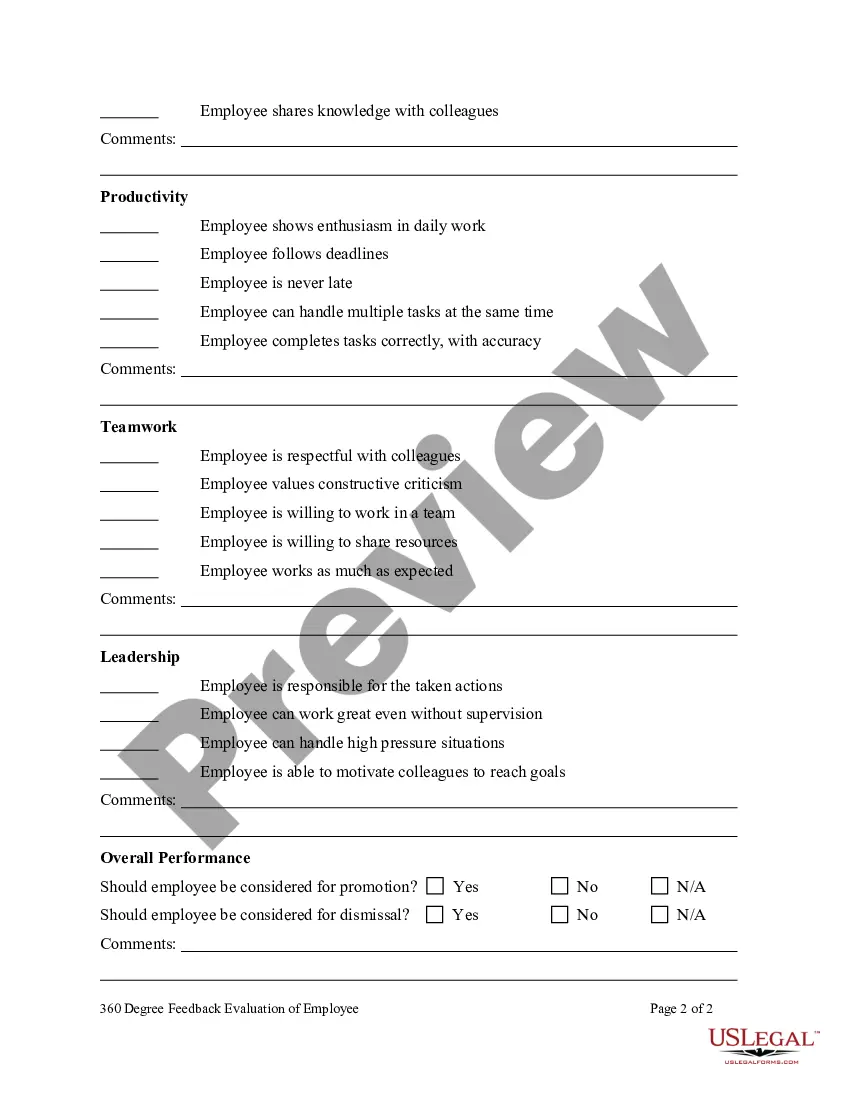
360-degree Feedback Questionnaire For Managers In Montgomery
Description


Get your form ready online
Our built-in tools help you complete, sign, share, and store your documents in one place.
Make edits, fill in missing information, and update formatting in US Legal Forms—just like you would in MS Word.
Download a copy, print it, send it by email, or mail it via USPS—whatever works best for your next step.
Sign and collect signatures with our SignNow integration. Send to multiple recipients, set reminders, and more. Go Premium to unlock E-Sign.
If this form requires notarization, complete it online through a secure video call—no need to meet a notary in person or wait for an appointment.
We protect your documents and personal data by following strict security and privacy standards.

Make edits, fill in missing information, and update formatting in US Legal Forms—just like you would in MS Word.

Download a copy, print it, send it by email, or mail it via USPS—whatever works best for your next step.

Sign and collect signatures with our SignNow integration. Send to multiple recipients, set reminders, and more. Go Premium to unlock E-Sign.

If this form requires notarization, complete it online through a secure video call—no need to meet a notary in person or wait for an appointment.

We protect your documents and personal data by following strict security and privacy standards.
Looking for another form?







Form popularity
FAQ
Positive 360 feedback examples The approach you have to resolving conflicts is commendable. Your active listening and tactful communication have helped to transform conflicts into opportunities for growth and team bonding.
Feedback Like a Pro: 3 Simple Questions to Ask 1. What am I/you doing great? 2. Where do I/you get stuck? 3. How can I/you do even better?
Some examples: ``What part of this presentation/exercise/seminar/etc. was most helpful to you?'' ``What was one thing you learned?'' ``What would you like to know more about?'' ``What was the most unexpected part of ...'' ``Would you attend a ... like this again? Why or why not?''
What is it? The 360 Degree Feedback Tool is designed to give you insight into other people's perception of your leadership abilities and behaviour. The process includes getting confidential feedback from line managers, peers and direct reports. This can be helpful to highlight strengths or areas for development.
10 Open-Ended 360-Degree Feedback Questions What would you say are this person's strengths? What is one thing this employee should start doing? What is one thing this employee should continue doing? What is one thing this employee should stop doing? How well does this person manage their time and workload?
The 360-degree feedback program should be primarily used for individual development. Senior management should be made mentors or role models. Highly trained inhouse coaches should be used to help employees develop action plans for improvement.
10 Open-Ended 360-Degree Feedback Questions What would you say are this person's strengths? What is one thing this employee should start doing? What is one thing this employee should continue doing? What is one thing this employee should stop doing? How well does this person manage their time and workload?
“I appreciate how you always listen to our ideas and encourage open communication within the team. It makes us feel valued and respected.” Highlighting this behaviour reinforces its positive impact on team morale.
Here's a list of things to look out for: Keep away from personal issues and focus on work-related issues only. Be solution-oriented. Don't exaggerate the situation. Avoid implementing the Halo effectOpens in a new tab on your feedback. Watch your words.
360 feedback for managers includes input from peers, subordinates, supervisors, and self-evaluation. This gives you a holistic understanding of your performance from the perspective of multiple people.
