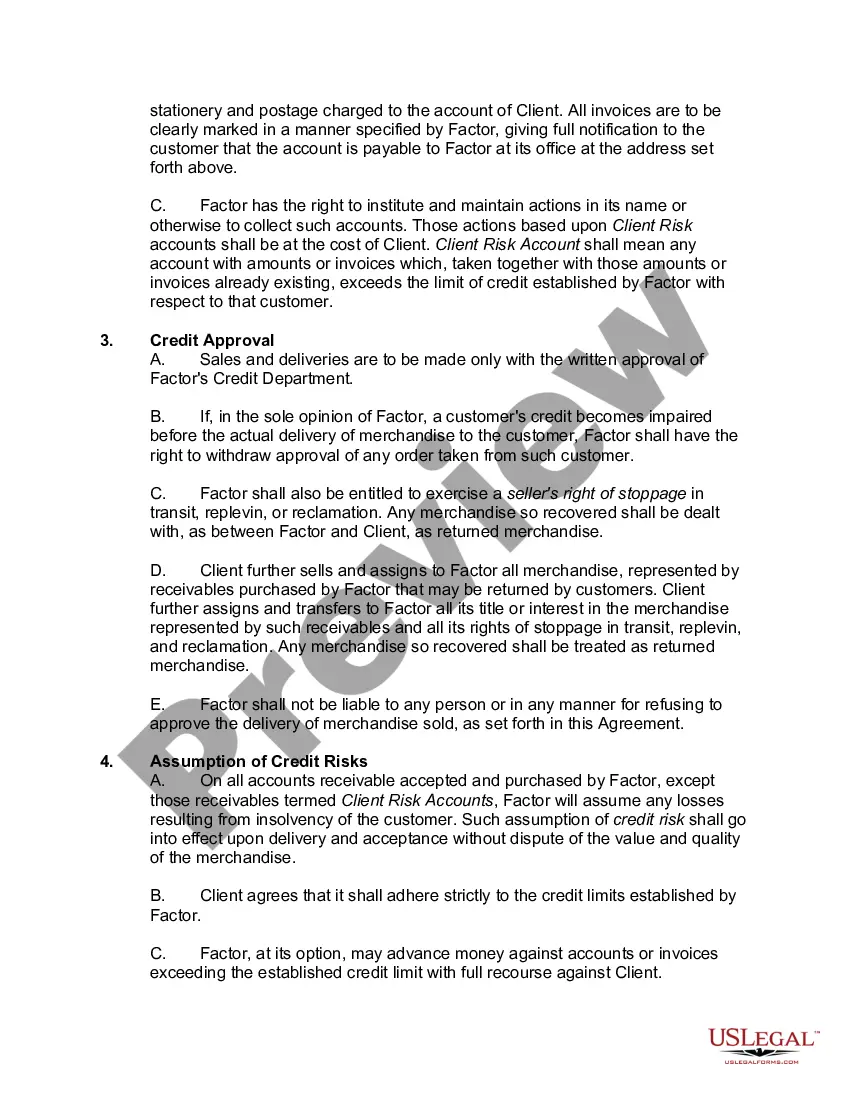
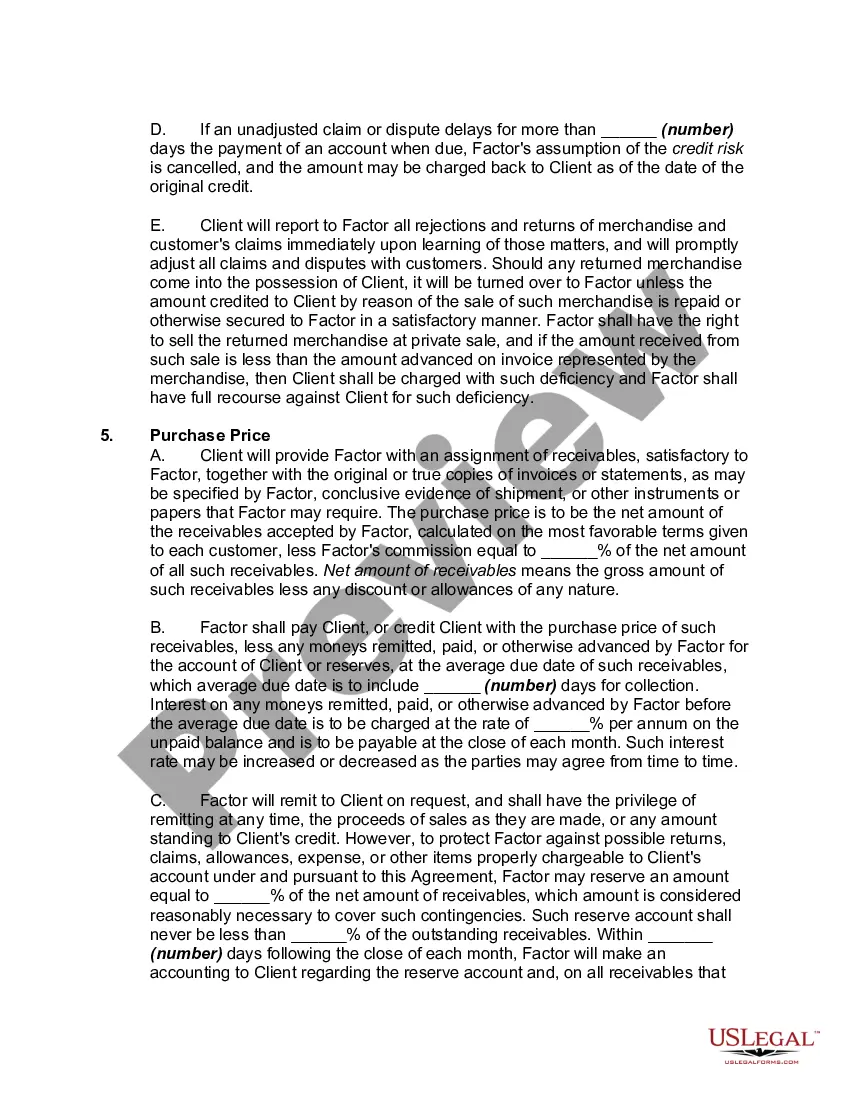
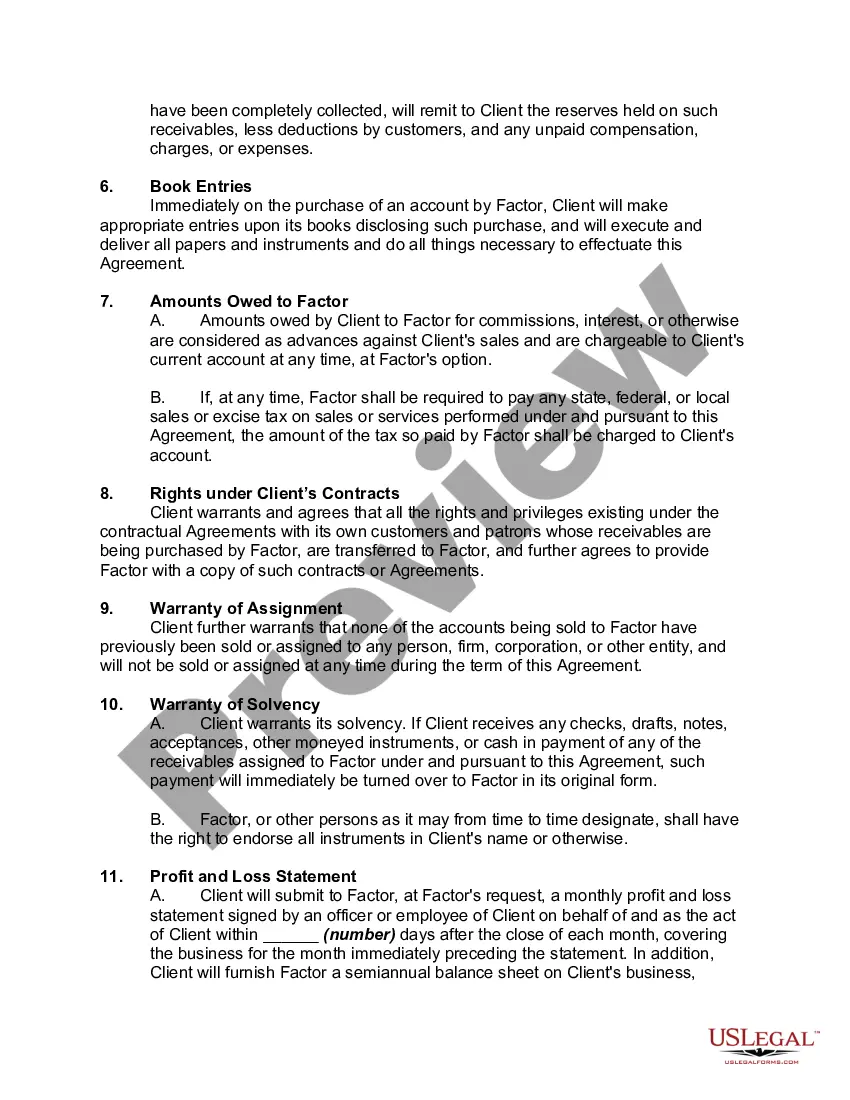
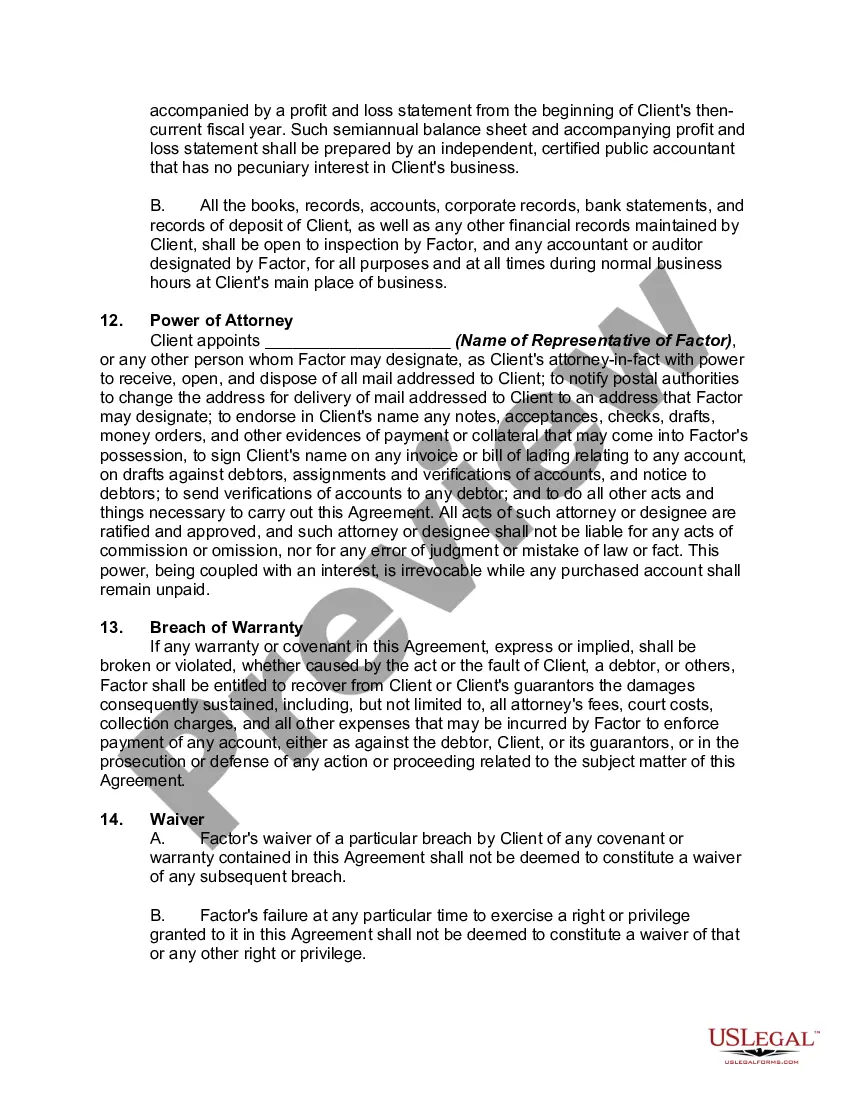
Agreement Accounts Receivable Forecast Template Excel In Oakland
Description


Get your form ready online
Our built-in tools help you complete, sign, share, and store your documents in one place.
Make edits, fill in missing information, and update formatting in US Legal Forms—just like you would in MS Word.
Download a copy, print it, send it by email, or mail it via USPS—whatever works best for your next step.
Sign and collect signatures with our SignNow integration. Send to multiple recipients, set reminders, and more. Go Premium to unlock E-Sign.
If this form requires notarization, complete it online through a secure video call—no need to meet a notary in person or wait for an appointment.
We protect your documents and personal data by following strict security and privacy standards.

Make edits, fill in missing information, and update formatting in US Legal Forms—just like you would in MS Word.

Download a copy, print it, send it by email, or mail it via USPS—whatever works best for your next step.

Sign and collect signatures with our SignNow integration. Send to multiple recipients, set reminders, and more. Go Premium to unlock E-Sign.

If this form requires notarization, complete it online through a secure video call—no need to meet a notary in person or wait for an appointment.

We protect your documents and personal data by following strict security and privacy standards.
Looking for another form?







Form popularity
FAQ
How to do sales forecasting in Excel: Step-by-step Create a new Excel worksheet. Open a new Excel spreadsheet and enter your historical data (sales over time). Create your forecast. Go to the Data tab and find the Forecast Sheet option. Adjust your sales forecast. View your ready sales forecast.
How to make an income statement in Excel Prepare your Excel file. Open a new Excel file and prepare it to become an income statement. Determine the categories. Choose the subcategories. Input the categories and subcategories. Set up the formulas. Input the data. Consider additional formatting. Finalize the document.
Here's a common formula for forecasting sales: Sales Forecast = (Last Month Revenue + Expected Growth – Expected Churn) DSO = (Accounts Receivable / Total Credit Sales) x Number of Days in the Period. Accounts Receivable Forecast = Days Sales Outstanding (DSO) x (Sales Forecast / Time)
Quantitative methods tend to be more accurate than qualitative methods; however, they may fall short when unforeseen factors impact business performance. Therefore, it is advisable to use a combination of both qualitative and quantitative approaches for more reliable revenue forecasts.
The pro forma accounts receivable (A/R) balance can be determined by rearranging the formula from earlier. The forecasted accounts receivable balance is equal to the days sales outstanding (DSO) assumption divided by 365 days, multiplied by 365 days.
By dividing DSO by 365 (the total number of days per year), you get a daily rate of how long it typically takes to collect a receivable. Multiplying this rate by your sales forecast gives you an estimated accounts receivable amount you can expect for that period.
To forecast future revenues, take the previous year's figure and multiply it by the growth rate.
Here's a common formula for forecasting sales: Sales Forecast = (Last Month Revenue + Expected Growth – Expected Churn) DSO = (Accounts Receivable / Total Credit Sales) x Number of Days in the Period. Accounts Receivable Forecast = Days Sales Outstanding (DSO) x (Sales Forecast / Time)
Follow these steps to calculate accounts receivable: Add up all charges. You'll want to add up all the amounts that customers owe the company for products and services that the company has already delivered to the customer. Find the average. Calculate net credit sales. Divide net credit sales by average accounts receivable.
