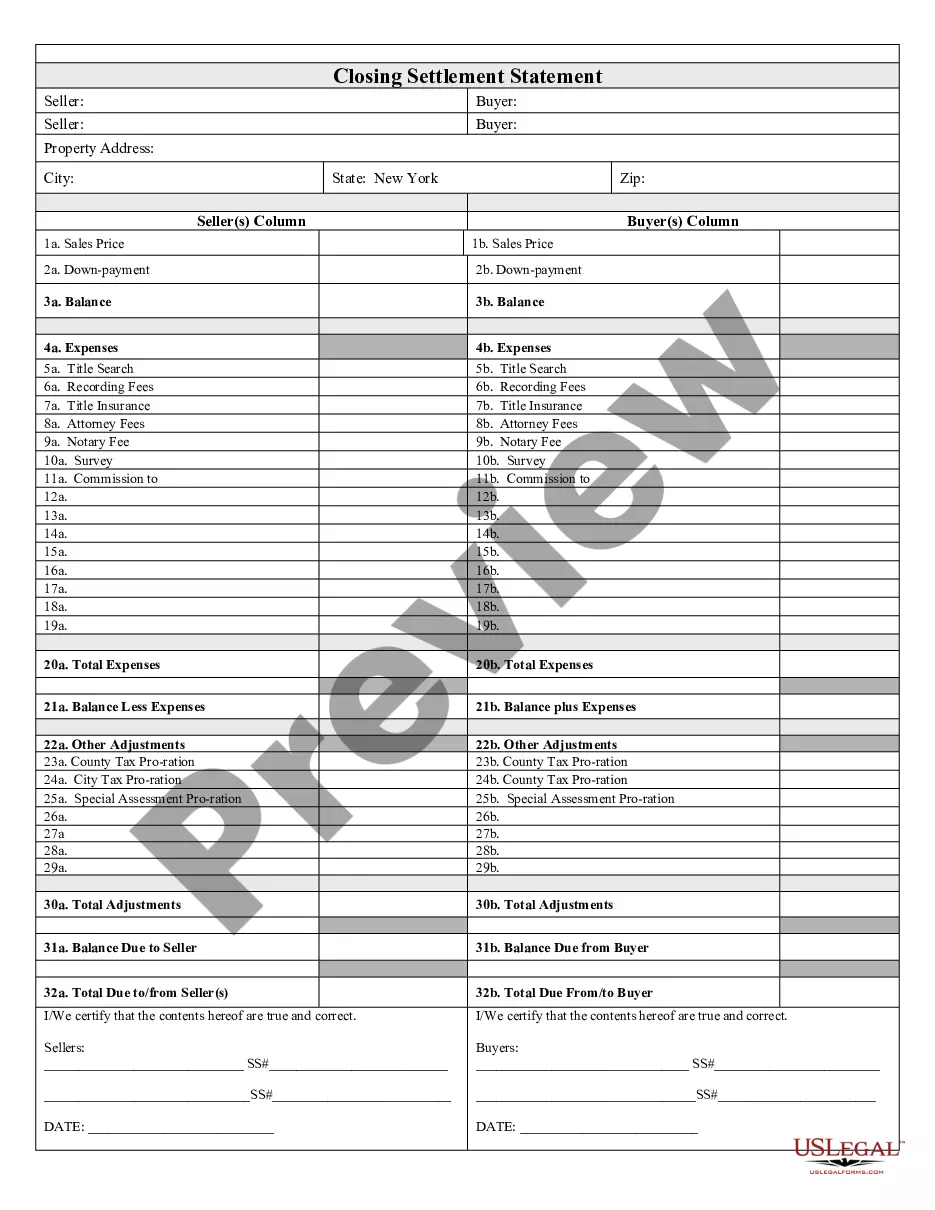
New York Closing Ny Fort Greene
Description
Get your form ready online
Our built-in tools help you complete, sign, share, and store your documents in one place.
Make edits, fill in missing information, and update formatting in US Legal Forms—just like you would in MS Word.
Download a copy, print it, send it by email, or mail it via USPS—whatever works best for your next step.
Sign and collect signatures with our SignNow integration. Send to multiple recipients, set reminders, and more. Go Premium to unlock E-Sign.
If this form requires notarization, complete it online through a secure video call—no need to meet a notary in person or wait for an appointment.
We protect your documents and personal data by following strict security and privacy standards.

Make edits, fill in missing information, and update formatting in US Legal Forms—just like you would in MS Word.

Download a copy, print it, send it by email, or mail it via USPS—whatever works best for your next step.

Sign and collect signatures with our SignNow integration. Send to multiple recipients, set reminders, and more. Go Premium to unlock E-Sign.

If this form requires notarization, complete it online through a secure video call—no need to meet a notary in person or wait for an appointment.

We protect your documents and personal data by following strict security and privacy standards.
Looking for another form?





How to fill out New York Closing Statement?
The New York Closing Ny Fort Greene you see on this page is a reusable formal template drafted by professional lawyers in compliance with federal and regional regulations. For more than 25 years, US Legal Forms has provided individuals, companies, and attorneys with more than 85,000 verified, state-specific forms for any business and personal occasion. It’s the quickest, simplest and most trustworthy way to obtain the documents you need, as the service guarantees the highest level of data security and anti-malware protection.
Getting this New York Closing Ny Fort Greene will take you just a few simple steps:
- Search for the document you need and check it. Look through the sample you searched and preview it or check the form description to confirm it satisfies your requirements. If it does not, make use of the search bar to get the right one. Click Buy Now once you have located the template you need.
- Subscribe and log in. Choose the pricing plan that suits you and create an account. Use PayPal or a credit card to make a prompt payment. If you already have an account, log in and check your subscription to proceed.
- Acquire the fillable template. Pick the format you want for your New York Closing Ny Fort Greene (PDF, Word, RTF) and download the sample on your device.
- Fill out and sign the document. Print out the template to complete it by hand. Alternatively, use an online multi-functional PDF editor to rapidly and precisely fill out and sign your form with a legally-binding] {electronic signature.
- Download your paperwork again. Utilize the same document once again anytime needed. Open the My Forms tab in your profile to redownload any previously purchased forms.
Subscribe to US Legal Forms to have verified legal templates for all of life’s scenarios at your disposal.
Form popularity
FAQ
Due to the resulting demand for housing, the New York City Housing Authority built 35 brick buildings between 1941 and 1944 ranging in height from six to fifteen stories collectively called the Fort Greene Houses.
Massive investment projects, combined with newcomers, have long made Williamsburg and Greenpoint the gentrification capitals of New York.
The area of Fort Greene outside of public housing has been gentrifying since the late 1960s. This area is known for the large number of brownstones, though many apartment buildings and condominiums are also located there. It consists of census tracts 31, 33, 35, 179, 181, 183, and 185.02, and 187 (Fig.
Its a very family friendly neighborhood with schools and parks surrounding the area. It is a safe neighborhood where you can walk on the street even at night. Fort Greene is overall a very nice place.