North Carolina Acknowledgment of Oath or Affirmation
What is this form?
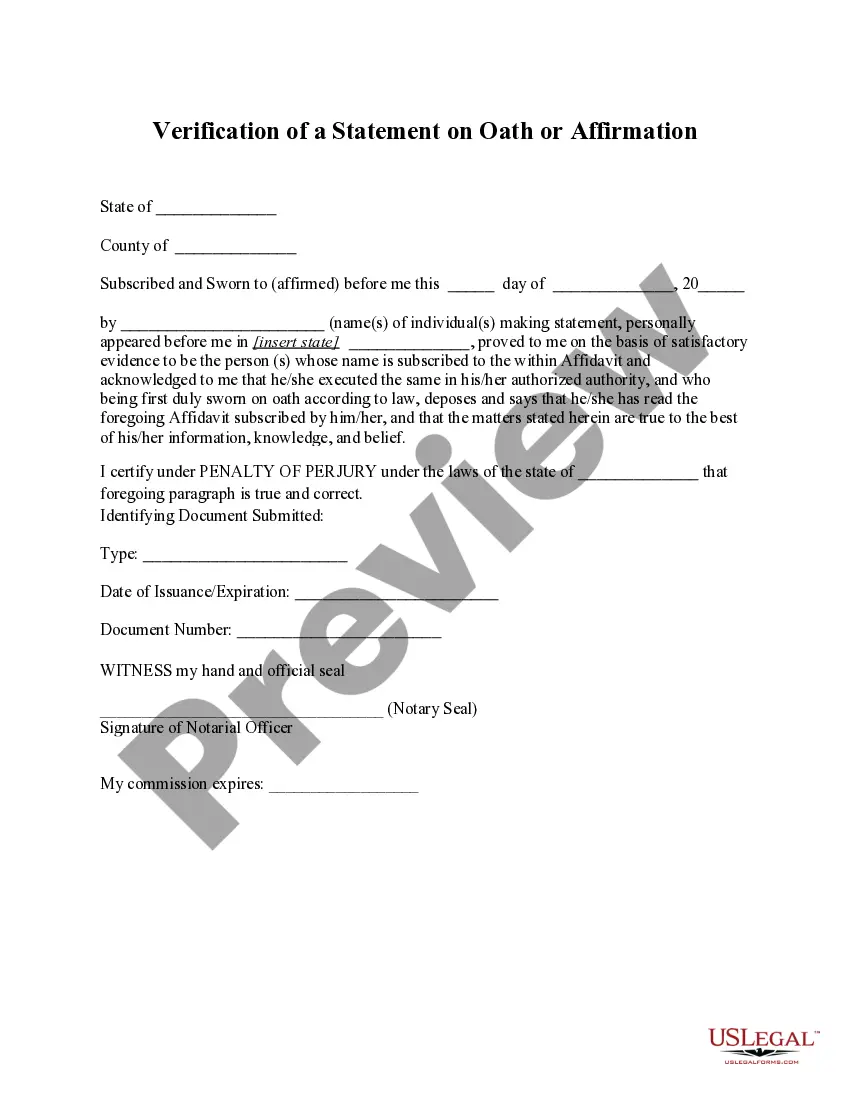
The Acknowledgment of Oath or Affirmation is a legal form used to confirm that an individual has taken an oath or affirmation before a notary public. This form is essential in various legal processes, such as court proceedings or official declarations where a sworn statement is required. It serves to distinguish this process from other documents like affidavits or declarations that may not always require a formal acknowledgment by a notary.
Main sections of this form
- Identification of the principal (the individual taking the oath or affirmation).
- Date of the acknowledgment.
- Signature of the notary public.
- Notary seal for validity.
- Expiration of notary's commission date.


Situations where this form applies
This form is used when an individual needs to affirm or swear to the truthfulness of statements in a legal setting. Common scenarios include court testimony, submitting legal documents, or participating in official proceedings where a sworn verification is required.
Who needs this form
This form is intended for:
- Individuals who need to provide sworn statements for legal purposes.
- Notaries public acting on behalf of the individual affirming the oath.
- Anyone participating in legal proceedings requiring verification of statements.
How to prepare this document
- Enter the name of the principal who is taking the oath or affirmation.
- Fill in the date on which the acknowledgment is being made.
- The notary public must sign and date the form in the designated areas.
- Include the notary seal to validate the acknowledgment.
- Verify the expiration of the notary's commission is clearly stated.
Does this form need to be notarized?
Yes, this form must be notarized to be legally valid. When using US Legal Forms, online notarization is available 24/7 through secure video calls, ensuring that users can complete the process conveniently and effectively, without needing to travel.
Get your form ready online
Our built-in tools help you complete, sign, share, and store your documents in one place.
Make edits, fill in missing information, and update formatting in US Legal Forms—just like you would in MS Word.
Download a copy, print it, send it by email, or mail it via USPS—whatever works best for your next step.
Sign and collect signatures with our SignNow integration. Send to multiple recipients, set reminders, and more. Go Premium to unlock E-Sign.
If this form requires notarization, complete it online through a secure video call—no need to meet a notary in person or wait for an appointment.
We protect your documents and personal data by following strict security and privacy standards.

Make edits, fill in missing information, and update formatting in US Legal Forms—just like you would in MS Word.

Download a copy, print it, send it by email, or mail it via USPS—whatever works best for your next step.

Sign and collect signatures with our SignNow integration. Send to multiple recipients, set reminders, and more. Go Premium to unlock E-Sign.

If this form requires notarization, complete it online through a secure video call—no need to meet a notary in person or wait for an appointment.

We protect your documents and personal data by following strict security and privacy standards.
Avoid these common issues
- Failing to include the notary's seal.
- Not signing the form in front of the notary public.
- Missing the date of the acknowledgment.
- Using incorrect or outdated information regarding the notary's commission.
Advantages of online completion
- Convenience of downloading the form from anywhere at any time.
- Ability to customize the form to meet specific needs before printing.
- Access to templates that ensure compliance with legal standards.
- Fast retrieval and completion without needing to visit a law office.
Legal use & context
- The Acknowledgment of Oath or Affirmation is commonly used to establish the credibility of statements in legal contexts.
- Its use can be essential for legal proceedings, making it enforceable in a court of law.
- Failure to have the acknowledgment properly completed may result in the rejection of legal documents in certain situations.
Main things to remember
- The Acknowledgment of Oath or Affirmation is necessary for legally verifying statements.
- It must be completed in front of a notary public.
- Pay attention to state-specific requirements to ensure validity.
- Downloading the form online provides convenience and immediate access.
Looking for another form?
Form popularity
FAQ
Acknowledgement vs acknowledgment: acknowledgement is preferred in British English, acknowledgment in American English.glamour vs glamor: The spelling glamour is preferred in both British and American English.
The difference (and there is one) is that you can recognize something without acknowledging it. Acknowledgement implies the external admission of a fact, whereas recognition may only be internal. Think of it this way: I can recognize your contribution without acknowledging it.
Remember: people will read this, so make it good. People will read the Acknowledgment section and it will impact them. Start with a list of who will go in (by full name). Be specific for the important people. Be sincere in your thanks. Don't worry about length.
I would like to express my special thanks of gratitude to my teacher (Name of the teacher) as well as our principal (Name of the principal)who gave me the golden opportunity to do this wonderful project on the topic (Write the topic name), which also helped me in doing a lot of Research and i came to know about so many