Sample Text - Tradução
Description

Get your form ready online
Our built-in tools help you complete, sign, share, and store your documents in one place.
Make edits, fill in missing information, and update formatting in US Legal Forms—just like you would in MS Word.
Download a copy, print it, send it by email, or mail it via USPS—whatever works best for your next step.
Sign and collect signatures with our SignNow integration. Send to multiple recipients, set reminders, and more. Go Premium to unlock E-Sign.
If this form requires notarization, complete it online through a secure video call—no need to meet a notary in person or wait for an appointment.
We protect your documents and personal data by following strict security and privacy standards.

Make edits, fill in missing information, and update formatting in US Legal Forms—just like you would in MS Word.

Download a copy, print it, send it by email, or mail it via USPS—whatever works best for your next step.

Sign and collect signatures with our SignNow integration. Send to multiple recipients, set reminders, and more. Go Premium to unlock E-Sign.

If this form requires notarization, complete it online through a secure video call—no need to meet a notary in person or wait for an appointment.

We protect your documents and personal data by following strict security and privacy standards.
Looking for another form?


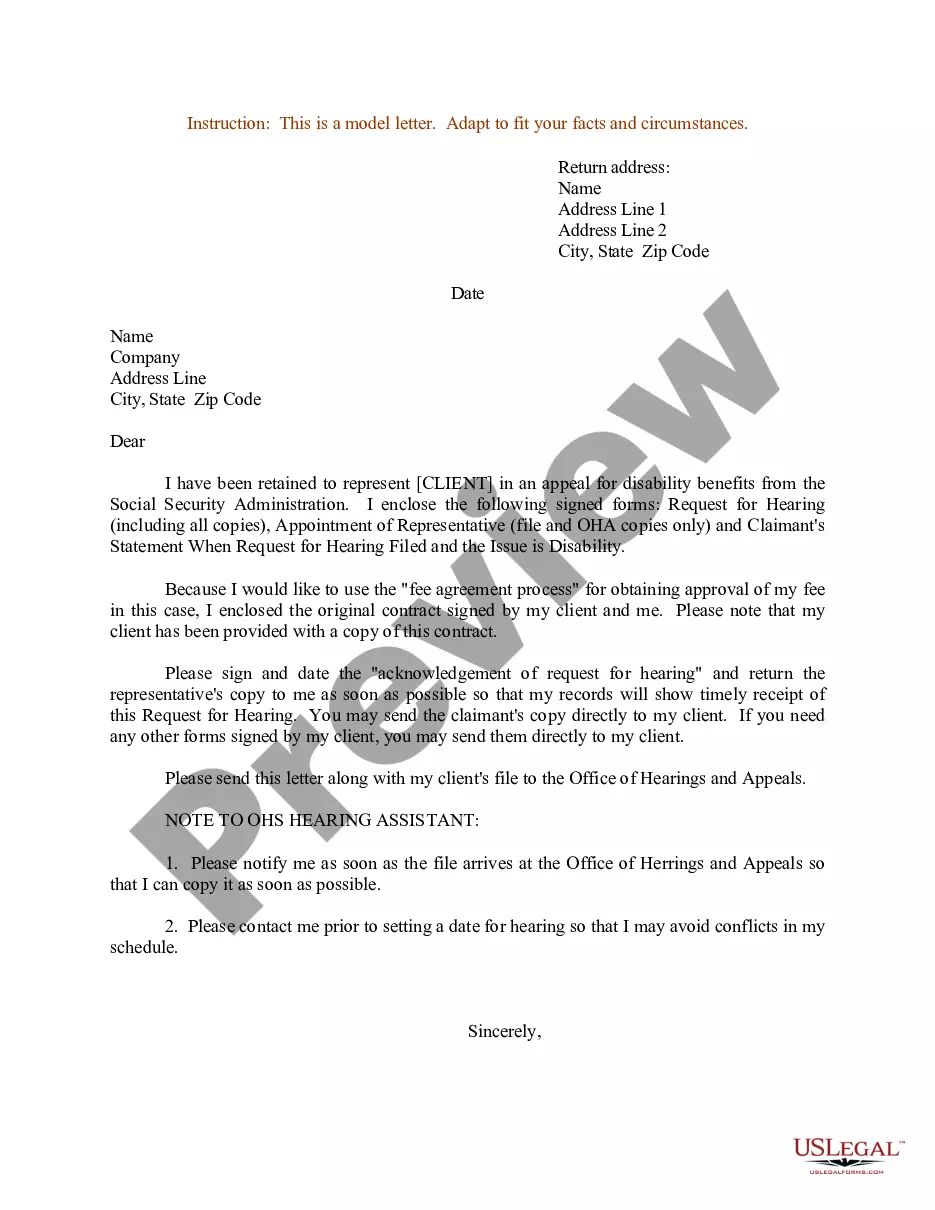
How to fill out Sample Letter For Notification Of Representation In An Appeal For Disability Benefits?
- Log in to your account if you are a returning user. Ensure your subscription is active to avoid interruptions.
- If you're a new user, start by browsing the extensive online library of forms. Use the Preview mode to confirm that you've selected the document that meets your needs and complies with your local jurisdiction.
- Should you need a different form, utilize the Search bar to find additional templates that align with your requirements.
- Once you find the correct document, click the Buy Now button and select your preferred subscription plan. You'll need to create an account for full access.
- Proceed to checkout by entering your payment details, using either a credit card or your PayPal account.
- After purchase is confirmed, download your selected form directly to your device. You can also access your documents anytime from the My Forms section of your profile.
In conclusion, US Legal Forms stands out with its robust collection and user-friendly interface, making legal document preparation accessible for everyone. Don't hesitate to take advantage of this comprehensive library and streamline your legal processes.
Get started today and simplify your legal documentation with US Legal Forms!
Form popularity
FAQ
Creating a UTF-8 text file is straightforward. Use a plain text editor and select 'Save As' to choose UTF-8 encoding from the file format options. This simple action ensures that your sample text - tradução is saved correctly, allowing others to read it without issues. For bulk file creation tasks, the US Legal Forms platform offers useful tools to simplify the process.
Yes, converting Unicode to text is achievable through several methods, including software tools and programming scripts. Many applications support character encoding transformations, enabling you to process your content as needed. If you often work with diverse text formats, consider using the US Legal Forms platform for efficient management of your sample text - tradução requirements.
UTF-8 is a character encoding standard that represents text in computers, ensuring that your data can include characters from virtually all languages. This encoding system is widely used because it accommodates various symbols and characters, making it crucial for global communication. When you handle sample text - tradução, understanding UTF-8 helps maintain the integrity of the content across different platforms and applications.
You can convert UTF-8 to text using various programming languages like Python or even web-based tools. By utilizing functions designed for encoding conversion, you can easily transform your data. For practical needs, our US Legal Forms platform can streamline this process, particularly when dealing with creative projects that require accurate sample text - tradução.
In Excel, start by opening the file that contains your UTF-8 encoded data. Next, use the 'Data' tab to load the text file, choosing 'From Text/CSV'. Make sure to select UTF-8 as your encoding option before importing the data. This seamless process allows you to transform your sample text - tradução into readable text directly within Excel.
To convert UTF-8 to normal text, you can use various text editors or online tools that support different encoding systems. Simply open your UTF-8 file in a compatible text editor, and then save it in the desired format. This process will ensure that your sample text - tradução is accurately displayed as normal text. If you face issues, consider using the US Legal Forms platform, which offers easy-to-use features for handling text conversions.
To change a file to a text file, you can simply open the file in a text editor and utilize the 'Save As' feature. Choose the .txt format before saving. This action will convert any necessary content, such as sample text - tradução, into a text format that is universally accessible.
Creating a .txt file is an easy process. Open a simple text editor, type whatever content you have on your mind, and select 'Save As.' Choose '.txt' from the format options to complete the process. You can then include all your sample text - tradução within this newly created file.
A document can be converted to text file format using various methods, including online converters or built-in features in word processors. Just upload your document to the converter or select 'Save As' in your word processor, choosing the text file format. This flexibility allows for easy handling of sample text - tradução.
To convert a document to a text file, open your document in a word processor and navigate to the 'Save As' option. Choose 'Text Document' or '.txt' from the file formats list. This conversion makes it simple to share and use your sample text - tradução across different platforms.