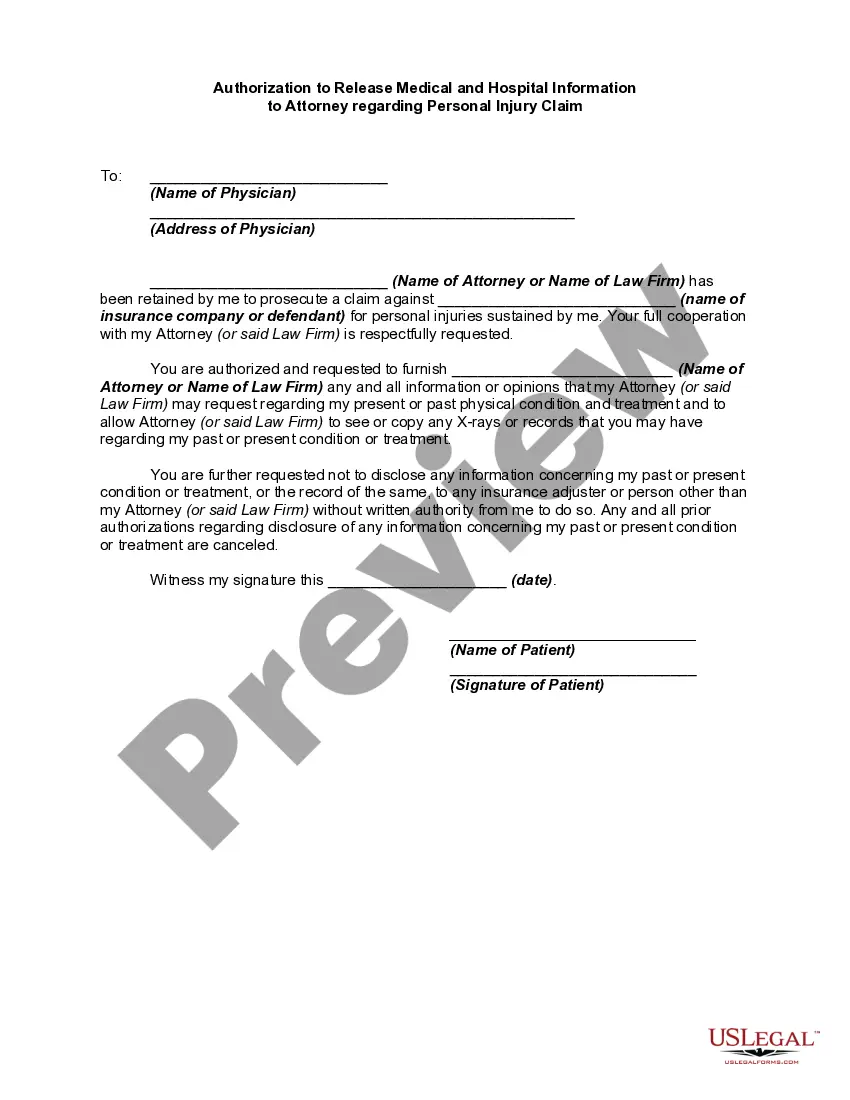
Release Medical Information With The Device
Description


Get your form ready online
Our built-in tools help you complete, sign, share, and store your documents in one place.
Make edits, fill in missing information, and update formatting in US Legal Forms—just like you would in MS Word.
Download a copy, print it, send it by email, or mail it via USPS—whatever works best for your next step.
Sign and collect signatures with our SignNow integration. Send to multiple recipients, set reminders, and more. Go Premium to unlock E-Sign.
If this form requires notarization, complete it online through a secure video call—no need to meet a notary in person or wait for an appointment.
We protect your documents and personal data by following strict security and privacy standards.

Make edits, fill in missing information, and update formatting in US Legal Forms—just like you would in MS Word.

Download a copy, print it, send it by email, or mail it via USPS—whatever works best for your next step.

Sign and collect signatures with our SignNow integration. Send to multiple recipients, set reminders, and more. Go Premium to unlock E-Sign.

If this form requires notarization, complete it online through a secure video call—no need to meet a notary in person or wait for an appointment.

We protect your documents and personal data by following strict security and privacy standards.
Looking for another form?
How to fill out Authorization To Release Medical And Hospital Information To Attorney?
- Log in to your US Legal Forms account if you're an existing user. Ensure your subscription is active by clicking on the Download button.
- For new users, start by reviewing the Preview mode and the form description to select the document that fits your jurisdiction requirements.
- If needed, use the Search tab to find an appropriate form. Ensure it aligns properly with your needs before proceeding.
- Once you locate the right document, click on the Buy Now button and choose your preferred subscription plan.
- Complete your purchase by entering your credit card details or using your PayPal account for payment.
- Finally, download the form to your device. You can access it anytime from the My Forms section of your profile.
By utilizing US Legal Forms, you not only gain access to more forms than competing services but also benefit from expert assistance for form completion. With over 85,000 fillable legal forms, you’ll find the resources needed to release medical information effectively.
Start simplifying your legal document needs today. Visit US Legal Forms and get your subscription now!
Form popularity
FAQ
Filling out authorization for release of information involves providing your personal details and the specific information you wish to share. Ensure you include the recipient's information and specify the purpose of the release. Platforms like uslegalforms can guide you in completing this process accurately, enhancing your ability to release medical information with the device smoothly.
Sending medical records through MyChart is easy. Log in to your account, select the records you want to send, and choose the recipient. By using this method, you can effectively release medical information with the device to authorized individuals or organizations.
When contacting your healthcare provider, certain medical information can be shared over the phone, including appointment details and prescription refills. However, sensitive information often requires formal authorization. To release medical information with the device securely, it is advisable to use online platforms like uslegalforms for proper documentation.
To email something from MyChart, log into your account and navigate to the message section. You can compose a new message and attach relevant documents, such as medical records. This feature enables you to easily release medical information with the device and communicate effectively with your healthcare provider.
Exporting medical records from MyChart is a straightforward process. First, log in and access your medical records. From there, you can choose to download or print your records. By following these steps, you can efficiently release medical information with the device in a format that suits your needs.
To send medical records from MyChart, start by logging in to your account. Navigate to the medical records section and select the records you wish to send. Then, follow the prompts to choose your delivery method. Remember, you can easily release medical information with the device by selecting the option to share it directly with a healthcare provider.
HIPAA regulations mandate that healthcare providers protect patient privacy during all communications, including phone calls. Providers must verify the identity of the caller and ensure that information shared over the phone does not violate privacy rights. To stay compliant while discussing your medical data, knowing how to release medical information with the device securely is essential.
Typically, healthcare providers, patients, and certain representatives like legal guardians or power of attorney holders can authorize the release of patient information. Each case may have specific rules based on local laws and hospital policies. It’s crucial to understand these guidelines to responsibly and effectively release medical information with the device.
Yes, medical results can be shared over the phone, but only if proper authorization is in place. Healthcare providers prioritize patient privacy, so they need consent before discussing sensitive medical information. To ensure you can receive or share results smoothly, consider how to efficiently release medical information with the device.
To write an authorization to release information, you need to include your name, the name of the healthcare provider, and details about what information you wish to release. Specify the purpose for sharing this information and who it will be shared with. Using a platform like uslegalforms can make this process straightforward, allowing you to easily create a document that meets all legal requirements to release medical information with the device.