Information Employee Contact With Employee
Description


Get your form ready online
Our built-in tools help you complete, sign, share, and store your documents in one place.
Make edits, fill in missing information, and update formatting in US Legal Forms—just like you would in MS Word.
Download a copy, print it, send it by email, or mail it via USPS—whatever works best for your next step.
Sign and collect signatures with our SignNow integration. Send to multiple recipients, set reminders, and more. Go Premium to unlock E-Sign.
If this form requires notarization, complete it online through a secure video call—no need to meet a notary in person or wait for an appointment.
We protect your documents and personal data by following strict security and privacy standards.

Make edits, fill in missing information, and update formatting in US Legal Forms—just like you would in MS Word.

Download a copy, print it, send it by email, or mail it via USPS—whatever works best for your next step.

Sign and collect signatures with our SignNow integration. Send to multiple recipients, set reminders, and more. Go Premium to unlock E-Sign.

If this form requires notarization, complete it online through a secure video call—no need to meet a notary in person or wait for an appointment.

We protect your documents and personal data by following strict security and privacy standards.
Looking for another form?






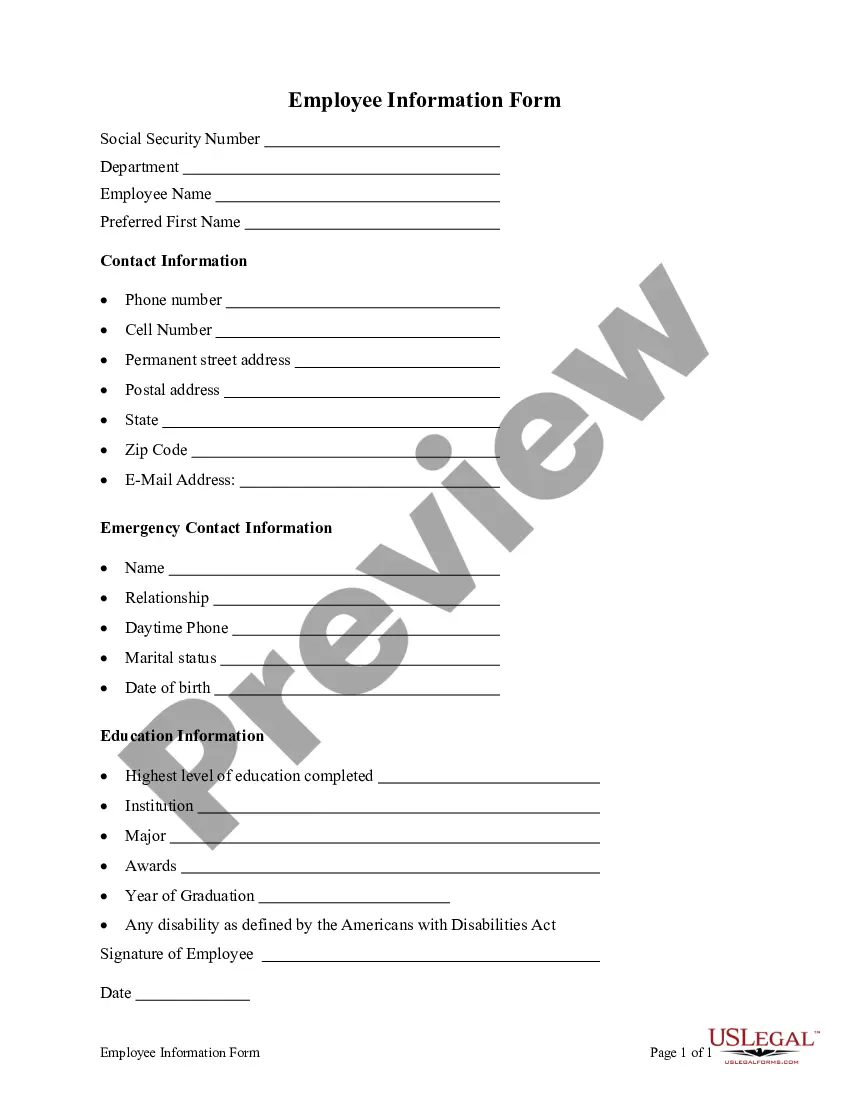
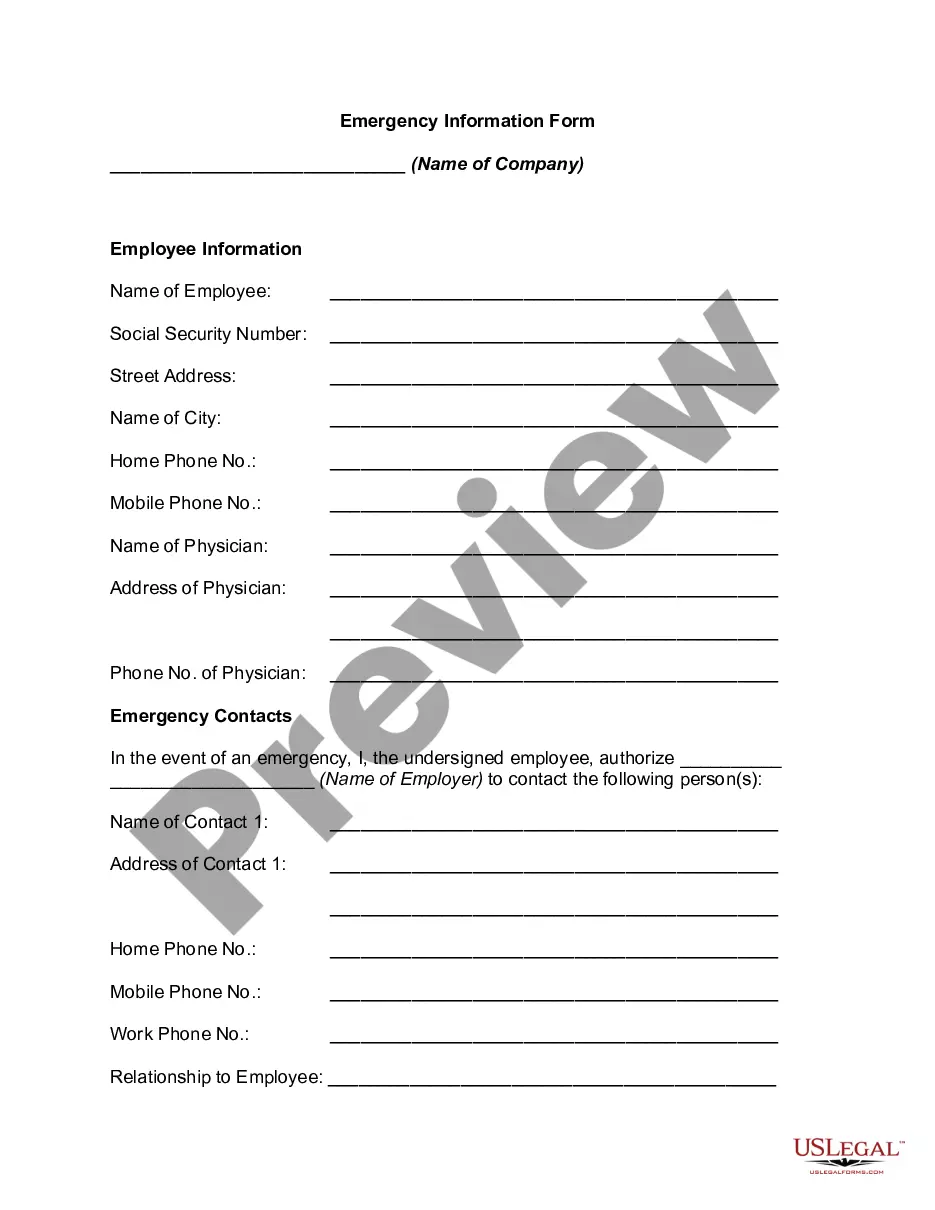
How to fill out Employee Information Form?
Legal management can be daunting, even for experienced professionals.
When you are searching for a Information Employee Contact With Employee and lack the time to seek out the correct and current version, the procedures can be taxing.
US Legal Forms accommodates all requirements you may have, from personal to corporate documents, all in one place.
Leverage cutting-edge tools to fill out and manage your Information Employee Contact With Employee.
Here are the steps to follow after accessing the form you need: Verify this is the correct form by previewing it and reviewing its details. Confirm that the template is accepted in your state or county. Select Buy Now when you are prepared. Choose a subscription option. Select the format you desire, and Download, complete, sign, print, and submit your document. Take advantage of the US Legal Forms online library, supported by 25 years of experience and trustworthiness. Streamline your daily document management into a seamless and user-friendly process today.
- Tap into a valuable resource database of articles, guides, and manuals pertinent to your situation and needs.
- Conserve time and effort searching for the documents you require, and employ US Legal Forms’ sophisticated search and Preview feature to locate Information Employee Contact With Employee and obtain it.
- If you hold a membership, Log In to your US Legal Forms account, search for the form, and obtain it.
- Visit the My documents section to see the documents you have previously downloaded and to manage your folders as desired.
- If this is your first encounter with US Legal Forms, create a complimentary account and gain unrestricted access to all platform benefits.
- A robust online form repository can transform the experience for anyone looking to handle these matters efficiently.
- US Legal Forms stands as a frontrunner in online legal documents, offering more than 85,000 state-specific legal forms available to you at any time.
- With US Legal Forms, you can access legal and business forms tailored to your state or county.
Form popularity
FAQ
From the Time & Attendance menu, select Maintenance. ... Under the Employee heading on the Maintenance page, click the Employee Positions (Employees) link. On the Employees page, click the. ... In the First Name and Last Name fields, edit the employee's first or last name, if necessary. Editing Basic Employee Information - ADP adp.com ? employee_editor-editing_emps adp.com ? employee_editor-editing_emps
1. Enter Personal Information: Start by entering your name, address, phone number, and email address. 2. Enter Employment Information: Include your start date, position, department, and supervisor, as well as details about your pay and any benefits you are eligible for.
Your employees need to be directly informed about layoffs, changes in hours worked, salary and benefits changes, and anything that affects their daily lives. By taking control over the message and being on hand for questions, you ensure that it's accurate.
Employment Verification Dates of employment, Title (job classification), Employment history (all position, dates and salary since date of hire), Gross salary for the past two years, Year to date salary, and. Annual salary.
A good employee information form should be comprehensive yet straightforward. It should include: Personal Information: Full name, address, contact details, marital status, and spouse's details. Job Information: Title, department, supervisor, work location, start date, and salary.