Checklist - Ergonomics
Understanding this form
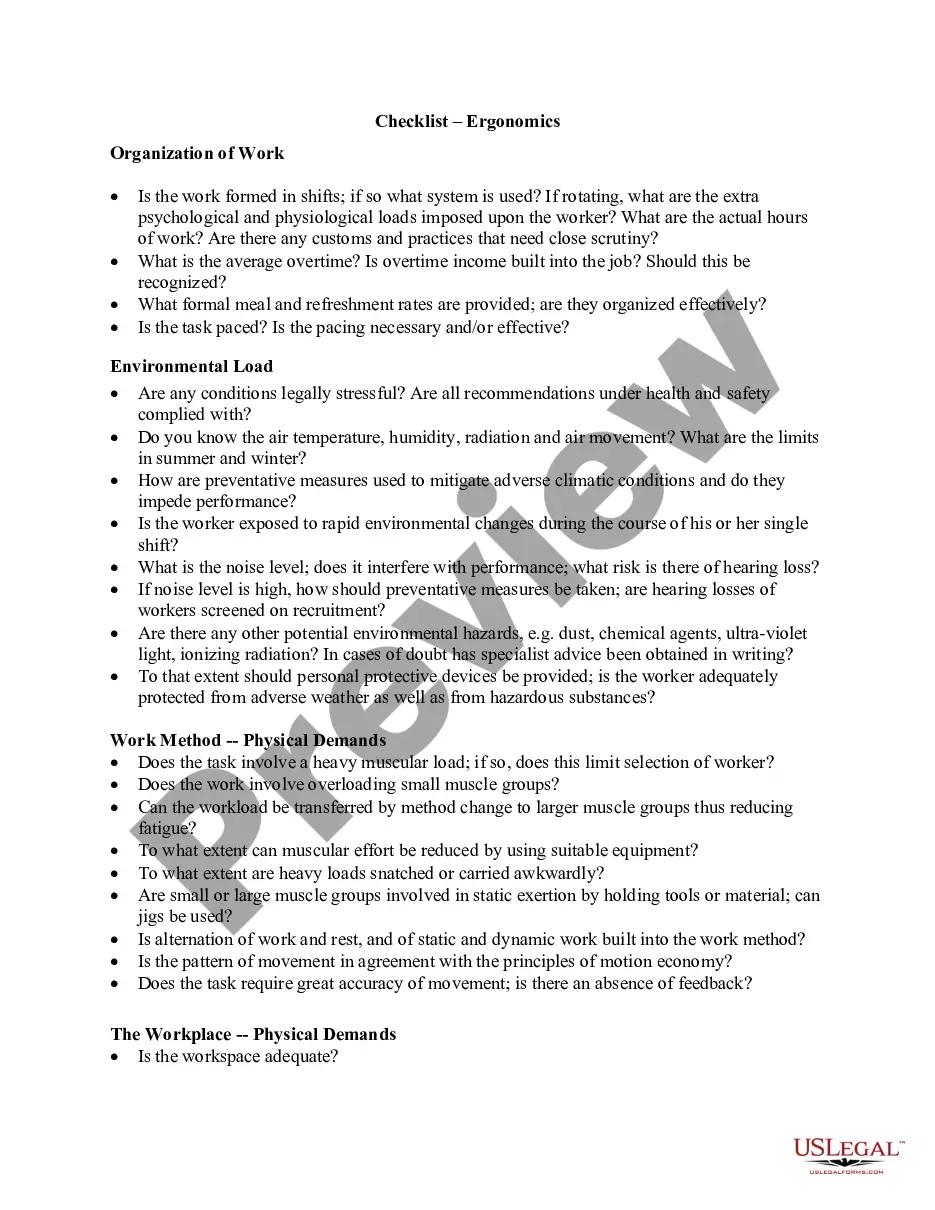
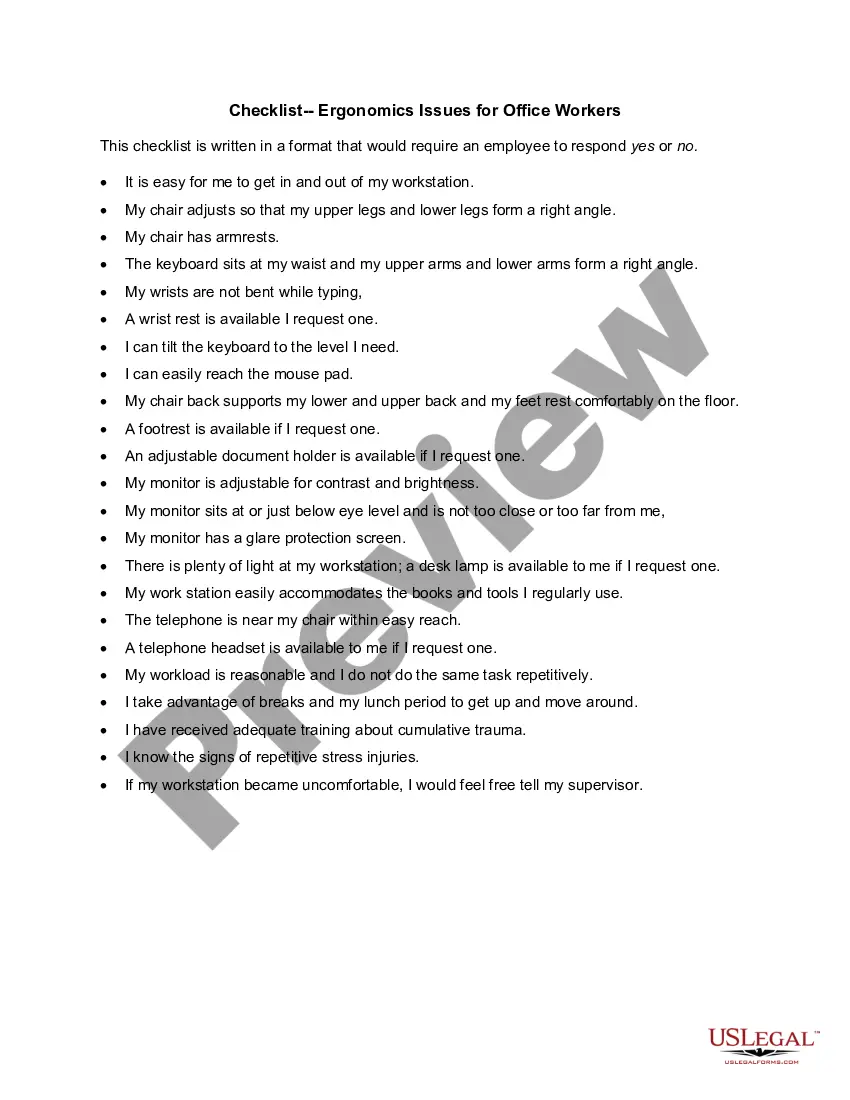
The Ergonomics Checklist is a comprehensive tool designed to assess workplace conditions and job demands in relation to the physical capabilities of employees. This form is crucial for identifying potential ergonomic risks, ensuring compliance with health and safety regulations, and promoting employee well-being. It serves a unique purpose by systematically evaluating environmental, physical, and sensory demands, something that standard workplace assessments may overlook.
Key components of this form
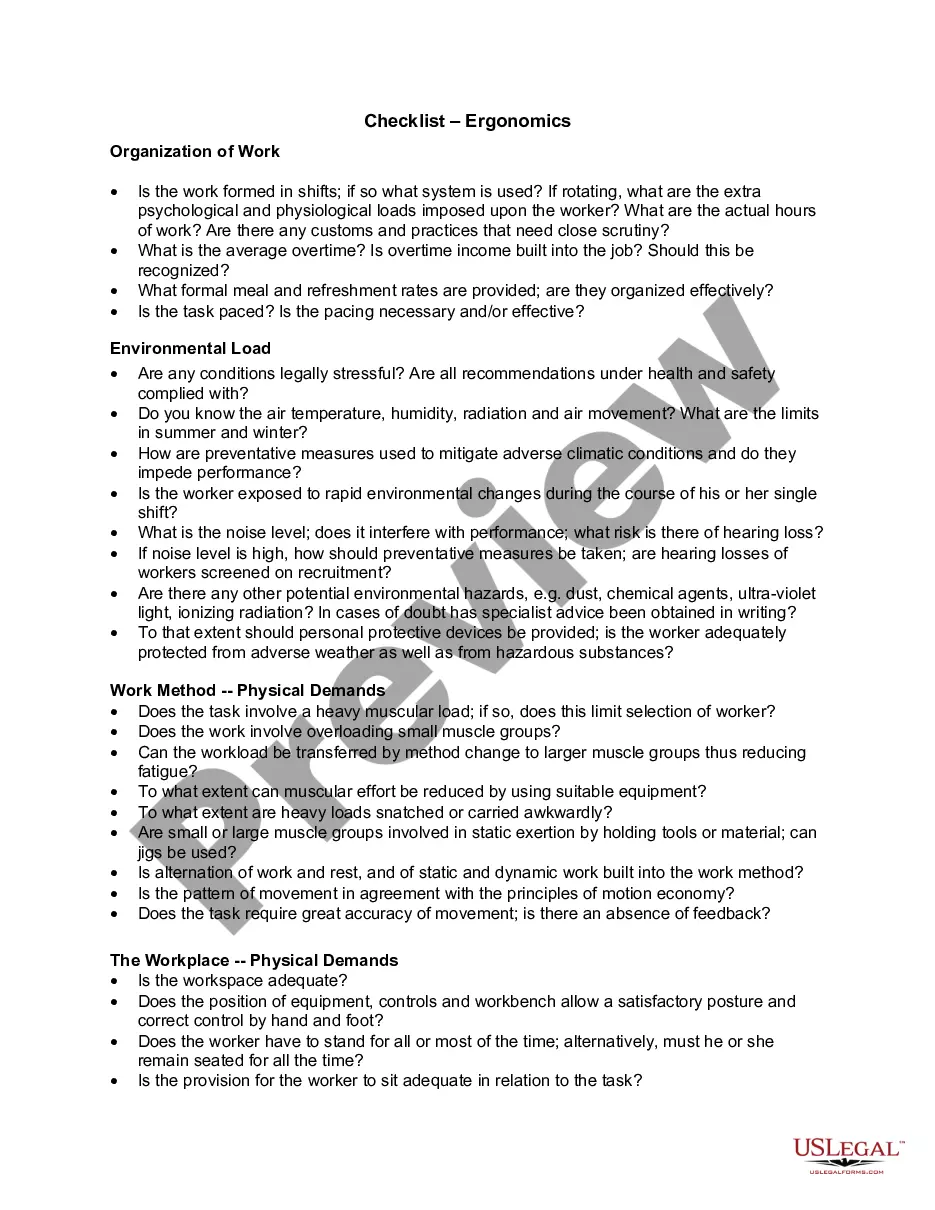
- Organization of Work: Evaluates shift systems, overtime practices, and meal provisions.
- Environmental Load: Assesses stress factors such as temperature, noise, and exposure to hazardous substances.
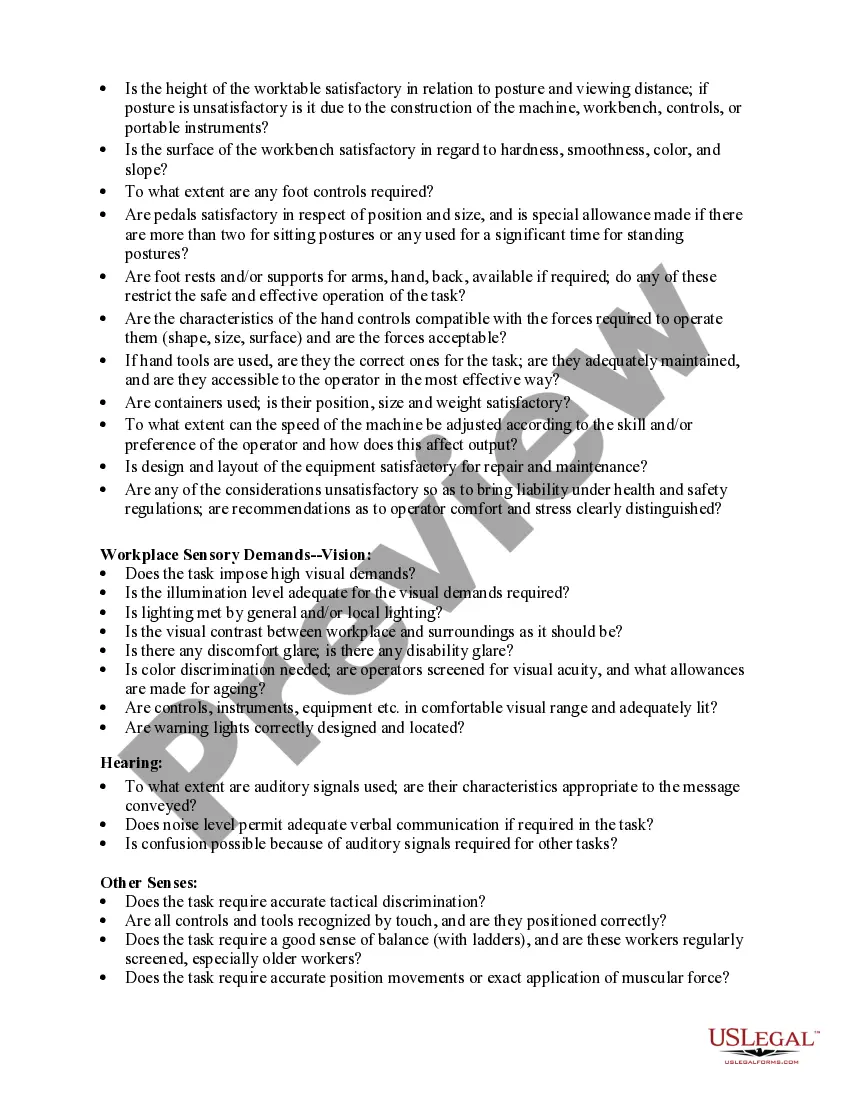
- Work Method - Physical Demands: Examines the physical requirements of tasks and workload distribution.
- Workplace - Physical Demands: Analyzes workspace adequacy and ergonomic design of equipment.
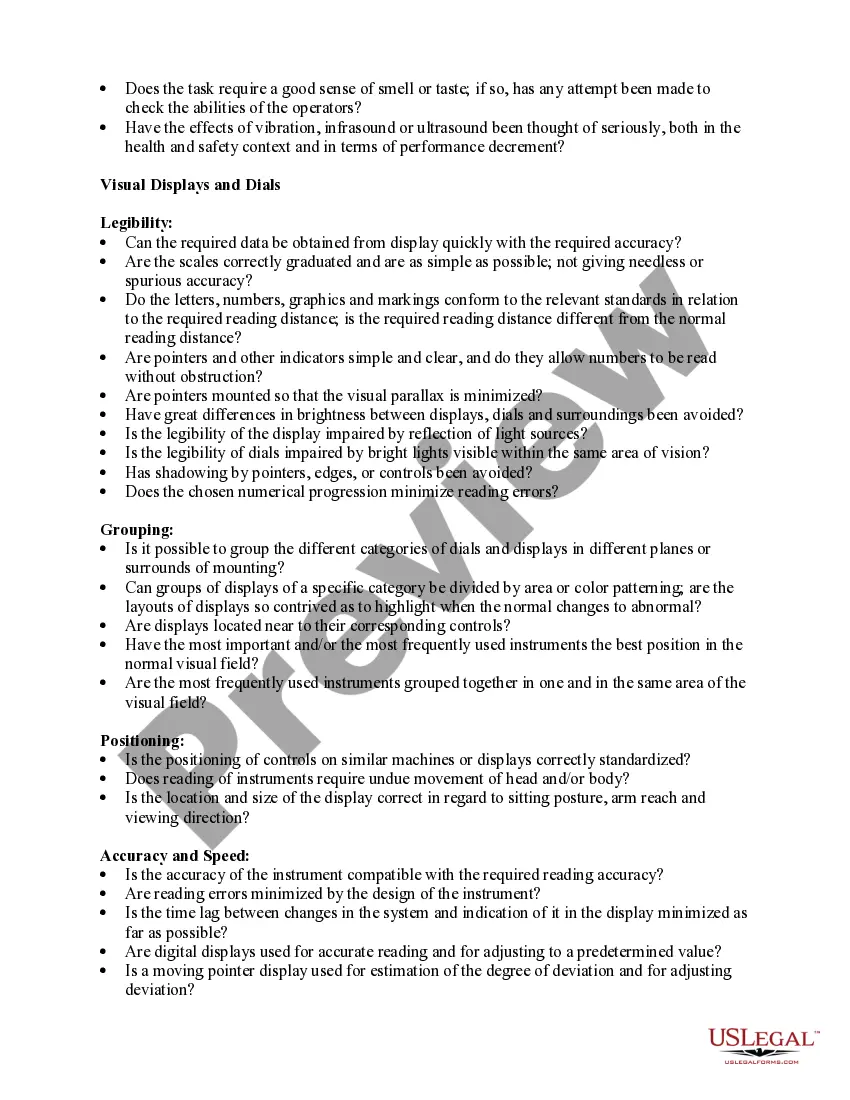
- Workplace Sensory Demands: Looks at visual and auditory requirements for safe and effective job performance.
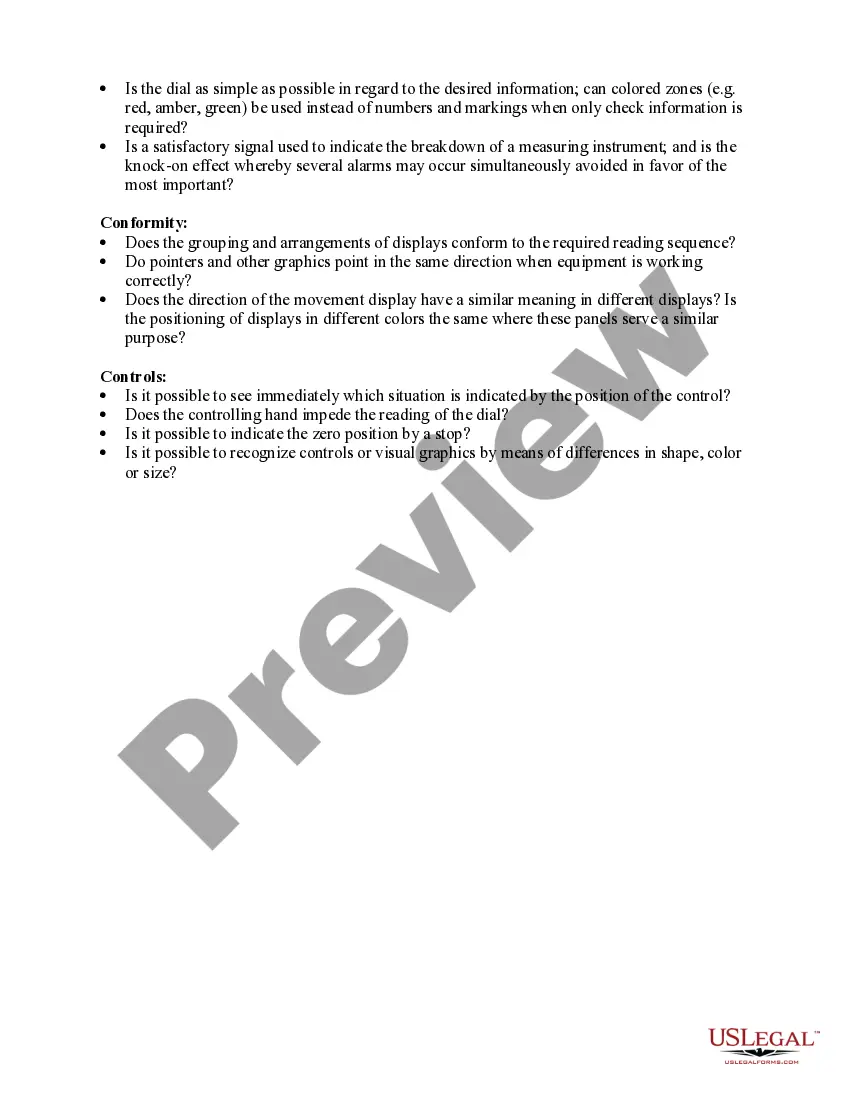
- Visual Displays and Dials: Reviews legibility and accessibility of displays and controls in the work environment.
Situations where this form applies
This checklist should be utilized when assessing existing workplace conditions or designing new workspaces to ensure they meet ergonomic standards. It is particularly helpful in scenarios such as new employee onboarding, job rotations, equipment upgrades, or when addressing employee complaints regarding discomfort or inefficiencies at work.
Who this form is for
- Human resource managers responsible for workplace safety and employee well-being.
- Safety officers conducting workplace assessments for compliance with health regulations.
- Employers aiming to enhance productivity by optimizing workplace ergonomics.
- Employees wishing to report ergonomic concerns or suggest improvements.
- Consultants or ergonomics specialists conducting evaluations for companies.
Steps to complete this form
- Identify the current work shift system and document any customary practices.
- Evaluate the environmental conditions including temperature, noise levels, and any potential hazards.
- Assess the physical demands of tasks and the adequacy of equipment and workspace.
- Review sensory requirements such as visual and auditory demands to ensure clarity and communication.
- Complete all sections with observations and findings, noting any areas needing improvement.
Does this document require notarization?
In most cases, this form does not require notarization. However, some jurisdictions or signing circumstances might. US Legal Forms offers online notarization powered by Notarize, accessible 24/7 for a quick, remote process.
Get your form ready online
Our built-in tools help you complete, sign, share, and store your documents in one place.
Make edits, fill in missing information, and update formatting in US Legal Forms—just like you would in MS Word.
Download a copy, print it, send it by email, or mail it via USPS—whatever works best for your next step.
Sign and collect signatures with our SignNow integration. Send to multiple recipients, set reminders, and more. Go Premium to unlock E-Sign.
If this form requires notarization, complete it online through a secure video call—no need to meet a notary in person or wait for an appointment.
We protect your documents and personal data by following strict security and privacy standards.

Make edits, fill in missing information, and update formatting in US Legal Forms—just like you would in MS Word.

Download a copy, print it, send it by email, or mail it via USPS—whatever works best for your next step.

Sign and collect signatures with our SignNow integration. Send to multiple recipients, set reminders, and more. Go Premium to unlock E-Sign.

If this form requires notarization, complete it online through a secure video call—no need to meet a notary in person or wait for an appointment.

We protect your documents and personal data by following strict security and privacy standards.
Mistakes to watch out for
- Failing to assess all sensory demands, particularly visual and auditory requirements.
- Neglecting to involve employees in the evaluation process.
- Overlooking the specific needs of rotating shifts and how they affect worker performance.
Why complete this form online
- Convenient access to a standardized checklist that can be adapted to specific workplace needs.
- Easy to download and modify for different job roles or work environments.
- Ensures reliable documentation for health and safety compliance audits.
Legal use & context
- This checklist helps ensure compliance with OSHA regulations and similar standards.
- Proper use of this form can reduce liability for employers by demonstrating proactive ergonomic assessments.
Key takeaways
- The Ergonomics Checklist is vital for assessing workplace safety and employee health.
- Identifying ergonomic risks can significantly enhance productivity and job satisfaction.
- Regular use of this checklist fosters a culture of safety and care in the workplace.
Looking for another form?

Form popularity
FAQ
Always Work in the Neutral Posture Good upper body posture (shoulders back but relaxed?not slumping forward over the keyboard) Back supported by chair. Chair seat should not compress behind the knees. Feet firmly on a surface for support (floor/footrest) Head balanced on neck (not tilted back or too far forwards)
Ergonomics can roughly be defined as the study of people in their working environment. More specifically, an ergonomist (pronounced like economist) designs or modifies the work to fit the worker, not the other way around. The goal is to eliminate discomfort and risk of injury due to work.
The goal of ergonomics (i.e. the scientific study of people at work) is to prevent soft tissue injuries and musculoskeletal disorders (MSDs) caused by sudden or sustained exposure to force, vibration, repetitive motion, and awkward posture.
Choose a chair that supports your spine. Adjust the height of the chair so that your feet rest flat on the floor. Or use a footrest so your thighs are parallel to the floor. If the chair has armrests, position them so your arms sit gently on the armrests with your elbows close to your body and your shoulders relaxed.
However, under the General Duty Clause of the Occupational Safety and Health (OSH) Act, employers are required to ensure a workplace free from recognized hazards, including ergonomic hazards.
A good ergonomic environment allows for maximum adjustability of the office equipment including desk height, chair height, backrest, seat pan, armrests, footrests, computer screens, keyboard position, document holders, and lighting.
Ergonomics is the science of fitting the job to the worker. Designing work stations and tools to reduce work- related musculoskeletal disorders (MSDs) can help workers stay healthy and companies to reduce or eliminate the high costs associated with MSDs.
Definition of Ergonomics The science of adapting workstations, tools, equipment and job techniques to be compatible with human anatomy and physiology to reduce the risk of Musculoskeletal Disorder injuries due to Ergonomic Stressors. In other words, ?fit the job to the person? rather than the ?person to the job.?