E-commerce Product-Comparison Matrix
About this form
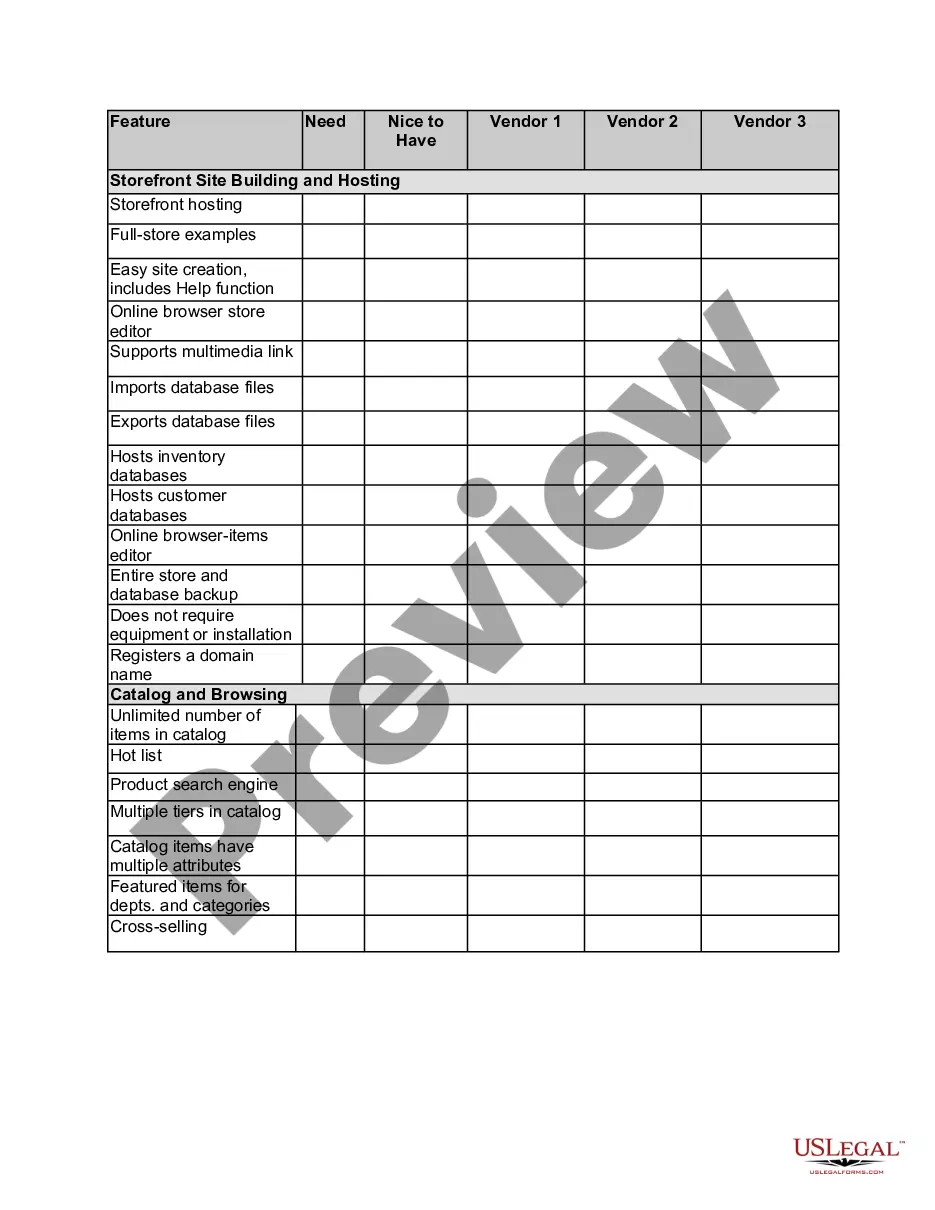
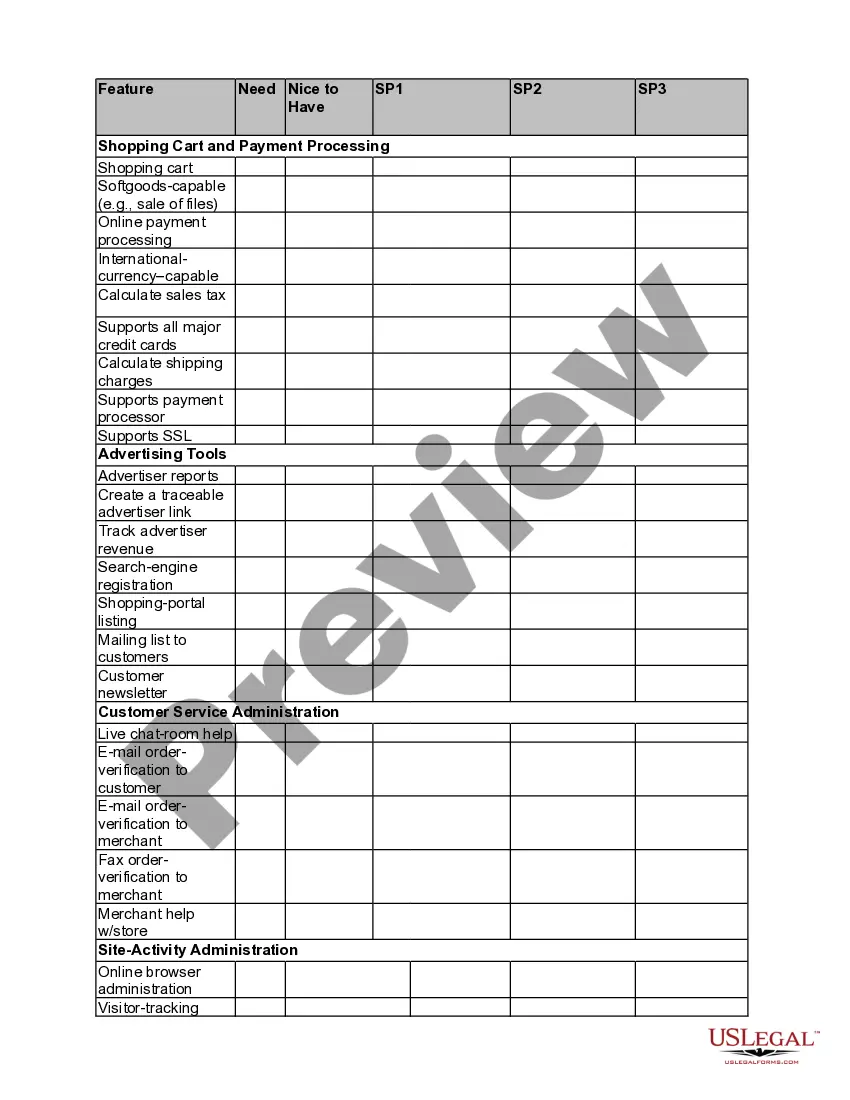
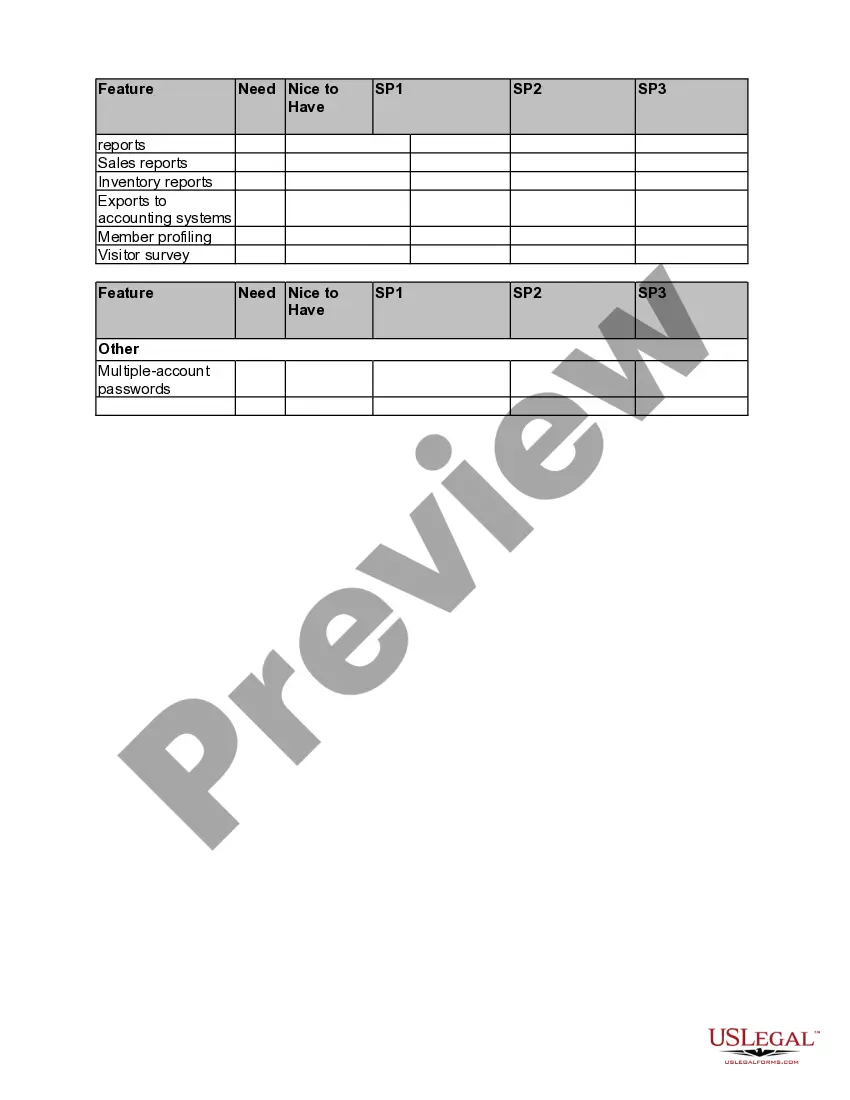
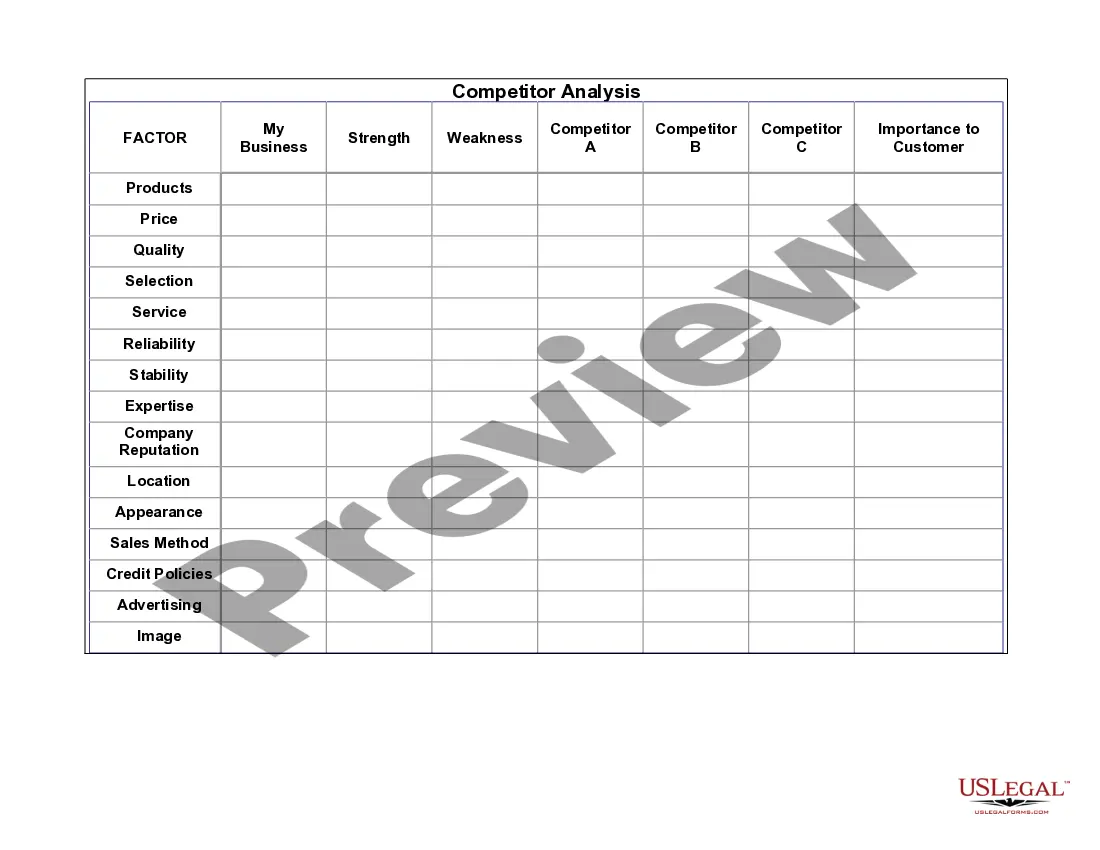
The E-commerce Product-Comparison Matrix is a tool designed to help users evaluate and select the right e-commerce tools and vendors for their needs. This form simplifies the process of comparing essential features of various e-commerce platforms, guiding users in making informed decisions. Unlike other forms, this matrix provides a structured approach to assessing multiple vendors based on specific criteria relevant to an online storefront.
Main sections of this form
- Vendor comparison across features for storefront setup, payment processing, advertising tools, and customer service.
- Columns to indicate must-have vs. nice-to-have features.
- Sections that categorize functionalities such as shopping cart capabilities and site activity administration.
- Spaces for vendor details and evaluations for each feature listed.
- Multiple account password management for different vendor accounts.
Situations where this form applies
This form is useful for entrepreneurs or businesses embarking on establishing an online store. It is especially beneficial during the initial phases of e-commerce setup when comparing different platforms against specific operational needs. It can also be useful during system upgrades or when evaluating new vendors for additional services.
Intended users of this form
- Business owners seeking to launch or enhance their e-commerce presence.
- Marketing teams exploring new tools for online sales optimization.
- Entrepreneurs looking for a structured way to compare multiple e-commerce vendors.
- Individuals with little to no prior experience in e-commerce tool selection.
Instructions for completing this form
- Identify the essential features your e-commerce platform needs, such as storefront hosting and payment processing capabilities.
- Review the different vendors and their specific offerings as listed in the matrix.
- Fill in the âNeedâ and âNice to Haveâ columns based on your requirements for each vendor.
- Use the provided sections to evaluate additional features like customer service and advertising tools.
- Finalize your assessment by comparing the filled-out sections across vendors to determine the best fit.
Does this document require notarization?
In most cases, this form does not require notarization. However, some jurisdictions or signing circumstances might. US Legal Forms offers online notarization powered by Notarize, accessible 24/7 for a quick, remote process.
Get your form ready online
Our built-in tools help you complete, sign, share, and store your documents in one place.
Make edits, fill in missing information, and update formatting in US Legal Forms—just like you would in MS Word.
Download a copy, print it, send it by email, or mail it via USPS—whatever works best for your next step.
Sign and collect signatures with our SignNow integration. Send to multiple recipients, set reminders, and more. Go Premium to unlock E-Sign.
If this form requires notarization, complete it online through a secure video call—no need to meet a notary in person or wait for an appointment.
We protect your documents and personal data by following strict security and privacy standards.

Make edits, fill in missing information, and update formatting in US Legal Forms—just like you would in MS Word.

Download a copy, print it, send it by email, or mail it via USPS—whatever works best for your next step.

Sign and collect signatures with our SignNow integration. Send to multiple recipients, set reminders, and more. Go Premium to unlock E-Sign.

If this form requires notarization, complete it online through a secure video call—no need to meet a notary in person or wait for an appointment.

We protect your documents and personal data by following strict security and privacy standards.
Common mistakes
- Not clearly defining essential features before starting the comparison.
- Overlooking vendor reviews or testimonials that might provide insights into performance.
- Failing to consider scalability and future needs while evaluating current offerings.
- Rushing the process and not taking adequate time to research each vendor's capabilities.
Benefits of using this form online
- Easy to edit and customize based on your unique business needs.
- Accessible from anywhere, allowing for collaboration with team members regardless of location.
- Printable and downloadable for offline review and planning.
- Structured layout promotes thorough evaluation of features across different vendors.
Legal use & context
- This matrix serves as a preliminary planning document and does not constitute a legal contract.
- Using the form does not establish a legal relationship with vendors or guarantee successful outcomes.
- It is advisable to further consult legal or commercial advisors when selecting vendors for your e-commerce needs.
Main things to remember
- The E-commerce Product-Comparison Matrix aids in evaluating multiple e-commerce vendors.
- Key features include storefront capabilities, payment processing, and customer support.
- Use this form when starting or upgrading an online business to make informed comparisons.
- Identify what your business truly needs to ensure a suitable vendor selection.
Looking for another form?
Form popularity
FAQ
Step 1 Launch Excel. Step 2 Enter Data. Step 3 Inset Comparison Chart. Step 4 Customize. Step 5 Save. Step 1 Go to Edraw. Step 2 Search Template. Step 3 Add Data and Customize.
Step 1: Create a list of competiting products. Determine which products compete directly in the same marketplace as your product. Step 2: Undertake research. Just like a Competitor Analysis, Product Comparisons require research. Step 3: Create a Product Comparison table. Step 4: Conclusion.
Step 1: Create a list of competiting products. Determine which products compete directly in the same marketplace as your product. Step 2: Undertake research. Just like a Competitor Analysis, Product Comparisons require research. Step 3: Create a Product Comparison table. Step 4: Conclusion.
Launch a Google AdWords campaign. Make sure to have a high bid per click. Set a large daily budget. Let the campaign run for 3-5 business days. Stop the campaign, check the impressions data.
Step 1: Create a list of competiting products. Determine which products compete directly in the same marketplace as your product. Step 2: Undertake research. Just like a Competitor Analysis, Product Comparisons require research. Step 3: Create a Product Comparison table. Step 4: Conclusion.
A comparison matrix is a great tool to visualize similarities and differences between products and services, or even between more complex and abstract concepts like strategies and ideas. The matrix helps to organize and classify the elements in which you are comparing.
Clear, informative title. clear statement of the issue both essays examine. good, concise, thorough summaries. equal discussion of each essay. clear identification of similarities. clear identification of differences.
Acknowledge the problem the reader is facing. Mention the tools that could solve the problem. Quickly explain how the post will help readers pick the best option for their unique situation. Offer a side-by-side comparison chart for an easy overview.
Click Create new report. Enter a name for your Comparison report, and click Create. The Add Variables dialog opens. When done selecting variables, click Apply. The comparison table will be updated with your selected variables. Click Save. Click Save to update the report.