Checklist - Possible Information System Strategies
Overview of this form
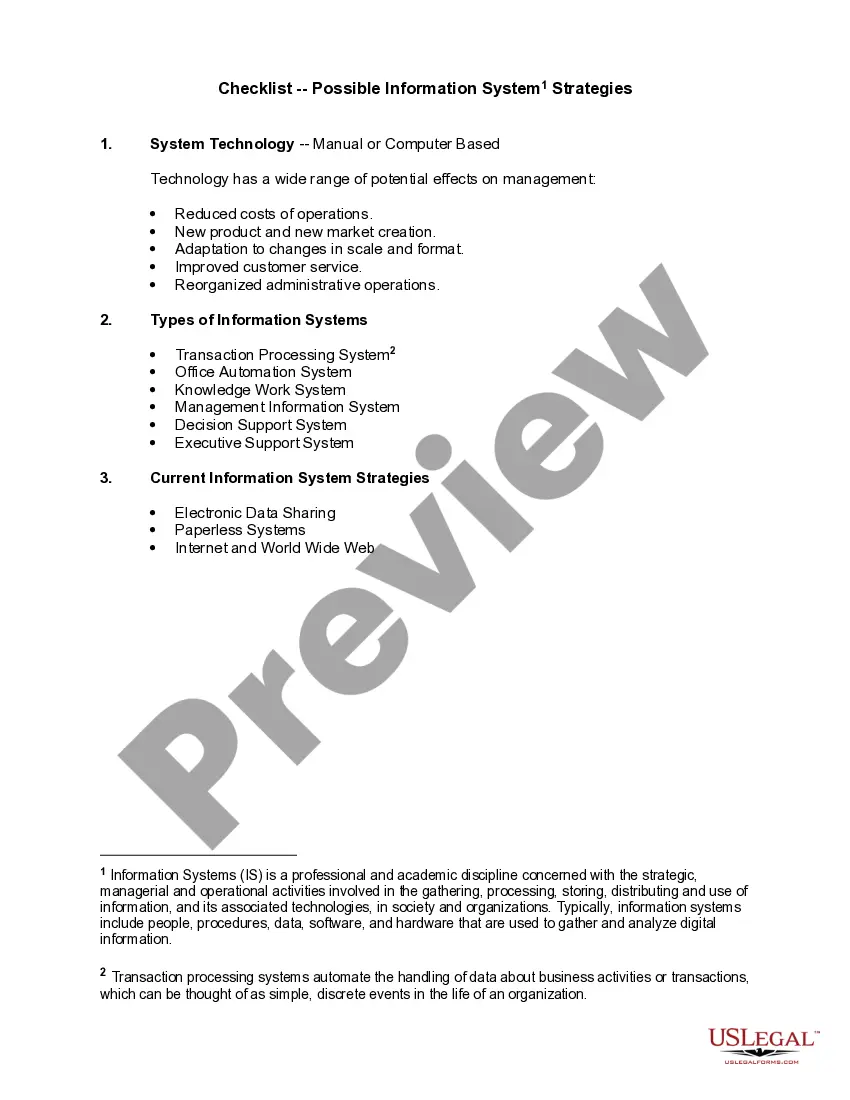
The Checklist - Possible Information System Strategies is a comprehensive guide designed to help organizations evaluate their information systems. It outlines strategies for using technology to improve operational effectiveness and efficiency. This form sets itself apart by providing a structured checklist to assess various information systems and their impacts, making it easier for decision-makers to determine the most suitable approach for their organization.
What’s included in this form
- System technology: evaluates manual versus computer-based systems.
- Types of information systems: identifies categories such as transaction processing systems and management information systems.
- Current information system strategies: explores methods like electronic data sharing and paperless systems.
When to use this document
This form is useful when an organization is looking to implement or upgrade its information systems. It can guide teams during strategic planning sessions, audits of current systems, and evaluations of new technology investments. Use this checklist to ensure all aspects of potential information system strategies are considered, minimizing risks and maximizing effectiveness.
Who needs this form
- Business managers and executives involved in information technology planning.
- IT professionals responsible for system implementation and integration.
- Organizational leaders seeking to enhance operational efficiency through technology.
Steps to complete this form
- Assess your organization's current technology to determine if it is manual or computer-based.
- Identify the types of information systems relevant to your organization using the provided categories.
- Evaluate the current strategies in place for information handling and identify areas for improvement.
Notarization guidance
This form usually doesn’t need to be notarized. However, local laws or specific transactions may require it. Our online notarization service, powered by Notarize, lets you complete it remotely through a secure video session, available 24/7.
Get your form ready online
Our built-in tools help you complete, sign, share, and store your documents in one place.
Make edits, fill in missing information, and update formatting in US Legal Forms—just like you would in MS Word.
Download a copy, print it, send it by email, or mail it via USPS—whatever works best for your next step.
Sign and collect signatures with our SignNow integration. Send to multiple recipients, set reminders, and more. Go Premium to unlock E-Sign.
If this form requires notarization, complete it online through a secure video call—no need to meet a notary in person or wait for an appointment.
We protect your documents and personal data by following strict security and privacy standards.

Make edits, fill in missing information, and update formatting in US Legal Forms—just like you would in MS Word.

Download a copy, print it, send it by email, or mail it via USPS—whatever works best for your next step.

Sign and collect signatures with our SignNow integration. Send to multiple recipients, set reminders, and more. Go Premium to unlock E-Sign.

If this form requires notarization, complete it online through a secure video call—no need to meet a notary in person or wait for an appointment.

We protect your documents and personal data by following strict security and privacy standards.
Common mistakes to avoid
- Neglecting to consider all types of information systems relevant to the organization.
- Failing to involve key stakeholders in the evaluation process.
- Overlooking the importance of user training and support in the implementation of new systems.
Benefits of using this form online
- Convenient access to a comprehensive checklist that can be downloaded and customized.
- Ability to edit and update the checklist as needed throughout your planning process.
- Reliable format drafted by licensed attorneys to ensure comprehensiveness and legality.
Legal use & context
- This form serves as a strategic assessment tool and is not a legally binding document.
- It provides a structured approach for organizations to evaluate their systems strategically.
Summary of main points
- This checklist aids organizations in evaluating and planning their information system strategies.
- Incorporating technology strategically can lead to improved operational efficiency.
- Certain key stakeholder involvement is crucial for effective planning and implementation.
Looking for another form?

Form popularity
FAQ
The definition of a checklist is a list of things that can be checked off as completed or noted. An example of a checklist is when you have ten things to do for work and you make a list of all of them and you check them off as you accomplish each of them.
Noun. Also check list . a list of items, as names or tasks, for comparison, verification, or other checking purposes.
A simple checklist template is any kind of process or list of tasks arranged in the form of a checklist; in other words, it's a to-do list where the order of tasks is usually important.
: a list of things to be checked or done a pilot's checklist before takeoff also : a comprehensive list.
A checklist is a type of job aid used to reduce failure by compensating for potential limits of human memory and attention. It helps to ensure consistency and completeness in carrying out a task. A basic example is the "to do list".
The definition of a checklist is a list of things that can be checked off as completed or noted. An example of a checklist is when you have ten things to do for work and you make a list of all of them and you check them off as you accomplish each of them. noun. 4.
A checklist is a standardized list of required steps developed usually for repetitive tasks. It provides several benefits. It helps people stay more organized, assuring them they will not skip any important step in the process. A checklist motivates us to take action and complete tasks.
Step 1) Define the checklists goal. Why do you want to make a checklist? Step 2) Decide whether your checklist is READ-DO or DO-CONFIRM. Step 3) Design with the expert in mind. Step 4) Keep it short. Step 5) Test & iterate.