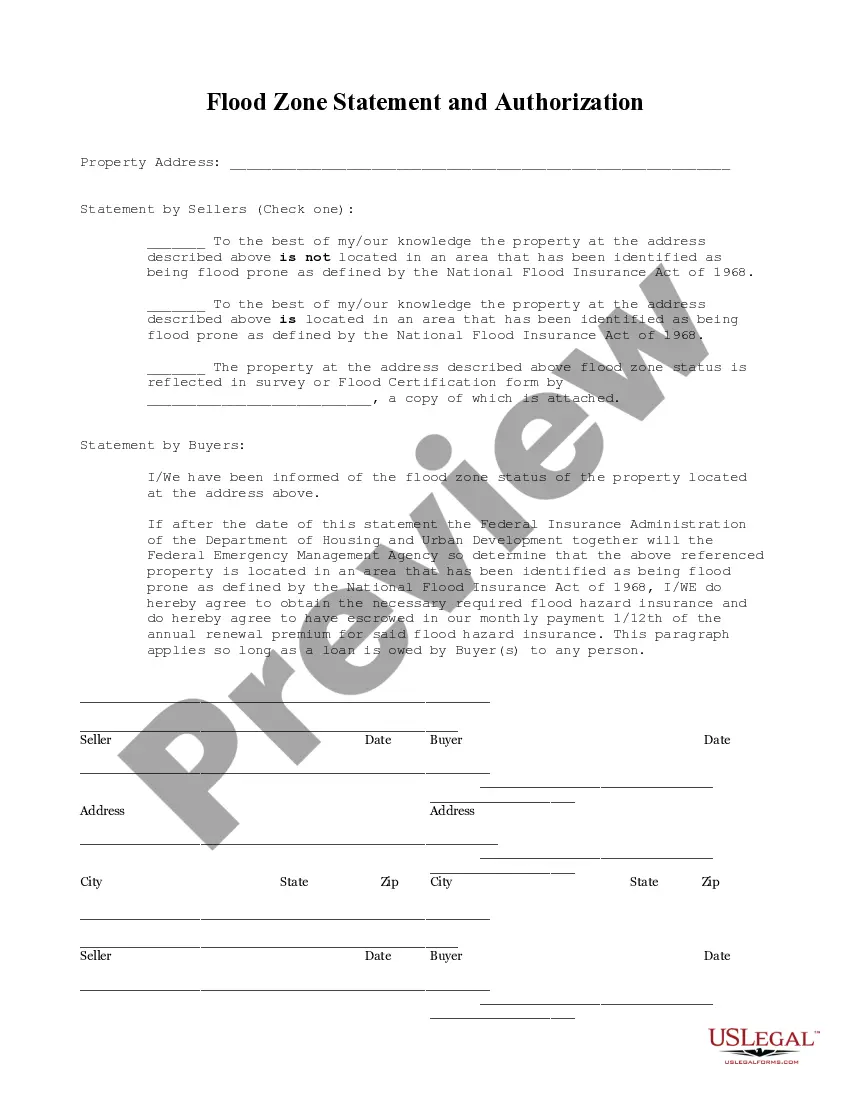
Coral Springs Florida Flood Zone Statement and Authorization
Description
Get your form ready online
Our built-in tools help you complete, sign, share, and store your documents in one place.
Make edits, fill in missing information, and update formatting in US Legal Forms—just like you would in MS Word.
Download a copy, print it, send it by email, or mail it via USPS—whatever works best for your next step.
Sign and collect signatures with our SignNow integration. Send to multiple recipients, set reminders, and more. Go Premium to unlock E-Sign.
If this form requires notarization, complete it online through a secure video call—no need to meet a notary in person or wait for an appointment.
We protect your documents and personal data by following strict security and privacy standards.

Make edits, fill in missing information, and update formatting in US Legal Forms—just like you would in MS Word.

Download a copy, print it, send it by email, or mail it via USPS—whatever works best for your next step.

Sign and collect signatures with our SignNow integration. Send to multiple recipients, set reminders, and more. Go Premium to unlock E-Sign.

If this form requires notarization, complete it online through a secure video call—no need to meet a notary in person or wait for an appointment.

We protect your documents and personal data by following strict security and privacy standards.
Looking for another form?


How to fill out Florida Flood Zone Statement And Authorization?
If you’ve previously utilized our service, sign in to your account and store the Coral Springs Florida Flood Zone Statement and Authorization on your device by clicking the Download button. Ensure your subscription is current. If it isn’t, renew it according to your payment plan.
If this is your inaugural encounter with our service, follow these straightforward steps to obtain your document.
You have enduring access to each document you have purchased: you can locate it in your profile within the My documents section whenever you need to use it again. Utilize the US Legal Forms service to swiftly find and save any template for your personal or business requirements!
- Confirm you’ve located an appropriate document. Review the details and use the Preview feature, if available, to verify if it satisfies your requirements. If it doesn’t fit your needs, employ the Search tab above to discover the right one.
- Purchase the template. Click the Buy Now button and select a monthly or yearly subscription plan.
- Establish an account and process a payment. Use your credit card information or the PayPal choice to finalize the transaction.
- Acquire your Coral Springs Florida Flood Zone Statement and Authorization. Select the file format for your document and save it to your device.
- Finalize your sample. Print it out or take advantage of professional online editors to complete it and sign it digitally.
Form popularity
FAQ
To find your flood zone by address, you can use the FEMA Flood Map Service Center website. Simply enter your address in the search bar and navigate to the flood zone information. This process is essential for obtaining a Coral Springs Florida Flood Zone Statement and Authorization, which can help protect your property from flood-related issues.
Flood zone codes in Florida typically include designations such as A, AE, and V, among others. Each code represents different flood risk factors and regulatory requirements. Understanding these codes is crucial for navigating the Coral Springs Florida Flood Zone Statement and Authorization, especially if you're seeking insurance or planning construction.
Zillow provides flood zone information in certain listings, often displayed in the property’s details section. To find out if a property falls within a flood zone, look for the flood information link on the property page. This feature can enhance your understanding of the Coral Springs Florida Flood Zone Statement and Authorization, guiding your decisions when buying or selling property.
You can view flood zones in Google Maps by using the 'Layers' feature. First, open Google Maps and enter your location. Next, enable the flood layer, and you will see areas that are designated as flood zones. For homeowners or buyers looking for information on the Coral Springs Florida Flood Zone Statement and Authorization, this tool can provide an easy way to assess potential risk.
To dispute a flood zone determination, begin by gathering relevant documents, including the Coral Springs Florida Flood Zone Statement and Authorization. Then, present your case to the local floodplain management office or FEMA, depending on the nature of your dispute. Clear communication and detailed evidence are essential in effectively disputing the determination.
If you wish to appeal a flood insurance assessment, contact your insurance company for guidance on their specific appeals process. Prepare your documentation, including the Coral Springs Florida Flood Zone Statement and Authorization, to support your appeal. This information can help clarify your stance and strengthen your case in the review.
To challenge a flood zone determination, you can file a Letter of Map Appeal with FEMA. This process requires presenting new information, including the Coral Springs Florida Flood Zone Statement and Authorization, which supports your case for a change. Engaging with local officials or consulting experts can also help you navigate the appeal effectively.
To get removed from a flood zone, you may need to request a Letter of Map Change from FEMA. This process involves submitting technical data and the Coral Springs Florida Flood Zone Statement and Authorization, which demonstrates that your property is not at risk of flooding. Working with a surveyor can help you compile the necessary evidence to strengthen your request.
To file a flood insurance claim, start by contacting your insurance provider to inform them of the damage. Gather necessary documents, including the Coral Springs Florida Flood Zone Statement and Authorization, which supports your claim. Ensure you complete all required forms accurately, and submit your claim as soon as possible to expedite the process.
In Coral Springs, Florida, the responsibility for determining the flood zone of a property typically falls to local government agencies, specifically the city's floodplain management office. They utilize FEMA's flood maps and the Coral Springs Florida Flood Zone Statement and Authorization to make accurate assessments. Homeowners can request this information directly from the city or check available public records.