Administrative Assistant - Associate Checklist
About this form
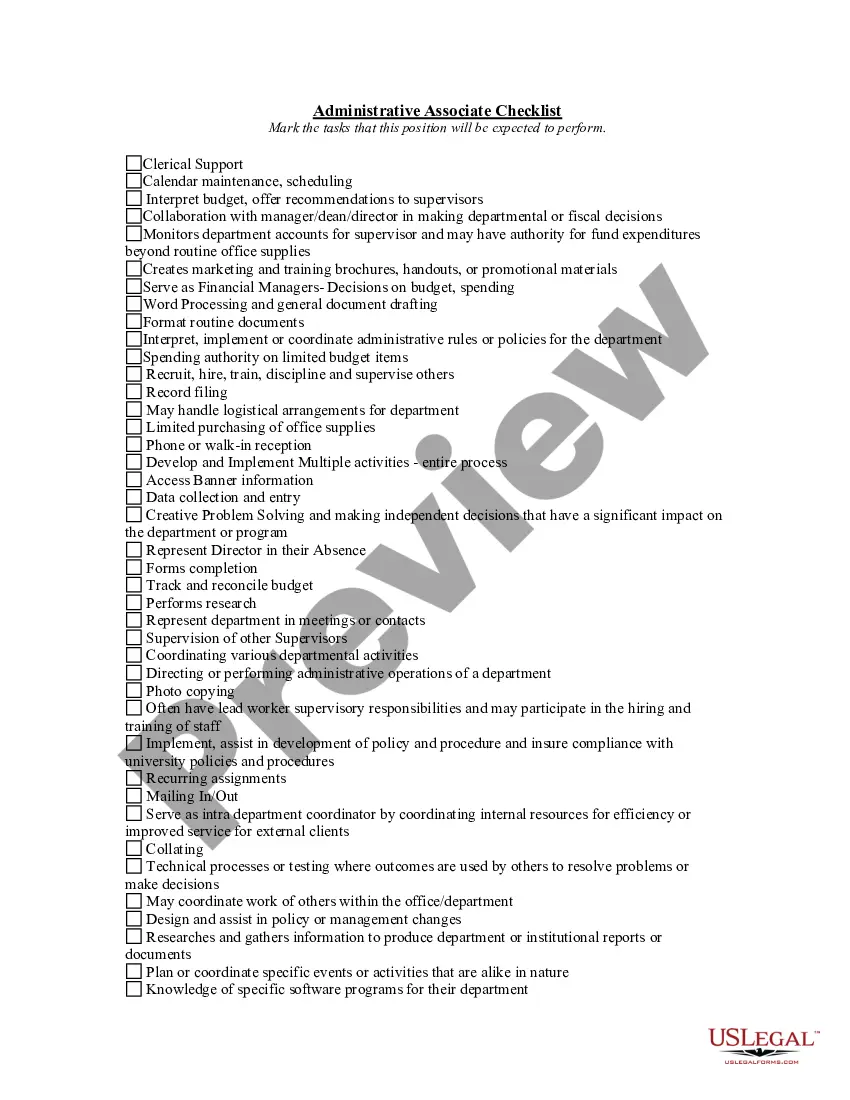
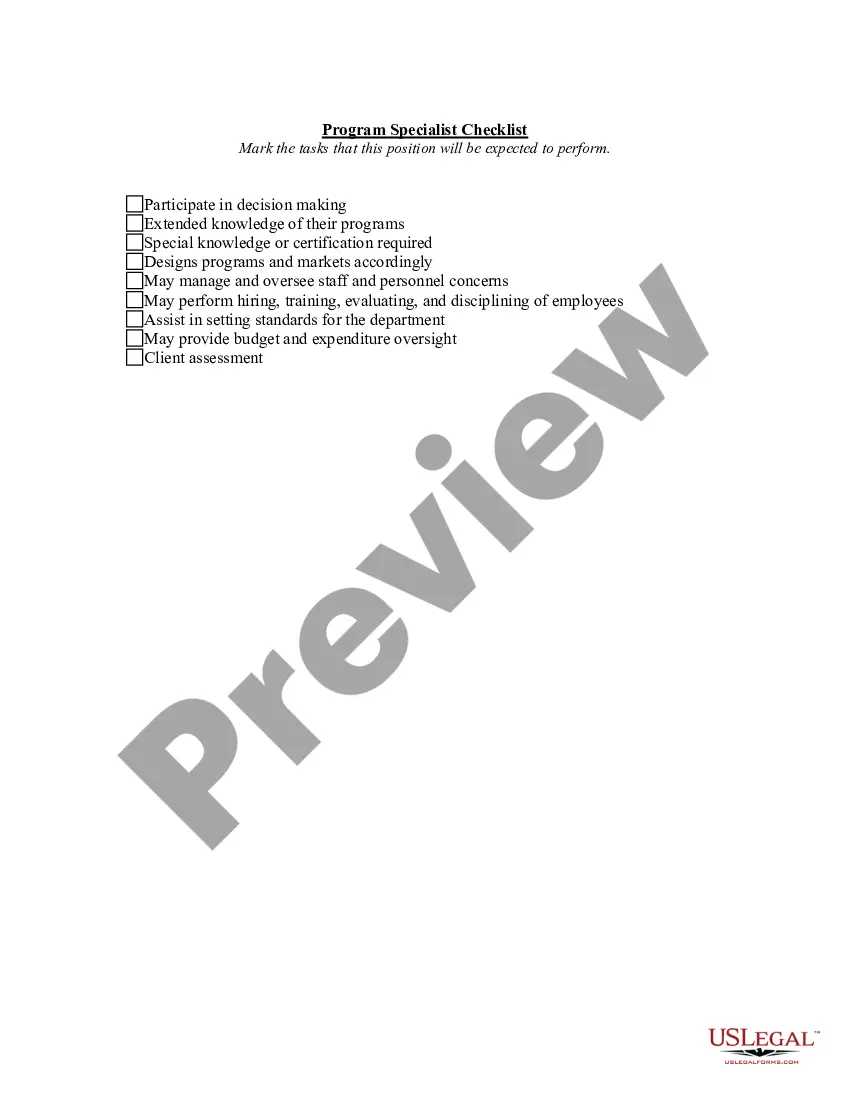
The Administrative Assistant - Associate Checklist is a document that outlines the tasks and responsibilities expected from an administrative assistant or associate within an organization. It serves as a guide for supervisors to communicate job expectations clearly. Unlike other employment forms, this checklist specifically focuses on identifying various duties, facilitating effective onboarding and task delegation.
Key components of this form
- Clerical support tasks, including document drafting and data entry
- Calendar maintenance and scheduling responsibilities
- Collaborative decision-making regarding departmental budgets
- Oversight of departmental accounts and fund expenditures
- Authorization for limited purchasing and spending
- Recruiting, hiring, and supervising staff members
Situations where this form applies
This form is useful in various scenarios, such as when onboarding new administrative staff, clarifying job responsibilities in performance evaluations, or when establishing clear expectations for multitasking roles in educational institutions or corporate environments. It assists in aligning supervisors and employees on duties that need to be prioritized.
Who needs this form
- Supervisors seeking to define job responsibilities for administrative assistants or associates
- HR professionals involved in staff recruitment and onboarding processes
- Managers interested in evaluating employee performance based on clearly defined tasks
- Departments needing a structured approach to administrative operations
How to complete this form
- Identify the position for which the checklist is being completed.
- Review each task listed and mark the applicable duties expected from the employee.
- Ensure that all necessary tasks are covered to reflect the role's responsibilities adequately.
- Share the completed checklist with the administrative assistant or associate for reference.
- Keep a copy for departmental records and future evaluations.
Notarization requirements for this form
In most cases, this form does not require notarization. However, some jurisdictions or signing circumstances might. US Legal Forms offers online notarization powered by Notarize, accessible 24/7 for a quick, remote process.
Get your form ready online
Our built-in tools help you complete, sign, share, and store your documents in one place.
Make edits, fill in missing information, and update formatting in US Legal Forms—just like you would in MS Word.
Download a copy, print it, send it by email, or mail it via USPS—whatever works best for your next step.
Sign and collect signatures with our SignNow integration. Send to multiple recipients, set reminders, and more. Go Premium to unlock E-Sign.
If this form requires notarization, complete it online through a secure video call—no need to meet a notary in person or wait for an appointment.
We protect your documents and personal data by following strict security and privacy standards.

Make edits, fill in missing information, and update formatting in US Legal Forms—just like you would in MS Word.

Download a copy, print it, send it by email, or mail it via USPS—whatever works best for your next step.

Sign and collect signatures with our SignNow integration. Send to multiple recipients, set reminders, and more. Go Premium to unlock E-Sign.

If this form requires notarization, complete it online through a secure video call—no need to meet a notary in person or wait for an appointment.

We protect your documents and personal data by following strict security and privacy standards.
Typical mistakes to avoid
- Leaving out critical tasks that are essential for the role.
- Failing to communicate the checklist with the employee.
- Using outdated versions of the checklist without updating for current needs.
Why use this form online
- Convenient access to the form ensures it is readily available for use.
- Editability allows customization based on specific needs of the organization.
- Reliability in that the forms are drafted by licensed attorneys, ensuring legal soundness.
Legal use & context
- The form can be used in various employment contexts to establish clear job descriptions.
- It helps mitigate misunderstandings about duties and responsibilities between employers and employees.
- This checklist is not a legally binding contract but serves as a guideline for roles and expectations.
What to keep in mind
- The Administrative Assistant - Associate Checklist is essential for clarifying job expectations.
- It helps streamline administrative tasks and responsibilities.
- Using this form facilitates effective onboarding and ongoing performance assessments.
Looking for another form?
Form popularity
FAQ
Keeping a Calendar. Setting Appointments. Keeping Records. Managing Inventory. Time-Management. Creating a Filing System. Multi-Tasking. Planning ahead.
Draw attention to your administrative skills by putting them in a separate skills section on your resume. Incorporate your skills throughout your resume, in both the work experience section and resume profile, by providing examples of them in action. Mention both soft skills and hard skills so you look well-rounded.
The purpose of this article has been to show that effective administration depends on three basic personal skills, which have been called technical, human, and conceptual.
Adept in Technology. Verbal & Written Communication. Organization. Time Management. Strategic Planning. Resourcefulness. Detail-Oriented. Anticipates Needs.
An Administrative Assistants job description, including their routine daily duties: Carrying administrative duties such as filing, typing, copying, binding, scanning etc. Organising travel arrangements for senior managers. Writing letters and emails on behalf of other office staff.
Be Organized. It may seem like a no-brainer, but it's hard to emphasize this one enough. Be Adaptable. What happens when every task is suddenly top priority? Be Reliable. Your job is to make your team's job easier. Be Professional. Think Big Picture.
Appointment setting. Communication. Problem solving. Attention to detail. Customer service. Phone etiquette. Research skills. Calendar management.
Reporting skills. Administrative writing skills. Proficiency in Microsoft Office. Analysis. Professionalism. Problem solving. Supply management. Inventory control.