Absence Report
What is this form?
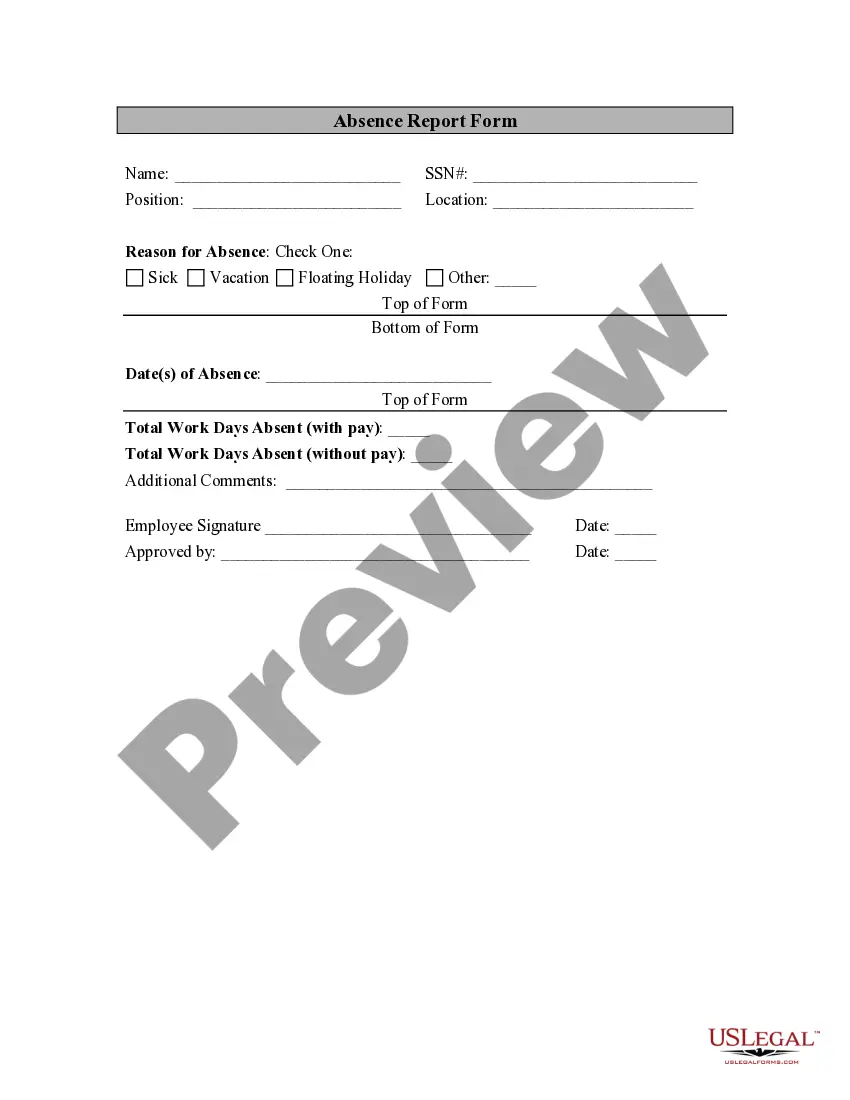
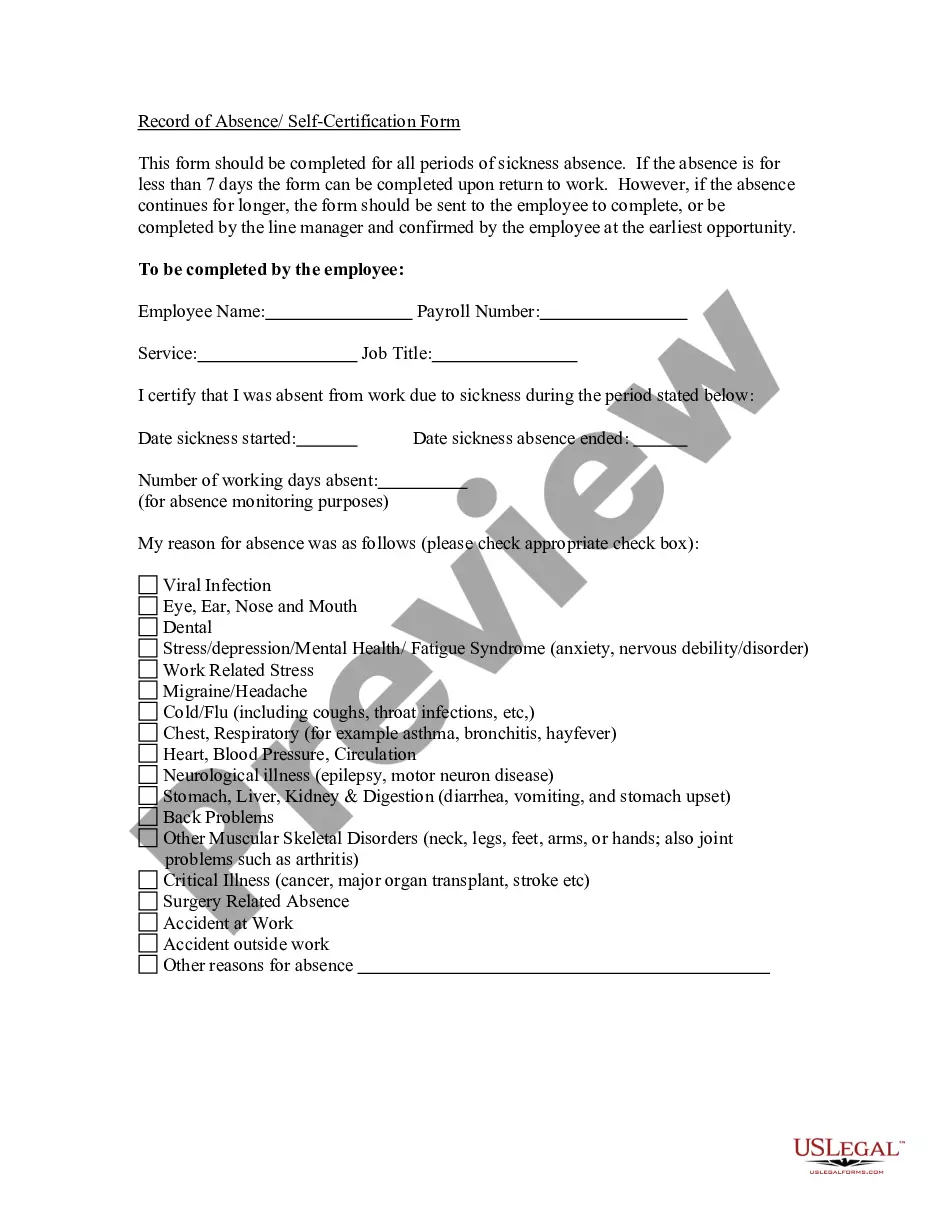
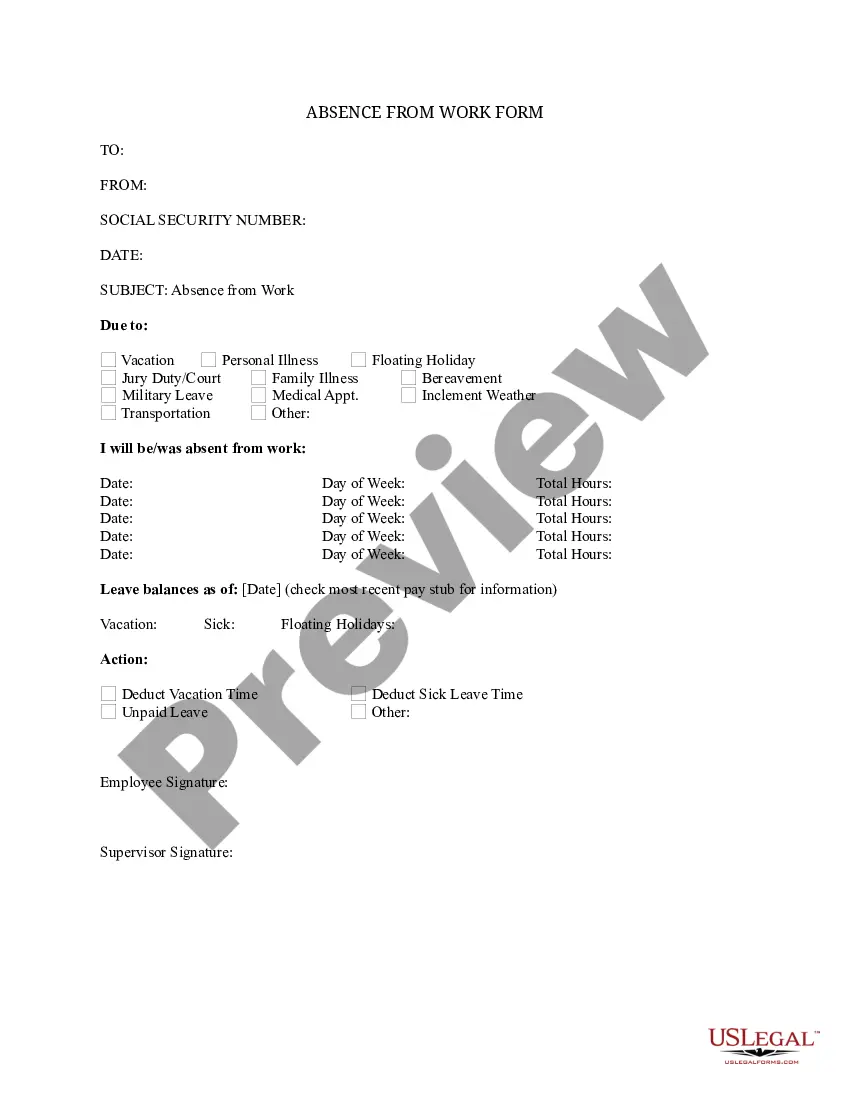
The Absence Report is a legal document used to record employee absenteeism, including the reasons and dates of absence. It differs from other employee forms by focusing specifically on vacation, sick leave, and other reasons for missing work, requiring signatures from both the employee and employer to validate its contents.
Key parts of this document
- Name and Social Security Number (SSN) of the employee
- Position and location of the employee
- Reason for absence with options to select (sick, vacation, floating holiday, other)
- Date(s) of absence
- Total workdays absent, both with and without pay
- Employee signature and employer approval with dates

Common use cases
This form should be used anytime an employee is absent from work, whether due to illness, personal leave, vacation, or other reasons. It helps both employers and employees maintain accurate records of attendance and manage absenteeism effectively.
Intended users of this form
- Employers needing to document employee absences
- Human resources departments managing attendance records
- Employees wanting to formally communicate their absence
How to prepare this document
- Enter the employee's personal information, including name and SSN.
- Fill in the employee's position and workplace location.
- Select the appropriate reason for the absence from the provided options.
- Record the dates of absence clearly.
- Note the total workdays absent, differentiating between paid and unpaid leave.
- Sign and date the form, then obtain the employer's signature and date for approval.
Does this form need to be notarized?
Notarization is not commonly needed for this form. However, certain documents or local rules may make it necessary. Our notarization service, powered by Notarize, allows you to finalize it securely online anytime, day or night.
Get your form ready online
Our built-in tools help you complete, sign, share, and store your documents in one place.
Make edits, fill in missing information, and update formatting in US Legal Forms—just like you would in MS Word.
Download a copy, print it, send it by email, or mail it via USPS—whatever works best for your next step.
Sign and collect signatures with our SignNow integration. Send to multiple recipients, set reminders, and more. Go Premium to unlock E-Sign.
If this form requires notarization, complete it online through a secure video call—no need to meet a notary in person or wait for an appointment.
We protect your documents and personal data by following strict security and privacy standards.

Make edits, fill in missing information, and update formatting in US Legal Forms—just like you would in MS Word.

Download a copy, print it, send it by email, or mail it via USPS—whatever works best for your next step.

Sign and collect signatures with our SignNow integration. Send to multiple recipients, set reminders, and more. Go Premium to unlock E-Sign.

If this form requires notarization, complete it online through a secure video call—no need to meet a notary in person or wait for an appointment.

We protect your documents and personal data by following strict security and privacy standards.
Mistakes to watch out for
- Forgetting to include the employer's signature for approval.
- Not specifying the reason for absence clearly.
- Failing to record the correct dates of absence.
- Leaving out the total workdays absent information.
Advantages of online completion
- Convenient access to a template that can be completed anytime and anywhere.
- Edit the form easily to reflect specific circumstances or additional comments.
- Secure storage of records for future reference and compliance purposes.
Looking for another form?

Form popularity
FAQ
All Absences the All Absences Report is used mainly to extract absences for payroll purposes over a specified period. Attendance Percentage Report attendance by employee showing 100% as well as percentage absent. 2026. And finally, the Cost of Absence Report. This report uses your staff salary and absence data.
Date. Details of the employee. Details of the employer. The period of absence. Reasons behind the absence. Reasons behind not informing beforehand, if applicable. Apologize, if applicable. Inform about how the missed work would be or have been compensated.
Reason for your absence. Number of days that you will be out of the office. Whether or not you will answer urgent emails and calls. Doctor's note, if applicable. Name of the contact person who will handle your workload.
Planned absence. Planned absences are the best-case scenario, because they give you the most time to prepare. Last-minute absence. These things happen. Unexpected absence. Uh-oh, someone didn't show up. Virtual absence.
Typically, an employer will require you to alert your boss by letter, email, or phone call. Even if it is not required, it is a good idea to tell your boss about your absence as soon as possible. Putting this message into writing (either via letter or email) is often best.
How to Write a Work Absence Email or Letter. Your work excuse letter can be sent via paper or email. If you send an intra-office letter, you need to include the date and the contact information of your supervisor or HR manager at the beginning. Your email subject line should contain your name and Absence Excuse.
So, what you're going to have to write down is the complete name of the employee or employees that have not attended work (last name, first name, and middle initial) as well as the employee's job title into the report. Just make sure that you don't misspell that employee's name to validate his/her absence.
Follow business letter format. Use the official business letter format when writing your letter. Understand your employer's policies. Have a legitimate excuse. Send the letter as soon as possible. Keep it brief. Offer to help.