Invoice Template for Sales Executive
What is this form?
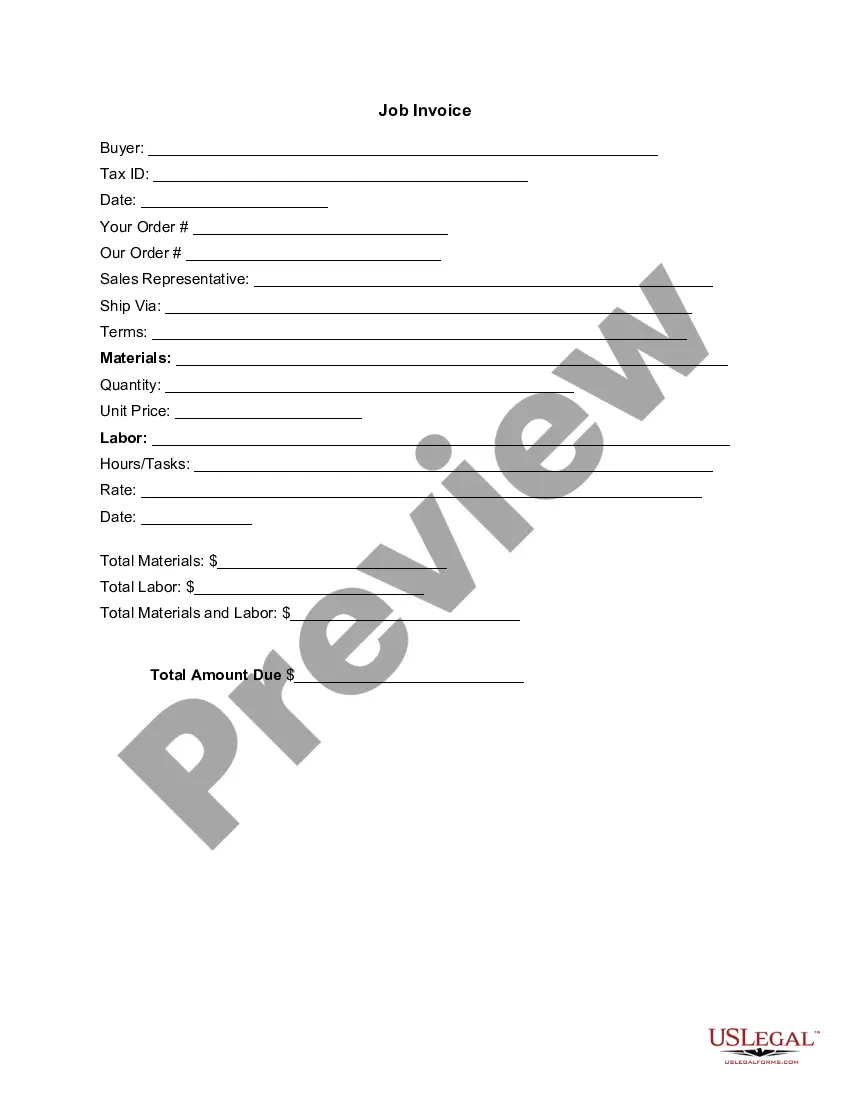
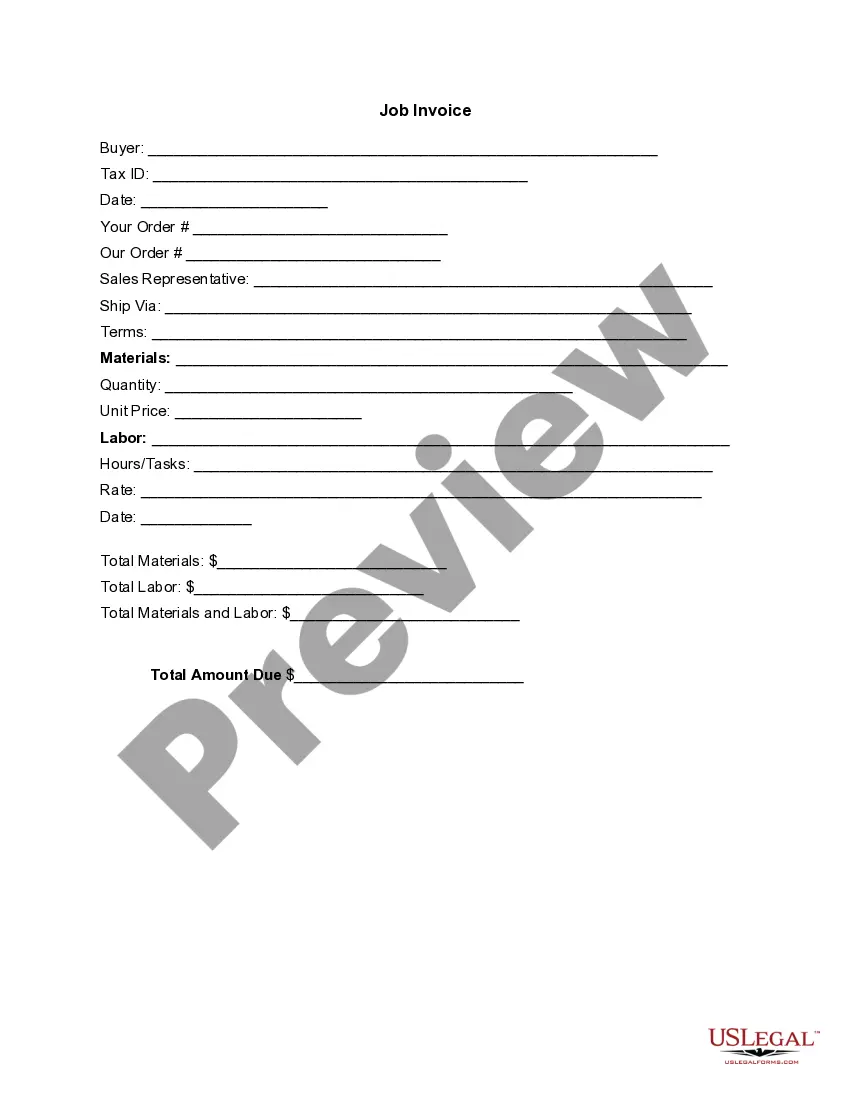
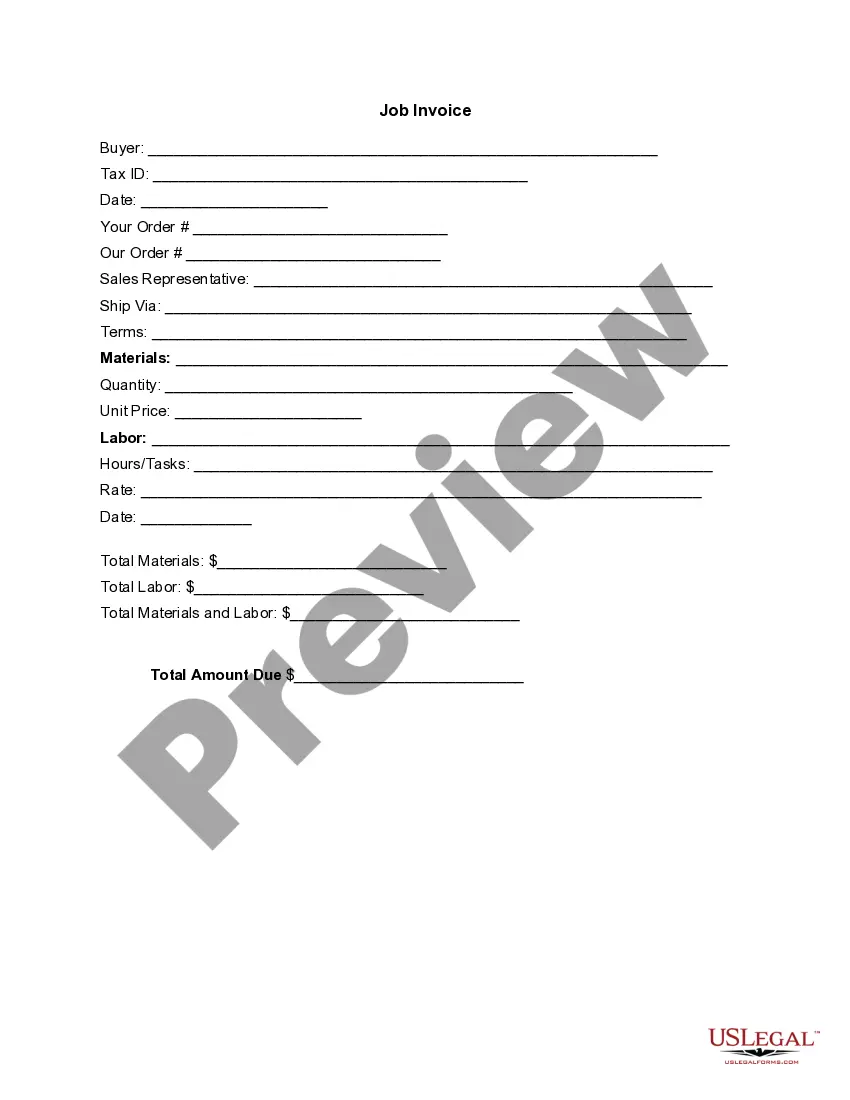
The Invoice Template for Sales Executive is a detailed document used to outline goods shipped or services rendered along with their associated costs. It serves as a formal request for payment from a buyer to a seller. Unlike other general invoices, this template is specifically tailored for sales executives, providing a structured approach for documenting sales transactions efficiently.
What’s included in this form
- Buyer information with space for Tax ID
- Date of the invoice issuance
- Order numbers for both buyer and seller
- Sales representative details
- Shipping method and payment terms
- Itemization of materials and labor with respective quantities and prices
- Total amounts for materials, labor, and overall cost due


When this form is needed
This invoice template should be used when a sales executive needs to bill a client for products delivered or services provided. It is ideal for situations where clear documentation of sales transactions is required, such as after completing a project, delivering goods, or providing consulting services. Using this standardized template helps ensure that all relevant information is included, facilitating a smooth payment process.
Intended users of this form
- Sales executives managing client accounts
- Freelancers offering services on an invoice basis
- Businesses supplying goods to customers
- Independent contractors requiring documentation for their work
Steps to complete this form
- Identify the buyer by filling in their name and Tax ID.
- Enter the date of the invoice and the related order numbers.
- Provide details about the sales representative responsible for the transaction.
- List the materials provided or services rendered along with quantity and unit price.
- Calculate and write down the totals for materials, labor, and the final amount due.
Does this document require notarization?
This form does not typically require notarization unless specified by local law. Ensure to check if any additional signatures or witness verification may be necessary for your specific circumstances.
Get your form ready online
Our built-in tools help you complete, sign, share, and store your documents in one place.
Make edits, fill in missing information, and update formatting in US Legal Forms—just like you would in MS Word.
Download a copy, print it, send it by email, or mail it via USPS—whatever works best for your next step.
Sign and collect signatures with our SignNow integration. Send to multiple recipients, set reminders, and more. Go Premium to unlock E-Sign.
If this form requires notarization, complete it online through a secure video call—no need to meet a notary in person or wait for an appointment.
We protect your documents and personal data by following strict security and privacy standards.

Make edits, fill in missing information, and update formatting in US Legal Forms—just like you would in MS Word.

Download a copy, print it, send it by email, or mail it via USPS—whatever works best for your next step.

Sign and collect signatures with our SignNow integration. Send to multiple recipients, set reminders, and more. Go Premium to unlock E-Sign.

If this form requires notarization, complete it online through a secure video call—no need to meet a notary in person or wait for an appointment.

We protect your documents and personal data by following strict security and privacy standards.
Typical mistakes to avoid
- Failing to include the buyer's correct Tax ID.
- Not specifying itemized details, leading to confusion over charges.
- Leaving out the sales representative's name, which can delay payment processing.
- Calculating totals incorrectly, causing disputes over the amount due.
Benefits of using this form online
- Easy to download and print whenever needed.
- Editable fields allow for customization to fit specific transactions.
- Standardized format enhances professionalism and clarity.
Looking for another form?

Form popularity
FAQ
Make your invoice look professional. The first step is to put your invoice together. Clearly mark your invoice. Add company name and information. Write a description of the goods or services you're charging for. Don't forget the dates. Add up the money owed. Mention payment terms.
Add Your Company Logo. Create a header for your invoice and add your company's logo at the very top of the document. Include Contact Details. Include Customer Contact Information. Add the Date. Create a Detailed List of Goods Sold. Add the Total Cost. Add a Payment Due Date. Include Payment Terms.
Download the basic Simple Invoice Template in PDF, Word or Excel format. Open the new invoice doc in Word or Excel. Add your business information and branding, including your business name and logo. Customize the fields in the template to create your invoice. Name your invoice. Save
Add Your Company Logo. Create a header for your invoice and add your company's logo at the very top of the document. Include Contact Details. Include Customer Contact Information. Add the Date. Create a Detailed List of Goods Sold. Add the Total Cost. Add a Payment Due Date. Include Payment Terms.
A unique identification number - (Invoice Number) your company name, address and contact information. the company name and address of the customer you're invoicing. a clear description of what you're charging for. the date the goods or service were provided (supply date) the date of the invoice. the amount(s) being charged.
Open Microsoft Excel. Search for an Invoice Template. Choose Your Template. Open the Invoice Template. Customize the Invoice. Save the Invoice. Send the Invoice. Open Microsoft Excel.
Open a New Word Document. Choose Your Invoice Template. Download the Invoice Template. Customize Your Invoice Template. Save Your Invoice. Send Your Invoice. Open a New Blank Document. Create an Invoice Header.
Create Your Invoice in Excel. Note the Cell Where Your Invoice Number Is. Select ALT + F11. Double-Click This Workbook Revise, Copy and Paste This Code. Adjust Your Macro Settings. Save Document as Macro-Enabled. Restart Your Computer.
Invoice Bus. Invoicebus helps you send online invoices to your clients and get paid instantly regardless to wherever you are based in the world. Invoice Generator. FreshBooks. Skynova. Invoiceto.me. Create. Zoho Invoice. Square Invoices.