Invoice Template for Consultant
Understanding this form
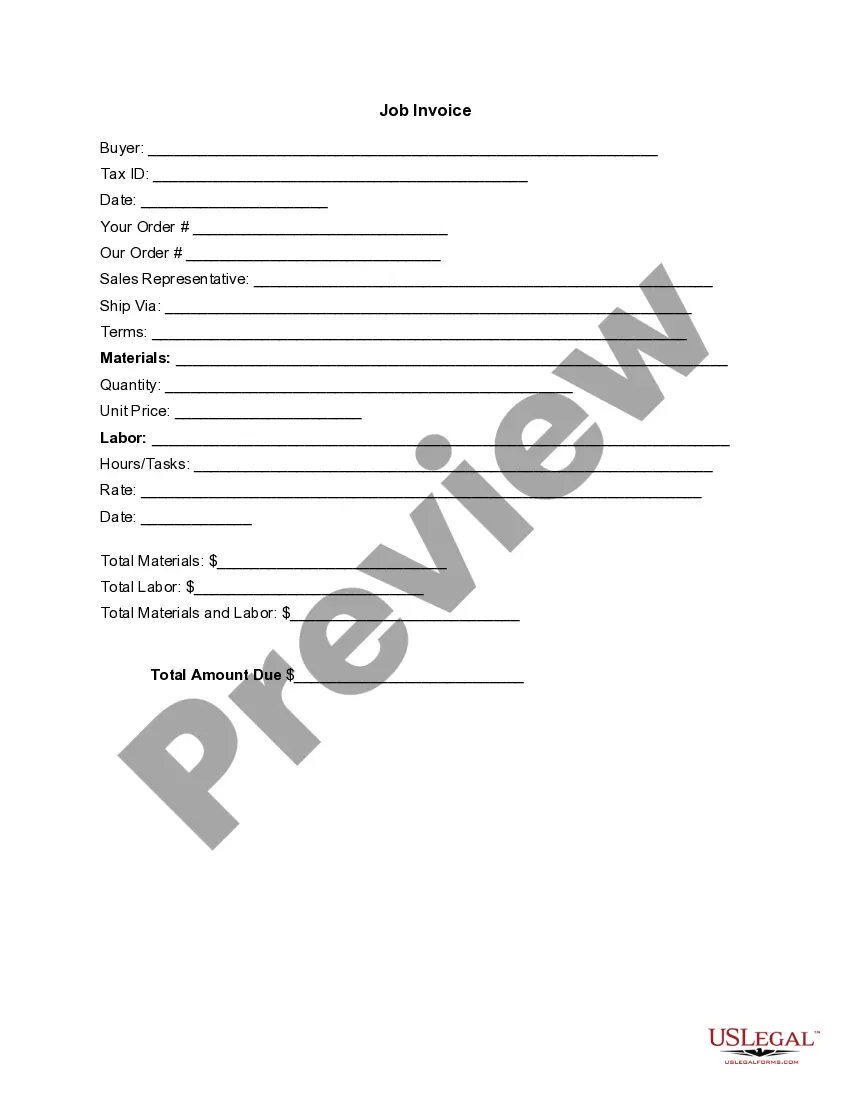
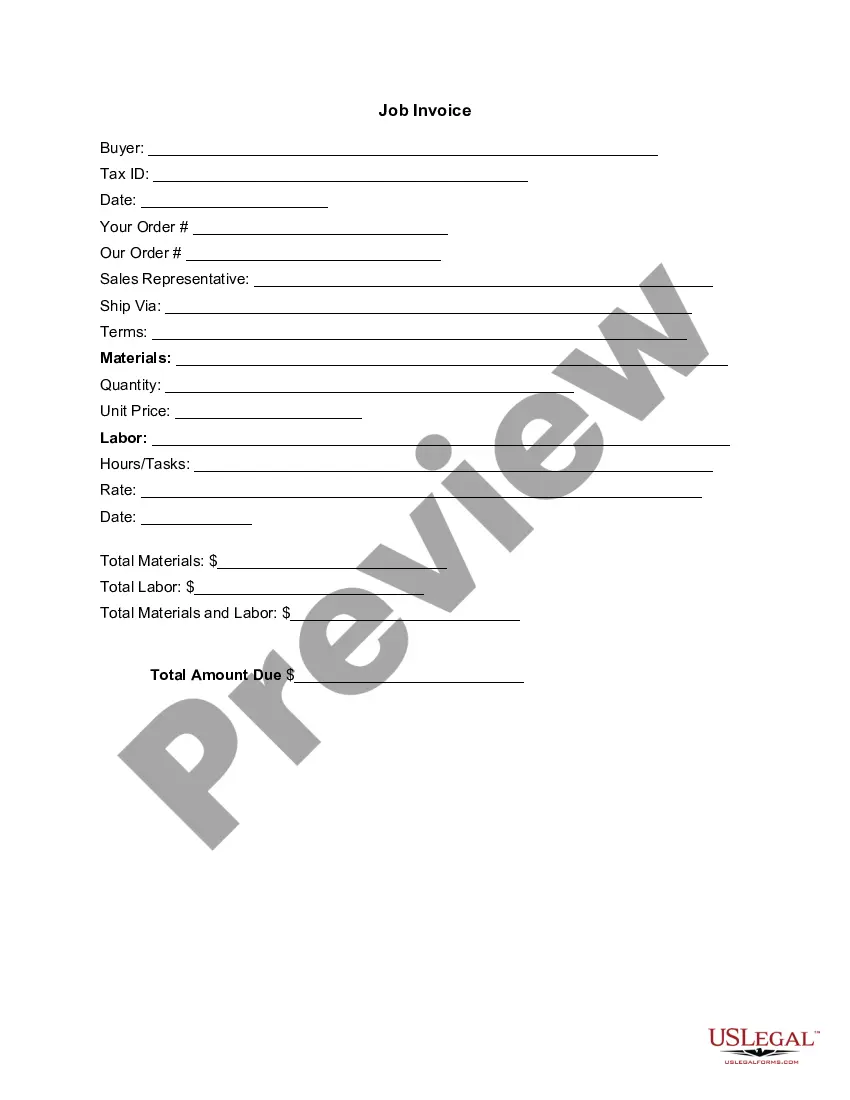
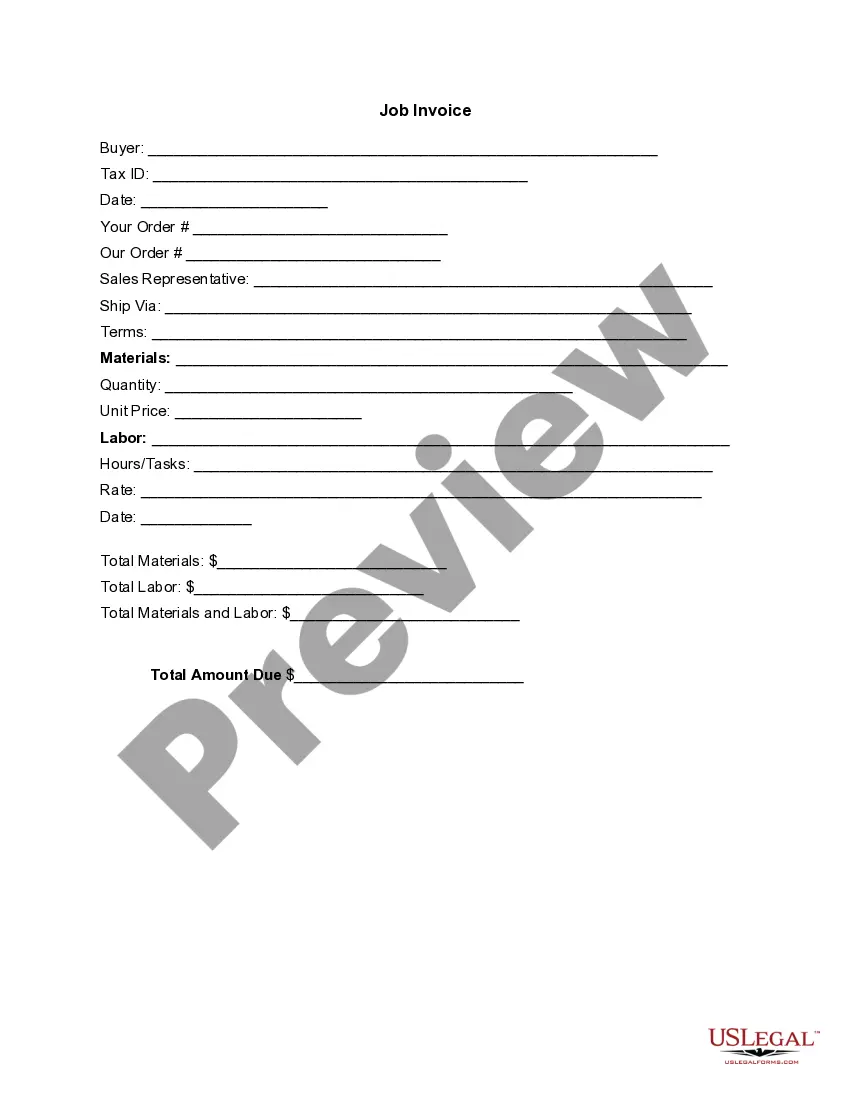
An Invoice Template for Consultant is a legal document used by consultants to itemize services rendered and associated costs. This template serves as a record of the transaction, detailing services provided and amounts owed by the client. It differs from standard invoices by including specific fields relevant to consulting, such as labor hours and rates.
Form components explained
- Buyer information: Includes space for buyer name and Tax ID.
- Date: The date the invoice is issued.
- Order references: Sections for Your Order and Our Order numbers.
- Sales Representative: Field to note the sales representative involved.
- Materials: Sections to describe materials provided, quantities, and unit prices.
- Labor: Details on labor hours, tasks performed, and rates charged.
- Total amounts due: Summarizes total materials, labor, and overall amount due.


When this form is needed
This invoice template is typically used when a consultant has completed a project or rendered a service and needs to bill the client. Common scenarios include freelance work, consulting services in various industries, project-based engagements, and any time an organized record of billing is required for professional services rendered.
Intended users of this form
- Consultants providing professional services.
- Freelancers looking to bill clients efficiently.
- Businesses hiring subcontractors requiring detailed invoices.
- Individuals needing a structured format to track service payments.
Completing this form step by step
- Identify the parties involved: Fill in the buyer's name and Tax ID.
- Enter the invoice date and order references as needed.
- Provide details for materials supplied, including quantity and unit price.
- Document labor performed, including hours worked and rates charged.
- Calculate totals for materials, labor, and the total amount due to ensure accuracy.
Notarization guidance
This form does not typically require notarization unless specified by local law.
Get your form ready online
Our built-in tools help you complete, sign, share, and store your documents in one place.
Make edits, fill in missing information, and update formatting in US Legal Forms—just like you would in MS Word.
Download a copy, print it, send it by email, or mail it via USPS—whatever works best for your next step.
Sign and collect signatures with our SignNow integration. Send to multiple recipients, set reminders, and more. Go Premium to unlock E-Sign.
If this form requires notarization, complete it online through a secure video call—no need to meet a notary in person or wait for an appointment.
We protect your documents and personal data by following strict security and privacy standards.

Make edits, fill in missing information, and update formatting in US Legal Forms—just like you would in MS Word.

Download a copy, print it, send it by email, or mail it via USPS—whatever works best for your next step.

Sign and collect signatures with our SignNow integration. Send to multiple recipients, set reminders, and more. Go Premium to unlock E-Sign.

If this form requires notarization, complete it online through a secure video call—no need to meet a notary in person or wait for an appointment.

We protect your documents and personal data by following strict security and privacy standards.
Common mistakes to avoid
- Failing to include the buyer's Tax ID may lead to issues with invoice processing.
- Leaving out the dates can create confusion regarding payment terms.
- Incorrectly calculating totals can result in disputes or payment delays.
- Not detailing labor tasks can lead to misunderstandings about services provided.
Why complete this form online
- Convenience: Access and download the template anytime, anywhere.
- Editability: Customize the form to fit specific consulting services easily.
- Reliability: Ensure the use of a legally vetted format designed by professionals.
Main things to remember
- The Invoice Template for Consultant is essential for billing clients accurately.
- It includes detailed sections for materials and labor relevant to consulting services.
- Users should personalize the template while ensuring compliance with local regulations.
Looking for another form?
Form popularity
FAQ
Download the basic Simple Invoice Template in PDF, Word or Excel format. Open the new invoice doc in Word or Excel. Add your business information and branding, including your business name and logo. Customize the fields in the template to create your invoice. Name your invoice. Save
PayPal (Web, iOS, Android) for creating invoices on mobile devices. Square (Web, iOS, Android) for accepting in-person and online payments. Wave (Web, iOS, Android) for invoicing and accounting for small businesses. Zoho Invoice (Web, iOS, Android) for invoice workflows.
Create an Invoice Header with Your Business Information. Include Your Client's Contact Details. Provide Invoice Information. Specify Your Payment Terms. Include an Itemized List of Services. List Applicable Taxes. Consider Adding Notes.
The name of your company. The name of your customer. The date the services were provided. Invoice number. A description of services rendered. Quantity of hours spent on services rendered. The price you're charging for the services or your hourly rate.
Track Your Hours. It's common in the consulting industry for businesses to charge clients by the hour. Include A Header. Add Your Client's Contact Details. Include The Invoice Date. Number Your Invoices. Clearly List Your Services. State Your Payment Terms. List the Payment Due Date.
PayPal (Web, iOS, Android) for creating invoices on mobile devices. Square (Web, iOS, Android) for accepting in-person and online payments. Wave (Web, iOS, Android) for invoicing and accounting for small businesses. Zoho Invoice (Web, iOS, Android) for invoice workflows.
FreshBooks. : Best overall. Zoho Books. : Best automation. Wave. : Most affordable accounting integration. Square. : Best for low volume. Sage Business Cloud Accounting. : Best reporting. Xero. : Best collaboration. QuickBooks Online. : Best transaction fees. Hiveage.
Make your invoice look professional. The first step is to put your invoice together. Clearly mark your invoice. Add company name and information. Write a description of the goods or services you're charging for. Don't forget the dates. Add up the money owed. Mention payment terms.
How does consulting billing work?For the billable hours model, the consultant bills the client on an hourly rate, or the client has to pay for the billable hours. Generally, management consultant companies charge their clients at the end of every month or after achieving a particular milestone.