Invoice Template for Dentist
Overview of this form
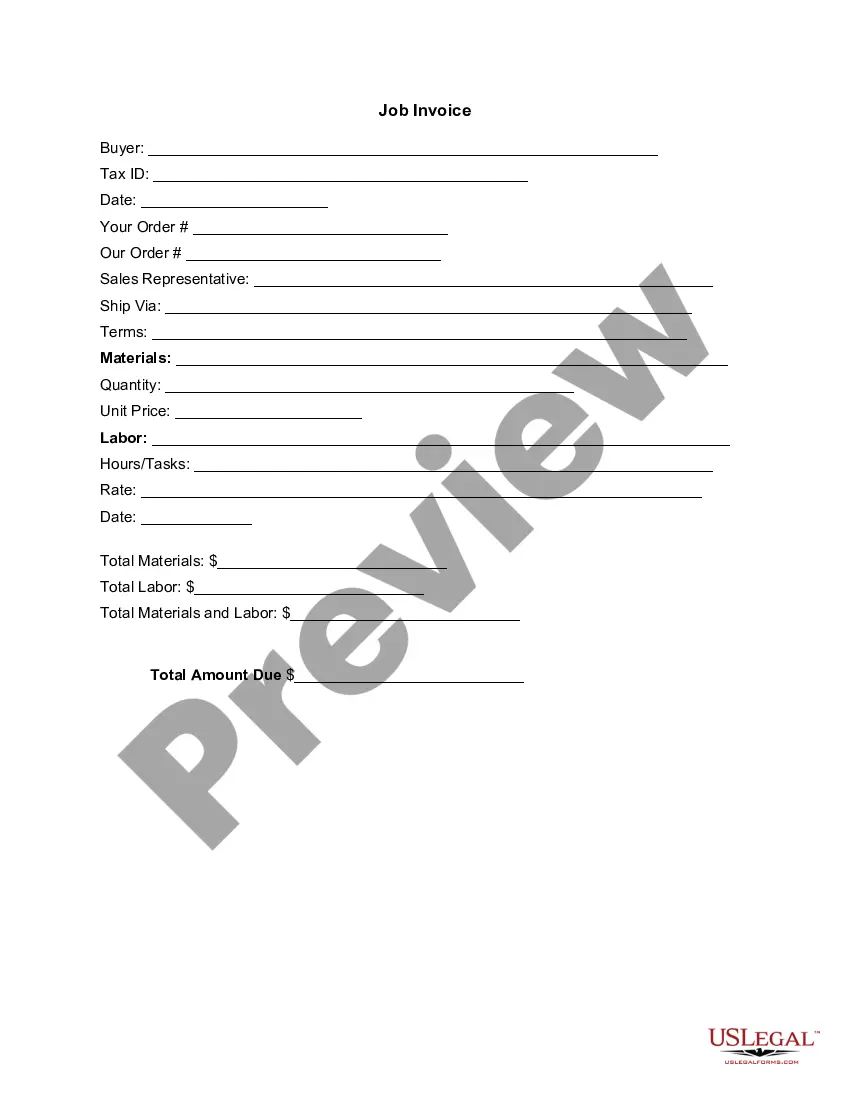
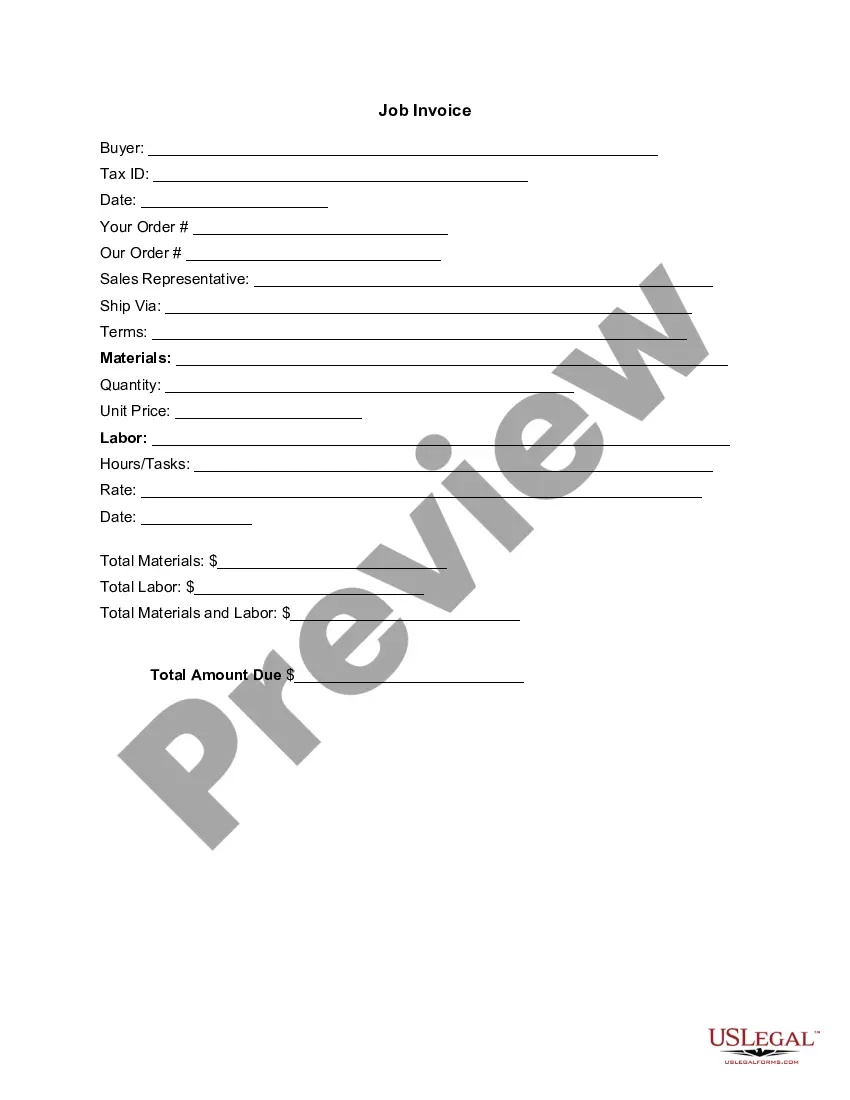
An Invoice Template for Dentist is a professional document used to itemize services rendered and costs associated with dental care. It helps dental practices maintain clear billing records and provides patients with a detailed account of their expenses. This form is specifically designed for dental services, distinguishing it from generic invoice templates, as it includes fields relevant to dental procedures and associated costs.
Main sections of this form
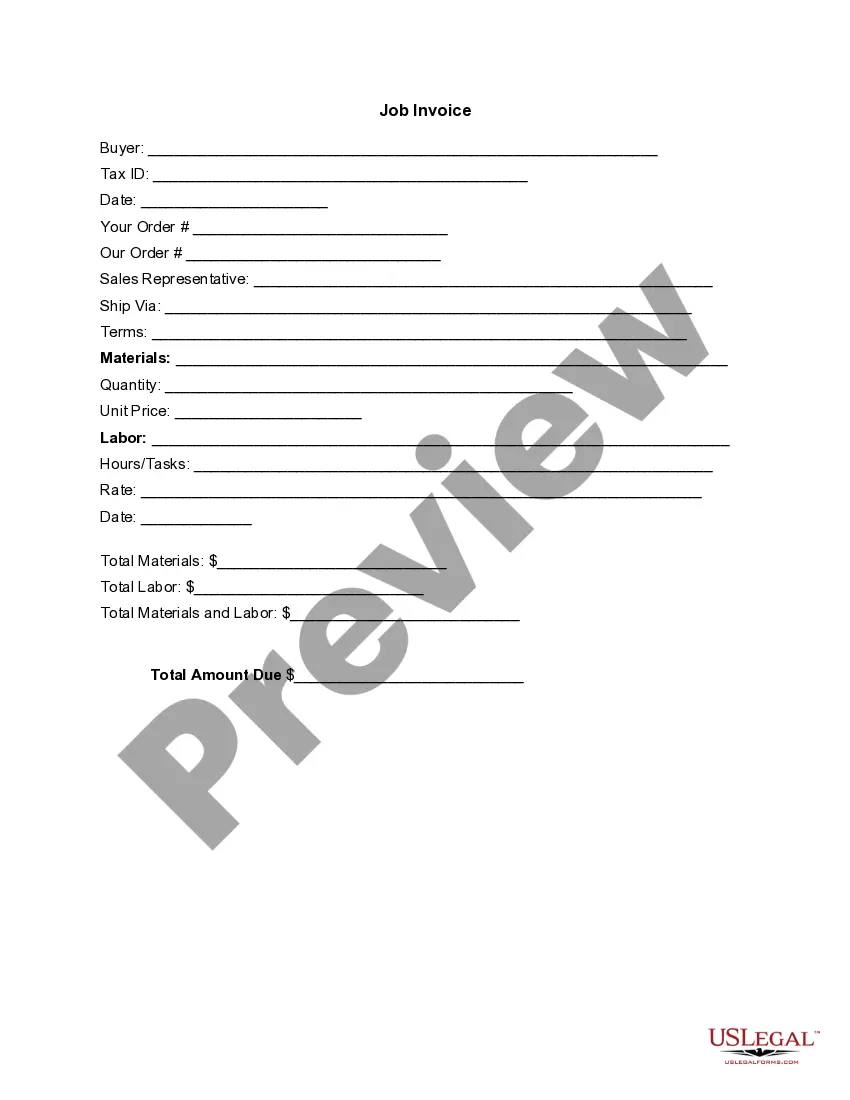
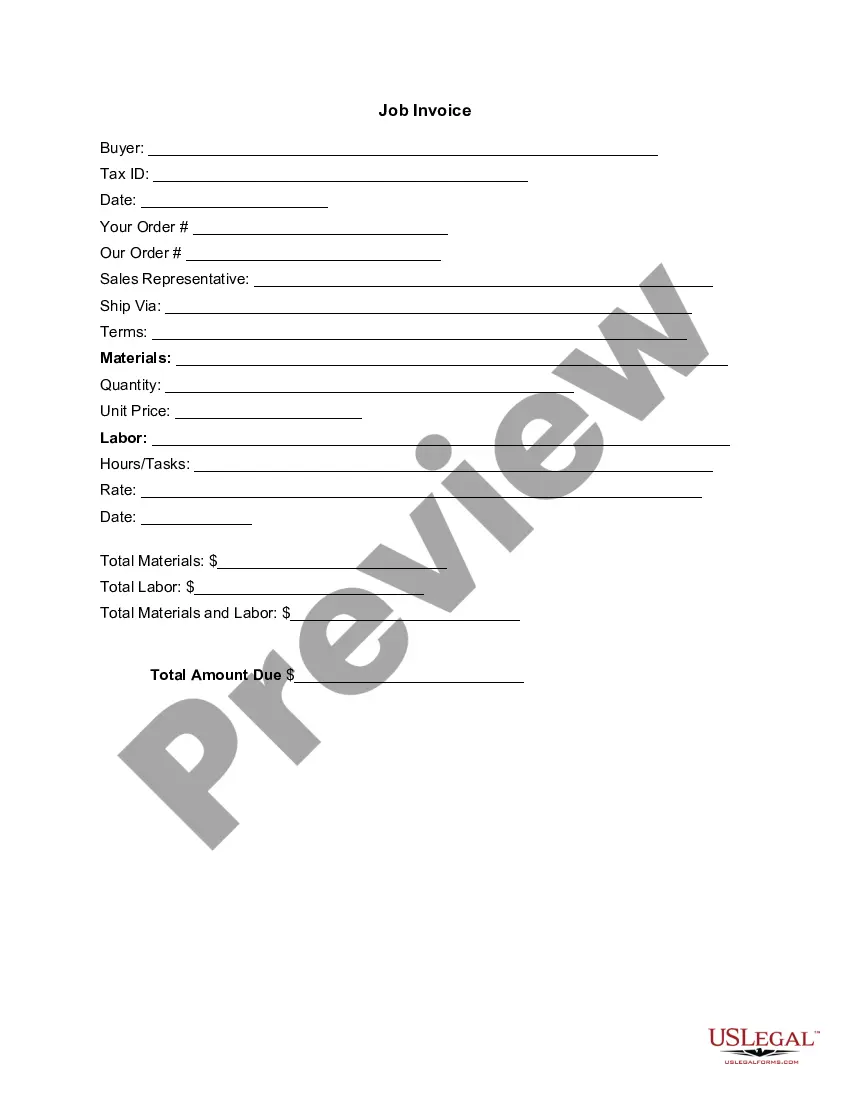
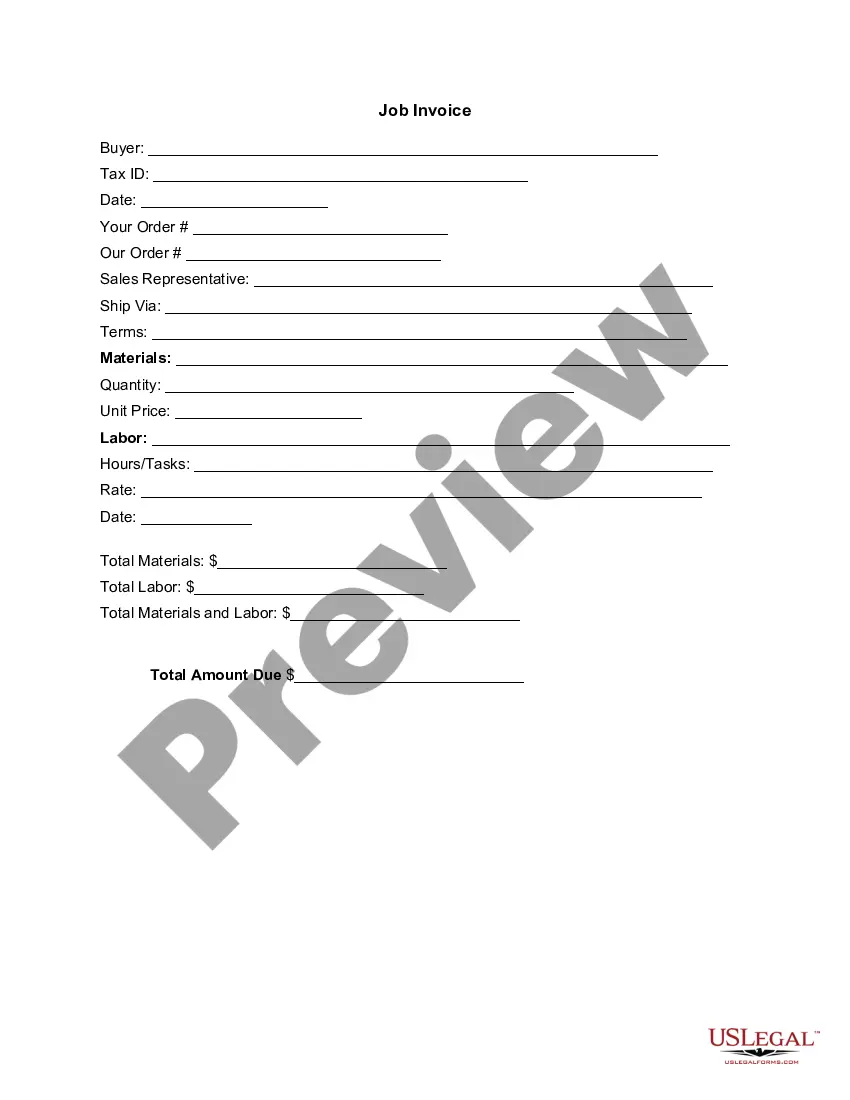
- Buyer information: Name and Tax ID of the patient.
- Date of the invoice: The date when the invoice is issued.
- Order details: Includes sections for specifying items and services.
- Sales representative: Name of the dental practiceâs representative.
- Materials and labor costs: Breakdown of all charges associated with the services provided.
- Total amount due: The final amount that the patient owes.

When to use this form
This invoice template should be used anytime dental services are rendered. It is appropriate for one-time treatments, routine check-ups, or ongoing dental care plans. Utilizing this form ensures that all services are documented and patients receive clear communication about their financial responsibilities.
Who this form is for
- Dental professionals looking to invoice patients for services rendered.
- Dental offices that need a formal method to communicate costs to patients.
- Practices wanting to maintain accurate records of services and payments.
How to prepare this document
- Identify and enter the buyer's name and Tax ID at the top of the form.
- Fill in the date the invoice is created.
- List the order details, including any services provided and related materials.
- Specify the quantity and unit price of each item or service.
- Total the materials and labor costs, then calculate the final amount due.
Does this document require notarization?
This form does not typically require notarization unless specified by local law. Be sure to review any applicable regulations that may require notarization of business invoices.
Get your form ready online
Our built-in tools help you complete, sign, share, and store your documents in one place.
Make edits, fill in missing information, and update formatting in US Legal Forms—just like you would in MS Word.
Download a copy, print it, send it by email, or mail it via USPS—whatever works best for your next step.
Sign and collect signatures with our SignNow integration. Send to multiple recipients, set reminders, and more. Go Premium to unlock E-Sign.
If this form requires notarization, complete it online through a secure video call—no need to meet a notary in person or wait for an appointment.
We protect your documents and personal data by following strict security and privacy standards.

Make edits, fill in missing information, and update formatting in US Legal Forms—just like you would in MS Word.

Download a copy, print it, send it by email, or mail it via USPS—whatever works best for your next step.

Sign and collect signatures with our SignNow integration. Send to multiple recipients, set reminders, and more. Go Premium to unlock E-Sign.

If this form requires notarization, complete it online through a secure video call—no need to meet a notary in person or wait for an appointment.

We protect your documents and personal data by following strict security and privacy standards.
Common mistakes
- Forgetting to include all relevant services or materials on the invoice.
- Incorrectly calculating totals, leading to inaccurate billing.
- Omitting buyer information or Tax ID, which may be essential for record-keeping.
Benefits of using this form online
- Convenience of downloading and customizing the template to fit specific needs.
- Editability allows for easy updates to pricing or services offered.
- Reliable format ensures professional presentation of invoices.
Legal use & context
- Invoices serve as legal documentation of services rendered and payments due.
- They can be used as evidence in case of disputes regarding billing.
- Properly completed invoices help maintain clear financial records for tax purposes.
Summary of main points
- An Invoice Template for Dentist itemizes services and costs for dental work.
- This tool is essential for clear communication between dental practices and patients regarding billing.
- Using this form helps ensure accurate documentation and compliance with local billing laws.
Looking for another form?
Form popularity
FAQ
Make your invoice look professional. The first step is to put your invoice together. Clearly mark your invoice. Add company name and information. Write a description of the goods or services you're charging for. Don't forget the dates. Add up the money owed. Mention payment terms.
Include Contact Information. Add the Invoice Date. Establish a Simple Invoice Numbering System. List Your Services. Add Your Payment Terms. Include the Amount Due and the Payment Due Date.
The name of your company. The name of your customer. The date the services were provided. Invoice number. A description of services rendered. Quantity of hours spent on services rendered. The price you're charging for the services or your hourly rate.
Download the basic Simple Invoice Template in PDF, Word or Excel format. Open the new invoice doc in Word or Excel. Add your business information and branding, including your business name and logo. Customize the fields in the template to create your invoice. Name your invoice. Save
Download the Square Invoices app on your iOS or Android device. Create your free Square account or sign in with your existing Square account. Tap the '+' sign on the navigation bar and select 'Invoice'.When your clients receive the invoice in their email, they can pay you securely online.
Make it personal, add your logo and branding to it. Make it clear at the top that it is an 'invoice, bill or statement' Include your company information. Include your company's contact information. Include date of invoice and payment terms e.g 5 days, 10 days, 30 days. State what you are invoicing for and the price. Add VAT.
Invoice Bus. Invoicebus helps you send online invoices to your clients and get paid instantly regardless to wherever you are based in the world. Invoice Generator. FreshBooks. Skynova. Invoiceto.me. Create. Zoho Invoice. Square Invoices.
Use an invoice template. Instead of creating an invoice from scratch, you will find it more practical to download an invoice template and customize it as per your needs. Customize the template. Keep it for future use. Purchase Order & Work Order List. The Formula in the template.