Invoice Template for Translation Services
About this form
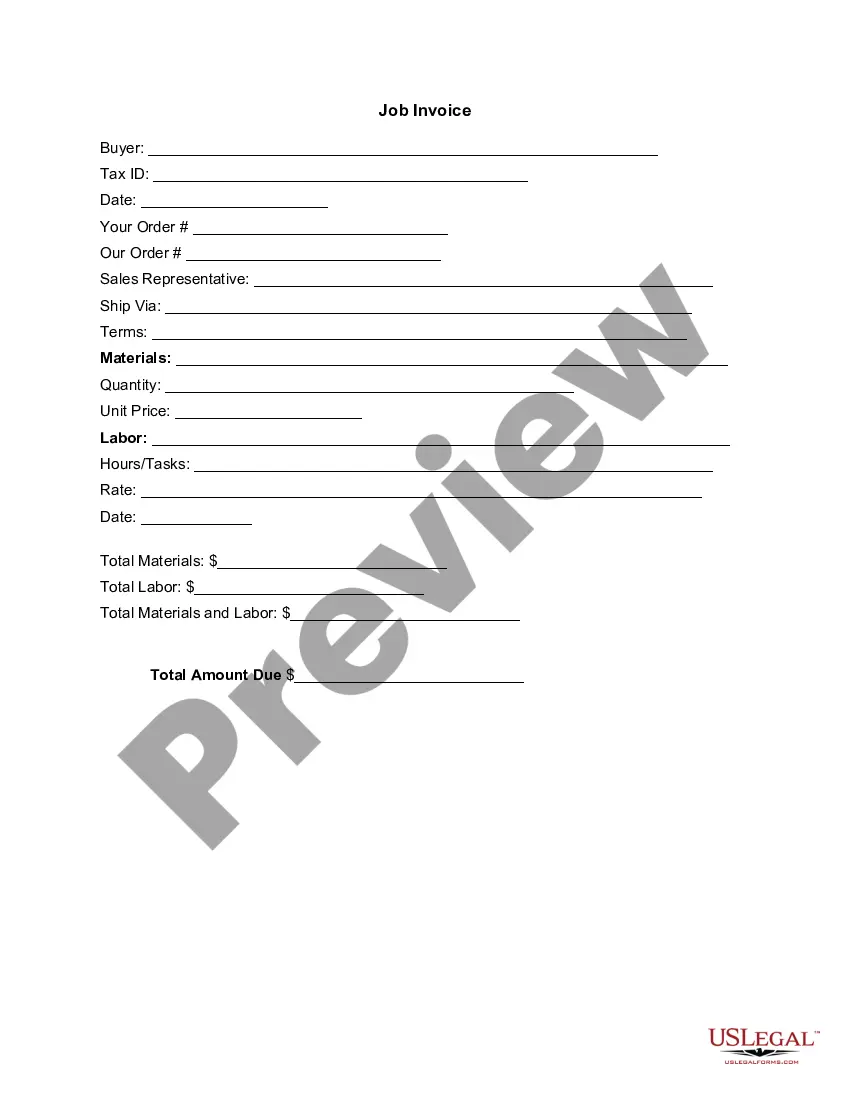
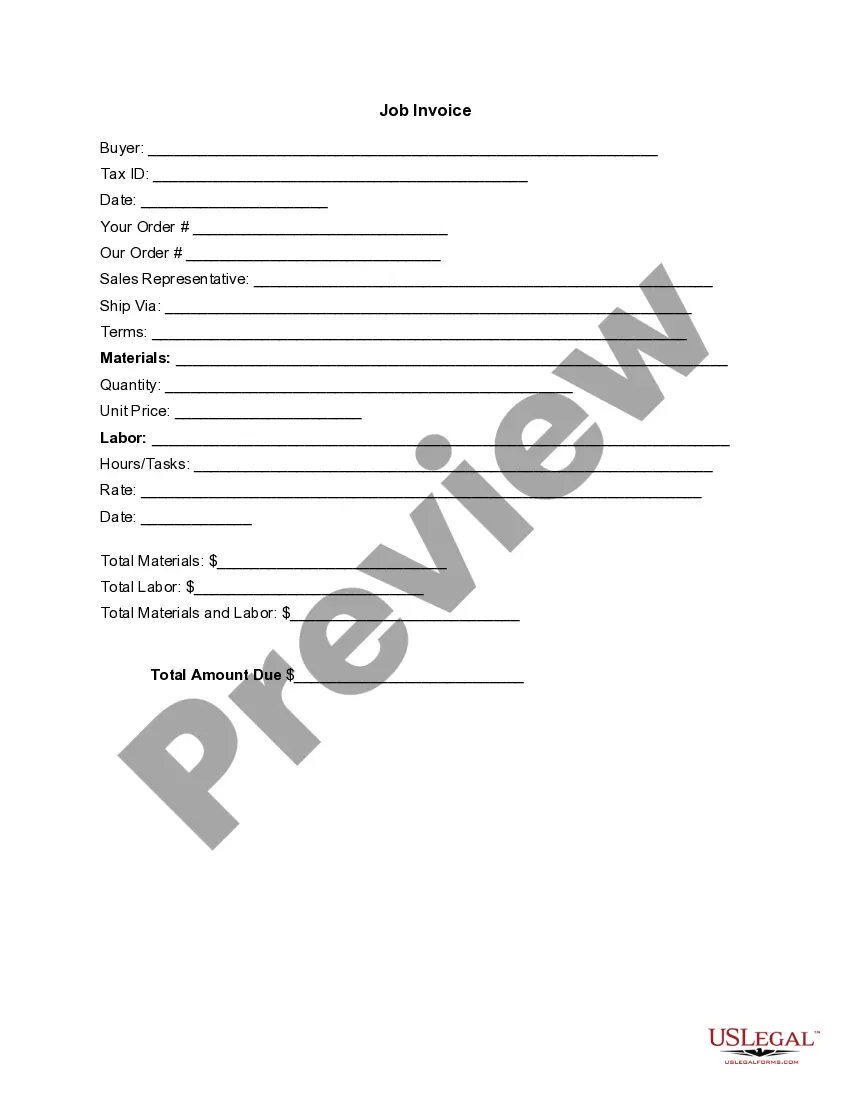
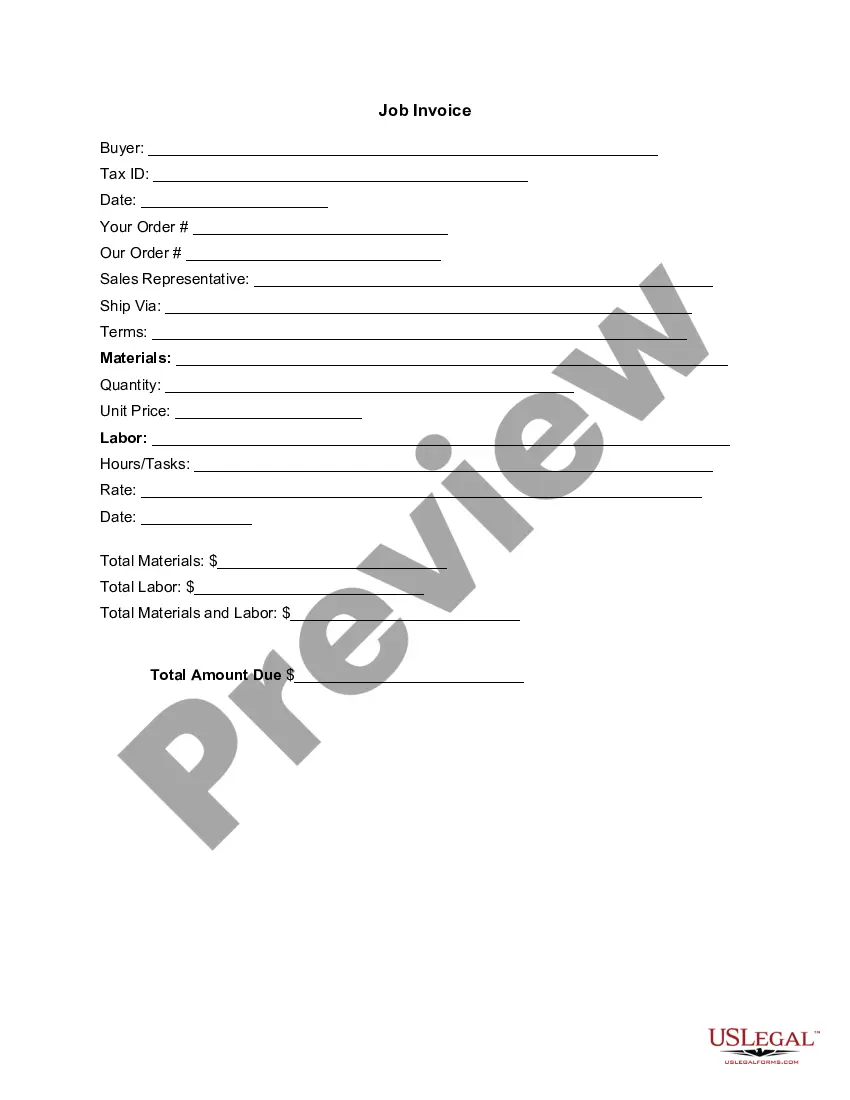
The Invoice Template for Translation Services is a professionally designed document used to bill clients for translation services rendered. This form is a structured format that clearly outlines the costs associated with translation projects, distinguishing it from general invoices by specifying the nature of the services provided.
Key components of this form
- Buyer Information: Details of the client receiving the invoice.
- Tax ID: Identification details for tax purposes.
- Order Numbers: Unique identifiers for tracking orders.
- Sales Representative: Name of the representative handling the account.
- Services Rendered: Description of materials and labor related to translation services.
- Costs: Detailed breakdown of unit prices, quantities, and total amounts due.

When to use this document
This form should be used anytime translation services are provided, enabling clear communication regarding the costs involved. It is essential when billing clients for one-time or ongoing translation projects to ensure a professional and transparent transaction.
Who this form is for
Eligible users of this form include:
- Freelance translators billing clients for their work.
- Translation agencies providing invoicing for multiple projects.
- Businesses that offer translation services as part of their operations.
How to complete this form
Follow these steps to complete the Invoice Template:
- Identify the buyer by entering their name and relevant tax identification number.
- Fill in the date of the invoice and reference the order number for tracking.
- Specify the sales representative's name and shipping method, if applicable.
- List the materials and services provided, detailing quantities and unit prices.
- Calculate totals for materials and labor, then sum up to get the total amount due.
Notarization requirements for this form
This form does not typically require notarization unless specified by local law. Make sure to check any jurisdiction-specific requirements that may apply to your situation.
Get your form ready online
Our built-in tools help you complete, sign, share, and store your documents in one place.
Make edits, fill in missing information, and update formatting in US Legal Forms—just like you would in MS Word.
Download a copy, print it, send it by email, or mail it via USPS—whatever works best for your next step.
Sign and collect signatures with our SignNow integration. Send to multiple recipients, set reminders, and more. Go Premium to unlock E-Sign.
If this form requires notarization, complete it online through a secure video call—no need to meet a notary in person or wait for an appointment.
We protect your documents and personal data by following strict security and privacy standards.

Make edits, fill in missing information, and update formatting in US Legal Forms—just like you would in MS Word.

Download a copy, print it, send it by email, or mail it via USPS—whatever works best for your next step.

Sign and collect signatures with our SignNow integration. Send to multiple recipients, set reminders, and more. Go Premium to unlock E-Sign.

If this form requires notarization, complete it online through a secure video call—no need to meet a notary in person or wait for an appointment.

We protect your documents and personal data by following strict security and privacy standards.
Typical mistakes to avoid
- Failing to include all necessary buyer details, such as tax ID.
- Not itemizing services properly, leading to confusion over costs.
- Neglecting to date the invoice, which may affect payment schedules.
Benefits of using this form online
- Convenience of downloading and editing the template to fit your needs.
- Professional appearance enhances credibility with clients.
- Time-saving format ensures all essential information is captured efficiently.
Main things to remember
- The Invoice Template for Translation Services simplifies the billing process for translators.
- Proper completion ensures clear communication of costs to clients.
- A professional invoice protects your business and fosters trust with clients.
Looking for another form?
Form popularity
FAQ
Make your invoice look professional. The first step is to put your invoice together. Clearly mark your invoice. Add company name and information. Write a description of the goods or services you're charging for. Don't forget the dates. Add up the money owed. Mention payment terms.
Google offers a free tool called Google Translate to quickly translate your site content to over 100 languages. All you have to do is type or copy-paste your text into the box on the right, choose the language (or let the tool detect it for you), and then choose the language you want to translate it to.
A corrective invoice is the invoice associated with a corrective bill. You generate a corrective invoice after you make corrections to a bill. Corrective invoices can be the result of simple corrections or corrections to charges.
The name of your company. The name of your customer. The date the services were provided. Invoice number. A description of services rendered. Quantity of hours spent on services rendered. The price you're charging for the services or your hourly rate.
Download the basic Simple Invoice Template in PDF, Word or Excel format. Open the new invoice doc in Word or Excel. Add your business information and branding, including your business name and logo. Customize the fields in the template to create your invoice. Name your invoice. Save
From the Templates menu choose Invoice/Estimate Layout. Click the New Invoice Layout button. Choose a template. Press the Change Labels button. Start translating the invoice into you language from the labels box also you can click in each label from the invoice show and rename it directly.
Download a free interpreter invoice template. Add your business name and contact information. Include your translation business media and logo. Insert client's name and business information. Create and input a unique invoice number. Add the invoice issue date and payment due date.
Your details. Your name and contact details are required. Their details. Identify the person or organization that you're billing, and include their physical or email address. Invoice number and date. Make this big and bold. Description of goods or services. What the customer owes. Customer reference. How to pay.