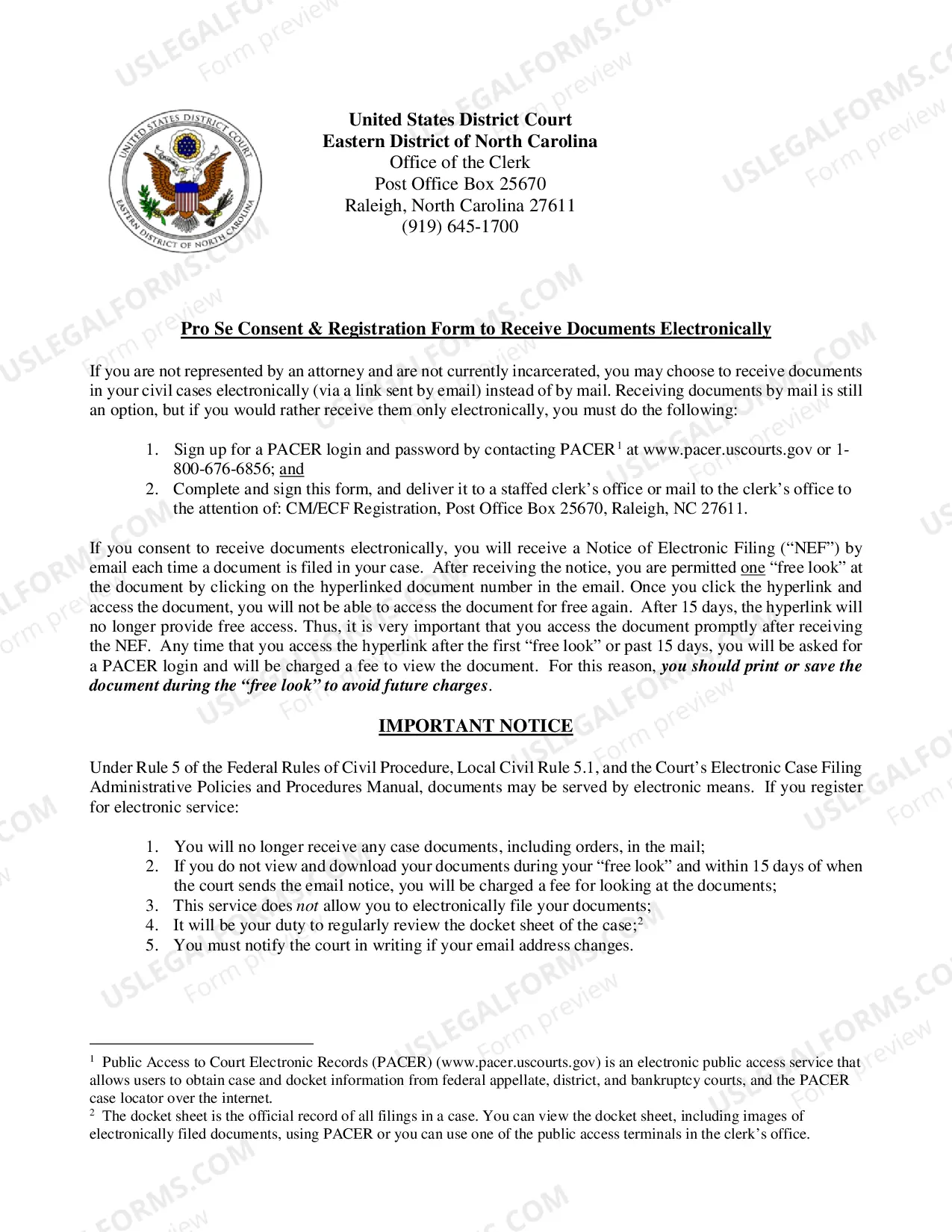
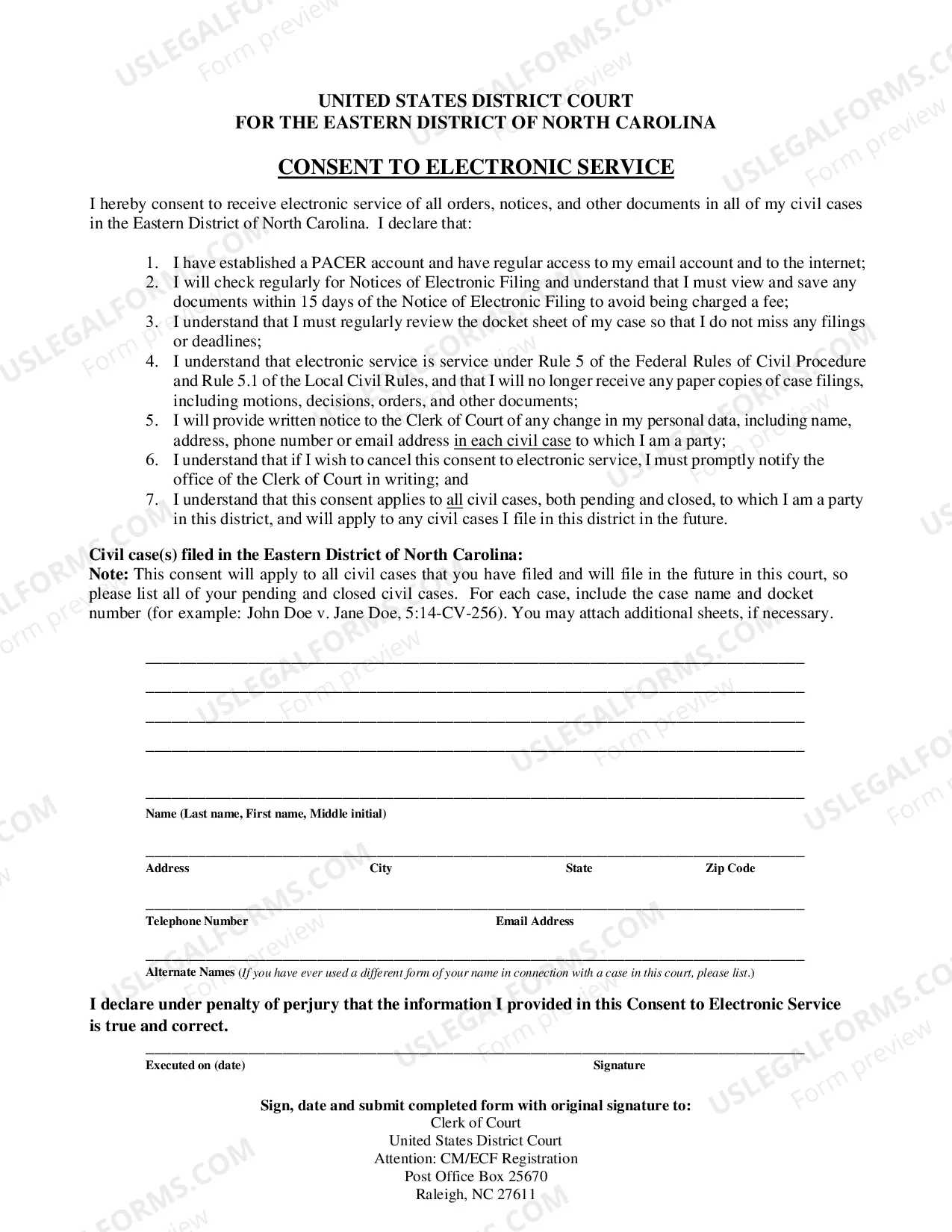
North Carolina Pro Se Consent to Electronic Service & Registration is an agreement allowing parties in a legal action to serve documents and receive documents through electronic means, such as email or fax. There are two types of North Carolina Pro Se Consent to Electronic Service & Registration: General Consent and Limited Consent. General Consent allows for all documents to be served electronically, while Limited Consent is more restrictive, only allowing certain documents to be served electronically. Both forms require that parties submit a registration form to the North Carolina Superior Court Clerk in order to begin using electronic service.
North Carolina Pro Se Consent to Electronic Service & Registration
State:
North Carolina
Control #:
NC-SKU-0195
Format:
PDF
Instant download
This website is not affiliated with any governmental entity
Public form
Description
Pro Se Consent to Electronic Service & Registration
Free preview
Get your form ready online
Our built-in tools help you complete, sign, share, and store your documents in one place.
Built-in online Word editor
Make edits, fill in missing information, and update formatting in US Legal Forms—just like you would in MS Word.
Export easily
Download a copy, print it, send it by email, or mail it via USPS—whatever works best for your next step.
E-sign your document
Sign and collect signatures with our SignNow integration. Send to multiple recipients, set reminders, and more. Go Premium to unlock E-Sign.
Notarize online 24/7
If this form requires notarization, complete it online through a secure video call—no need to meet a notary in person or wait for an appointment.
Store your document securely
We protect your documents and personal data by following strict security and privacy standards.

Make edits, fill in missing information, and update formatting in US Legal Forms—just like you would in MS Word.

Download a copy, print it, send it by email, or mail it via USPS—whatever works best for your next step.

Sign and collect signatures with our SignNow integration. Send to multiple recipients, set reminders, and more. Go Premium to unlock E-Sign.

If this form requires notarization, complete it online through a secure video call—no need to meet a notary in person or wait for an appointment.

We protect your documents and personal data by following strict security and privacy standards.
Looking for another form?
How to fill out North Carolina Pro Se Consent To Electronic Service & Registration?
Managing legal paperwork necessitates focus, accuracy, and utilizing well-prepared templates. US Legal Forms has been assisting individuals across the nation with this for 25 years, ensuring that when you select your North Carolina Pro Se Consent to Electronic Service & Registration template from our collection, it adheres to both federal and state laws.
Utilizing our service is simple and efficient. To acquire the required document, all you need is an account with an active subscription. Here’s a brief guide for you to obtain your North Carolina Pro Se Consent to Electronic Service & Registration in just minutes.
All documents are designed for multiple uses, such as the North Carolina Pro Se Consent to Electronic Service & Registration displayed on this page. If you require them again, you can complete them without additional payment - just access the My documents tab in your profile and finalize your document whenever you need it. Experience US Legal Forms and prepare your business and personal documents swiftly and in complete legal compliance!
- Ensure to carefully examine the form details and its alignment with general and legal requirements by either previewing it or reviewing its description.
- Look for an alternative official template if the one you opened does not fit your circumstances or state laws (the option for that is located at the top page corner).
- Log in to your account and download the North Carolina Pro Se Consent to Electronic Service & Registration in the format you prefer. If it’s your first visit to our site, click Buy now to continue.
- Create an account, choose your subscription tier, and pay using your credit card or PayPal account.
- Select the format in which you wish to save your form and click Download. Print the template or upload it to a professional PDF editor for electronic submission.
Form popularity
FAQ
To file a motion step by step, start by drafting your motion with all required details. Next, file the motion with the court, ensuring you comply with any specific formatting rules. Then, serve the motion to all relevant parties, and finally, keep track of any deadlines or responses. Using the North Carolina Pro Se Consent to Electronic Service & Registration can simplify this entire process for you.
Rule 42 of the North Carolina Rules of Civil Procedure pertains to the consolidation of actions and the severance of claims. It allows for related cases to be heard together to promote efficiency and consistency in the legal process. Familiarizing yourself with this rule can be beneficial, particularly if you are utilizing the North Carolina Pro Se Consent to Electronic Service & Registration for your legal filings.
A Rule 59 motion in North Carolina allows a party to request a new trial or to alter or amend a judgment. This motion is typically filed when there are errors in the trial proceedings or new evidence has emerged that could affect the outcome. It is crucial to understand the implications of a Rule 59 motion, especially when navigating the North Carolina Pro Se Consent to Electronic Service & Registration process.
Filing a motion involves several steps. Start by drafting the motion according to court requirements, then file it with the appropriate court either online or in person. Next, serve the motion to all relevant parties and ensure you follow any additional local rules. For a smoother experience, consider using the North Carolina Pro Se Consent to Electronic Service & Registration to facilitate your filing.
Writing a motion requires clarity and precision. Begin with a concise title, followed by an introduction that states the purpose of your motion. Clearly outline the facts and legal grounds supporting your request, and conclude with a specific request for the court's action. Remember to adhere to the North Carolina Pro Se Consent to Electronic Service & Registration requirements for electronic submissions.
Making a motion involves several key steps. First, you need to identify the specific request you want to make and draft your motion accordingly. After that, you will need to file the motion with the court and serve it to the opposing party. Utilizing the North Carolina Pro Se Consent to Electronic Service & Registration can streamline this process for you.
Yes, you can file a motion online in North Carolina. The state provides an electronic filing system that allows individuals to submit their motions electronically. This is especially beneficial for those using the North Carolina Pro Se Consent to Electronic Service & Registration, as it simplifies the process and ensures timely handling of your documents.
To start a motion, you typically begin with a clear statement of the action you are requesting from the court. You should include your name, the case number, and a title for the motion, such as 'Motion for Consent to Electronic Service.' This sets the stage for your request and aligns with the North Carolina Pro Se Consent to Electronic Service & Registration guidelines.