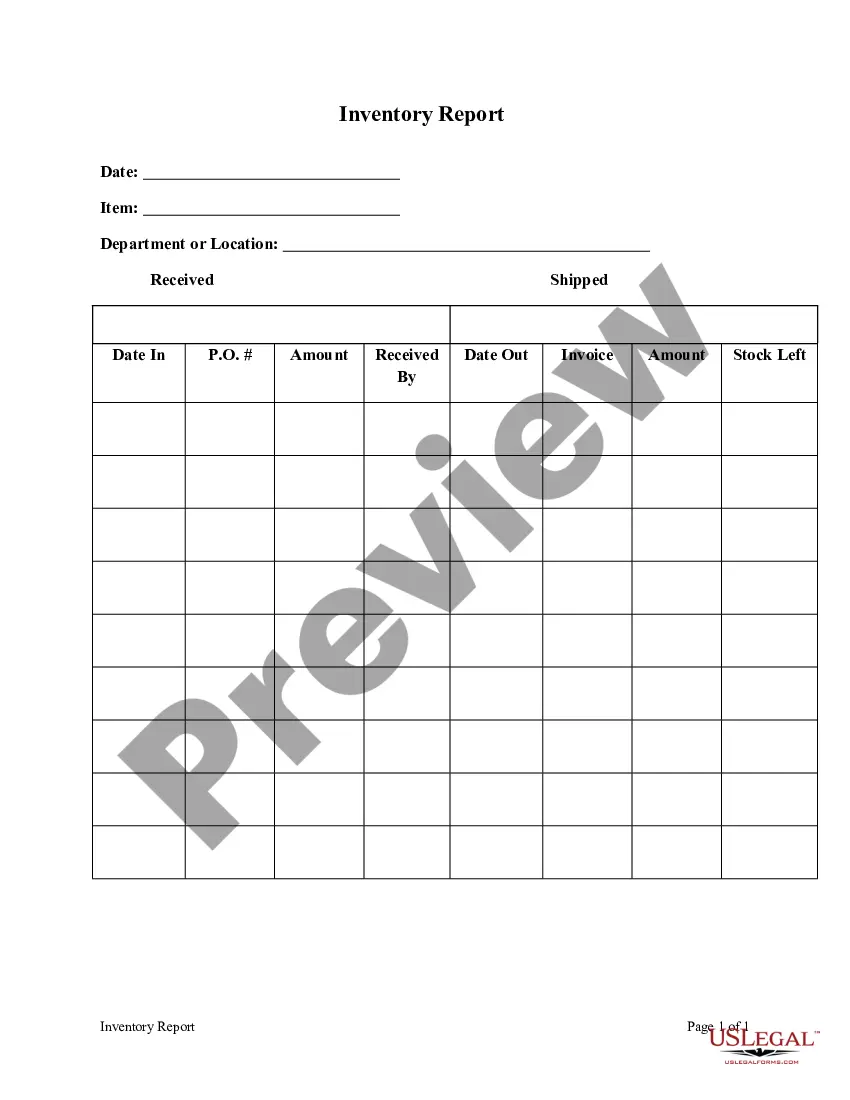
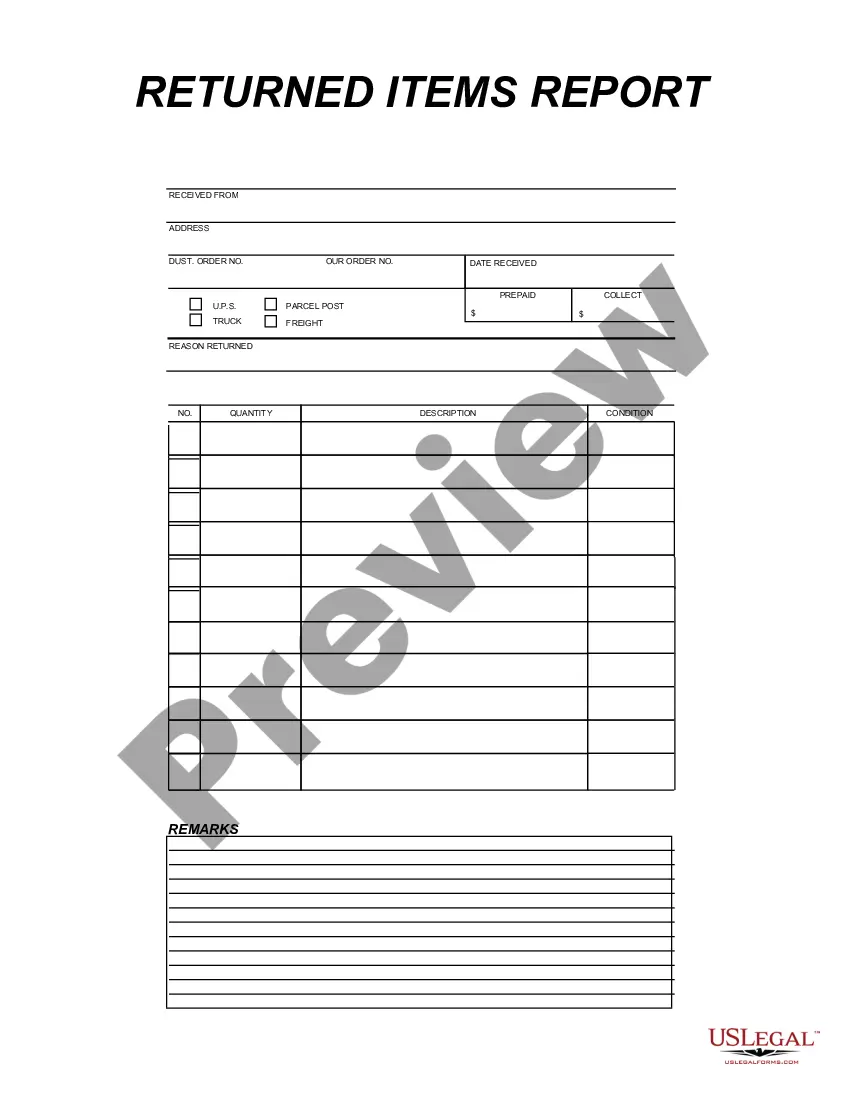
Minnesota Inventory Report
Description
Get your form ready online
Our built-in tools help you complete, sign, share, and store your documents in one place.
Make edits, fill in missing information, and update formatting in US Legal Forms—just like you would in MS Word.
Download a copy, print it, send it by email, or mail it via USPS—whatever works best for your next step.
Sign and collect signatures with our SignNow integration. Send to multiple recipients, set reminders, and more. Go Premium to unlock E-Sign.
If this form requires notarization, complete it online through a secure video call—no need to meet a notary in person or wait for an appointment.
We protect your documents and personal data by following strict security and privacy standards.

Make edits, fill in missing information, and update formatting in US Legal Forms—just like you would in MS Word.

Download a copy, print it, send it by email, or mail it via USPS—whatever works best for your next step.

Sign and collect signatures with our SignNow integration. Send to multiple recipients, set reminders, and more. Go Premium to unlock E-Sign.

If this form requires notarization, complete it online through a secure video call—no need to meet a notary in person or wait for an appointment.

We protect your documents and personal data by following strict security and privacy standards.
Looking for another form?



How to fill out Inventory Report?
US Legal Forms - one of the largest collections of legal documents in the United States - offers a broad variety of legal form templates that you can obtain or print.
By using the website, you can discover countless forms for business and personal purposes, organized by categories, states, or keywords. You can access the latest forms such as the Minnesota Inventory Report in moments.
If you already have a subscription, Log In and obtain the Minnesota Inventory Report from your US Legal Forms library. The Acquire button will appear on every form you explore.
Make changes. Fill out, modify, print, and sign the saved Minnesota Inventory Report.
Each document you add to your account does not expire and belongs to you indefinitely. So, if you wish to obtain or print another copy, simply go to the My documents section and click on the form you need.
- If you are using US Legal Forms for the first time, follow these simple steps to get started.
- Ensure you have chosen the correct form for your location/county. Click the Preview button to review the contents of the form. Check the outline of the form to ensure you have selected the right one.
- If the form doesn't meet your needs, utilize the Search field at the top of the screen to find one that does.
- If you are satisfied with the form, confirm your choice by clicking on the Buy now button. Then, select your preferred pricing plan and provide your information to register for an account.
- Process the transaction. Use your credit card or PayPal account to complete the purchase.
- Choose the format and download the form to your device.
Form popularity
FAQ
The four types of inventory typically consist of raw materials, work-in-progress items, finished goods, and maintenance, repair, and operations (MRO) supplies. Understanding these categories aids in creating an effective Minnesota Inventory Report, allowing you to manage each type effectively. By clearly defining these categories, you can optimize your inventory management strategies. Platforms like US Legal Forms provide the tools needed to document and analyze these types easily.
When it comes to your Minnesota Inventory Report, several reporting types can benefit you. Common options include tracking stock levels over time, analyzing turnover rates, and assessing the value of your inventory. Each report offers valuable insights, helping you make informed business decisions. Utilizing resources like US Legal Forms can help you generate these reports easily and accurately.
Making a Minnesota Inventory Report involves several clear steps. First, identify the items that need reporting, and list their current stock levels alongside descriptions. Next, categorize your inventory, which helps in analyzing data later. Consider using US Legal Forms for templates designed to streamline the creation of your inventory report, making the task more efficient.
To create a Minnesota Inventory Report, begin by gathering all relevant data regarding your inventory. This includes details like quantities, descriptions, and locations of each item. Next, organize this information into a readable format, such as a spreadsheet or specialized software. Using platforms like US Legal Forms can simplify this process, offering templates that ensure you capture all necessary details accurately.
Generating a Minnesota Inventory Report is straightforward, especially with platforms designed for this purpose. First, gather all necessary information about your assets, including descriptions and values. Next, access a reliable service like US Legal Forms, where you can fill out templates tailored for inventory reporting. Upon completion, you can print or submit the report directly, making the process quick and efficient.
In Minnesota, individuals responsible for managing an estate or business must report inventory. This includes executors, administrators, or business owners who are required to document their assets. Proper inventory reporting helps in fulfilling legal obligations and aids in accurate tax assessments. Using services like US Legal Forms can simplify this process significantly, ensuring you meet all reporting requirements.
A Minnesota Inventory Report is a document that lists the assets of an estate or business. This report provides a detailed overview of all items, including their values, which can be critical for legal, tax, or financial purposes. Having an accurate inventory report ensures transparency and aids in the fair distribution of assets. You can easily generate this report using user-friendly tools available on platforms such as US Legal Forms.
The time it takes to obtain a Minnesota Inventory Report can vary. Typically, you can receive your report within a few business days after submitting your request. However, factors such as the complexity of the inventory and your submission method may affect the processing time. To expedite the process, consider using online platforms like US Legal Forms, which streamline report generation.
The monthly inventory summary report is a periodic snapshot of your inventory performance over the past month. It typically highlights total sales, stock movements, and any stock discrepancies. Utilizing the Minnesota Inventory Report helps you produce a thorough monthly report, ensuring that you keep track of your inventory trends effectively.
An inventory summary distills the information from your inventory report into a brief overview highlighting key metrics. This can assist you in understanding trends and making strategic decisions. The Minnesota Inventory Report offers a structured format to create an informative summary that captures vital data.