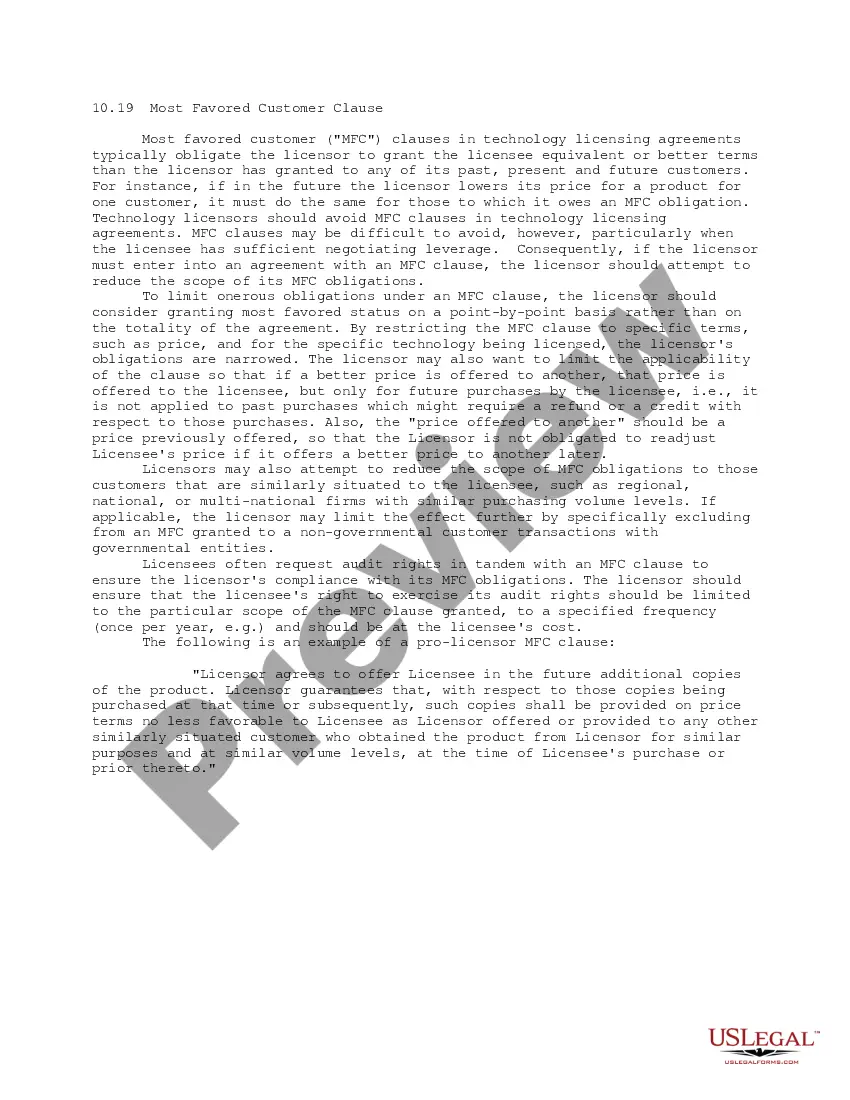
This form contains a Most Favored Customer Clause, which can be incorporated into license agreements to obligate the licensor to grant the licensee equivalent or better terms than the licensor has granted to any of its past, present and future customers.
District of Columbia Most Favored Customer Clause
Category:
State:
Multi-State
Control #:
US-IP1019
Format:
Word;
PDF;
Rich Text
Instant download
Description
Get your form ready online
Our built-in tools help you complete, sign, share, and store your documents in one place.
Built-in online Word editor
Make edits, fill in missing information, and update formatting in US Legal Forms—just like you would in MS Word.
Export easily
Download a copy, print it, send it by email, or mail it via USPS—whatever works best for your next step.
E-sign your document
Sign and collect signatures with our SignNow integration. Send to multiple recipients, set reminders, and more. Go Premium to unlock E-Sign.
Notarize online 24/7
If this form requires notarization, complete it online through a secure video call—no need to meet a notary in person or wait for an appointment.
Store your document securely
We protect your documents and personal data by following strict security and privacy standards.

Make edits, fill in missing information, and update formatting in US Legal Forms—just like you would in MS Word.

Download a copy, print it, send it by email, or mail it via USPS—whatever works best for your next step.

Sign and collect signatures with our SignNow integration. Send to multiple recipients, set reminders, and more. Go Premium to unlock E-Sign.

If this form requires notarization, complete it online through a secure video call—no need to meet a notary in person or wait for an appointment.

We protect your documents and personal data by following strict security and privacy standards.
Looking for another form?





How to fill out Most Favored Customer Clause?
US Legal Forms - one of the largest collections of legal documents in the USA - offers a variety of legal document templates that you can obtain or create. By using the website, you can access thousands of forms for business and personal purposes, organized by categories, states, or keywords. You can find the latest types of forms such as the District of Columbia Most Favored Customer Clause in moments.
If you have an account, Log In and download the District of Columbia Most Favored Customer Clause from the US Legal Forms library. The Download button will appear on each form you view. You can access all previously downloaded forms in the My documents section of your account.
If you want to use US Legal Forms for the first time, here are simple steps to get you started: Ensure you have selected the correct form for the city/county. Click the Preview button to review the form’s content. Check the form details to ensure you have selected the right form. If the form doesn’t meet your requirements, use the Search area at the top of the screen to find one that does. If you are satisfied with the form, confirm your selection by clicking the Get now button. Then, choose the payment plan you prefer and provide your credentials to register for an account. Process the payment. Use a credit card or PayPal account to complete the payment. Select the format and download the form to your device. Edit. Complete, modify, print, and sign the downloaded District of Columbia Most Favored Customer Clause. Every template you added to your account has no expiration date and is yours indefinitely. So, if you wish to download or create another copy, simply go to the My documents section and click on the form you need.
- Access the District of Columbia Most Favored Customer Clause with US Legal Forms, the most extensive library of legal document templates.
- Utilize numerous professional and state-specific templates that cater to your business or personal needs and requirements.
- Ensure you have selected the correct form for your needs.
- Review the form details carefully before proceeding.
- Use the search feature if the initial form does not meet your needs.
- Keep your downloaded forms forever without expiration.
Form popularity
FAQ
favoredcustomer clause, commonly known as an MFN clause, is a contractual agreement that protects a buyer's interests by ensuring they receive the best terms available. In the District of Columbia, this clause is particularly valuable for businesses that frequently negotiate contracts with suppliers. By implementing this clause, you can ensure that you are not at a disadvantage compared to other customers.
An MFN clause works by guaranteeing that a customer will receive the same favorable terms as any other customer whom the supplier offers better terms. In the District of Columbia, this means that if a supplier lowers prices or improves conditions for another buyer, you are entitled to those same benefits. This clause fosters trust and fairness, making it an important tool for businesses looking to secure advantageous agreements.
Yes, clauses can be legally binding if they meet certain criteria. For a clause to be enforceable, it must express the intentions of the parties clearly and include all necessary elements such as consideration. The District of Columbia Most Favored Customer Clause is one such clause that often finds its way into contracts to ensure fairness between parties. It's essential to consult legal experts to understand how these clauses apply to your specific situation.