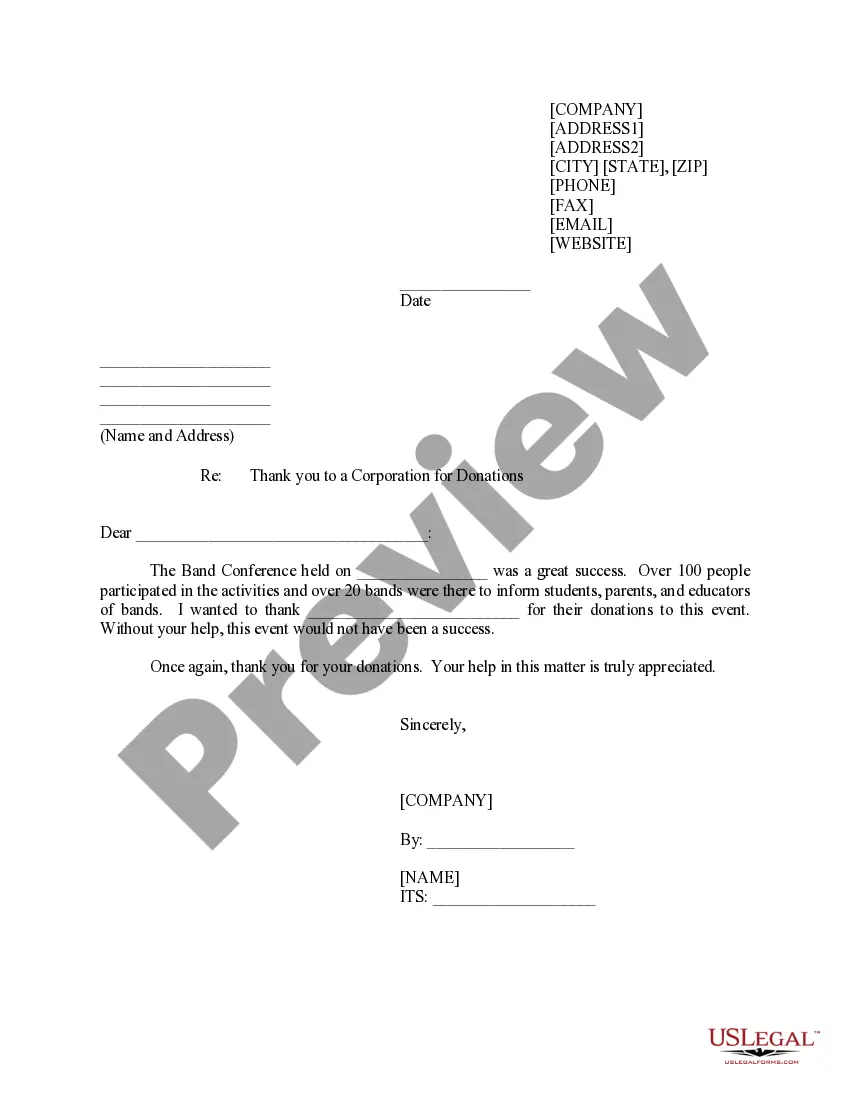
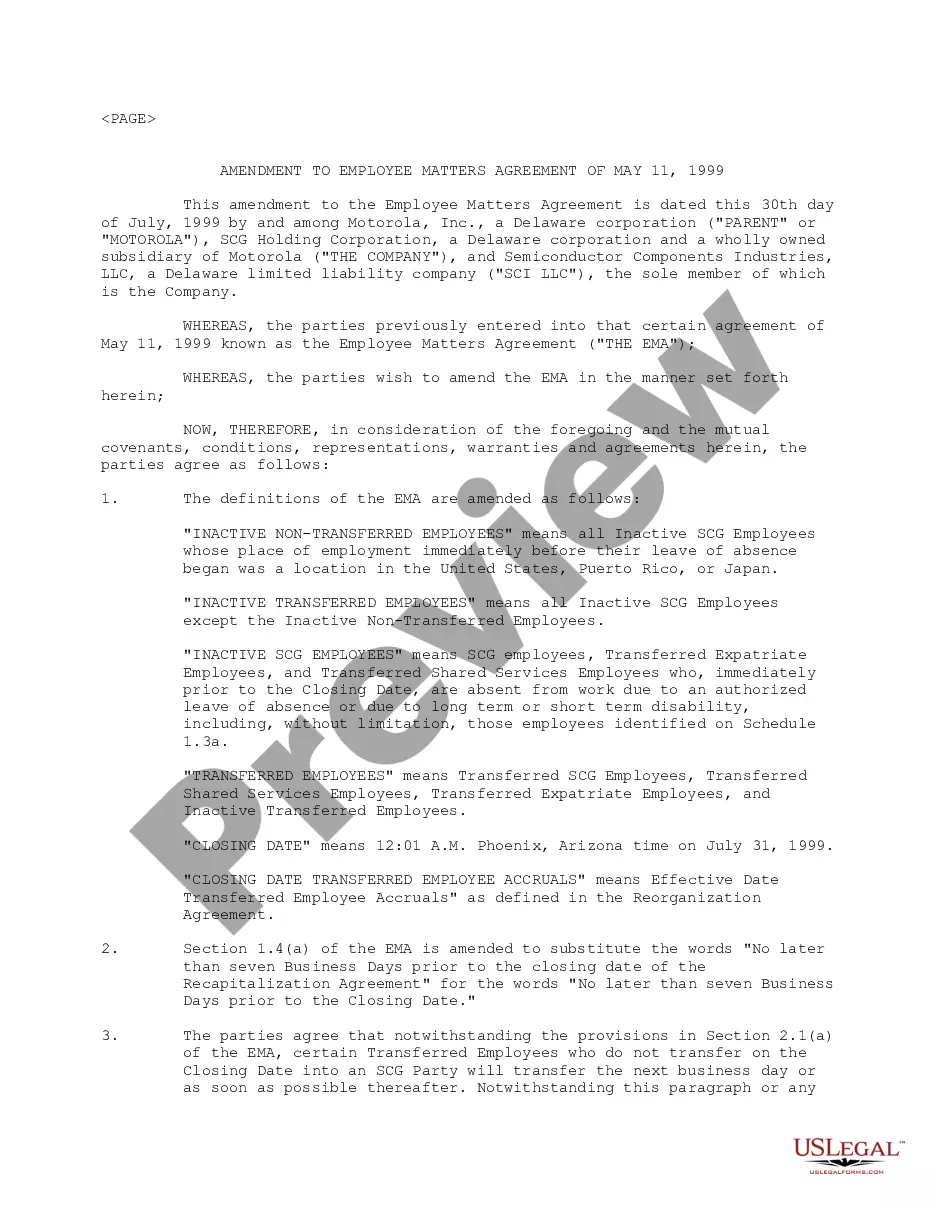
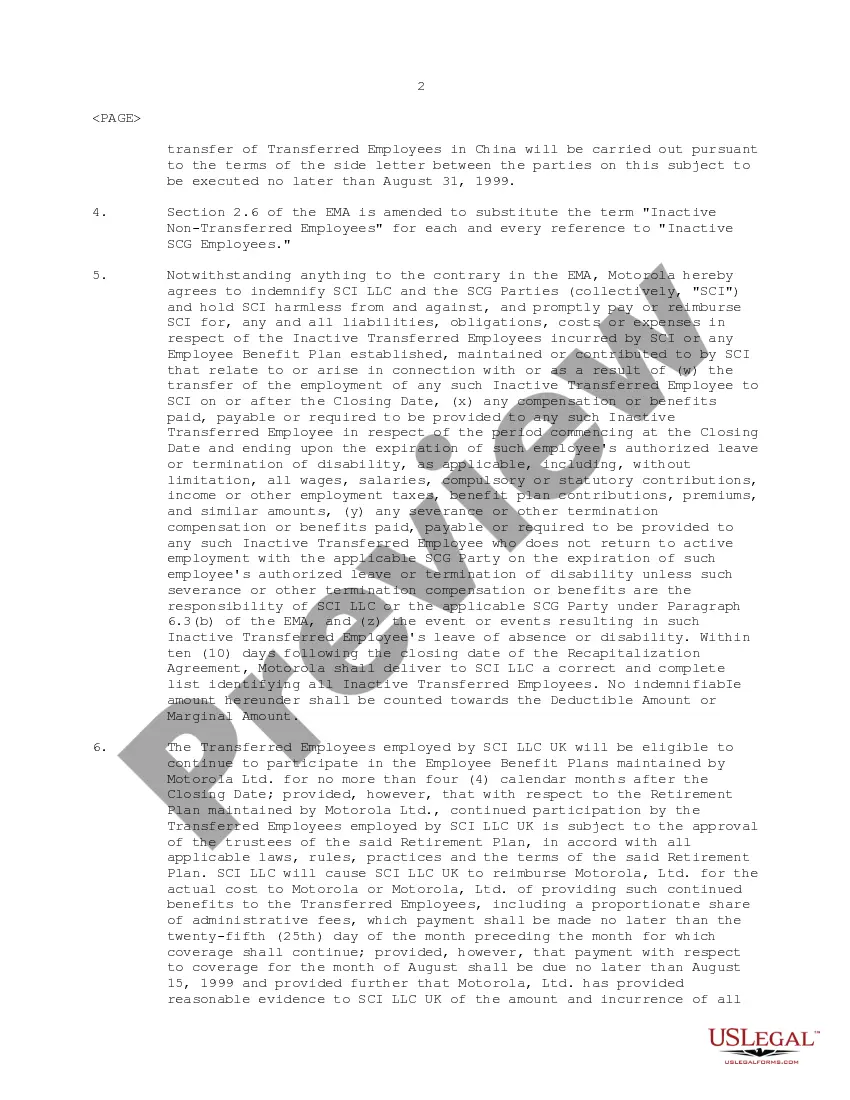
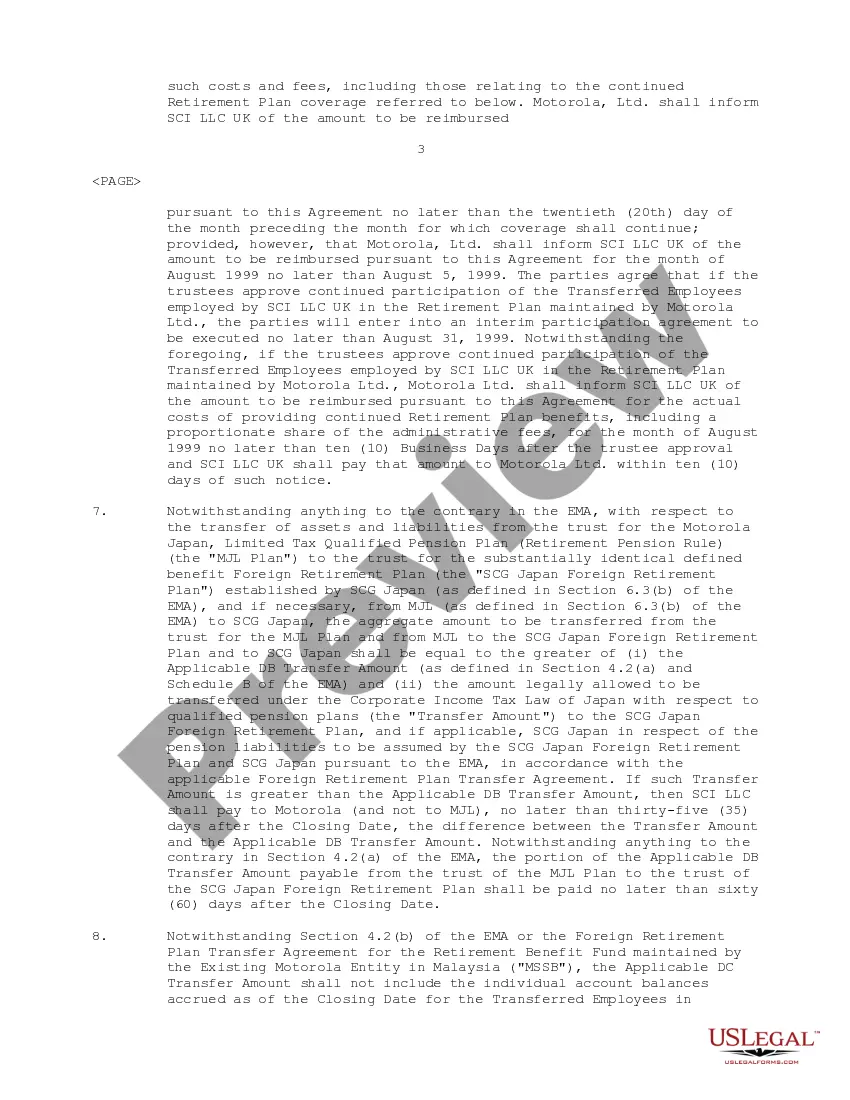
California Amendment to Employee Matters Agreement
Description
Get your form ready online
Our built-in tools help you complete, sign, share, and store your documents in one place.
Make edits, fill in missing information, and update formatting in US Legal Forms—just like you would in MS Word.
Download a copy, print it, send it by email, or mail it via USPS—whatever works best for your next step.
Sign and collect signatures with our SignNow integration. Send to multiple recipients, set reminders, and more. Go Premium to unlock E-Sign.
If this form requires notarization, complete it online through a secure video call—no need to meet a notary in person or wait for an appointment.
We protect your documents and personal data by following strict security and privacy standards.

Make edits, fill in missing information, and update formatting in US Legal Forms—just like you would in MS Word.

Download a copy, print it, send it by email, or mail it via USPS—whatever works best for your next step.

Sign and collect signatures with our SignNow integration. Send to multiple recipients, set reminders, and more. Go Premium to unlock E-Sign.

If this form requires notarization, complete it online through a secure video call—no need to meet a notary in person or wait for an appointment.

We protect your documents and personal data by following strict security and privacy standards.
Looking for another form?




How to fill out Amendment To Employee Matters Agreement?
Are you currently in a situation that you need to have documents for both business or person functions just about every time? There are a variety of legitimate record templates accessible on the Internet, but discovering types you can rely is not straightforward. US Legal Forms provides a large number of kind templates, like the California Amendment to Employee Matters Agreement, that happen to be written to satisfy federal and state specifications.
In case you are presently acquainted with US Legal Forms web site and get a free account, basically log in. Afterward, you may acquire the California Amendment to Employee Matters Agreement design.
Unless you come with an profile and want to start using US Legal Forms, abide by these steps:
- Get the kind you need and ensure it is for that appropriate area/state.
- Make use of the Preview switch to analyze the shape.
- Browse the description to actually have selected the correct kind.
- When the kind is not what you are looking for, utilize the Research field to get the kind that suits you and specifications.
- When you discover the appropriate kind, click on Get now.
- Opt for the rates plan you want, submit the specified info to produce your bank account, and buy your order using your PayPal or Visa or Mastercard.
- Select a convenient file formatting and acquire your copy.
Get all of the record templates you have bought in the My Forms menu. You can obtain a more copy of California Amendment to Employee Matters Agreement any time, if needed. Just select the essential kind to acquire or print out the record design.
Use US Legal Forms, the most extensive assortment of legitimate forms, to conserve time and avoid errors. The assistance provides skillfully produced legitimate record templates that you can use for a variety of functions. Produce a free account on US Legal Forms and begin producing your way of life a little easier.
Form popularity
FAQ
Changes and Amendments If you have an employment contract, it's unlikely that your employer can make changes without at least providing you with advance notice before the change goes into effect. For example, an employer may be contractually obligated to give 12 weeks' notice to change contract language.
Implied contracts of employment are legally binding agreements that are not written or orally expressed. Instead, they are deemed to exist due to an employer's actions and behavior. Implied contracts of employment are easy to ?create? but difficult to enforce because they are hard to prove.
Typically employers can not legally change contract terms without prior consent from the receiving party (the employee). However, if they provide notice and clarify the reasoning and implications they may be able to make changes to contract terms.
Can an employer change a contract of employment without agreement from the employee? Generally, employers can't make changes to an employment contract without a sign-off from the employee?unless certain clauses were already established in the original contract.
A growing trend of terminating the employment relationship is the conclusion of a mutual separation agreement (?MSA?), which envisages the termination of employment by mutual consent between the employer and the employee. This is neither a resignation, nor a dismissal.