Purchase Order Form Template For Employees
Description
Get your form ready online
Our built-in tools help you complete, sign, share, and store your documents in one place.
Make edits, fill in missing information, and update formatting in US Legal Forms—just like you would in MS Word.
Download a copy, print it, send it by email, or mail it via USPS—whatever works best for your next step.
Sign and collect signatures with our SignNow integration. Send to multiple recipients, set reminders, and more. Go Premium to unlock E-Sign.
If this form requires notarization, complete it online through a secure video call—no need to meet a notary in person or wait for an appointment.
We protect your documents and personal data by following strict security and privacy standards.

Make edits, fill in missing information, and update formatting in US Legal Forms—just like you would in MS Word.

Download a copy, print it, send it by email, or mail it via USPS—whatever works best for your next step.

Sign and collect signatures with our SignNow integration. Send to multiple recipients, set reminders, and more. Go Premium to unlock E-Sign.

If this form requires notarization, complete it online through a secure video call—no need to meet a notary in person or wait for an appointment.

We protect your documents and personal data by following strict security and privacy standards.
Looking for another form?








How to fill out Purchase Order, Standard?
Legal administration can be perplexing, even for the most seasoned experts.
When searching for a Purchase Order Form Template For Employees and lacking the time to locate the correct and current version, the process can be challenging.
US Legal Forms accommodates any requirements you may have, ranging from personal to corporate documentation, all in one location.
Utilize sophisticated tools to create and manage your Purchase Order Form Template For Employees.
Here are the steps to follow after accessing the desired form: Validate that it is the correct document by previewing and reviewing its description. Ensure that the template is accepted in your state or county. Click Buy Now when you are ready. Choose a monthly subscription plan. Select your preferred format, and Download, complete, sign, print, and submit your documents. Enjoy the US Legal Forms online directory, supported by 25 years of experience and reliability. Streamline your daily document management into a simple and user-friendly process today.
- Access a library of articles, guides, and manuals related to your situation and requirements.
- Save time and effort searching for the necessary documents, and leverage US Legal Forms’ advanced search and Preview feature to obtain and download the Purchase Order Form Template For Employees.
- If you possess a membership, Log In to your US Legal Forms account, locate the form, and download it.
- Check the My documents section to review previously downloaded documents and manage your folders as desired.
- If it is your first experience with US Legal Forms, create an account to gain unlimited access to all the platform's benefits.
- A comprehensive web form directory could significantly benefit anyone aiming to handle these scenarios effectively.
- US Legal Forms stands as a leader in online legal documentation, boasting over 85,000 state-specific legal forms accessible at any time.
- With US Legal Forms, you can access legal and organizational forms specific to your state or county.
Form popularity
FAQ
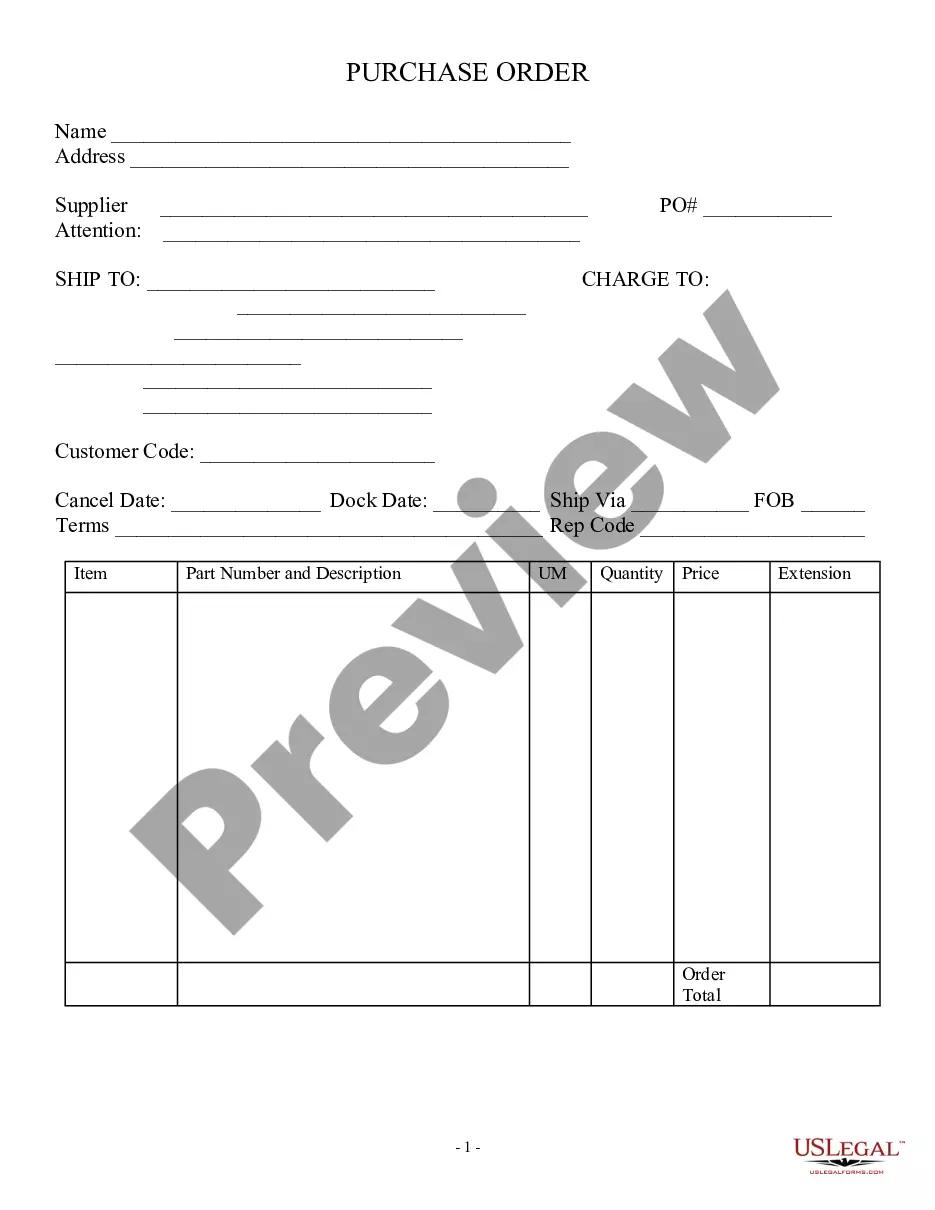
To make a purchase order form, start with a blank document and include sections for all necessary details such as vendor name, item descriptions, quantities, and prices. You can utilize a purchase order form template for employees to make this process easier and more efficient. Platforms like US Legal Forms offer ready-to-use templates that save you time and ensure all relevant information is captured correctly.
The best format for a purchase order template should be clear and easy to read. It typically includes sections for vendor information, item descriptions, quantities, prices, and terms of the order. A purchase order form template for employees should also be customizable to fit the specific needs of your organization. Using a standardized format helps maintain consistency and clarity in your procurement efforts.
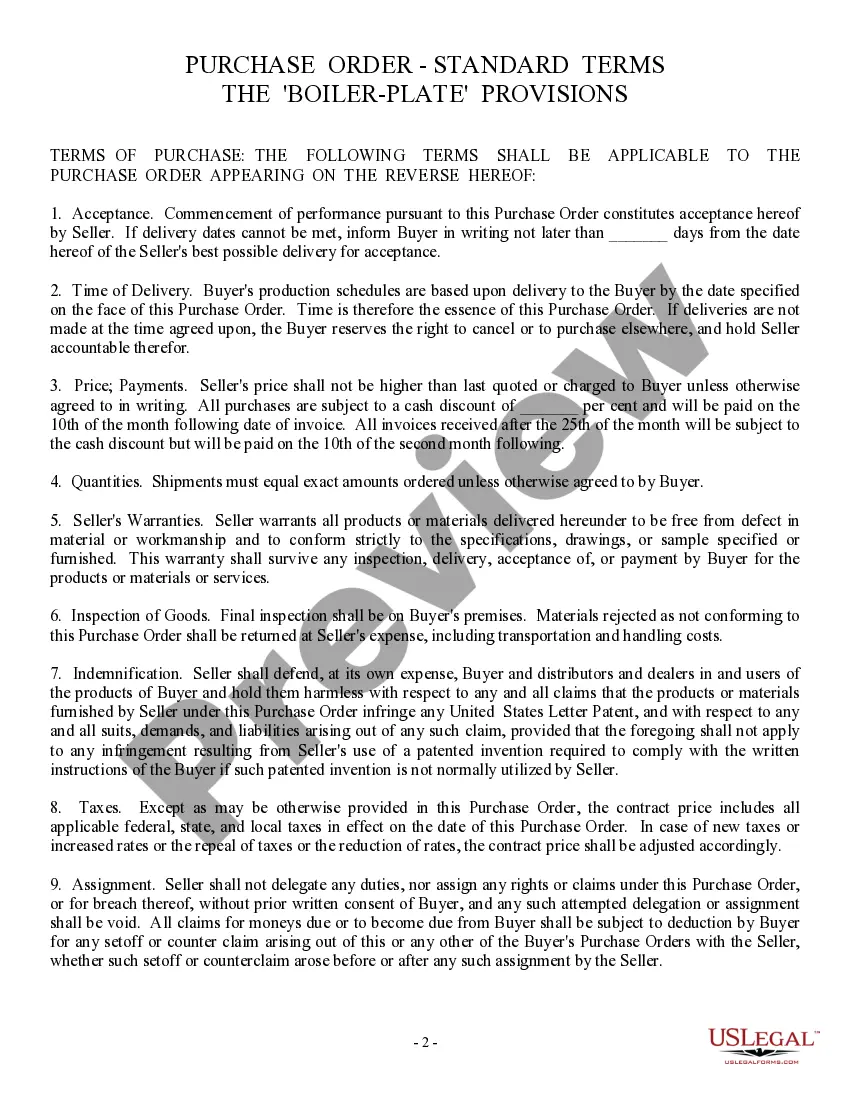
Yes, you can find various purchase order templates in Word format readily available online. These templates are convenient as they allow for easy editing and customization. Using a purchase order form template for employees helps standardize your procurement process across the organization. You can download one from platforms like US Legal Forms for a professional touch.
Purchase orders provide the documentation that authorizes a company to buy goods and services from third-party vendors. It summarizes all the details about the purchase to help ensure both the business and supplier are in agreement about items purchased and payment terms.
How to fill out a purchase order form (with examples) Collect the product numbers. List the product numbers (SKUs) to let the supplier know the exact items you want to order. ... Specify product quantity and price. ... Review line total. ... Enter shipping information and terms. ... Calculate taxes and PO total price.
Here's a quick checklist to creating your purchase order: Choose a template. Add issue data. Write the PO number. Add business information including the billing address for the buyer and the seller. Mention product details including item descriptions, model numbers, quantity, and so on. Mention the delivery date.
Here are five things to include when creating your purchase order template: Header. The header of your purchase order will include all company details. ... Vendor Information. It's important to specify the proper recipient for the purchase order. ... Shipping Information. ... Order Details. ... Summary.
What To Include In A Purchase Order? Purchase order number (PO number) Company name and details - relevant contact information, business address, phone number. Purchase order date. Supplier's contact information. Item details - description, SKUs, quantity, unit measure, price. Expected delivery date.