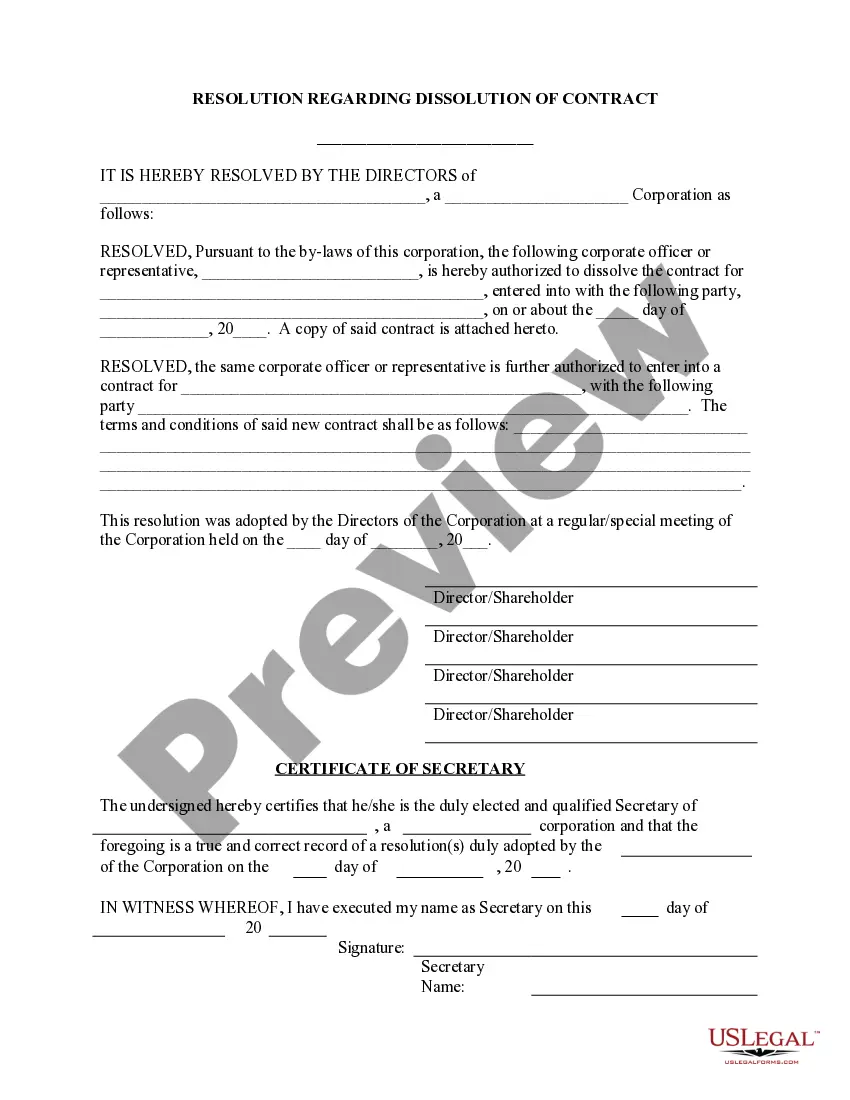
Dissolve Contract Agreement Without Signing
Description


Get your form ready online
Our built-in tools help you complete, sign, share, and store your documents in one place.
Make edits, fill in missing information, and update formatting in US Legal Forms—just like you would in MS Word.
Download a copy, print it, send it by email, or mail it via USPS—whatever works best for your next step.
Sign and collect signatures with our SignNow integration. Send to multiple recipients, set reminders, and more. Go Premium to unlock E-Sign.
If this form requires notarization, complete it online through a secure video call—no need to meet a notary in person or wait for an appointment.
We protect your documents and personal data by following strict security and privacy standards.

Make edits, fill in missing information, and update formatting in US Legal Forms—just like you would in MS Word.

Download a copy, print it, send it by email, or mail it via USPS—whatever works best for your next step.

Sign and collect signatures with our SignNow integration. Send to multiple recipients, set reminders, and more. Go Premium to unlock E-Sign.

If this form requires notarization, complete it online through a secure video call—no need to meet a notary in person or wait for an appointment.

We protect your documents and personal data by following strict security and privacy standards.
Looking for another form?






How to fill out Dissolve Old Contract - Enter New - Resolution Form - Corporate Resolutions?
How to locate professional legal documents that align with your state's guidelines and create the Dissolve Contract Agreement Without Signing without consulting a lawyer.
Numerous services online offer templates to address various legal needs and formalities.
However, it may require time to determine which of the accessible samples meet both your use case and legal criteria.
Download the Dissolve Contract Agreement Without Signing by utilizing the appropriate button located next to the file name.
- US Legal Forms is a trustworthy service that assists you in locating official documents prepared in accordance with the most recent state law updates and saving costs on legal aid.
- US Legal Forms is not merely a standard online directory.
- It's a database of over 85,000 verified templates for diverse business and personal situations.
- All documents are organized by category and state to enhance your search efficiency and convenience.
- Moreover, it integrates with advanced tools for PDF editing and electronic signatures, enabling users with a Premium subscription to easily complete their paperwork online.
- Obtaining the necessary documentation requires minimal time and effort.
- If you already possess an account, Log In and verify that your subscription is current.
Form popularity
FAQ
Once a contract is signed, can it be changed? As is protocol, it must be discussed and negotiated with the signing party beforehand before making any changes to a contract. If this has not happened, then it is, first and foremost, illegal to alter a signed document.
What Makes a Contract Void?The object of the agreement is illegal or against public policy (unlawful consideration or subject matter)The terms of the agreement are impossible to fulfill or too vague to understand.There was a lack of consideration.Fraud (namely false representation of facts) has been committed.25 Sept 2019
You can change the terms of the contract before the parties sign it and it will be considered part of the initial contract. You can also make simple changes like correcting typos just before the contract is signed. Just make the change in pen and be sure that each party initials it.
What makes a contract null and void?The subject of the contract is illegal.The terms are vague or impossible to fulfill.Lack of consideration.Fraud.
A contract not signed by one party makes it an agreement that isn't legally binding. Valid contracts need to have all required elements in it, and they are enforceable under federal and state laws. The two parts of a contract are the offer and acceptance.