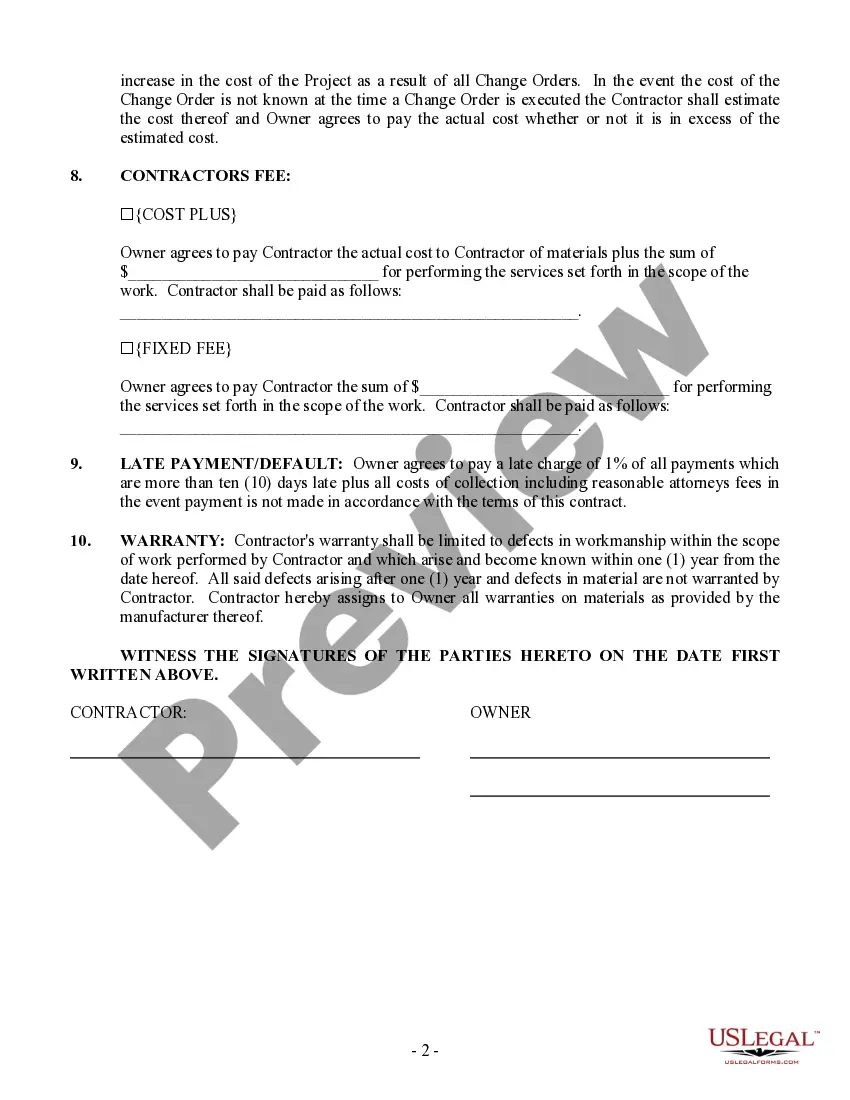
Contract Cost Plus Form Template With Drop Down List In New York
Description

Get your form ready online
Our built-in tools help you complete, sign, share, and store your documents in one place.
Make edits, fill in missing information, and update formatting in US Legal Forms—just like you would in MS Word.
Download a copy, print it, send it by email, or mail it via USPS—whatever works best for your next step.
Sign and collect signatures with our SignNow integration. Send to multiple recipients, set reminders, and more. Go Premium to unlock E-Sign.
If this form requires notarization, complete it online through a secure video call—no need to meet a notary in person or wait for an appointment.
We protect your documents and personal data by following strict security and privacy standards.

Make edits, fill in missing information, and update formatting in US Legal Forms—just like you would in MS Word.

Download a copy, print it, send it by email, or mail it via USPS—whatever works best for your next step.

Sign and collect signatures with our SignNow integration. Send to multiple recipients, set reminders, and more. Go Premium to unlock E-Sign.

If this form requires notarization, complete it online through a secure video call—no need to meet a notary in person or wait for an appointment.

We protect your documents and personal data by following strict security and privacy standards.
Looking for another form?






Form popularity
FAQ
How to write a contract agreement in 7 steps. Determine the type of contract required. Confirm the necessary parties. Choose someone to draft the contract. Write the contract with the proper formatting. Review the written contract with a lawyer. Send the contract agreement for review or revisions.
Yes. A template is the basis you can use to create a contract, while a contract is the completed or drafted document you send to a recipient. You can use template builder to create ready-made templates that can be used to customize contracts for your business.
Offers contract and form templates along with the ability to create new templates for agreement forms and contracts.
Can I write my own contract? Yes, you can write your own contract. However, including all necessary elements is crucial to make it legally binding.
But even if you don't use proposals, you can offer your own contract whenever you're working one-on-one with a client. If the client prefers to use their own contract, they'll surely tell you. And then you can negotiate which contract to use.
Overview: For a contract to be legally binding, and therefore enforceable, it needs to satisfy four principles: offer, acceptance, consideration and the intention to create legal relations. Consideration requires the exchange of something of value and to make a contract there has to be a clear intention.
Using the same template for similar agreements ensures consistency across your contracts. This uniformity can be helpful in maintaining standard practices within your business and makes it easier to manage multiple contracts. Plus, it reduces the chances of forgetting key clauses that should be included.
How to draft a contract between two parties: A step-by-step checklist Know your parties. Agree on the terms. Set clear boundaries. Spell out the consequences. Specify how you will resolve disputes. Cover confidentiality. Check the legality of the contract. Open it up to negotiation.
The three general categories of costs included in manufacturing processes are direct materials, direct labor, and overhead. Note that there are a few exceptions, since some service industries do not have direct material costs, and some automated manufacturing companies do not have direct labor costs.
gree is an easytouse mobile app that features over 20 different contract templates for all kinds of situations, allowing people without a legal background to protect their ideas, assets, and intellectual property.
