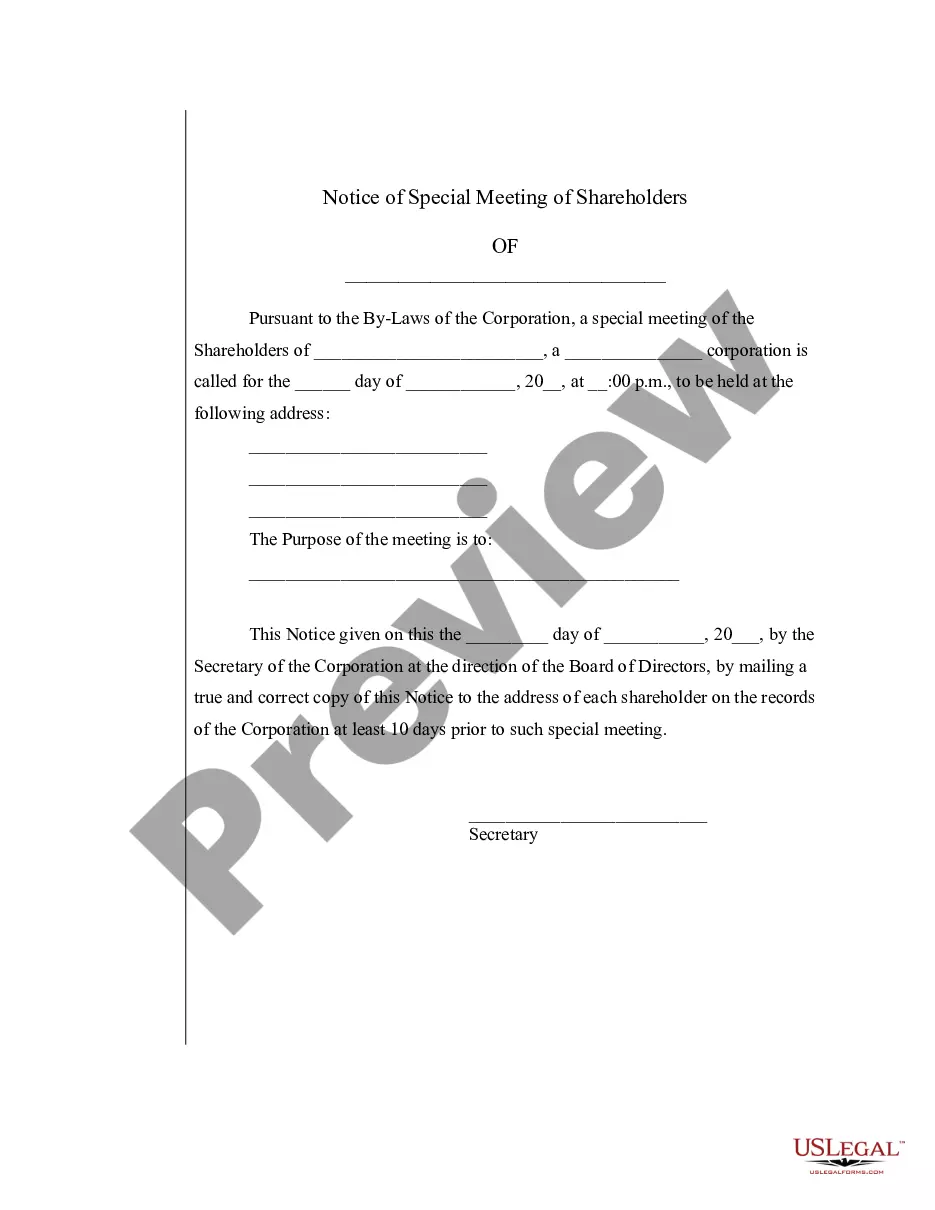
Special Meeting Sample With Signature In Washington
Description



Get your form ready online
Our built-in tools help you complete, sign, share, and store your documents in one place.
Make edits, fill in missing information, and update formatting in US Legal Forms—just like you would in MS Word.
Download a copy, print it, send it by email, or mail it via USPS—whatever works best for your next step.
Sign and collect signatures with our SignNow integration. Send to multiple recipients, set reminders, and more. Go Premium to unlock E-Sign.
If this form requires notarization, complete it online through a secure video call—no need to meet a notary in person or wait for an appointment.
We protect your documents and personal data by following strict security and privacy standards.

Make edits, fill in missing information, and update formatting in US Legal Forms—just like you would in MS Word.

Download a copy, print it, send it by email, or mail it via USPS—whatever works best for your next step.

Sign and collect signatures with our SignNow integration. Send to multiple recipients, set reminders, and more. Go Premium to unlock E-Sign.

If this form requires notarization, complete it online through a secure video call—no need to meet a notary in person or wait for an appointment.

We protect your documents and personal data by following strict security and privacy standards.
Looking for another form?




Form popularity
FAQ
For example, a company may call a special meeting to discuss a major decision, such as a merger or acquisition. A school board may call a special meeting to address a specific issue, such as a budget shortfall.
Many organizations require that the presiding officer and recording secretary sign the minutes once approved, she adds, so it's important to check your bylaws to ensure the proper signatures are included. The minutes should reflect what took place in motions — the action of the board, not the dialogue, says Bowie.
How to write meeting minutes reports Make an outline. Prior to the meeting, create an outline by picking or designing a template. Include factual information. Write down the purpose. Record decisions made. Add details for the next meeting. Be concise. Consider recording. Edit and proofread.
A proper meeting notice should include: Date, Time, and Venue: Clear details on when and where the meeting will take place. Purpose of the Meeting: A brief description of the meeting's objectives. Agenda: An outline of topics to be discussed; this helps attendees prepare for the meeting.
What to include Meeting date, time and location. Names of the committee or other group holding the meeting, the Chair and Secretary. List of those present, including guests in attendance, and any recorded regrets/absences. A record of formal motions and outcomes.
Yes – you should make every effort to get notes agreed, signed and dated. Where the employee disputes the note, make a note to that effect and keep both versions of the notes for future reference.
Check it out: Step 1: Write a Direct Subject Line. Step 2: Use a Professional Greeting & Intro. Step 3: Explain the Need for the Meeting. Step 4: Request a Response. Step 5: Offer to Prepare and Send an Agenda. Step 6: Closing & Signature. Sample 5: Request for an Urgent Meeting Regarding a Crisis.
Tips to Remember regarding Notice Writing Be precise and to the point. It is a formal form of communication so the language used should be formal as well. Keep the sentences short and use simple words. Use passive voice as far as possible. Present your notices in a proper format in a box.

