Equity Share Statement With Text In Michigan
Description

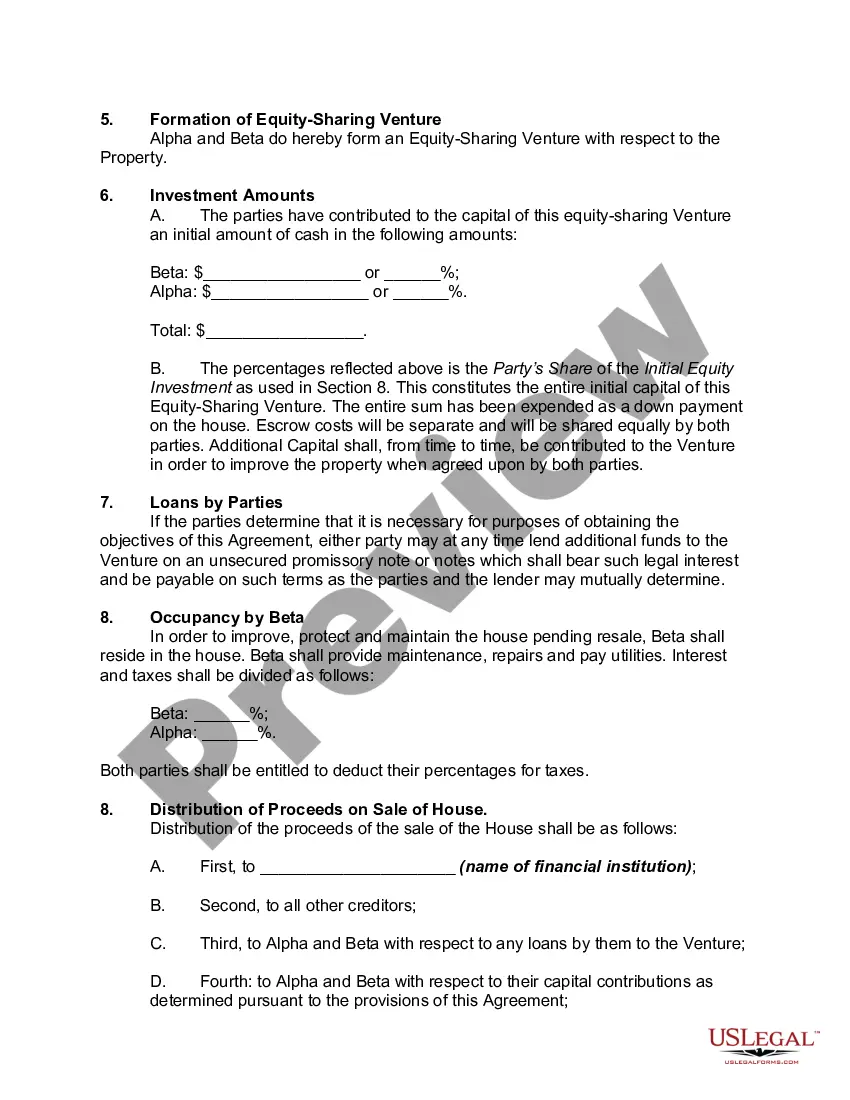
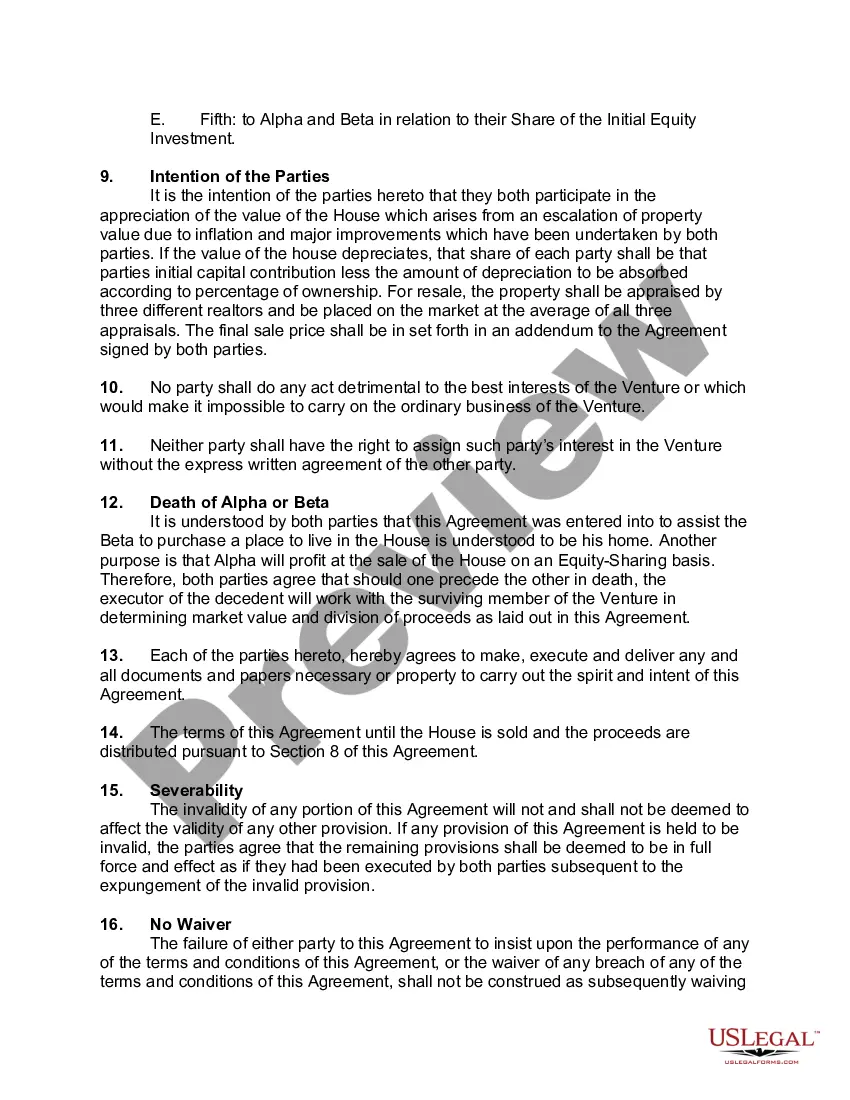
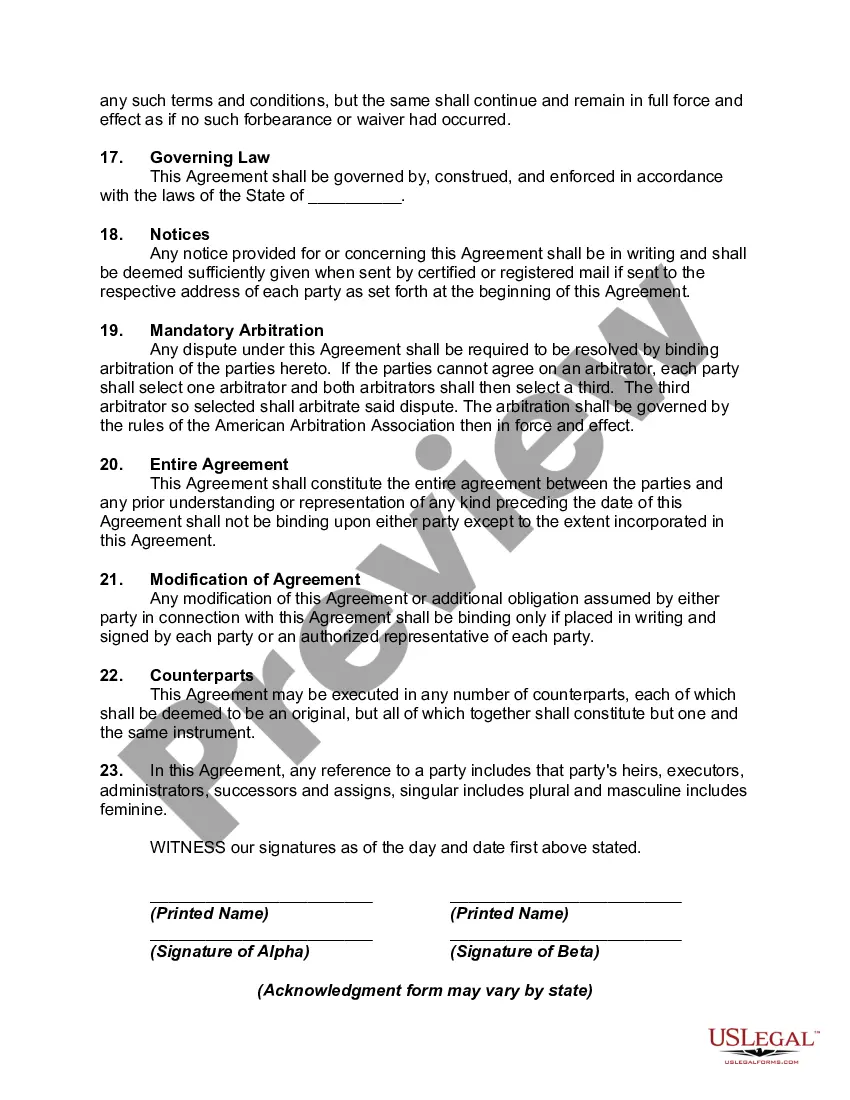

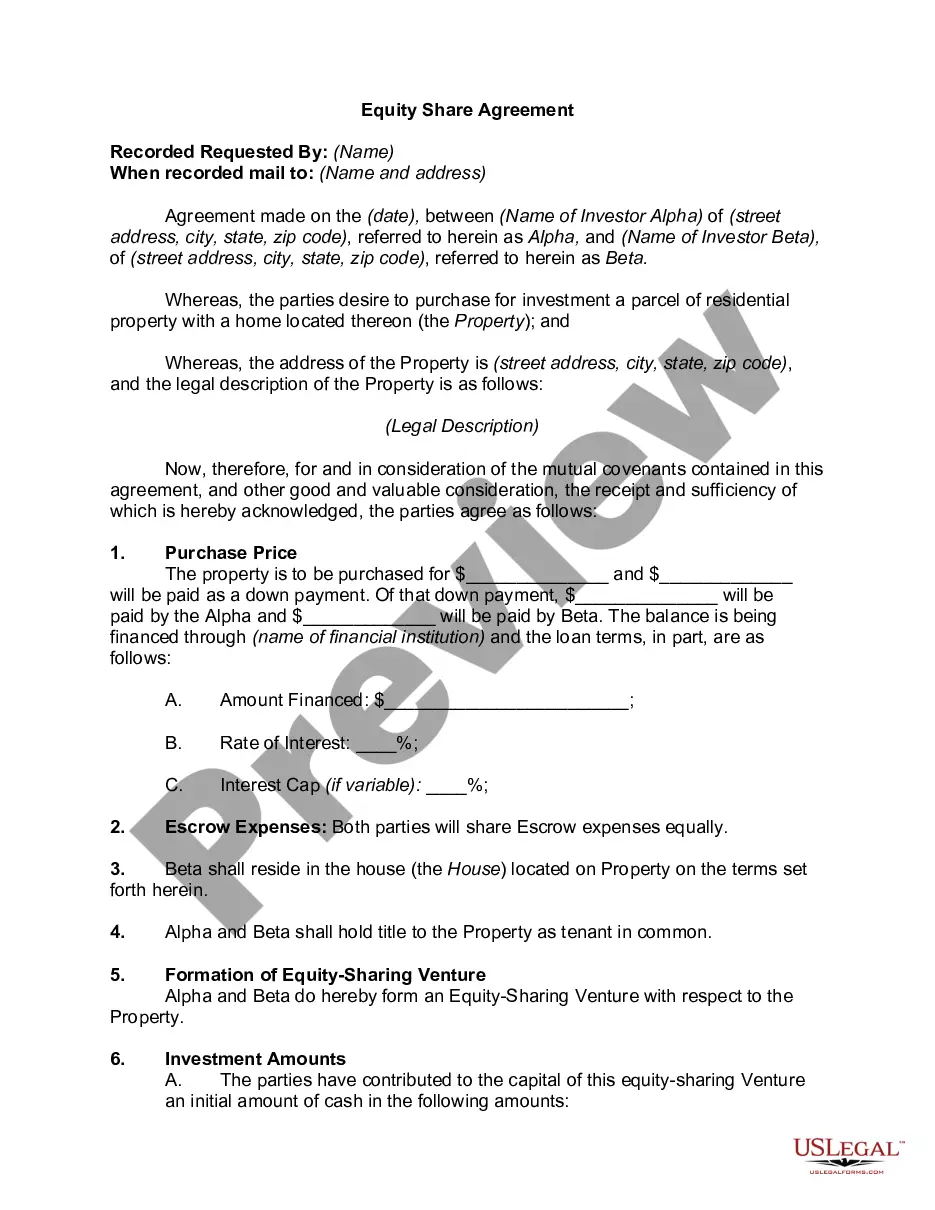
Get your form ready online
Our built-in tools help you complete, sign, share, and store your documents in one place.
Make edits, fill in missing information, and update formatting in US Legal Forms—just like you would in MS Word.
Download a copy, print it, send it by email, or mail it via USPS—whatever works best for your next step.
Sign and collect signatures with our SignNow integration. Send to multiple recipients, set reminders, and more. Go Premium to unlock E-Sign.
If this form requires notarization, complete it online through a secure video call—no need to meet a notary in person or wait for an appointment.
We protect your documents and personal data by following strict security and privacy standards.

Make edits, fill in missing information, and update formatting in US Legal Forms—just like you would in MS Word.

Download a copy, print it, send it by email, or mail it via USPS—whatever works best for your next step.

Sign and collect signatures with our SignNow integration. Send to multiple recipients, set reminders, and more. Go Premium to unlock E-Sign.

If this form requires notarization, complete it online through a secure video call—no need to meet a notary in person or wait for an appointment.

We protect your documents and personal data by following strict security and privacy standards.
Looking for another form?








Form popularity
FAQ
OR .michigan/uia and select Online Services from the top menu bar. Click the Sign-In with MILogin button. At the Confirmation pop-up, click SIGN UP to create a new account. Click the Create an Account button.
Eligibility for Unemployment You worked and earned wages in the past 18 months; It's not your fault you don't have a job; You can work; You're available for work; and.
Registering for Work involves first creating a profile on the Pure Michigan Talent Connect (PMTC) site or updating an existing profile. Secondly, you MUST meet with a Michigan Works! Agency (MWA) representative either IN PERSON OR VIRTUAL PHONE APPOINTMENT.
You will receive their Unemployment (UIA) Employer Account Number in 3 days after completing the online registration. This process can take up to 30 days if registration is completed by mail. You will need to register with this department if you have employees that work in Michigan.
A brokerage account is an investment account that allows you to buy investments like stocks, bonds, mutual funds, and exchange-traded funds (ETFs). Many people have other investment accounts, such as a 401(k) through an employer, an IRA (traditional or Roth), or a health savings account (HSA).
Additionally, since your brokerage firm isn't required to keep records related to your securities transactions indefinitely, you should maintain this information for as long as you hold an investment and for at least several years after you've sold the position.
Your Brokerage Account Statement provides you with a concise, comprehensive picture of your financial status. At a glance, you can easily track your investments, monitor your account activity, evaluate your asset allocation, and view any changes that occur in the value of your account.
Your Brokerage Account Statement provides you with a concise, comprehensive picture of your financial status. At a glance, you can easily track your investments, monitor your account activity, evaluate your asset allocation, and view any changes that occur in the value of your account.
Starting an S Corp may sound intimidating, but anyone can do it with a computer and the right information. Creating a business structure and filing an S Corporation tax election requires filing business registration forms with your resident state's secretary of state office and the Internal Revenue Service (IRS).
Filing as an S Corp in Michigan Step 1: Choose a Business Name. Step 2: Appoint Directors and a Registered Agent. Step 3: File Articles of Incorporation. Step 4: Create S Corp Bylaws. Step 5: Apply for an Employer Identification Number. Step 6: File Form 2553 for S Corporation Election.