Revocable Trust Amendment Form With Signature Required

Description


Get your form ready online
Our built-in tools help you complete, sign, share, and store your documents in one place.
Make edits, fill in missing information, and update formatting in US Legal Forms—just like you would in MS Word.
Download a copy, print it, send it by email, or mail it via USPS—whatever works best for your next step.
Sign and collect signatures with our SignNow integration. Send to multiple recipients, set reminders, and more. Go Premium to unlock E-Sign.
If this form requires notarization, complete it online through a secure video call—no need to meet a notary in person or wait for an appointment.
We protect your documents and personal data by following strict security and privacy standards.

Make edits, fill in missing information, and update formatting in US Legal Forms—just like you would in MS Word.

Download a copy, print it, send it by email, or mail it via USPS—whatever works best for your next step.

Sign and collect signatures with our SignNow integration. Send to multiple recipients, set reminders, and more. Go Premium to unlock E-Sign.

If this form requires notarization, complete it online through a secure video call—no need to meet a notary in person or wait for an appointment.

We protect your documents and personal data by following strict security and privacy standards.
Looking for another form?




How to fill out Florida Amendment To Living Trust?
Acquiring legal document examples that comply with federal and local regulations is essential, and the internet provides numerous choices to select from.
However, what’s the use of spending time searching for the appropriate Revocable Trust Amendment Form With Signature Required sample online when the US Legal Forms digital library already has such templates gathered in one location.
US Legal Forms is the largest online legal repository with over 85,000 fillable templates designed by lawyers for any business and personal scenario.
Review the template using the Preview option or the text outline to confirm it satisfies your requirements.
- They are straightforward to navigate with all documents organized by state and intended use.
- Our specialists keep up with legislative updates, ensuring you can always trust that your form is current and compliant when acquiring a Revocable Trust Amendment Form With Signature Required from our site.
- Obtaining a Revocable Trust Amendment Form With Signature Required is quick and easy for both existing and new users.
- If you already possess an account with an active subscription, Log In and save the document template you need in the desired format.
- If you are a newcomer to our website, follow the steps below.
Form popularity
FAQ
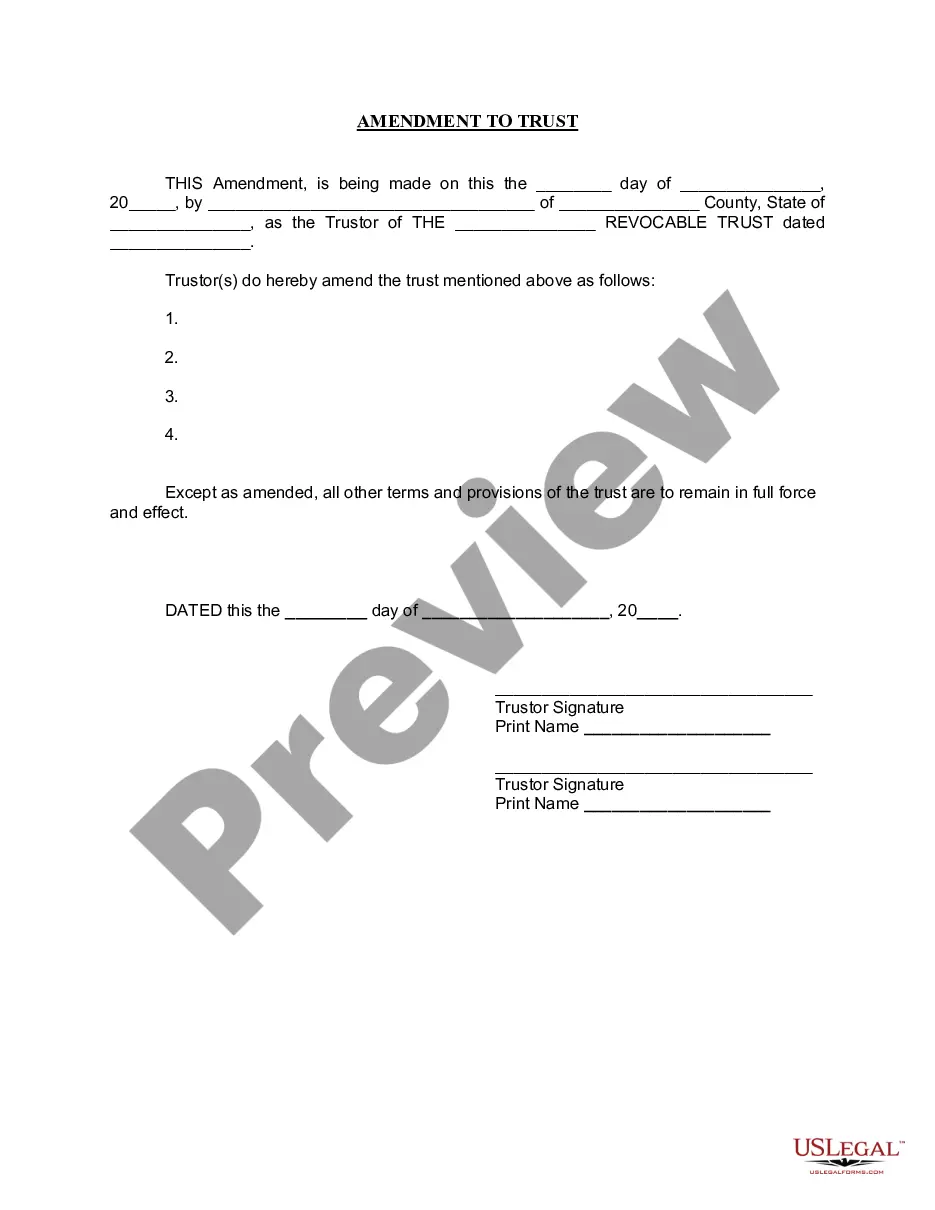
It's important to know what you want to change and where in your trust document this information lives (such as the article number you're amending). Fill out the amendment form. Complete the entire form. It's important to be clear and detailed in describing your changes.
If there is no amendment clause in the Trust Deed, any amendment has to be done with the permission of a Civil Court. Once the Civil Court has allowed permission for amendment, it is not open on the part of the Income Tax Officer or any other person to challenge such amendment.
The general rule is both grantors must die for a revocable trust to become irrevocable. However, there are legal ways to change the general rule for co-grantors. This means the parties that established the revocable trust have the legal power to set the rules for the trust.
A trust amendment that can be used to modify an existing California revocable trust instrument. This trust amendment allows a client to modify a revocable trust instrument without creating an entirely new trust instrument or restating an existing revocable trust instrument in its entirety.
Revising the terms of a trust is known as ?amending? the trust. An amendment is generally appropriate when there are only a few minor changes to make, like rewording a certain paragraph, changing the successor trustee, or modifying beneficiaries.