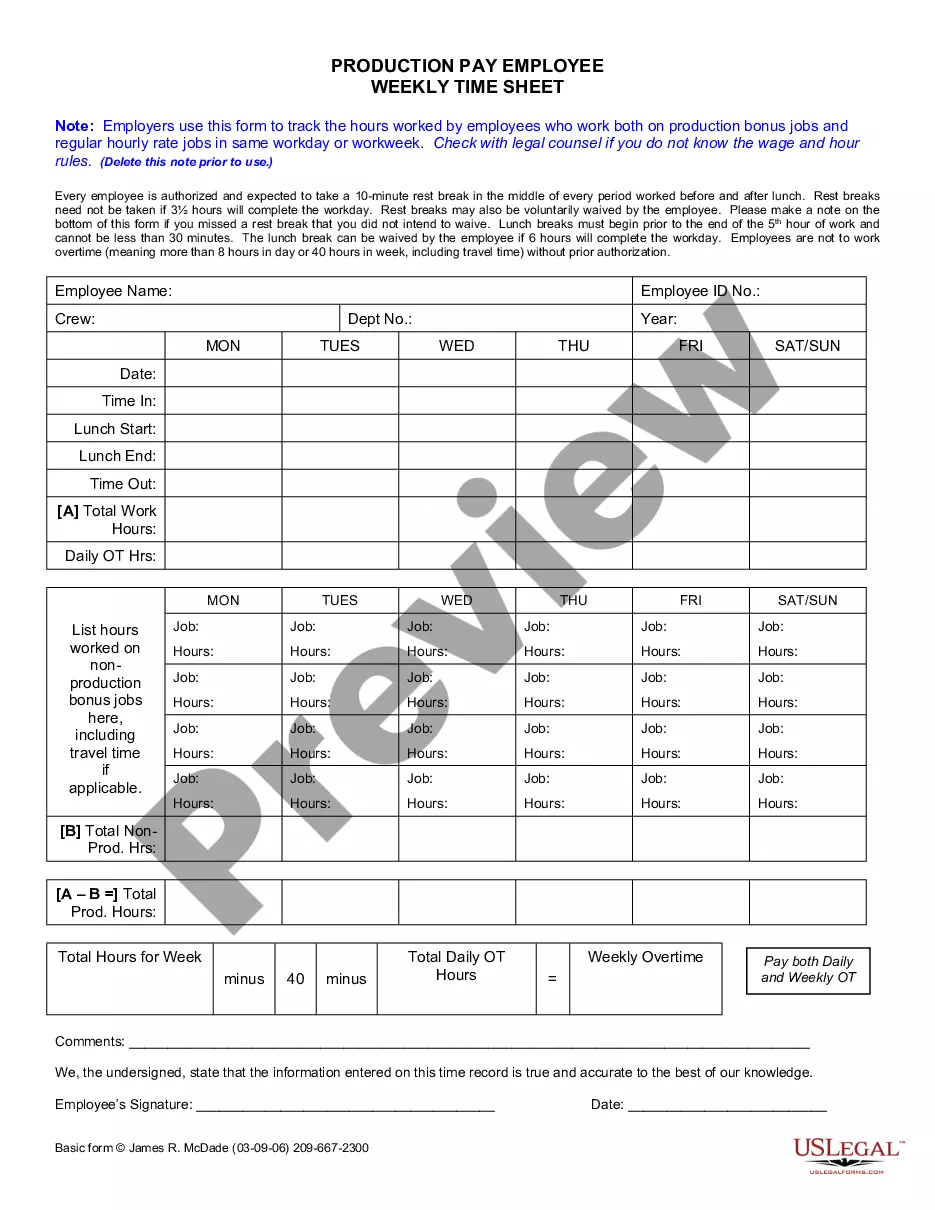
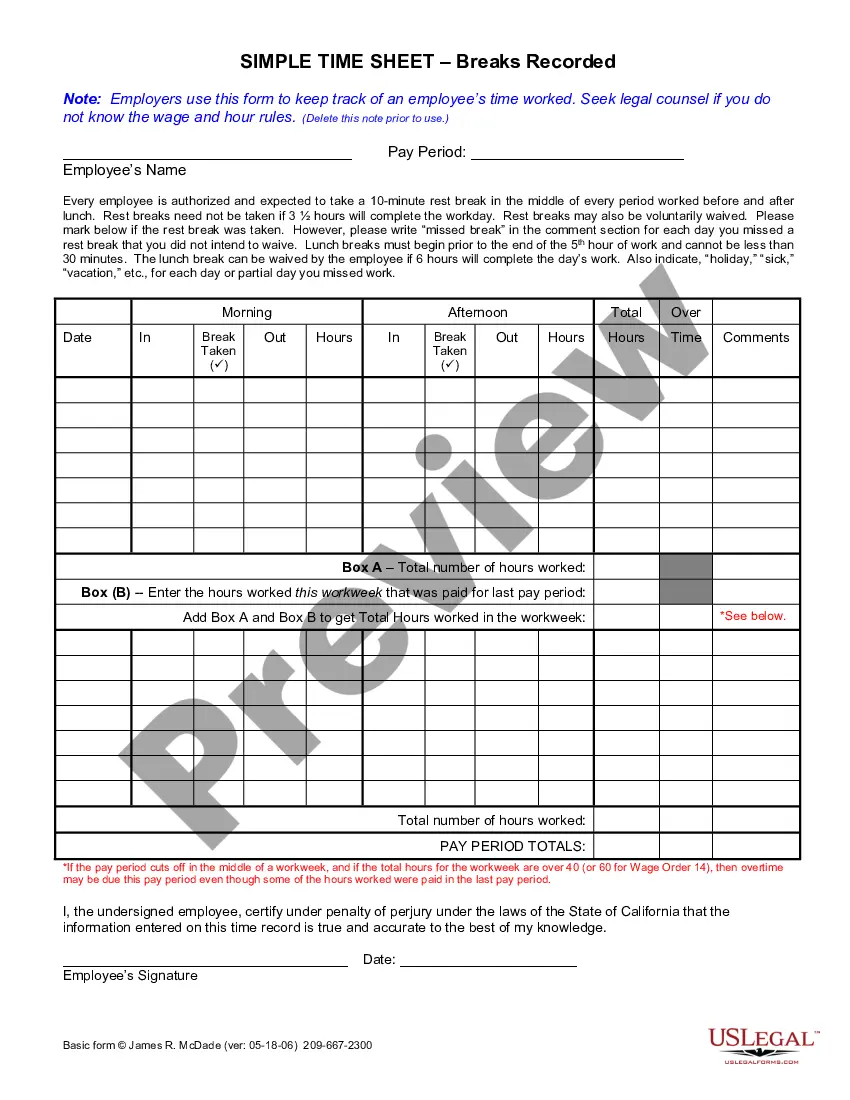
Time Sheet For Employees Template
Description

Get your form ready online
Our built-in tools help you complete, sign, share, and store your documents in one place.
Make edits, fill in missing information, and update formatting in US Legal Forms—just like you would in MS Word.
Download a copy, print it, send it by email, or mail it via USPS—whatever works best for your next step.
Sign and collect signatures with our SignNow integration. Send to multiple recipients, set reminders, and more. Go Premium to unlock E-Sign.
If this form requires notarization, complete it online through a secure video call—no need to meet a notary in person or wait for an appointment.
We protect your documents and personal data by following strict security and privacy standards.

Make edits, fill in missing information, and update formatting in US Legal Forms—just like you would in MS Word.

Download a copy, print it, send it by email, or mail it via USPS—whatever works best for your next step.

Sign and collect signatures with our SignNow integration. Send to multiple recipients, set reminders, and more. Go Premium to unlock E-Sign.

If this form requires notarization, complete it online through a secure video call—no need to meet a notary in person or wait for an appointment.

We protect your documents and personal data by following strict security and privacy standards.
Looking for another form?

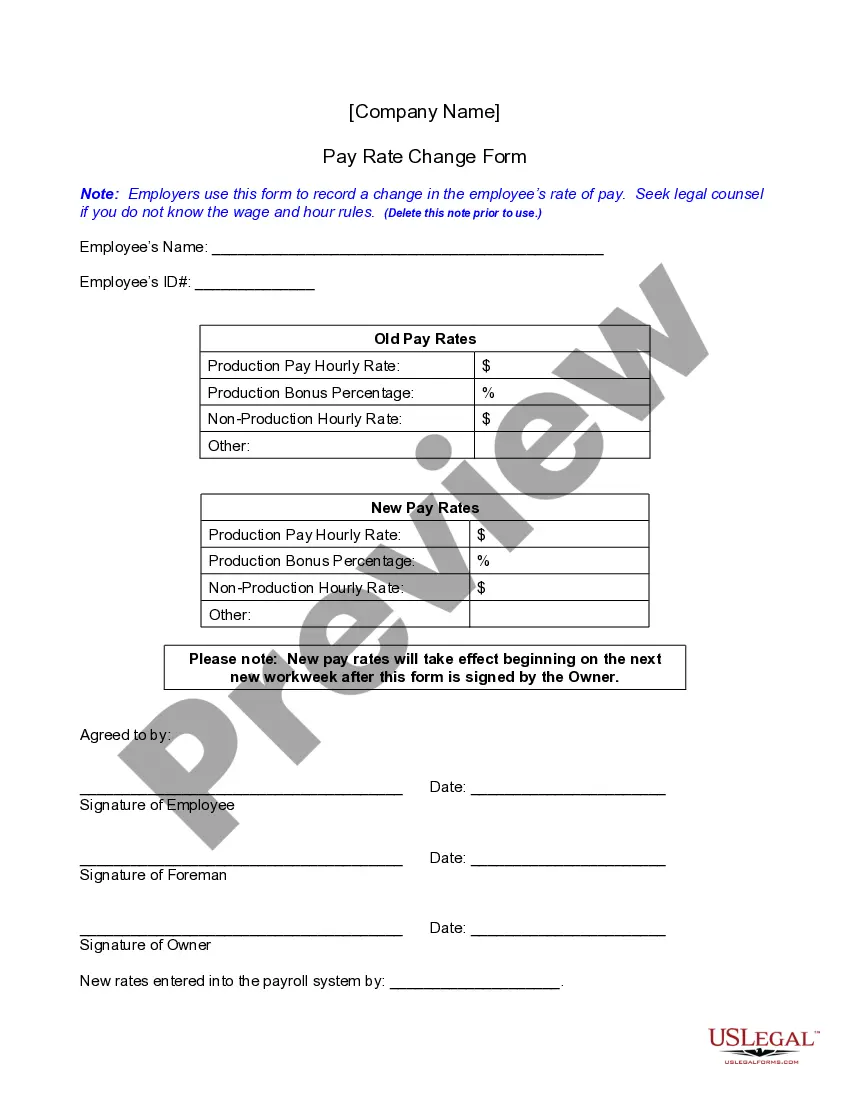
How to fill out California Weekly Time Sheet For Production Pay Employee?
- If you're a returning user, log in to your account and locate the desired time sheet template. Make sure your subscription is up to date, and renew if necessary.
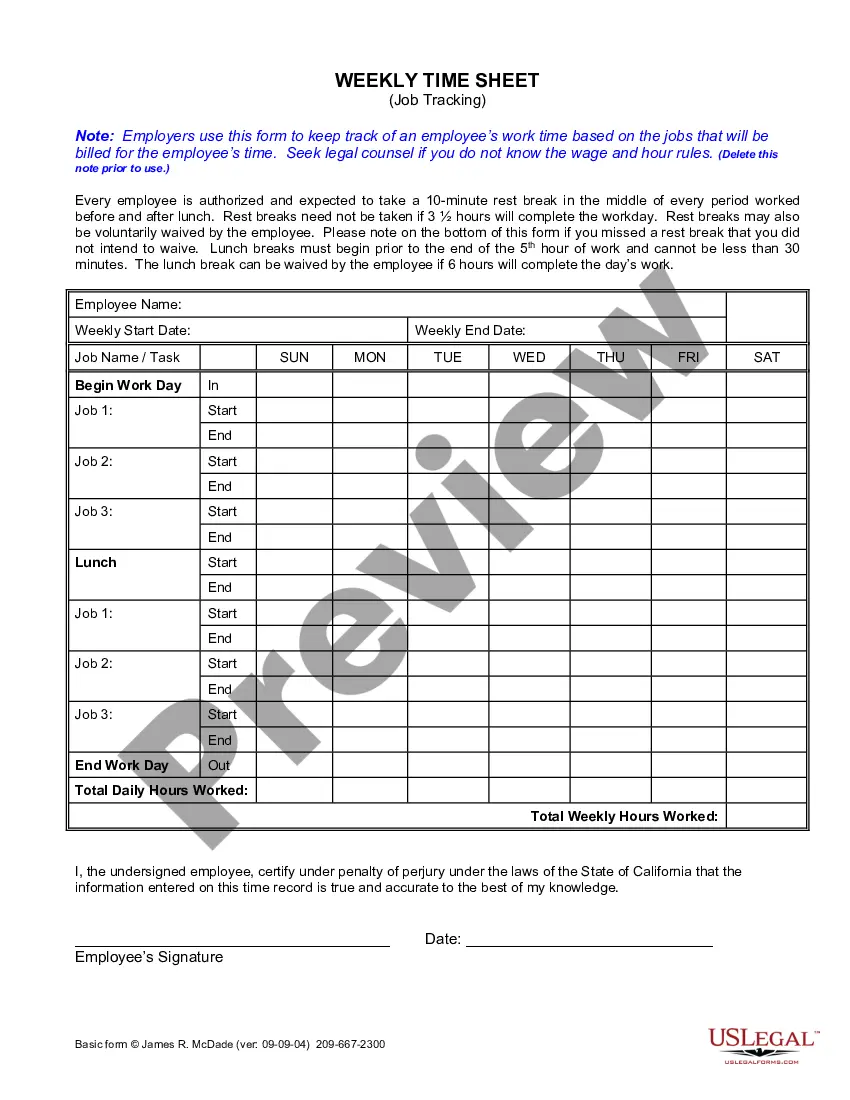
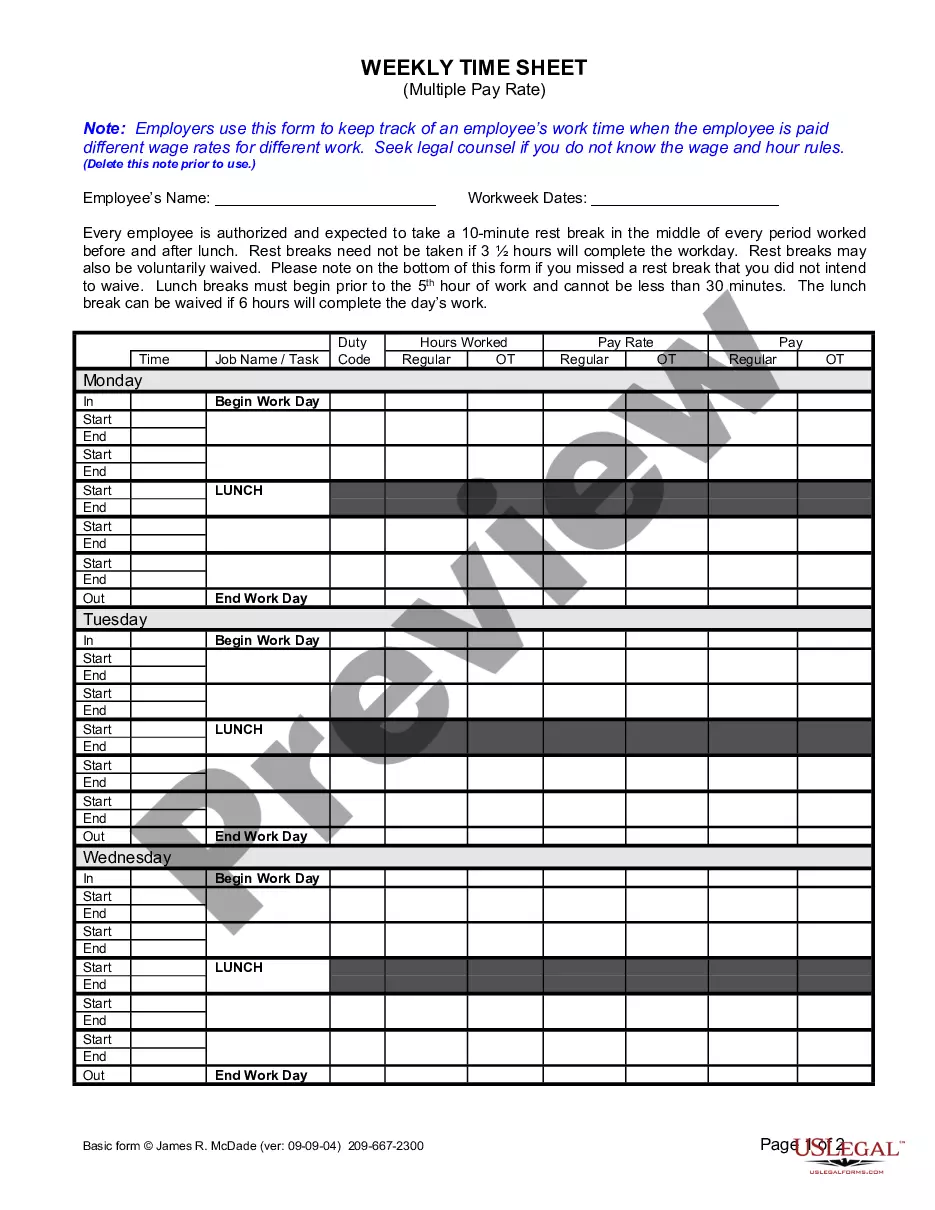
- For first-time users, start by browsing the Preview mode and form description. Confirm you've selected the correct template that fits your specific needs and adheres to local regulations.
- Should you find the need for a different template, utilize the Search feature to locate additional options that may better suit your requirements.
- Once you have identified the correct time sheet, click on the Buy Now button. Choose an appropriate subscription plan and create an account to access the full library.
- Enter your payment information, either through credit card or PayPal, to complete your purchase.
- Finally, download your time sheet template onto your device for easy completion, and access it anytime in the My Forms section of your profile.
In conclusion, US Legal Forms not only provides a diverse range of templates but also ensures users have expert assistance available for accurately completing legal documents. Enjoy the benefits of a hassle-free solution to legal form management.
Start your journey today by exploring the extensive library and download your time sheet for employees template!
Form popularity
FAQ
Yes, Google Sheets offers timeline templates that help visually organize events over a specific period. You can access these templates through the template gallery within Google Sheets. Using a timeline template can complement your time sheet for employees template by providing a clear visual representation of project timelines and deadlines, making it easier for teams to manage their tasks.
When writing hours and minutes in Google Sheets, you can format the cells to recognize time. Start by entering the time in a format like 'HH:MM' for hours and minutes. Using the right formatting not only helps in calculations but also enhances the usability of a time sheet for employees template, allowing for easier tracking and reporting of hours.
To create a spreadsheet of hours worked, start by opening Google Sheets and creating a new document. Next, label the columns for the employee's name, date, hours worked, and any relevant comments. This structure helps you track the time efficiently. For a more streamlined approach, consider using a time sheet for employees template, which can simplify tracking hours and improve accuracy.
Filling out an employee time sheet involves documenting all hours worked in a clear and concise manner. Start by entering the employee's details, followed by daily entries that include start and end times along with any project codes. Utilizing a time sheet for employees template can facilitate an easier entry process, ensuring all necessary information is collected effectively. Always check for errors and uncertainties before submitting.
When filling out a time log sheet, record each activity with the corresponding start and end times. A time sheet for employees template can help structure this process, providing designated spaces for each task. Be diligent in noting any interruptions or breaks, which can affect total hours logged. Review the completed log to ensure transparency and accuracy before reporting.
To fill out a time management sheet, begin by listing all the tasks or projects you need to complete. Next, allocate specific time blocks for each task, making sure to prioritize based on deadlines and importance. Using a time sheet for employees template can streamline this process, as it will allow you to visualize your time allocation effectively. Be mindful to adjust your schedule as tasks evolve over time.
Filling out a timesheet for work requires you to carefully record your start and end times each day. Use a time sheet for employees template to categorize hours according to different tasks, helping you keep everything organized. Ensure to include any vacation or sick leave time, as this helps in maintaining accurate records. Review your entries before submission to confirm they are correct.
A comprehensive timesheet should include the employee's name, employee ID, and the time period covered. Additionally, it should have sections for hours worked each day, project or task descriptions, and any breaks taken. Utilizing a time sheet for employees template can help ensure that you do not miss any key details, making the tracking process more straightforward and manageable.
To fill a time log sheet, start by entering the employee's name and the date range of the log. Next, record the specific hours worked each day, ensuring to note breaks and any overtime. Make use of a time sheet for employees template for better organization and clarity, as it can provide clear sections for projects and tasks. Double-check the entries for accuracy before finalizing the log.
Creating an employee timesheet begins with selecting a time sheet for employees template that suits your needs. You can find customizable templates online that allow you to include essential fields like employee names, hours worked, and project descriptions. Make sure to choose a layout that is easy to read and use. Once you have the template, you can fill it in weekly or bi-weekly to track employee hours effectively.