Tenant Failure Health With Fitbit
Description
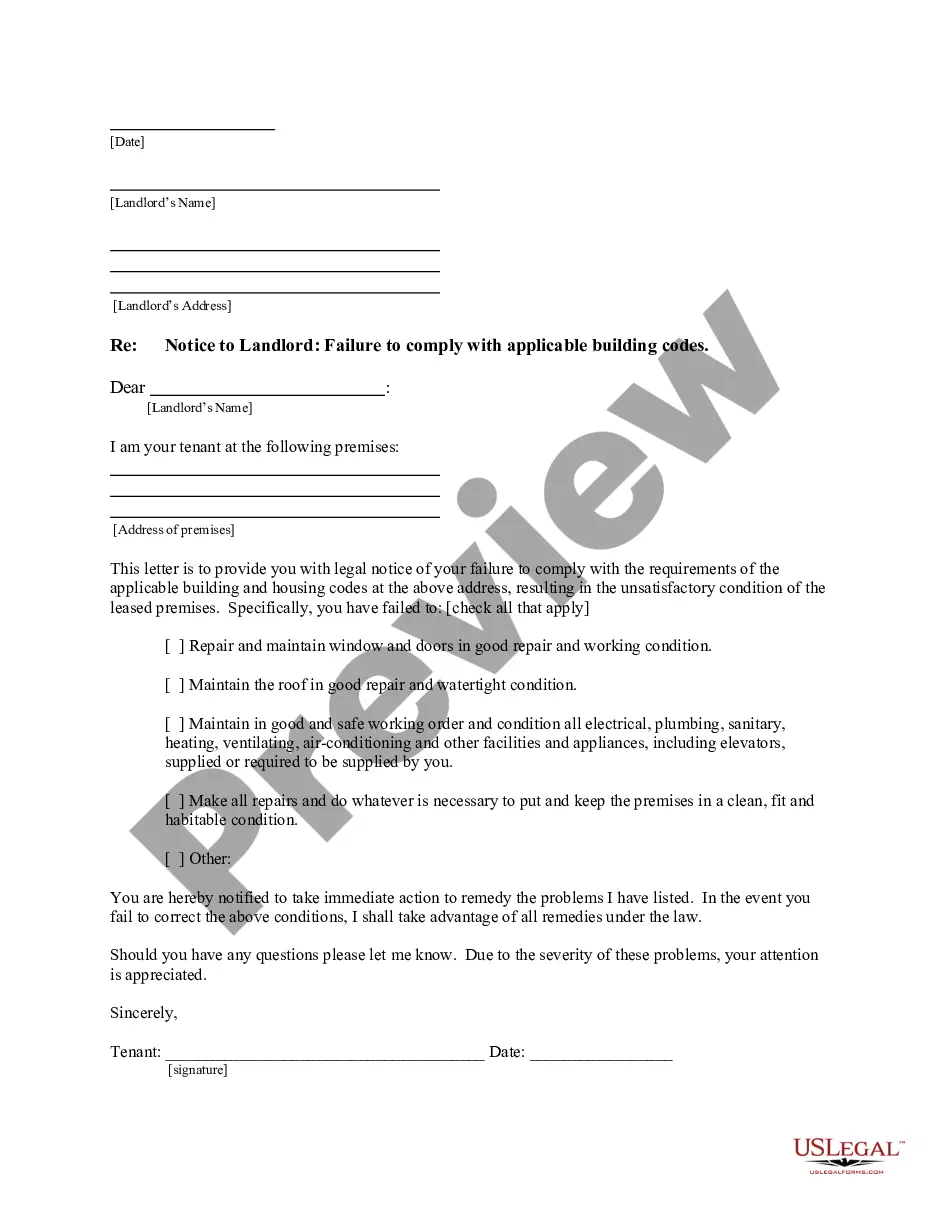




Get your form ready online
Our built-in tools help you complete, sign, share, and store your documents in one place.
Make edits, fill in missing information, and update formatting in US Legal Forms—just like you would in MS Word.
Download a copy, print it, send it by email, or mail it via USPS—whatever works best for your next step.
Sign and collect signatures with our SignNow integration. Send to multiple recipients, set reminders, and more. Go Premium to unlock E-Sign.
If this form requires notarization, complete it online through a secure video call—no need to meet a notary in person or wait for an appointment.
We protect your documents and personal data by following strict security and privacy standards.

Make edits, fill in missing information, and update formatting in US Legal Forms—just like you would in MS Word.

Download a copy, print it, send it by email, or mail it via USPS—whatever works best for your next step.

Sign and collect signatures with our SignNow integration. Send to multiple recipients, set reminders, and more. Go Premium to unlock E-Sign.

If this form requires notarization, complete it online through a secure video call—no need to meet a notary in person or wait for an appointment.

We protect your documents and personal data by following strict security and privacy standards.
Looking for another form?








How to fill out California Letter From Tenant To Landlord For Failure Of Landlord To Comply With Building Codes Affecting Health And Safety Or Resulting In Untenantable Condition - Demand For Remedy?
- Log in to your US Legal Forms account if you are a return user. Ensure your subscription is current before downloading the required form template.
- For first-time users, start by reviewing the form previews and descriptions to find one that matches your legal requirements.
- If you need to search for different templates, utilize the Search tab for more options that suit your needs.
- Once you have selected the appropriate document, click on the Buy Now button and choose your preferred subscription plan, creating an account if necessary.
- Proceed with your purchase by entering your payment details, either through credit card or PayPal.
- After completing your transaction, download the form and save it to your device. You can also access it anytime through the My Forms menu in your profile.
US Legal Forms empowers users with a robust collection of over 85,000 legal forms that are easy to fill and edit. This vast resource ensures you're never short on options to meet your legal needs.
By using US Legal Forms, you can simplify the legal document preparation process, making it easier to manage tenant health and successfully maintain your property. Take advantage of our library today!
Form popularity
FAQ
To connect a health app to Fitbit, begin by downloading both the Fitbit app and your preferred health app. Open the health app and navigate to settings to enable integration with Fitbit. Once completed, you can track and analyze your tenant failure health with Fitbit more effectively, as both platforms will share valuable health metrics.
Currently, Fitbit does not natively read data from Health Connect. However, you can use third-party applications that bridge this gap. By doing so, you can enhance your data management strategy and improve your tenant failure health with Fitbit, as you consolidate your health data from multiple platforms.
Importing Fitbit data to Apple Health can be done using apps like MyFitnessPal or Sync Solver. After installing one of these apps, follow their onboarding steps to link your Fitbit account and Apple Health. This process allows you to consolidate your fitness journey and manage your tenant failure health with Fitbit alongside Apple’s rich health information.
To recover data from your Fitbit, ensure that your device is synced with the Fitbit app on your smartphone or computer. If you misplace data, check the app's settings for recovery options. Additionally, you can visit the Fitbit dashboard on their website, where you may access historical data, which can aid you in tracking your tenant failure health with Fitbit.
Yes, you can transfer Apple Health data to Fitbit by using third-party apps like MyFitnessPal or Health Sync. These apps allow you to sync your health data back and forth between Apple Health and Fitbit. This functionality ensures that you can manage your tenant failure health with Fitbit while pulling in valuable insights from Apple Health.
To connect health with Fitbit, first download the Fitbit app from your device's app store. Once installed, open the app and log in or create an account. After that, enable health access in the app's settings, and you can seamlessly integrate your health data with Fitbit. This integration enhances your overall tenant failure health with Fitbit, allowing you to monitor metrics effectively.
To get your Fitbit to sync again, start by checking your Bluetooth settings and ensuring your devices are connected. Try restarting both your Fitbit and your smartphone, as this often resolves temporary syncing issues. Consistent syncing is vital for tracking your tenant failure health with Fitbit effectively. For further assistance, visit the US Legal Forms platform for helpful guidance.
A Fitbit may stop syncing for several reasons, including Bluetooth connectivity issues or low battery life. Ensure that Bluetooth is enabled on your device and consider restarting your Fitbit and smartphone. Keeping your Fitbit in sync is crucial for monitoring your tenant failure health with Fitbit accurately. If problems continue, don't hesitate to look for advice on the US Legal Forms website.
If your Fitbit data is not updating, it could stem from connectivity issues or an outdated app version. Make sure your device is properly connected to your smartphone and that your Fitbit app is up to date. Checking these elements allows you to stay informed about your tenant failure health with Fitbit and maintain accurate records. If the issue persists, consulting the US Legal Forms platform may provide further solutions.
Sleeping with a Fitbit on can be beneficial, as it tracks your sleep patterns and provides insights into your rest quality. The data collected helps you understand your tenant failure health with Fitbit more comprehensively. However, if you find it uncomfortable, consider removing it or adjusting the fit. Listening to your body is essential, even while gathering data.