Employment Information Document with Insurance Information
About this form
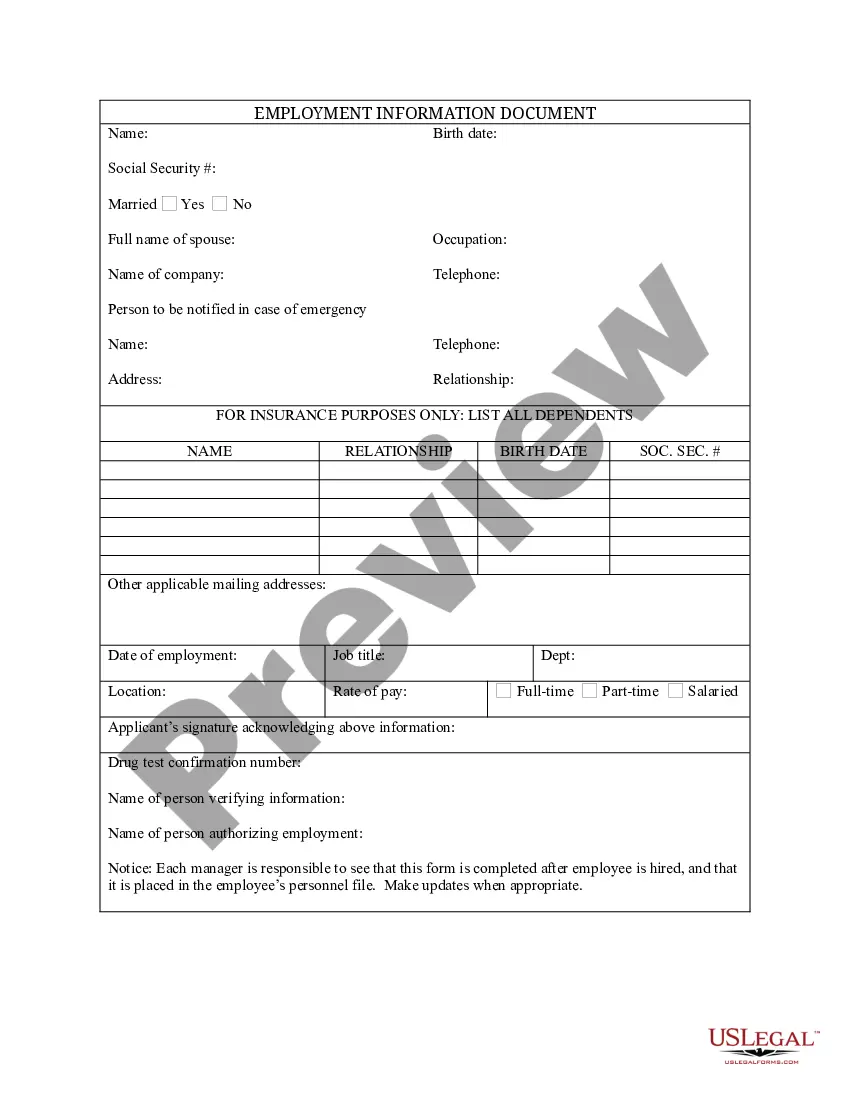
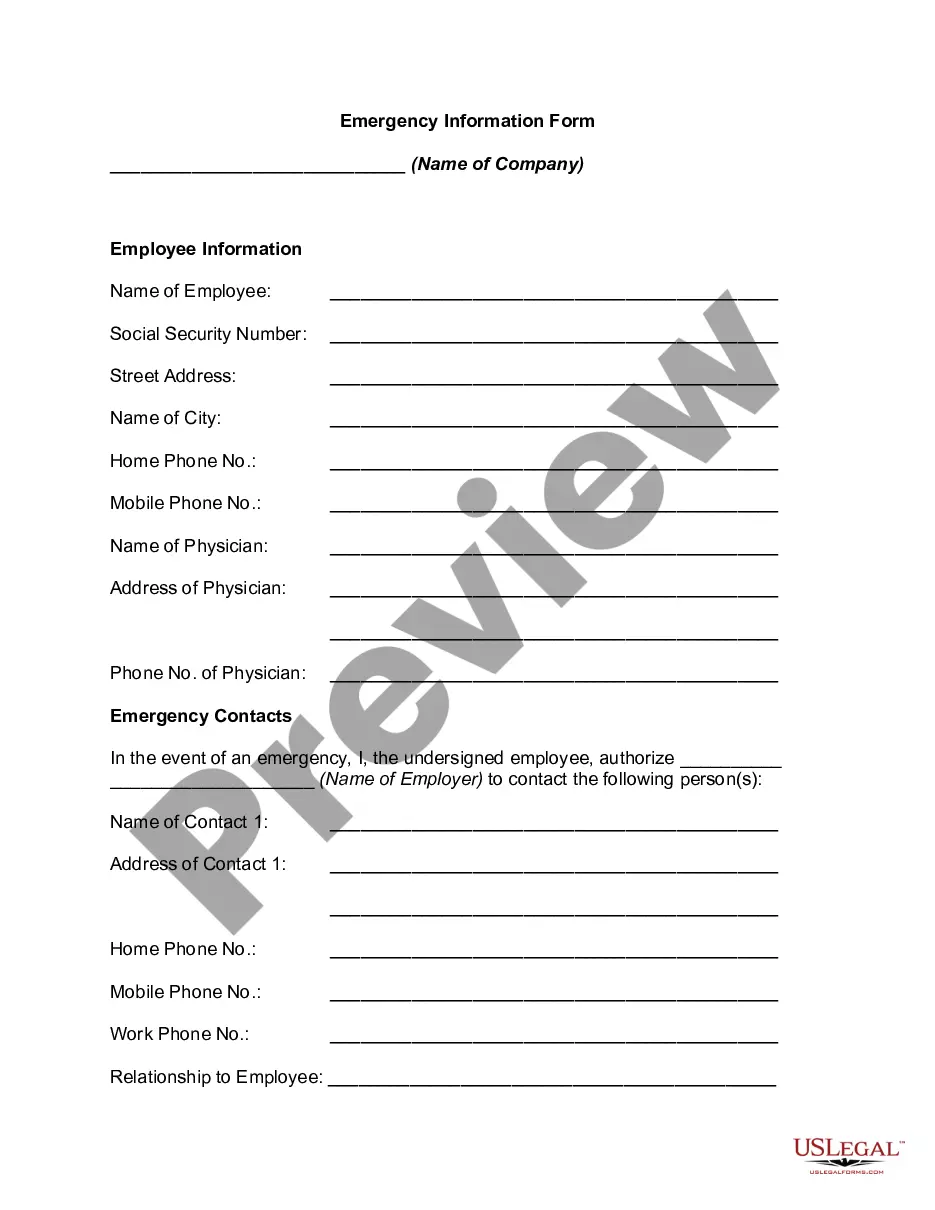
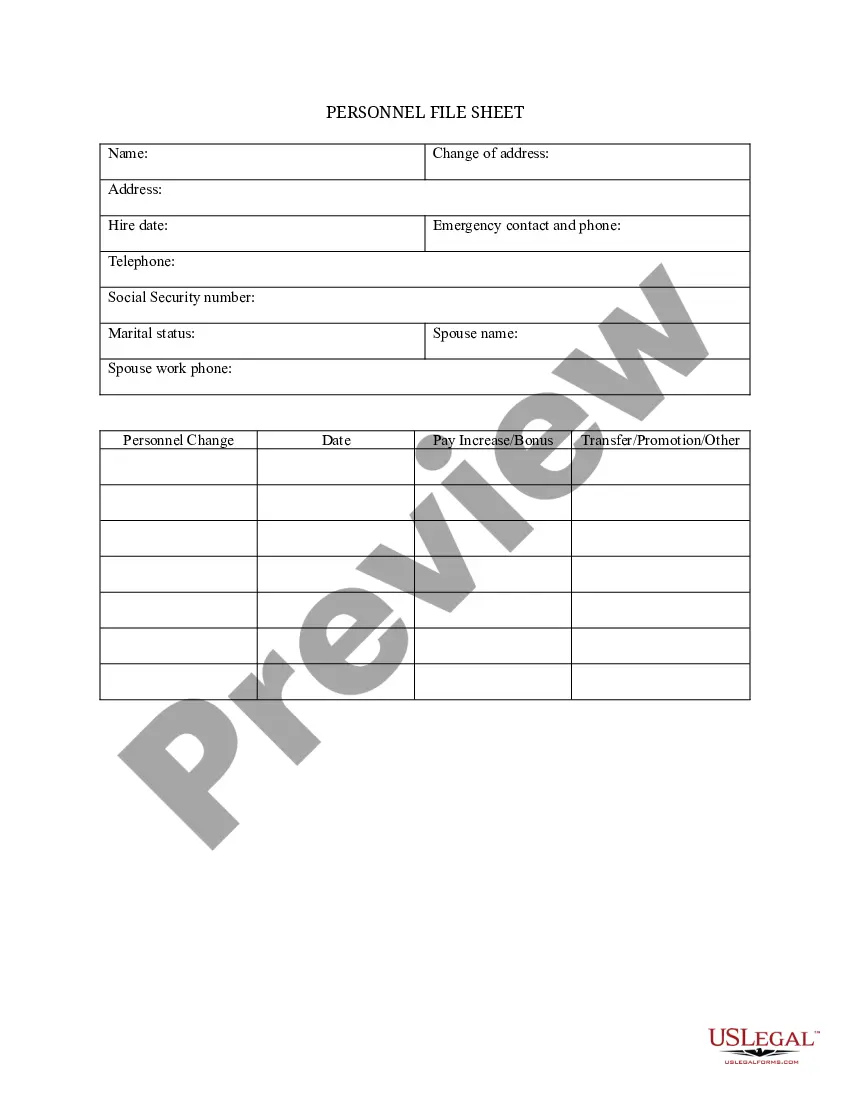
The Employment Information Document with Insurance Information is a critical form used to collect essential details about an employee, including an emergency contact, dependents, and insurance information. This form not only serves as an employee record but also aids employers in managing health benefits and emergency situations. Unlike general employment forms, it focuses specifically on insurance coverage and emergency contact details, making it vital for human resource departments.
Main sections of this form
- Employee's full name and Social Security number
- Marital status and details of spouse if applicable
- Emergency contact information including name, address, and relationship
- Details of dependents for insurance purposes, including names, birth dates, and Social Security numbers
- Employment specifics such as job title, department, and rate of pay
- Signature acknowledging the accuracy of the provided information


When to use this document
This form should be used when hiring a new employee or when there are updates to an existing employee's information related to insurance coverage or emergency contacts. It is essential for ensuring that HR has accurate and updated information to manage benefits and respond to emergencies effectively.
Intended users of this form
- Employers or HR professionals responsible for employee records
- Newly hired employees who are required to provide essential personal and family information
- Employees updating their insurance or emergency contact information
Completing this form step by step
- Enter the employee's full name and Social Security number in the designated fields.
- Specify the marital status and provide the full name of the spouse, if applicable.
- Input emergency contact details, including their relationship and contact information.
- List dependents for insurance, including their names, relationships, birth dates, and Social Security numbers.
- Fill in employment information such as job title, department, and rate of pay.
- Sign the form to confirm all information is accurate and complete.
Is notarization required?
This form does not typically require notarization unless specified by local law.
Get your form ready online
Our built-in tools help you complete, sign, share, and store your documents in one place.
Make edits, fill in missing information, and update formatting in US Legal Forms—just like you would in MS Word.
Download a copy, print it, send it by email, or mail it via USPS—whatever works best for your next step.
Sign and collect signatures with our SignNow integration. Send to multiple recipients, set reminders, and more. Go Premium to unlock E-Sign.
If this form requires notarization, complete it online through a secure video call—no need to meet a notary in person or wait for an appointment.
We protect your documents and personal data by following strict security and privacy standards.

Make edits, fill in missing information, and update formatting in US Legal Forms—just like you would in MS Word.

Download a copy, print it, send it by email, or mail it via USPS—whatever works best for your next step.

Sign and collect signatures with our SignNow integration. Send to multiple recipients, set reminders, and more. Go Premium to unlock E-Sign.

If this form requires notarization, complete it online through a secure video call—no need to meet a notary in person or wait for an appointment.

We protect your documents and personal data by following strict security and privacy standards.
Mistakes to watch out for
- Leaving out crucial information such as the Social Security number or emergency contact details.
- Failing to update the document when there are changes in marital status or dependents.
- Not signing the form, which can render it invalid.
Advantages of online completion
- Convenient access allows employers to manage employee records efficiently.
- Editability of the form ensures that updates can be made seamlessly.
- Reliable storage options help protect sensitive employee information.
Legal use & context
- The form is designed to meet employee documentation requirements under employment law.
- Accurate completion ensures compliance with healthcare and emergency preparedness regulations.
Main things to remember
- The Employment Information Document is essential for HR to maintain accurate employee records.
- It serves not just as an employment record but also helps in emergency situations.
- Completing the form accurately ensures eligibility for benefits and compliance with regulations.
Looking for another form?
Form popularity
FAQ
Form I-9, officially the Employment Eligibility Verification, is a United States Citizenship and Immigration Services form. Mandated by the Immigration Reform and Control Act of 1986, it is used to verify the identity and legal authorization to work of all paid employees in the United States.
The green card number also known as the receipt number or the permanent resident number is located on the bottom of the back of the card, in the first line of a long string of 90 characters.
Enter the number that correlates with the citizenship or immigration status box the employee selected in Section 1. Enter the document title, issuing authority, document number, and the expiration date from the original documents the employee presented.
This is for people who live permanently in the United States. Synonymous terms for immigrant status are: Permanent Resident, immigrant, green card holder, and resident alien. Gaining immigrant status can be a lengthy and complex process that requires close consultation with an immigration attorney.
Enter the employee's last name, first name, middle initial and select the correct citizenship/immigration number in the Employee Info from Section 1 area at the top of Section 2. Ensure that any document your employee presents is original and on the Lists of Acceptable Documents or is an acceptable receipt.
Form CMS-L564 is an employment information form from the Social Security Administration (SSA). It's used in conjunction with Form CMS-40B when you apply for Medicare part B during a special enrollment period (SEP). One portion is completed by you and the other is completed by your employer or your spouse's employer.
Pay stubs and W-2 forms are commonly used as proof of employment. Your employer may write a verification letter or use an automated verification service to confirm your job title, employment history, and salary information.
Follow business letter format. Use standard business letter format when writing your letter. Keep it concise. Include all requested information. Provide your contact information. Edit and proofread before you send.