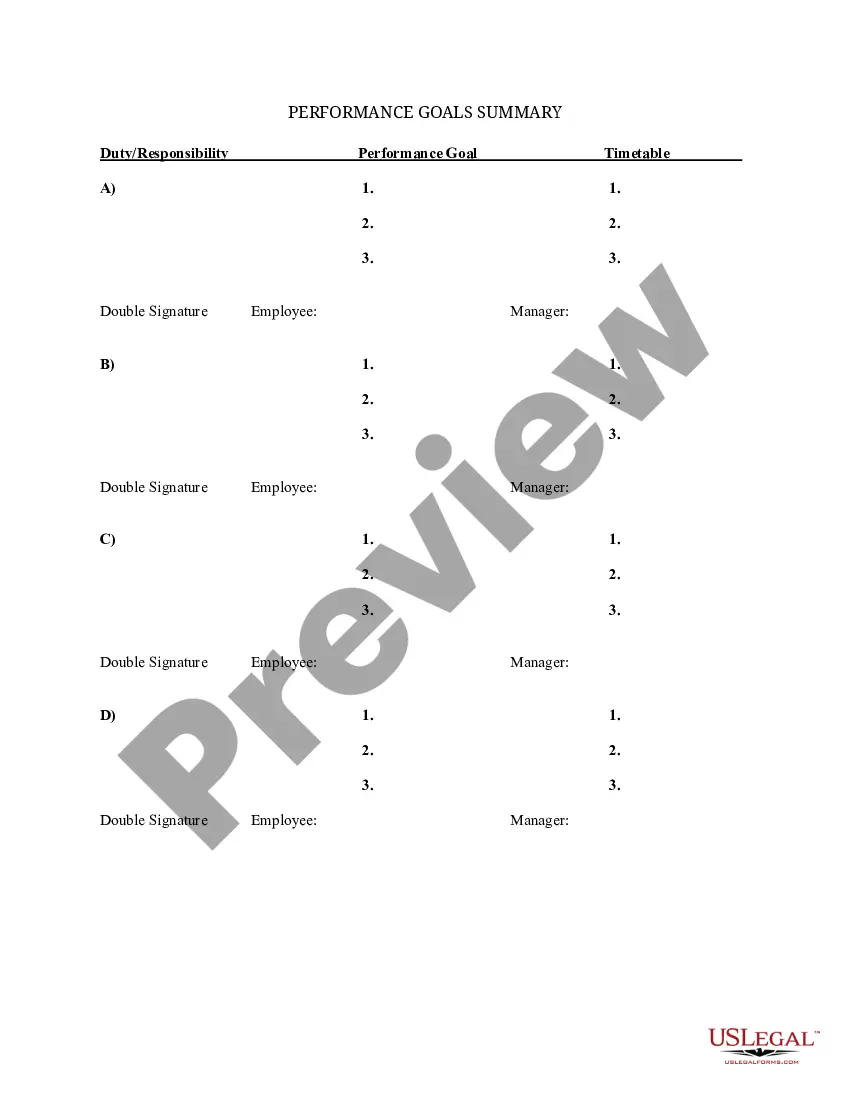
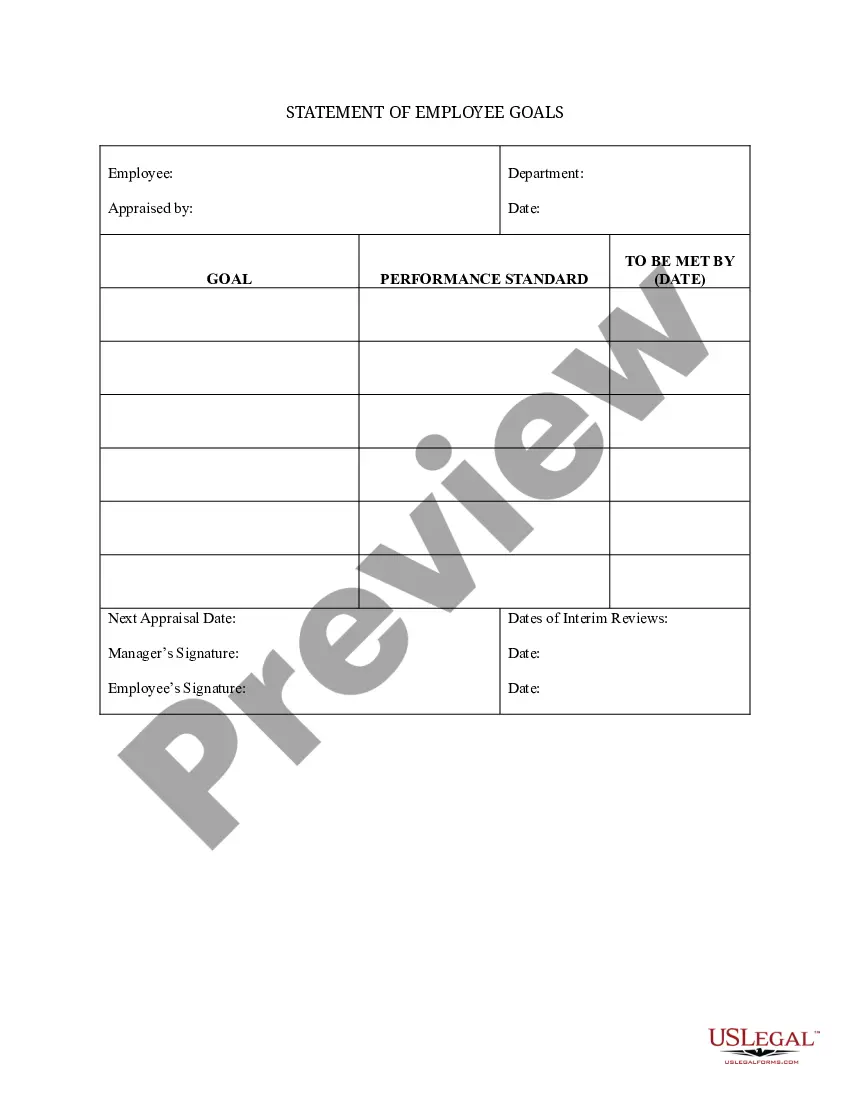
Goals Employee Template With Goals
Description
Get your form ready online
Our built-in tools help you complete, sign, share, and store your documents in one place.
Make edits, fill in missing information, and update formatting in US Legal Forms—just like you would in MS Word.
Download a copy, print it, send it by email, or mail it via USPS—whatever works best for your next step.
Sign and collect signatures with our SignNow integration. Send to multiple recipients, set reminders, and more. Go Premium to unlock E-Sign.
If this form requires notarization, complete it online through a secure video call—no need to meet a notary in person or wait for an appointment.
We protect your documents and personal data by following strict security and privacy standards.

Make edits, fill in missing information, and update formatting in US Legal Forms—just like you would in MS Word.

Download a copy, print it, send it by email, or mail it via USPS—whatever works best for your next step.

Sign and collect signatures with our SignNow integration. Send to multiple recipients, set reminders, and more. Go Premium to unlock E-Sign.

If this form requires notarization, complete it online through a secure video call—no need to meet a notary in person or wait for an appointment.

We protect your documents and personal data by following strict security and privacy standards.
Looking for another form?

How to fill out Summary Of Departmental Goals - Individual Employee Chart?
- If you’re a returning user, log into your account to access your previous documents. Ensure your subscription is up to date before proceeding to the download.
- For first-time users, start by checking the Preview mode and form description for the Goals employee template with goals, ensuring it meets your needs and adheres to local regulations.
- If adjustments are needed, utilize the Search tab to find alternative templates that might better serve your requirements.
- Next, select the Buy Now button and choose a subscription plan to proceed with the purchase. You’ll need to create an account for full access to the library.
- Finally, complete your purchase process by entering your payment information or using PayPal. After payment, download your form and save it to your device for easy access.
By following these steps, you can efficiently secure your Goals employee template with goals and have it at your fingertips whenever necessary. US Legal Forms ensures that the process is user-friendly and accessible.
Don’t wait any longer; start your journey towards achieving your professional goals today by visiting US Legal Forms.
Form popularity
FAQ
A SMART goal for an employee could be to enhance customer satisfaction ratings by 15% within six months. This goal provides a clear target while remaining achievable and relevant to their role. Using the Goals employee template with goals ensures that such objectives are structured correctly, promoting accountability and focus.
The five key words for SMART goals are Specific, Measurable, Achievable, Relevant, and Time-bound. These keywords emphasize the critical components necessary for effective goal-setting. By applying the Goals employee template with goals, you can seamlessly incorporate these principles into your planning, enhancing your ability to achieve desired outcomes.
The 5 R's of goal setting include relevance, rewards, resources, responsibility, and real-time review. Each element plays a crucial role in establishing effective goals. By adhering to these principles and utilizing the Goals employee template with goals, you can create a framework that not only motivates employees but also drives performance.
The 5 golden rules of SMART are to ensure your goals are Specific, Measurable, Achievable, Relevant, and Time-bound. Following these rules simplifies the goal-setting process and enhances clarity. The Goals employee template with goals can guide you in crafting goals that fit these criteria, ensuring that your team's targets are well-defined and actionable.
Real examples of SMART goals include increasing sales by 20% over the next quarter or completing a project within three months. Using the Goals employee template with goals can help you frame these objectives clearly and effectively. Each goal provides a clear direction and helps maintain focus during the execution phase.
To format work goals effectively, begin by clearly defining the objective you wish to achieve. Use the Goals employee template with goals to outline specific, measurable, achievable, relevant, and time-bound elements. Ensure that each goal is written in clear language that aligns with your team's overall vision, and regularly review progress to stay on track.
Writing employee goals examples involves making them clear, concise, and aligned with the company’s objectives. Start by identifying what the employee aims to achieve, write it down using a goals employee template with goals, and ensure it includes actionable steps. Use specific language to clarify expectations and outcomes, while incorporating deadlines to foster accountability.
The 5 W's of goal setting are who, what, when, where, and why. These elements ensure you create comprehensive and focused objectives. When using a goals employee template with goals, specify who is involved, what the goal entails, when it should be completed, where it will take place, and why it is important. This clarity can enhance your team’s motivation.
To fill out a goal-setting form effectively, start by articulating your main objectives clearly. Utilize a goals employee template with goals for guidance, ensuring each goal is specific and measurable. Next, outline the steps you will take to reach the goal and define the milestones along the way. Finally, don’t forget to include a deadline to create accountability.
First, define your goal clearly and specifically. Then, determine a timeline for achieving this goal, while identifying the resources needed. Next, write down the goal using a goals employee template with goals to visualize progress. Finally, regularly review and adjust your goals as necessary to stay on track.
