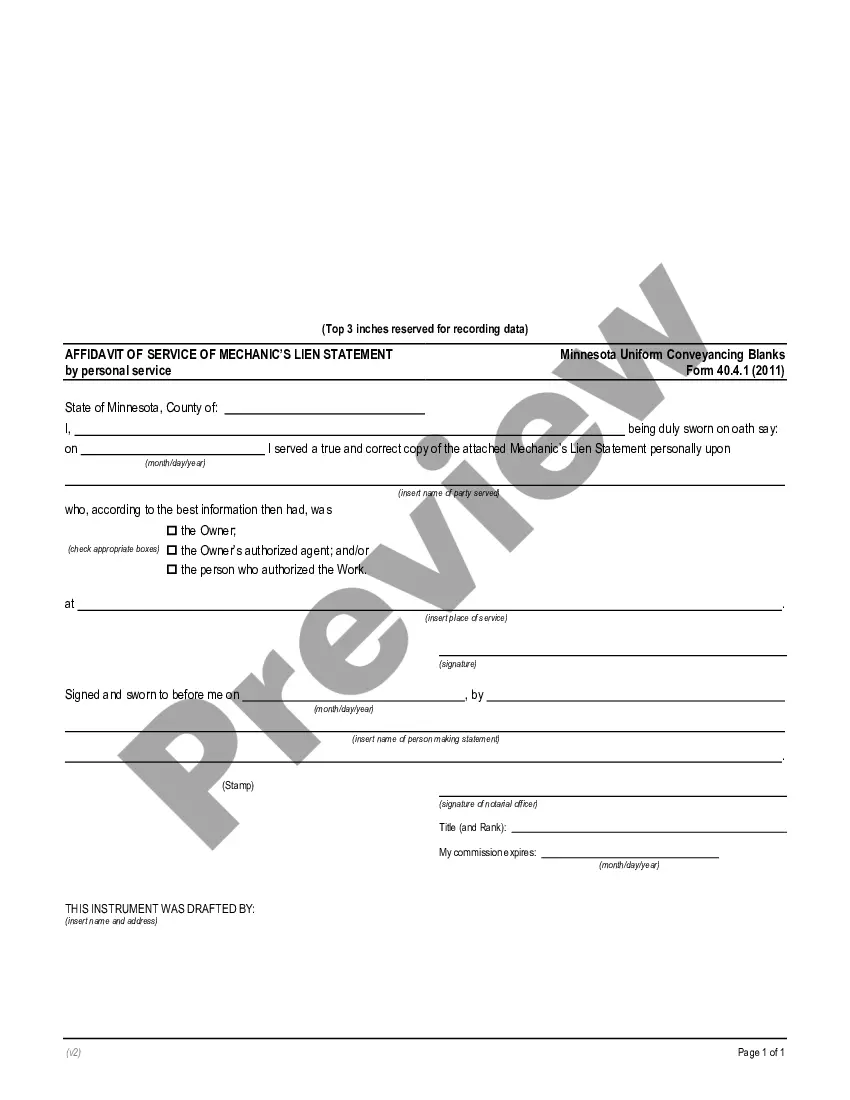
Affidavit Service Personal Form With 2 Points
Description
Get your form ready online
Our built-in tools help you complete, sign, share, and store your documents in one place.
Make edits, fill in missing information, and update formatting in US Legal Forms—just like you would in MS Word.
Download a copy, print it, send it by email, or mail it via USPS—whatever works best for your next step.
Sign and collect signatures with our SignNow integration. Send to multiple recipients, set reminders, and more. Go Premium to unlock E-Sign.
If this form requires notarization, complete it online through a secure video call—no need to meet a notary in person or wait for an appointment.
We protect your documents and personal data by following strict security and privacy standards.

Make edits, fill in missing information, and update formatting in US Legal Forms—just like you would in MS Word.

Download a copy, print it, send it by email, or mail it via USPS—whatever works best for your next step.

Sign and collect signatures with our SignNow integration. Send to multiple recipients, set reminders, and more. Go Premium to unlock E-Sign.

If this form requires notarization, complete it online through a secure video call—no need to meet a notary in person or wait for an appointment.

We protect your documents and personal data by following strict security and privacy standards.
Looking for another form?
How to fill out Minnesota Affidavit Of Service Of Mechanic's Lien Statement By Personal Service?
Individuals frequently link legal documentation with complexity that can only be managed by an expert.
In a certain sense, this is accurate, as creating the Affidavit Service Personal Form With 2 Points demands a deep comprehension of relevant criteria, encompassing state and county laws.
However, with US Legal Forms, everything has become more straightforward: pre-prepared legal templates for any personal and business situation tailored to state regulations are compiled in a single digital directory and are now accessible to all.
Once purchased, all templates in our collection are reusable: they remain stored in your account for future access. You can retrieve them anytime needed via the My documents section. Discover all the benefits of using the US Legal Forms platform. Subscribe today!
- US Legal Forms provides over 85,000 current documents categorized by state and area of application, so locating the Affidavit Service Personal Form With 2 Points or any specific template takes only minutes.
- Users with an existing account and a valid membership must Log In to their profile and click Download to retrieve the form.
- New users must establish an account and enroll before they can save any legal documentation.
- Here is a detailed procedure on how to acquire the Affidavit Service Personal Form With 2 Points.
- Carefully review the page content to ensure it meets your needs.
- Examine the form description or view it through the Preview feature.
- If the prior template doesn’t fit, search for another sample using the Search field above.
- Click Buy Now once you locate the correct Affidavit Service Personal Form With 2 Points.
- Select a subscription plan that aligns with your needs and budget.
- Create an account or Log In to proceed to the payment page.
- Pay for your subscription via PayPal or with your credit card.
- Choose the file format and click Download.
Form popularity
FAQ
6 steps to writing an affidavitTitle the affidavit. First, you'll need to title your affidavit.Craft a statement of identity. The very next section of your affidavit is what's known as a statement of identity.Write a statement of truth.State the facts.Reiterate your statement of truth.Sign and notarize.
An Affidavit of Support must contain the following:The person providing the Affidavit of Support's full name, address, date, and place of birth.They should explain what their relationship with you and your spouse is (for example, friend or pastor)They must explain how they came to know you.More items...?
I (Applicant Name as per id proof), residing at (Address as per address proof) do solemnly affirm and stated as under: I am and my name , appearing on the enclosed ID proof, is single name.
Filling out an affidavit or service You must describe: the name of the person who served the document ( e.g. you or a representative or friend) and where they are from. the name of the person who was served. when the document was served (day, month and year)
6 steps to writing an affidavitTitle the affidavit. First, you'll need to title your affidavit.Craft a statement of identity. The very next section of your affidavit is what's known as a statement of identity.Write a statement of truth.State the facts.Reiterate your statement of truth.Sign and notarize.